
What Is BIMI and Why Email Senders Need It for Deliverability
Learn what BIMI is, how it boosts email deliverability, and why senders must implement it. Improve inbox placement with verified, trusted branding.
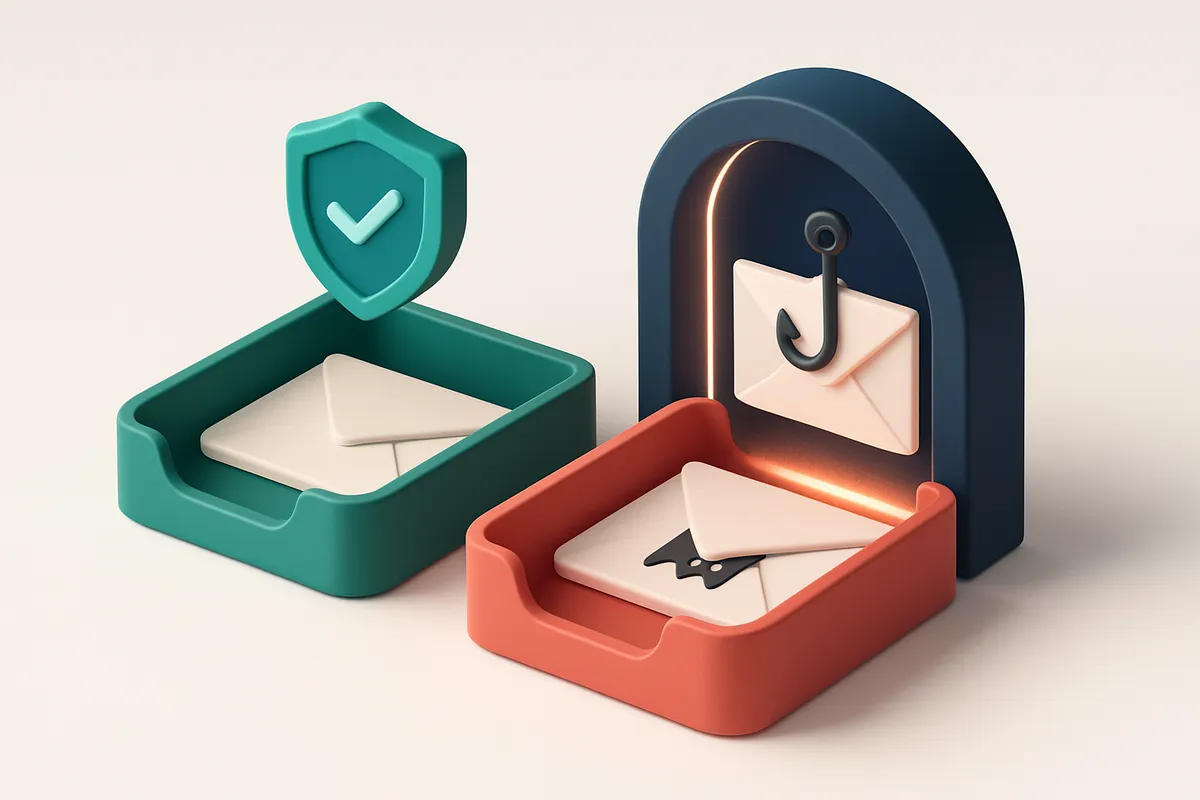
The Deliverability Paradox: Why Trust Matters More Than Ever
You send a perfectly formatted email. It passes SPF, DKIM, and DMARC. Your sender reputation is clean. And yet, it lands in the spam folder—or worse, vanishes without a trace.
That’s not a technical failure. It’s a trust failure. In today’s crowded inbox, spam filters aren’t just checking headers—they’re judging your credibility.
What good is flawless email infrastructure if your message looks suspicious to the average user? The reality is this: deliverability now hinges more on perception than protocol. A recognizable logo, a clear sender identity, and proven brand consistency can make the difference between inbox placement and obscurity.
That’s where BIMI comes in. It’s not just a branding gimmick—it’s a deliverability signal. BIMI uses verified email logos to show recipients, “Yes, this is the real brand.” And when you can prove your identity at scale, inbox providers take notice.
By the end of this piece, you’ll understand exactly how BIMI works, why it’s increasingly required by major email services, and how it directly boosts your inbox placement—not by magic, but by making your brand instantly verifiable.
Key takeaways
- BIMI is a deliverability signal that shows a verified brand logo in email inboxes.
- Email providers use visual trust signals like BIMI to reduce spam and increase sender credibility.
- Even technically valid emails can be blocked if they lack recognizable brand identity.
What Is BIMI and How Does It Work?
Let’s cut through the noise: BIMI stands for Brand Indicators for Message Identification. It’s a simple but powerful email standard that lets you show your logo next to your messages in the recipient’s inbox.
Think of it like a digital business card. When someone opens your email, they don’t just see a name — they see your brand, front and center. This isn’t just about looks. It signals authenticity and builds trust, especially in crowded inboxes.
How BIMI Works Behind the Scenes
Here’s how it actually works: you publish a verified logo file (in SVG format) on your web server, then create a DNS TXT record on your domain that points to it. This record is checked by email providers that support BIMI.
When a provider like Gmail, Yahoo, or Outlook receives your email, it looks up your domain’s BIMI record. If it finds a valid, properly signed one, it displays your logo in the inbox — usually in the sender’s name column.
It’s not just a logo display. BIMI works only if your domain is secure. You need to have valid DMARC policies in place, and the logo must be signed with a cryptographic certificate. This ensures only legitimate senders can display their brand.
That’s why BIMI is tied to email security standards. If your DMARC policy is set to reject and your BIMI record validates, you’re not just branded — you’re trusted.
For senders, this means fewer emails get filtered into spam folders. Recipients recognize your brand immediately, and inbox providers are more likely to treat your messages as legitimate. It’s a small signal, but one that adds up in deliverability.
As email volume grows and spoofing becomes more common, systems like BIMI help reduce friction. According to the IETF — the organization behind internet standards — BIMI “supports brand recognition and helps recipients verify the authenticity of email messages.” You can find more about the specification in the official BIMI draft document.
It’s worth noting that not all inbox providers support BIMI. Gmail and Yahoo do. Outlook does not — yet. But support is growing.
If you’re serious about branding and deliverability, BIMI is a step worth taking. Before adding it, make sure your domain is properly configured with SPF, DKIM, and DMARC. You can verify your email list’s quality and sender reputation using tools like bulk verification, or by testing deliverability with inbox placement tests. A clean, trusted list makes BIMI work better — because no one’s trusting a spammy brand with their logo.
BIMI Isn't Just a Logo — It's a Delivery Signal
You’ve seen those little brand logos next to emails in Yahoo, Apple Mail, or GMX. They’re not just for show. A BIMI logo is a verifiable signal that your domain is authenticated and actively maintains good sending practices.
When a provider like Yahoo renders your BIMI logo, it means your DMARC policy is enforced, your SPF and DKIM records are in place, and you’re consistently sending legitimate mail. This isn’t decoration — it’s a trust marker built into the email delivery stack.
It’s Not a Trend. It’s a Delivery Signal.
Providers that support BIMI — including Apple Mail, Yahoo, and GMX — use it as a lightweight trust indicator. A visible BIMI logo means the system has validated your domain’s authentication stack. That validation correlates with stronger inbox placement and lower filtering rates.
Think of it this way: if you’re sending from a domain with valid BIMI, you’re signaling to the inbox provider, “We’re the real deal.” That signal doesn’t override all filtering rules, but it reduces the chance your mail gets flagged as suspicious.
Research from industry groups like the Messaging, Malware, and Mobile Anti-Abuse Working Group (M3AAWG) shows that domains with proper authentication and consistent sending behavior experience meaningful improvements in delivery reliability. BIMI is one of the visible outcomes of that consistency.
Why You Need It — Even If It’s Optional
Not every provider supports BIMI yet — but the ones that do are among the largest. If your audience uses Apple Mail or Yahoo, BIMI helps your messages stand out. A branded icon next to your name does more than look nice. It subtly lowers the sender’s “risk score” in the provider’s eyes.
And here’s the key: BIMI won’t fix bad sending habits. You still need clean lists, consistent sending patterns, and strong technical setup. But if you're already doing it right, BIMI rewards you with visibility and trust.
Want to make sure your email list is healthy before deploying BIMI? Run a bulk verification on your contacts to weed out invalid, role, or disposable addresses. That ensures your send volume and engagement signals stay clean — which is the foundation of any trust-based system.
Verify your list in bulk to ensure your domain’s reputation stays strong — a prerequisite for BIMI benefits to kick in.
The Technical Foundation: DMARC, SPF, and DKIM Are Required
Let’s be straight: BIMI won’t work if your email authentication is shaky. You can’t just slap a logo on an email and expect it to display—it needs a real foundation. The first rule is simple: DMARC must be enforced. That means your policy has to be set to either `p=reject` or `p=quarantine`. Without that, no email client will trust your BIMI record, even if it’s there. The standard is clear—BIMI only activates when DMARC is actually enforcing alignment.
DMARC is the gatekeeper
DMARC isn’t just another email header. It’s the enforcement layer that checks whether SPF and DKIM are aligned with your domain. If DMARC evaluates to `p=none`, the record exists, but no action is taken. BIMI relies on that enforcement, not just the presence of a record. If DMARC isn’t active, mail providers ignore BIMI. That’s how Gmail, Apple, and others treat it. It’s not optional—this is the rule. For proof, you can check the official specification at RFC 7483, which outlines BIMI’s dependency on DMARC.
SPF and DKIM must pass
SPF and DKIM are the core identity verifiers. SPF checks that the sending IP is authorized. DKIM signs the message to prove it hasn’t been tampered with. If either fails, DMARC fails, and BIMI dies on arrival. Even one mismatch throws the whole stack off course. Let’s say you’ve set up SPF correctly but forgot to include a new mail server—your outbound emails won’t align, and DMARC will fail. That means no BIMI, no matter how shiny your logo. BIMI is only as strong as the stack beneath it. A misconfigured SPF or a DKIM signature that doesn’t match? The system flags it. That’s why you need to verify your domain’s full configuration before deploying BIMI. If you’re setting up email authentication or auditing your current setup, tools like bulk verification can help catch these issues early—before they cost you inbox placement or damage sender reputation. You can also test deliverability in real-world conditions with inbox placement testing, which simulates how your messages land across providers. In short: BIMI isn’t a standalone feature. It’s a signal that all authentication layers are working. Fix the foundation, and your brand’s logo can finally show up where it matters.
How to Set Up BIMI: A Step-by-Step Process
You’re not just sending emails—you’re building trust. BIMI (Brand Indicators for Message Identification) helps you do that visibly. Let’s walk through setting it up, step by step.
Check Your Foundation First
Before adding BIMI, make sure your domain’s email authentication is solid. Invalid SPF, missing DKIM, or unaligned DMARC can block BIMI from working—no matter how clean your logo is.
Use a tool like MxToolbox or run a free inbox placement test with Emaillistchecker.io’s inbox placement tool to spot issues early. You’ll catch common blockers like missing or misconfigured records before you spend time on BIMI.
- Validate your domain’s email authentication. Run a full deliverability check. You can use Emaillistchecker.io’s inbox placement test to simulate how your messages land across major providers.
- Create a BIMI DNS TXT record. Log into your domain registrar’s dashboard. Add a new TXT record with the exact format:
BIMI: v=1; l=; a=; h=. Thev=1version field is required; leavel,a, andhfields empty for now. - Prepare your logo. Use a static SVG file. Keep it under 20KB. Transparent background is mandatory—BIMI only displays it in white or black against the email client’s background.
- Host the logo publicly. Upload the SVG to a stable, accessible URL like
https://yourdomain.com/bimi/logo.svg. Make sure it’s served over HTTPS and not blocked by robots.txt. - Link the logo in your BIMI record. Update the
l=parameter in your TXT record to point directly to the public URL where the logo lives. Example:l=https://yourdomain.com/bimi/logo.svg. - Test your setup. Use a BIMI validator like BIMI’s official validator or run another inbox placement test via Emaillistchecker.io’s inbox placement tool to confirm your logo appears correctly in supported inboxes (like Gmail and Yahoo).
Why These Steps Matter
Each step ensures your BIMI setup is both technically correct and trusted by email providers. For example, the h= field in the BIMI record controls how the logo should be hashed for integrity checks—use sha256 or sha512 in production. Skipping verification means your logo might not appear at all.
Remember: BIMI doesn’t improve deliverability on its own. It works best when paired with strong authentication (SPF, DKIM, DMARC) and consistent sender reputation. If your domain is on a blocklist or your emails contain spam triggers, BIMI won’t fix that.
And while BIMI is mostly supported by Gmail and Yahoo, not all clients display it. But even partial visibility boosts brand recognition and helps reduce user distrust.
Let’s not overstate it—BIMI isn't a magic bullet. But it’s a small, visible signal that says, “We’re who we claim to be.”
Why BIMI Matters for Deliverability — Beyond the Logo
You’ve seen the brand logo next to an email in your inbox. That’s BIMI in action. It’s not just about branding—it’s about signal clarity. When inboxes recognize your authenticated email by a verified logo, they’re less likely to treat it as spam, even if the content is borderline.
It Cuts False Positives
Spam filters sometimes flag legitimate messages based on content or sender reputation. BIMI adds a strong visual and technical signal: your email is from a verified source. This reduces false positives—the rare but costly cases where good mail gets blocked. Inboxes like Gmail and Yahoo now use BIMI as part of their filtering stack.
According to research from the Messaging, Malware, and Mobile Anti-Abuse Working Group (M3AAWG), authenticated messages with consistent branding signals see lower spam classification rates. BIMI is one tool that supports that consistency.
Trust Builds Over Time
When your logo appears reliably, inboxes start to associate it with your brand. That trust isn’t just cosmetic. Over time, filtering systems may adjust their rules to treat your messages more favorably, even during peak volume periods or against new spam patterns.
It also signals that you’re a legitimate sender, not an impersonator. Phishers can’t easily mimic a verified BIMI logo. That protects both your reputation and your deliverability. Even if your content is neutral, a trusted brand signal helps.
Let’s be clear: BIMI doesn’t guarantee inbox delivery. But it does reduce the chance that your email gets quietly quarantined. It works best when combined with solid technical foundations—SPF, DKIM, DMARC, clean lists, and good engagement.
That’s where validation tools come in. You don’t want to invest in BIMI only to send to invalid addresses. A clean email list ensures your sender reputation stays strong. Use a tool that verifies at scale—like our bulk verification—before you roll out your BIMI signal. It’s one less thing to explain when you’re troubleshooting a drop in inbox delivery.
Common Missteps That Break BIMI Implementation
Let’s be clear: BIMI isn’t a magic fix. It only works when the foundations are solid. Skip any of these and your logo might not show — or worse, it could hurt your sender reputation.
DMARC Must Be Enforced, Not Just Set
You can’t skip the DMARC policy step. If your DMARC record says p=none or p=quarantine, BIMI won’t activate, no matter how perfect your image is. Only p=reject signals that you’re serious about authentication.
According to the DMARC.org documentation, enforcement is required for any visual trust signals — including BIMI — to be recognized by major email providers.
Image Quality and Format Matter More Than You Think
A BIMI logo isn’t just about branding. It’s a technical signal. If your image is a huge PNG, lacks transparency, or uses a non-square format, email clients simply won’t display it.
Stick to SVG or transparent PNGs, under 100KB, with a clean, centered logo. Avoid low-res, pixelated, or overly complex designs. The goal is instant recognition — not artistic flair.
Testing Before Publishing Is Non-Negotiable
Don’t publish your BIMI token until you’ve verified SPF and DKIM across every sending source — not just your primary server, but your ESP, CRM, and any third-party tool.
If one system fails authentication, the entire domain gets flagged. That means your BIMI logo won’t appear, and the inconsistency can confuse clients and trigger filters.
Use bulk verification to test domain-wide email health and catch misconfigurations before they go live.
Your Logo Must Be Branded — Not Generic
A generic checkmark, star, or house icon won’t cut it. BIMI exists to signal brand authority. If your logo looks like it came from a clip art library, it fails the purpose.
Mail users see BIMI as proof that a message is genuinely from you. If the image isn’t instantly recognizable, that signal breaks down.
Even slightly off-brand elements — wrong colors, distorted shapes — can reduce trust. Test your logo against competitors’ to ensure it stands out clearly.
- Set DMARC with
p=reject— no exceptions. - Use SVG or transparent PNGs, ≤100KB, square format.
- Validate SPF and DKIM on every sending system before BIMI activation.
- Use a high-quality, instantly recognizable brand mark — no placeholders or generic icons.
- Test your setup via inbox placement tools before going live.
How Emaillistchecker.io Supports BIMI Readiness
Let’s be clear: BIMI isn’t just a logo. It’s a deliverability signal. And platforms like Yahoo, Gmail, and Microsoft now use BIMI to assess sender trust—based on how solid your authentication stack is. If you're planning to deploy BIMI, you need more than a brand image. You need proof your domain is protected, verified, and inbox-ready.
Check Your Authentication Stack Before BIMI
You can’t deploy BIMI without a valid DMARC policy, and DMARC only works if SPF and DKIM are correctly configured. Our inbox-placement / deliverability testing feature audits your entire email stack—DMARC, SPF, DKIM—before you even think about BIMI. It checks for record alignment, policy enforcement, and common misconfigurations that could break authentication and block BIMI from working.
That’s important, because a single misaligned record can cause your BIMI logo to fail or worse—expose your domain to spoofing. You want to be confident before you publish that brand identifier. The system doesn’t just tell you *if* things are wrong—it gives you a clear path to fix them.
Validate Sender Domains and Clean Your List
If your email list contains addresses tied to invalid, compromised, or poorly authenticated inboxes, deploying BIMI won’t help. It could even hurt—bad sending patterns feed into sender reputation signals, and reputation matters even more with BIMI. That’s why our real-time verification API helps you validate domain legitimacy and detect authentication gaps at scale.
Use it during list acquisition or before campaigns to catch suspicious domains, role accounts, disposable emails, or catch-alls before they hit your mail server. It’s an extra layer between your campaign and the inbox.
Bulk list verification ensures every email in your list is not just syntactically valid—but genuinely deliverable. You can filter out risky addresses and focus on real, authenticated inboxes. This reduces bounce rates, improves sender reputation, and strengthens your overall deliverability foundation.
Before BIMI, you need more than a logo. You need trust. And that starts with authentication, accuracy, and clean data. Let’s not build a brand symbol on a weak foundation. Check your stack, scrub your list, and make sure you’re ready to send with confidence.
Start with a free test: Test your domain’s deliverability stack, or verify your list in bulk to ensure every recipient is real and properly authenticated.
BIMI Is Only One Piece of Trust — But a Critical One
You can have perfect BIMI and still get marked as spam if your list is full of dead emails or your content looks like a phishing scam.
Let’s be clear: BIMI doesn’t bypass spam filters. It doesn’t magically get your emails into inboxes. What it does is signal trust *in addition to* the existing layers of authentication and reputation. It’s not a magic bullet — it’s a trust marker.
Trust Is Built in Layers
Digital trust isn’t one thing. It’s the sum of sender reputation, consistent sending behavior, proper authentication (SPF, DKIM, DMARC), list hygiene, and engagement. BIMI sits on top of that stack, confirming — visually — that the sender is who they claim to be.
Imagine a well-authenticated, low-volume sender with a clean list and strong open rates. That’s the bedrock. BIMI adds a visual cue: a logo next to the sender name in the inbox. It doesn't fix poor engagement or a bad sender reputation.
Reducing Reliance on Heuristics
Spam filters use heuristics — rules based on email behavior patterns — when authentication and reputation signals are weak. The higher the ambiguity, the more aggressively they filter.
BIMI reduces that ambiguity. When a mailbox provider sees a valid BIMI record and a properly authenticated email, it has less reason to guess. That means fewer false positives, especially for legitimate senders with lower engagement due to seasonal or infrequent sends.
For example, major providers like Google and Yahoo use BIMI in their filtering decisions. According to the BIMI RFC 8617, a valid BIMI record is treated as a positive signal of brand authenticity.
But remember: BIMI only matters if your other signals are solid. A high-volume sender with a poor reputation, even with a logo, might still land in spam.
So if you’re thinking about BIMI, start with what’s underneath. Clean your list. Make sure SPF, DKIM, and DMARC are properly configured. Use tools like bulk verification to test your list hygiene before you send.
Even then, BIMI won’t fix broken deliverability. But when everything else is in place, it’s the final seal of trust — a small, visual signal that says: “This is me, and I’m real.”
The Bottom Line: BIMI Is a Must for Trusted Senders
If you send email at scale and prioritize inbox placement, BIMI is no longer a nice-to-have. It's a technical signal that strengthens trust with inbox providers, reducing the risk of being filtered or marked as suspicious.
BIMI requires minimal setup but delivers significant credibility. It confirms that your brand is verified, consistent, and committed to authentic communication—traits that inbox providers value over time.
Implementing BIMI isn’t just about branding. It’s a deliverability upgrade, reinforcing your sender reputation and helping ensure your messages land in inboxes, not junk folders.
Keep reading
- Email authentication: SPF, DKIM, DMARC and BIMI (complete guide)
- How to Adjust DMARC Policy Without Breaking Email Deliverability
- How to Tune DMARC Policy for Email Deliverability in 2024
- How to Align DMARC Policy with Email Authentication Providers
- How to Improve Email Deliverability Using DMARC Policy Adjustments
Ready to put this into practice? Emaillistchecker.io verifies emails with 98.9% accuracy — start with 100 free verifications.
Frequently asked questions
Does BIMI guarantee inbox delivery?
No. BIMI improves trust signals and can reduce spam filtration, but deliverability depends on multiple factors including sender reputation, content, and engagement.
Which email providers support BIMI?
Yahoo, GMX, and AppleMail support BIMI. Support is growing but limited compared to mainstream providers like Gmail or Outlook.
Can I use a PNG logo with BIMI?
No. BIMI requires an SVG image file with a transparent background, under 20KB, and properly hosted.
What happens if my BIMI record is invalid?
Receiving inboxes will ignore it. It’s best to validate the record using DNS tools or email testing services before deployment.
Do I need to update my BIMI record if I change my logo?
Yes. Update the URL in the 'l' field of your BIMI DNS TXT record to point to the new SVG file.
Is BIMI free to implement?
Yes — BIMI itself is free. The only costs are domain DNS management and hosting the logo file.
Does BIMI affect list hygiene?
Not directly. However, a BIMI-enabled domain should only send to validated, authenticated, and engaged recipients to maintain credibility.
Can BIMI help reduce spam complaints?
Indirectly. By making your message visibly authentic, BIMI reduces the chance that users mistake your email for spam, lowering complaint rates.
How long does BIMI take to appear in inboxes?
Once DNS records are published and verified, it can take 24 to 72 hours for providers to update their BIMI databases.
Can I use BIMI on a subdomain?
Yes — but only if the subdomain has a valid DMARC policy set to 'p=reject' and supports BIMI in its DNS records.
What’s the difference between BIMI and DKIM?
DKIM signs email content for authenticity; BIMI displays a visual logo to signal trust. BIMI relies on DKIM and DMARC for validation.
Is BIMI required for email deliverability?
No, it's not required. But it significantly improves deliverability by enhancing sender credibility in the eyes of inbox providers.


