
How to Tune DMARC Policy for Email Deliverability in 2024
Secure your domain and boost inbox placement in 2024 by tuning your DMARC policy. Learn how to reduce bounces, avoid spoofing, and strengthen sender reputation
The Hidden Reason Your Emails Land in Spam (2024)
You’ve set up SPF and DKIM. Your emails look technically correct. Yet some still end up in spam, or worse—vanish without a bounce. Why?
Because authentication isn’t just about having records. It’s about enforcing them. DMARC is the enforcement layer that turns technical checks into real inbox placement. In 2024, Gmail and Outlook no longer ignore DMARC failures—they treat them as red flags, signaling poor governance or potential spoofing.
How to tune DMARC policy for email deliverability in 2024 isn’t just about syntax. It’s about balance: catching fraud without blocking legitimate mail. This guide walks through the actual steps—what to set, what to monitor, and how to avoid common pitfalls that hurt reputation even when everything else seems fine.
Key takeaways
- SPF and DKIM alone do not guarantee deliverability—DMARC enforcement is required.
- Gmail and Outlook treat DMARC policy failures as signals of potential fraud or mismanagement.
- A strict DMARC policy without proper monitoring can block legitimate emails; tuning must be gradual and observed.
How DMARC Works: The Foundation of Modern Email Authentication
You send an email. The receiving server doesn’t just accept it at face value. It checks the sender’s identity using two core protocols: SPF and DKIM.
SPF and DKIM: The Two Pillars of Authentication
SPF verifies that the sending IP address is authorized to send from your domain. If the IP isn’t listed in your SPF record, the email fails this check.
DKN, on the other hand, confirms the message hasn’t been altered in transit. It works by digitally signing the email at send time. The recipient server checks that signature against your public key.
If either SPF or DKIM fails, the email is considered suspicious. But DMARC doesn’t stop there.
DMARC Applies Your Policy Based on Authentication Results
DMARC uses the results from SPF and DKIM to enforce your chosen policy: none, quarantine, or reject.
With none, no action is taken. The email is delivered but you get reports. This is common during setup.
The quarantine policy marks the email as suspicious—often sending it to spam folders, not outright blocking it.
Choose reject when you're ready to stop spoofed or misconfigured emails dead in their tracks. This is the strongest defense.
DMARC also collects detailed reports from receiving servers—known as aggregate and forensic reports—on every email that fails authentication.
These reports show you exactly which IPs or domains are sending on your behalf, whether they’re authorized, and if any impersonators are active.
That’s how you spot phishing attempts, detect misconfigured senders, and clean up your email ecosystem.
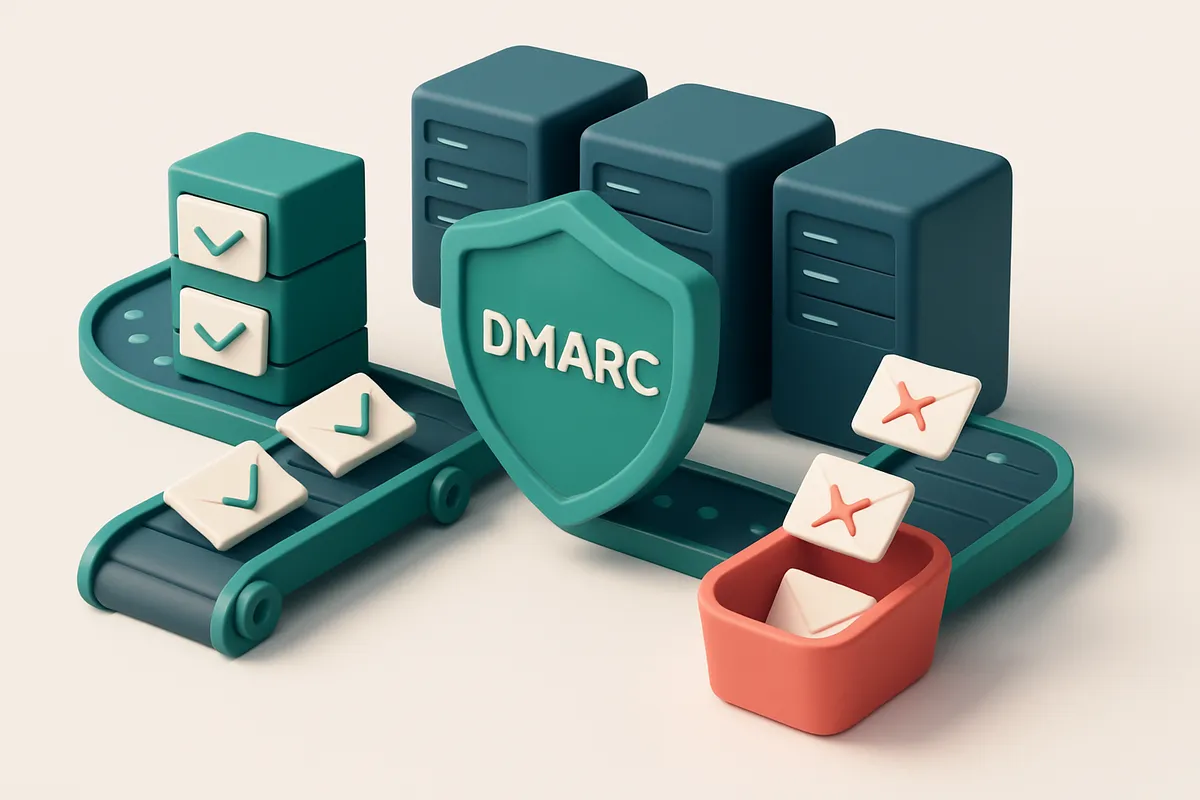
Think of DMARC as a traffic light system for email. SPF and DKIM are the sensors detecting if a car (message) is on the right road (authorized). DMARC tells the system what to do when the light turns red—stop, send to a holding area, or let it pass.
More than a technical fix, it’s a visibility tool. You can’t protect what you can’t see.
For teams managing large sender footprints, this visibility is critical. It’s why monitoring DMARC reports is now a standard practice in email operations.
Tools like bulk email verification complement DMARC by helping you validate lists before sending—reducing the risk of sending from unauthorized sources in the first place.
For deeper validation, your DMARC reports should be paired with actual message-level checks, especially when you’re sending to global audiences.
The standards themselves are solid: DMARC is defined in RFC 7483, and implemented across major mail providers like Gmail, Yahoo, and Outlook.
It’s not just a security tool—it’s how modern email deliverability is managed. Without a properly tuned DMARC policy, your reputation is exposed.
And in 2024, that’s not a game you can afford to play.
The Three DMARC Policy Options (And Why 'None' Is a Risk)
Let’s get one thing clear: running a DMARC policy of p=none isn’t just passive—it’s a risk. It means you’re monitoring email traffic, but not blocking anything. In 2024, that’s like leaving the front door open while recording who walks in. You’ll see problems, but you’re not stopping them. That’s why even a low-risk domain should be cautious.
Monitoring vs. Protection: The DMARC Policy Spectrum
DMARC policies define how receivers should handle messages that fail SPF or DKIM checks. There are three standard options:
| Policy | Behavior | Best Use Case | Impact on Delivery |
|---|---|---|---|
p=none |
Reports failed checks. No action taken on messages. | Initial setup, diagnostic phase. | No impact—messages still deliver. |
p=quarantine |
Mark failing messages as spam. Often filtered into junk folders. | Testing, low-trust domains, or during migration. | Reduced inbox placement. High-risk messages may not reach users. |
p=reject |
Block messages that fail authentication outright. | High-reputation domains, production sends, marketing. | Best for deliverability. Prevents spoofing and builds sender reputation. |
You’re not just choosing a setting—you’re choosing a security posture. The p=none policy is only safe if you're in full diagnostic mode. Once you move to production, it’s not a strategy. It’s a vulnerability.
Why 'None' Isn’t Your Friend in Practice
According to the DMARC ecosystem report by Meta (2023), over 70% of domains with DMARC in place use p=quarantine or p=reject. The remaining—mostly in early testing or legacy systems—still face higher spoofing and phishing incidents. This isn’t theoretical. Domain impersonation is a top attack vector for credential theft and spam. If you’re sending email at scale, especially for transactional or marketing campaigns, p=none means you’re not validating your sending infrastructure. You’re relying on recipients’ ISPs to detect abuse. That’s not a scalable or reliable protection model. The path to stronger deliverability isn’t just technical—it’s behavioral. You need to act on what you monitor. Let’s say you’re testing a new campaign or onboarding new senders. Start with p=quarantine, validate your setup, and monitor reports via tools like DMARC.org. Once you’re confident in your authentication chain (SPF, DKIM, consistent alignment), move to p=reject. Think of it as moving from a watchtower to a gate. The watchtower gives you eyes; the gate stops threats. To ensure you’re not sending to invalid or risky addresses—what you send from matters as much as how it’s authenticated—use real-time verification tools. Bulk email verification helps you catch invalid addresses before they trigger issues during delivery. It’s not a replacement for proper DMARC, but it complements it by protecting your sender reputation at the source.
How to Tune Your DMARC Policy in Three Steps
DMARC isn’t a one-size-fits-all setting. If you set it too strict too soon, you risk blocking legitimate emails. But if you’re too lax, your domain stays vulnerable. Here’s how to evolve it safely.
Start with Monitoring: Let DMARC Report on Your Behalf
- Set your DMARC record to
p=none. This means receivers will still check your email authentication, but no action is taken on failed messages. Instead, they send detailed reports to the email addresses you specify viaRUA(aggregate reports) andRUF(forensic reports). - Use a real reporting address. This is usually an email like
[email protected]. These reports show you what sources are sending on your behalf, which ones are failing SPF or DKIM, and if you’re being spoofed. - Enable reporting and wait. Let it run for at least 30 days. You’ll see patterns—like a third-party platform sending emails from your domain without proper authentication. This is where you uncover hidden senders.
Tools like MxToolbox and Postmark can help you parse DMARC reports without needing custom scripts. You’ll see exactly which IPs, domains, or services are sending emails using your domain name—and which ones fail authentication.
Diagnose and Fix: Clean Up Your Email Ecosystem
- Review the reports. Look for unexpected sources—like someone using your domain in a spammy marketing campaign, or a forgotten API sending from
[email protected]without proper DKIM signs. - Identify missing or broken authentication. If DKIM is missing, you have a sender that needs to add signing. If SPF fails but is needed, you may need to adjust your SPF record or add mechanisms like
includeto cover new services. - Verify all legitimate senders are covered. Before moving your policy, ensure that every service sending on your behalf (CRM, support tools, payment confirmations) is correctly authenticated. This is where regular email list verification helps—bulk verification can confirm that senders on your list are actually valid and properly configured.
When you're confident only trusted sources are sending emails from your domain, you’re ready to enforce policy.
- Move to
p=quarantine. This tells receivers to treat failed messages as suspicious—often ending up in spam folders. It’s a soft enforcement. You’ll still get reports, allowing you to catch any edge cases before full rejection. - Wait another 30 days. Monitor inbox placement and delivery rates. If legitimate emails start bouncing or not arriving, investigate. You may have missed a service or incorrectly configured a sender.
- Finally, set
p=reject. This tells receivers to outright block emails that fail authentication. The goal is to prevent spoofing and ensure only properly signed emails reach inboxes.
DMARC isn’t about perfection from day one. It’s about iteration. By starting with p=none and using real reports, you build a foundation that prevents abuse without breaking your own delivery.
“Monitoring first, enforcing later—this is the only way to avoid unintended sender lockouts.”
Common DMARC Pitfalls That Break Deliverability
DMARC is a powerful tool — but it’s a precision instrument. Misconfigure it, and you silently block your own emails. Let’s go over the most common mistakes that wreck deliverability, even when your sending practices look clean.
Don’t Publish DMARC Until SPF and DKIM Are Solid
- Let’s be clear: a DMARC record without working SPF and DKIM is a delivery time bomb. You might think you’re protecting your domain, but you’re actually asking the receiving mail server to reject valid messages.
- DMARC validates alignment between the
From:header and the SPF or DKIM authentication results. If either fails, even a strict DMARC policy will drop your email into the junk folder or reject it outright. - Before publishing a policy like
rua=mailto:[email protected]; p=reject, verify both SPF and DKIM work across your sending sources. Check alignment via tools like MXToolbox or RFC 7483.
Aligning Auth Headers When Using Multiple Domains or Services
- Using a single IP for multiple domains? You’re risking SPF failures unless each domain has its own consistent SPF record. SPF allows only one per domain, and if you list the same IP for domains that don’t all authenticate via that IP, you break alignment.
- DKIM is domain-specific. A single key won’t work across domains unless you’ve explicitly set up multiple selectors. If you don’t align DKIM, DMARC fails — even if SPF passes.
- And yes, using a subdomain like
[email protected]in theFrom:header? Make sure your SPF includesinclude:marketing.yourcompany.comor your DKIM signature covers it. Otherwise, alignment fails. - Adding a new tool — say, a third-party email newsletter service — without updating your SPF or DKIM? That’s a silent delivery killer. If you add SendGrid or Mailchimp but don’t include their IPs or domains, your messages get rejected.
DMARC doesn’t punish bad intentions — it punishes misalignment. The goal is not to block all unauthorized mail, but to make sure your real emails aren’t blocked by over-zealous settings.
Fixing these issues isn’t just a one-time task. Your email infrastructure evolves. A new campaign tool, a shared IP, a migration to a new platform — each can break DMARC if you don’t verify authentication and alignment beforehand. Use a tool like bulk email verification to audit your sender list and spot invalid or poorly aligned records before they hit the inbox.
How List Hygiene Prevents DMARC Failures
Let’s be clear: DMARC doesn’t care about your content. It cares about alignment. When an email claims to come from your domain, DMARC checks whether the sending server is authorized—using SPF and DKIM. But if your list contains invalid addresses, especially role-based or disposable ones, you’re sending from sources that shouldn’t be. That misalignment triggers DMARC failures, even if the email itself is legitimate. Role addresses like admin@, sales@, or support@ often appear in lists but aren’t always valid. They’re usually managed by teams, not individuals, and may not have a working inbox. Worse, sending to them from unverified sources—like a third-party list or an unauthenticated server—breaks SPF and DKIM alignment. The receiving server sees the sender as unauthorized, even if your domain is technically valid. This doesn’t just cause bounces—it triggers DMARC reports that can harm your sender reputation. Disposable domains are another red flag. They’re commonly used in spoofing attacks or data harvesting. Receiving servers analyze patterns—like short-lived domains, lack of DNS records, or frequent use across campaigns—and flag these as suspicious. If your list includes these, your messages are more likely to fail authentication checks, even if your technical setup is otherwise sound. That’s where list hygiene comes in. Cleaning your list before sending removes invalid, role-based, or disposable addresses. It ensures you’re only sending to inboxes with working mail servers. This improves both deliverability and authentication alignment. You’re less likely to trigger DMARC reports from unauthorized senders, and every email sent is from a source that aligns with your domain’s policies.
Verification Reduces False Failures
Using an email-verification service before every campaign is a practical step. Services like Emaillistchecker.io scan addresses in bulk or in real time, checking for syntax, domain existence, mailbox validity, and known blocklists. Their 98.9% accuracy means most invalid addresses—especially those that would otherwise be misaligned or unverified—are caught before you send. By filtering out addresses that can’t receive mail, you reduce the risk of sending from sources that violate your SPF or DKIM policies. For example, if an address is flagged as invalid, you won’t send to it—avoiding the chance that someone else (or a compromised system) sends on your behalf. This keeps your aggregate sender reputation intact. You can clean your list with the bulk verification tool, integrate with your ESP using the real-time API, or even use the email finder to validate new contacts. All of this reduces the chance of DMARC-aligned failures by ensuring your sending is both technically sound and reputation-safe. For deeper insight into how your emails land, test your delivery in real inboxes. This isn’t just about deliverability—it’s about ensuring your authenticated messages reach the right place, every time. The core truth? DMARC is only as strong as your list. Clean it, and the policy works. Dirty it, and the system flags you—even when you’re not trying to spoof.
Using the Email Verification API to Prevent DMARC-Related Bounces
You don’t need to guess whether an email will pass DMARC. You can check it before sending.
Pre-send validation reduces bounce risk
Let’s be honest: sending to invalid, spoofed, or poorly configured addresses wastes bandwidth and hurts sender reputation. The real-time Email Verification API lets you test each address instantly—before you send, before you risk a hard bounce.
Use it to scrub your list at scale. No guesswork. No delays. Just verified addresses, ready for campaigns.
- Use the real-time verification API to check every address in your list before sending.
- Identify catch-all domains—addresses that accept any email but may fail DMARC due to missing sender identity checks.
- Filter out role accounts (like admin@, support@) that often bypass SPF/DKIM alignment because they’re not tied to a real user.
- Remove disposable email domains—commonly flagged for suspicious behavior and frequently misaligned with DMARC policies.
- Flag risky addresses that may be spoofed, compromised, or associated with spam patterns, even if syntactically valid.
- Set up automated verification in your workflow via integrations with Mailchimp, HubSpot, Klaviyo, and SendGrid.
- Review results through the inbox placement test, which simulates delivery in real email providers’ inboxes.
- Monitor the impact of your list hygiene on sender reputation metrics over time—no more false assumptions.
Why catch-alls and role accounts break DMARC
DMARC requires alignment between the domain in the "From" header and the results of SPF and DKIM checks. Catch-all addresses can receive mail, but they don’t verify sender intent, leading to alignment failures.
Role accounts are often used for automated contact forms or service alerts. But since they don’t map to a specific individual, they often fail DKIM alignment—especially if the sending domain isn’t properly configured.
Disposables and high-risk domains show up in Spamhaus and similar blocklists, which influence DMARC evaluation. Even a single misaligned sender can trigger DMARC policy enforcement.
The truth? You can’t defend your DMARC policy if your list contains addresses that don’t satisfy the underlying authentication requirements.
Let’s fix that at the source: validate before sending. The API gives you full visibility into each address’s readiness. No more passive acceptance. No more wasted sends.
Start verifying your list today with a generous allowance of 100 free verifications. You’ll see exactly which addresses are DMARC-safe—or dangerously unstable—in less than a minute.
For teams managing large-scale campaigns, bulk verification makes this process seamless and repeatable across all your sends.
Why Inbox-Placement Testing Matters After DMARC Tuning
You nailed your DMARC policy. SPF and DKIM are aligned, your authentication checks pass, and your domain is protected. But here's the truth: even with flawless authentication, your emails can still end up in spam folders — not because of misconfiguration, but because of how the inbox providers interpret your content, engagement patterns, or sending volume. Let’s be real. Gmail, Outlook, and Yahoo don’t just check your email headers. They analyze whether users open, reply to, or mark your messages as spam. If your audience engagement dips, your sender reputation takes a hit — even if your technical setup is perfect. That’s why DMARC alone isn’t enough. You need to test how your emails are actually landing.
Real-world testing is the only way to verify improvements
DMARC tuning is a technical fix. Inbox-placement testing is the reality check. Tools like the one at Emaillistchecker.io send real test emails through Gmail, Outlook, and Yahoo’s inboxes and return results showing whether your messages arrive in the primary inbox, spam, or get blocked entirely. This isn’t a simulation. It’s live feedback from the providers that matter. With this data, you can trace if a stricter DMARC policy — say, moving from `p=none` to `p=quarantine` — caused a drop in inbox placement. Maybe a segment of your legitimate mail got caught in spam due to strict alignment checks. That insight is only visible through actual delivery testing. It’s how you close the loop between technical compliance and real deliverability. Even if you're using an industry-standard tool like DMARC Analyzer from DMARC Analyzer, it won’t tell you how your emails look today in a real user’s inbox — only whether you’re complying with standards. Inbox-placement testing confirms whether your changes actually improved user experience.
Turn tuning into results, not just configuration
Think of this as part of your ongoing deliverability hygiene. After adjusting DMARC, run a test. Watch how Gmail and Yahoo respond. If the results show a spike in spam placement, you might need to relax alignment settings or check if your IP reputation dropped. If delivery improves, you know the move was effective. You can’t assume anything. Every domain, sender profile, and audience behaves differently. What works for one brand might harm another. The only way to know is to test — and test with actual inbox results. This feedback loop is what separates good email operations from guesswork. It’s why so many teams use inbox-placement tools as a post-DMARC checkpoint. It’s not about perfection. It’s about knowing what your emails are actually doing when they leave your stack.
The Role of Sender Reputation in DMARC Success
DMARC doesn't work in a vacuum. Even with a perfectly configured policy, your domain can still face delivery issues if your sender reputation is weak. Internet service providers (ISPs) pay close attention to behavior signals like spam complaints, bounce rates, and engagement. A history of abuse, even if unintentional, triggers stricter scrutiny—even for valid DMARC alignments.
Reputation Is Built on Behavior, Not Just Policy
Let’s say you’ve set up DMARC with a strict policy (p=reject). Great. But if your sending list includes invalid or outdated addresses, your bounce rate rises. High bounce rates alone can signal poor list hygiene, which ISPs interpret as a red flag. The same applies to spam complaints. Even a few per 1000 emails can harm your reputation, making it harder to get past gateways—regardless of DMARC.
DMARC reports—especially aggregate reports (RUA) and forensic reports (RUF)—are your early warning system. They can show you when someone is spoofing your domain, or when internal campaigns are leaking bad addresses. You might see a spike in failures not because of policy, but because of a misrouted campaign or an outdated list.
Clean Lists Are the Foundation
Think of your email list like a road. If it’s full of potholes (invalid emails), the delivery truck (your message) bounces around, delays arrive, and the traffic flow (deliverability) breaks down. The same applies to sender reputation: a clean list means fewer bounces, fewer complaints, and a healthier sending profile.
That’s why combining DMARC with list hygiene is essential. You can verify your list in real time using tools that check for syntax, role accounts, disposable domains, and known bounces. At EmailListChecker.io’s bulk verification, you can process thousands of addresses at once and get immediate feedback—valid, invalid, catch-all, or risky. This isn’t just about reducing bounces; it’s about building consistent, trustworthy sending habits.
The real power comes from stacking controls. DMARC protects your domain from spoofing. A clean list reduces abuse signals. Monitoring sender reputation—on platforms like MxToolbox or Spamhaus—lets you see how ISPs perceive your sending. Together, they form a defense-in-depth strategy. You’re not just complying with protocols—you’re acting like a responsible sender.
How to Safely Test Your DMARC Policy Before Going Live
Going live with a strict DMARC policy can break legitimate email flows if not tested properly. Let’s walk through the safest way to validate your configuration without risking deliverability.
Collect Data First: Use DMARC Reports (RUA)
Before enforcing a policy, set up your DMARC record with a reporting address (RUA). This collects aggregate reports from email receivers showing how your domains are being authenticated across the internet.
These reports reveal if legitimate emails are failing SPF or DKIM checks — and whether third parties are sending on your behalf without authorization. This data is the foundation of informed policy changes.
Start Low: Use p=quarantine, Not p=reject
When testing, don’t jump straight to p=reject. Instead, start with p=quarantine — meaning unauthenticated emails are sent to spam folders, not blocked outright.
This gives you a buffer to catch issues without losing critical communications. It’s also the preferred approach in industry guidance: DMARC.org recommends a gradual rollout for enterprise adoption.
- Deploy your DMARC record with
p=quarantineand a valid RUA address. Use a reputable reporting tool like MxToolbox’s DMARC Check to verify your record syntax and alignment. - Monitor incoming reports over 3–7 days. Look for domains or IP addresses sending mail on your behalf that aren't part of your infrastructure. These are potential phishing or spoofing sources.
- Test your path using a known-compliant sender. Send an email from a verified, legitimate source (like your marketing platform) to a test inbox. Watch for reports indicating the message passed DMARC.
- Check SPF and DKIM alignment. Use MxToolbox’s DMARC checker to confirm your SPF and DKIM are consistent and properly published. A mismatch here will cause failures even with a quarantine policy.
- Review and adjust. If your reports show high failure rates, investigate which senders are misaligned. Fix SPF includes, reconfigure DKIM signing, or remove unauthorized sources.
Once reports show clean authentication across your senders, and no legitimate messages fail, you can confidently move to p=reject.
Even small configuration errors can break deliverability for up to 15% of your email volume when going live. Testing reduces that risk to near zero.
After confirming your setup works, you can scale to a strict policy. And if you’re validating entire email lists for sender reputation — which ties into DMARC performance — tools like bulk verification help maintain clean, deliverable lists.
Conclusion: Deliverability Starts with Authentication, Ends with Reputation
DMARC isn’t just a technical checkpoint—it’s a continuous safeguard for your sender reputation. Misconfigured policies can block legitimate mail; overly permissive ones expose you to spoofing. The right balance comes from data, not guesswork.
Tuning DMARC in 2024 means pairing it with verified sender practices. Clean lists reduce bounces. Inbox placement tests reveal real-world delivery. Real-time verification ensures every send starts with a valid address.
Use Emaillistchecker.io to validate your list, test delivery across inboxes, and verify every address before it ever sends. Accuracy matters. So does consistency.
Keep reading
- Email authentication: SPF, DKIM, DMARC and BIMI (complete guide)
- How to Set Up DKIM for Gmail SMTP Sending with Email Verification
- DKIM Setup Guide for Mailchimp & SendGrid Users
- How to Confirm DKIM Alignment with DMARC Policy for Compliance
- How to Configure DMARC Policy for Hybrid Email Environments
Ready to put this into practice? Emaillistchecker.io verifies emails with 98.9% accuracy — start with 100 free verifications.
Frequently asked questions
What happens if I set DMARC to p=reject without testing?
It can block legitimate emails if SPF or DKIM are misaligned. Always start with p=none or p=quarantine, analyze reports, then move to reject.
Should I use DMARC if I only send emails from one email client?
Yes. Even personal senders can be spoofed. A DMARC record helps protect your domain even without bulk or automated sending.
How long does it take for DMARC to take effect?
It takes 24–72 hours for DNS propagation. Reports begin arriving quickly after setup, but enforcement depends on receiving server policies.
Can a bad DMARC policy cause Gmail to block my emails?
Yes. Gmail uses DMARC to detect spoofing and mismanagement. An incorrect or overly restrictive policy may lead to spam filtering.
Do I need to use SPF and DKIM with DMARC?
Yes. DMARC relies on SPF and DKIM results to make decisions. Without them, DMARC policies have no enforcement capability.
How do disposable email domains affect DMARC?
They often fail SPF/DKIM alignment and can be used in spoofing. Their presence in your list increases the risk of DMARC failures.
Can DMARC help me stop being marked as spam?
Not directly. But a strong DMARC policy reduces spoofing and improves domain reputation, which helps lower spam placement.
What’s the best DMARC policy for a small business?
Start with p=none or p=quarantine, monitor reports, verify addresses with a tool like Emaillistchecker.io, then move to p=reject.
How often should I review my DMARC reports?
At least weekly, especially when launching campaigns, onboarding new tools, or after domain changes.
Does email verification improve DMARC success?
Yes. By removing invalid, role, and disposable addresses, verification reduces sending from unverified sources and improves overall alignment.
What happens if my domain has no DMARC record?
Receiving servers assume no policy, so any authenticated email passes. But spoofing is harder to detect, and your domain loses reputation protection.
Does Emaillistchecker.io test DMARC settings?
No. It verifies email addresses for validity and delivery readiness, helping you build a clean list that supports strong DMARC performance.


