
How to Adjust DMARC Policy Without Breaking Email Deliverability
Learn how to safely tighten your DMARC policy without risking email deliverability. Avoid bounces, reduce spam, and maintain inbox placement with proven steps.
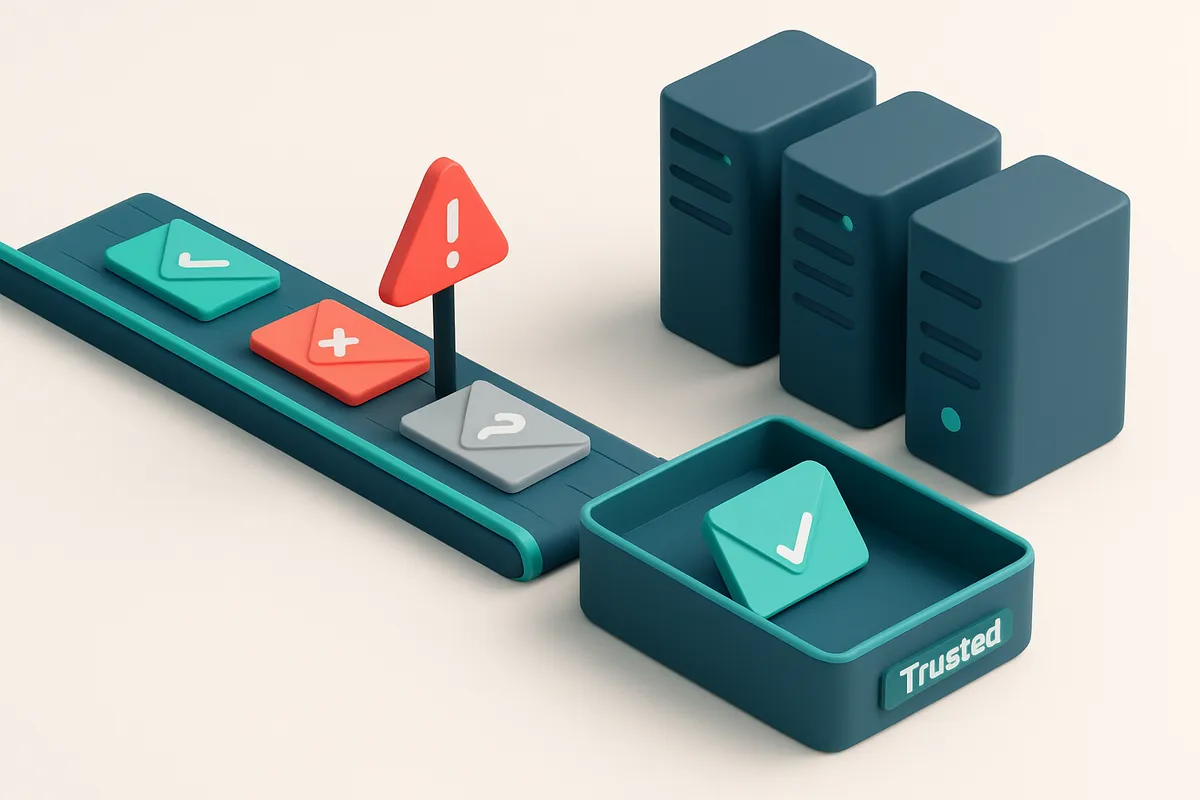
Why Adjusting DMARC Policy Is Risky Without Preparation
You just set your DMARC policy to reject. The inbox now feels cleaner. But then, half your transactional emails vanish — no bounce, no error, just silence. Did you just block your own customers?
DMARC isn’t a setting you tweak freely. It’s the final enforcement gate for your domain’s email traffic. Changing from none to reject without validation is like upgrading your door lock while leaving the back door wide open — you might lock out your team before you’ve even checked who’s still trying to get in.
You’ll learn how to adjust your DMARC policy without breaking delivery. This isn’t about theory. It’s about avoiding a sudden spike in failed sends, especially for marketing or transactional emails. The fix is not a DNS edit. It’s a phased rollout backed by monitoring.
Key takeaways
- DMARC policies (none, quarantine, reject) enforce email authentication—changing them without preparation risks blocking legitimate mail.
- A single misstep in policy enforcement can cause sudden failures in email delivery, particularly for transactional and marketing campaigns.
- Before enabling reject mode, validate your configuration and monitor results over time to avoid silent drops of valid email.
Start With a Clean Audit: Validate Your Sending Infrastructure
Before you adjust your DMARC policy, you need to know exactly who’s sending email on your behalf. A misaligned or unauthenticated source can trigger a DMARC failure—even if your policy is set to p=none. Let’s fix that first.
Know Every Sending Source
If you haven’t mapped your email infrastructure in months, you’re flying blind. Start by listing every system that sends emails using your domain: internal tools, marketing platforms (Mailchimp, Klaviyo), transactional services (SendGrid, Amazon SES), customer portals, and third-party partners.
Many organizations have forgotten about old integrations or shadow IT tools sending on their behalf. These unrecorded sources often lack proper SPF or DKIM alignment, and they’re the first to fail when you tighten DMARC.
Verify Authentication Headers in Real Time
Use the real-time verification API to test each sender domain and IP address. Check that every system has valid SPF and DKIM records in place and that they align correctly with your domain.
For example, if your transactional emails come from a SendGrid IP but your SPF record doesn’t include SendGrid’s IPs, those messages will fail DMARC checks—even if they’re technically valid.
- Map all outbound email sources—both known and forgotten. Use your email logs, DNS records, and service dashboards to compile a complete list.
- Validate SPF and DKIM alignment using the verification API to test sender domains and IPs in real time. This catches misconfigurations before they cause delivery issues.
- Confirm consistent authentication—every sender must pass SPF (source IP allowed) and DKIM (message integrity verified). A single missing or invalid record can trigger DMARC failures.
- Test inbox placement before changes using inbox-placement testing. This shows how your current emails land in Gmail, Outlook, and Yahoo—giving you baseline data before tightening DMARC.
DMARC doesn't care about intent. It only cares about alignment. If your sender isn’t properly authenticated, tightening the policy will break delivery—even if the email is legitimate.
RFC 7483 defines DMARC’s mechanism clearly: it’s a policy enforcement system based on SPF and DKIM validation. Without consistent, correct authentication across all senders, you’re not managing risk—you’re creating it.
Think of this audit as a pre-flight check. You wouldn’t change aircraft settings mid-flight without verifying the fuel, engines, and navigation tools. Same here. Fix the foundation before adjusting the controls.
“A DMARC policy change without proper sender alignment is like installing a security lock that blocks everyone—even the people who belong.”
Once you’ve confirmed all sending sources are aligned and authenticated, you’re ready to adjust DMARC safely. Any later change—without this audit—risks bouncing legitimate mail and hitting inboxes too hard.
How SPF, DKIM, and DMARC Work Together in Practice
You send an email. Behind the scenes, three DNS-based protocols work together to verify it’s legitimate: SPF, DKIM, and DMARC. Think of them as a layered security check. If any one fails, delivery can be blocked — even if the others pass.
SPF: Checking the Sender’s IP
SPF validates that the email came from an IP address authorized to send on behalf of your domain. You list approved IPs in your DNS TXT record. If the sending server’s IP isn’t on that list, SPF fails.
But here’s the catch: SPF only verifies the envelope sender (the Return-Path), not the visible "From" address. That’s where DKIM comes in.
DKIM: Signing the Email Content
DKIM adds a cryptographic signature to your email. It’s like a digital fingerprint tied to your domain. If any part of the email changes — subject, body, even a single space — the signature breaks.
This ensures content hasn’t been altered mid-flight. But DKIM only verifies the domain linked to the signature, not the "From" field. That’s where DMARC steps in.
DMARC: Enforcing Alignment and Enforcement
DMARC uses SPF and DKIM results to enforce alignment between the sending domain and the visible "From" address. Both must match their respective domains for DMARC to pass.
Let’s say your email comes from an authorized IP (SPF pass), but the DKIM signature is missing or invalid (DKIM fail). Even if SPF passes, DMARC fails unless alignment is satisfied.
DMARC doesn't just check results — it tells receivers what to do with failing emails. You can set it to monitor-only (p=none), report (p=quarantine), or block (p=reject). Setting it to reject without testing first risks blocking legitimate mail.
According to RFC 7483, DMARC’s alignment rules are strict: both SPF and DKIM must align with the "From" domain. Misalignment, even with valid SPF or DKIM, results in failure.
If you're adjusting your DMARC policy, start with monitoring. Use your email provider’s reports to see where failures happen. Then gradually increase enforcement — never skip testing.
You can verify your domain setup and catch misconfigurations early with a bulk verification tool. It’s not just for hygiene — it’s for delivering safely.
Test your domains and sender setups with real-time validation before changing policies.
Use DMARC Reports to Measure Your Current Alignment
Let’s be honest: tweaking your DMARC policy without seeing the data is like adjusting a thermostat blindfolded. You might get warmer or colder, but you’ve got no idea if you’re actually fixing anything. The fix starts with visibility.
Start Collecting Data with DMARC Reporting Tags
First, ensure your DMARC record includes the rua and ruf tags. That’s how you receive aggregate (rua) and forensic (ruf) reports. Aggregate reports give you daily breakdowns of sending sources, while forensic reports flag specific malicious attempts. Without these, you’re flying without instruments.
Most email providers and domain registrars let you set these up in your DNS zone. If you're unsure how, use your DNS management tool or a real-time verifier like EmailListChecker’s API to validate your DNS setup before deploying changes.
Run a Deep Dive: Analyze 21+ Days of Reports
- Wait 21+ days. Short-term reports show noise, not patterns. You need sustained data to spot repeat offenders—especially third-party vendors, internal tools, or forgotten aliases.
- Check for mismatches between From and Return-Path. A common failure point? Systems where the sender’s domain (From) differs from the return address (Return-Path). If the Return-Path is not authorized, your DMARC will fail—even if the message is legitimate. Look for high failure rates on specific IPs or domains.
- Map all inbound sender IPs. Not every send is tracked. Use the reports to list all IPs sending on your behalf. Are they on your approved list? If not, you’ve found a vulnerability—likely a misconfigured app or an old service.
- Identify spoofed domains. Forensic reports (ruf) show attempts from unauthorized sources using your domain. These are red flags. If you see repeated attempts from the same IP or domain, investigate immediately.
- Document your findings. Create a spreadsheet: list every IP, domain, and sending source. Mark which are expected, which are unauthorized, and which are missing SPF/DKIM alignment.
These reports aren’t just for auditors. They’re your blueprint for fixing gaps before you tighten DMARC.
“DMARC is only as effective as the data that feeds it.” — RFC 7483
Once you’ve mapped where your sending ends, you can begin adjusting your policy—starting with policy=none or quarantine—and only moving to reject when the reports show consistent alignment.
Use tools like EmailListChecker’s bulk verification to clean up outdated sender lists and ensure every active email is valid and properly authenticated. It’s a small step, but it keeps your DMARC reports clean and actionable.
Gradually Move from DMARC 'None' to 'Quarantine'
Let’s be clear: changing your DMARC policy isn't a switch you flip and walk away from. If you’re not careful, you can break legitimate email flows — even if you’re trying to secure your domain.
Start with Monitoring, Not Enforcement
Begin your policy change with p=none. This tells receivers: “I’m watching, but I’m not taking action on unauthenticated mail.” It’s not a security move — it’s diagnostic. You’re telling the world: “Send me reports, and I’ll learn what’s happening with my emails.”
DMARC reports (RUA and RUF) will start arriving. These show which emails claim to be from your domain but fail SPF or DKIM. Use them to audit your sending sources — internal tools, third-party vendors, marketing platforms. Some of those may be sending without proper alignment.
Step-by-Step Transition: From None to Quarantine
- Deploy
p=noneand monitor for 30 days. Let the system gather data. You’re not blocking anything yet — just learning where your email footprint is weak. - After 30 days, switch to
p=quarantine. This marks unauthenticated messages as spam. It doesn’t block, but it reduces inbox placement. Legitimate emails from known sources should still land in inboxes — if they’re properly authenticated. - Wait 14–30 days to validate stability. Monitor your inbox placement, delivery alerts, and user complaints. If you see drops in deliverability for your own emails (especially transactional or marketing), it’s a signal something’s misaligned. Don’t rush this phase.
- Only move to
p=rejectwith full visibility. If you’ve verified that every sending source is properly authenticated, and you have control over all outbound traffic, you can enable rejection. But only if you’re ready to act on alerts immediately.
According to the DMARC RFC, the default behavior for receivers when a domain enforces p=quarantine is to treat unauthenticated messages as spam. This is intentional. You’re not disabling deliverability — you’re making it more reliable by filtering out fraud.
Let’s say your newsletter doesn’t reach users after a policy change. It’s not your fault — it’s a sign. Check your authentication setup. Does your ESP use SPF? Are your DKIM signatures valid? You can use tools to verify these automatically.
For instance, you can verify your sending domains at scale with bulk email verification. It flags invalid or poorly configured emails before they hit the inbox. If your list has outdated or malformed addresses, they’ll fail DMARC checks — even if they’re legitimate senders.
Don’t assume everyone on your list or in your system is properly set up. Even small misconfigurations (like missing subdomain records or outdated SPF include lists) can cause your DMARC policy to backfire.
When in doubt, keep things soft. Monitoring is safe. Quarantine is the middle ground. Only reject when you’re confident.
What to Do If Your Deliverability Crashes After Policy Change
So you bumped your DMARC policy to p=reject, and suddenly emails aren’t landing in inboxes. That’s not uncommon. Let’s fix it fast.
1. Roll Back to a Safer Policy
Immediately revert to p=quarantine or p=none. This restores delivery while you diagnose the issue. A hard reject policy is only safe when every sending source is properly authenticated. If you’re not sure, don’t risk blocking valid mail.
According to RFC 7483, the DMARC policy should be calibrated to your sending infrastructure’s maturity. Starting with p=quarantine lets you monitor failures without blocking.
2. Inspect DMARC Reports for Failures
Check your DMARC reports (via tools like DMARC.org or your email provider’s reporting dashboard). Look for:
- Missing SPF or DKIM tags in failing messages
- Alignment failures (e.g., a sender domain not matching the one in the From header)
- Sending sources that now appear as unauthenticated
These reports show exactly where your authentication chain broke. Use this data to trace the root cause.
3. Audit All Third-Party Senders
Many tools — email newsletters, CRM platforms, analytics providers — send emails on your behalf. Each must have its own SPF record entry and valid DKIM key.
Common issues:
- SPF records with too many mechanisms, hitting the 10-limit
- DKIM keys not properly published or aligned to the sending domain
- Subdomains sending as the main domain without proper SPF/DKIM
If a third-party lacks a valid SPF or DKIM, messages from them will fail DMARC even if they’re legitimate.
4. Validate Your Sending Infrastructure
Let’s test your email flow in real conditions:
- Use bulk verification to validate your list’s deliverability and catch-all traps.
- Run inbox placement tests across multiple mail providers (Gmail, Outlook, Apple Mail).
- Check your headers with RFC 7331 compliance in mind—especially From, Sender, and Authentication-Results.
These tools let you spot issues before they hit your inbox. You’re not guessing—your data shows you what works.
Once you’ve fixed SPF/DKIM alignment and confirmed all third-party senders are properly registered, you can gradually re-apply stricter policies. Start with p=quarantine, monitor for 3–5 days, then move to p=reject if nothing fails.
How Email Verification Prevents DMARC Failures
You don’t need a deliverability expert to know that sending to invalid or high-risk addresses can hurt your reputation—and that undermines your DMARC policy. A single unverified address with poor authentication or a bad reputation can get your domain flagged, triggering DMARC failures even if your own email setup is solid.
The Hidden Risk in Dirty Lists
Disposable emails, catch-all inboxes, and role-based addresses (like admin@ or sales@) often lack proper SPF/DKIM alignment. When those addresses receive your message, they may fail authentication checks—or worse, they’re used to report your email as spam. This creates a feedback loop that weakens your sender reputation over time.
Even one poorly authenticated recipient can poison your domain’s reputation. And since DMARC evaluates authentication across all inbound messages, that one bad interaction can cause your entire domain’s outbound emails to be rejected or quarantined—especially if you’re using a strict DMARC policy like p=reject.
Prevention Through Verification
Let’s be honest: you can’t manage sender reputation by guesswork. The only way to know if an address is likely to cause issues is to verify it before sending. Email verification tools test for validity, catch-all status, disposable domains, and whether a mailbox is actively receiving mail—not just whether the format is valid.
When you clean your list with a solution like bulk verification, you’re proactively removing addresses that can’t pass DMARC checks or that are known to be abuse-prone. This reduces the chance that your domain gets caught in spam traps or flagged by reputation services like Spamhaus or MxToolbox.
Even better: the integrations with Mailchimp, HubSpot, and SendGrid let you verify lists in real time, preventing high-risk sends before they ever leave your system. If you’re using the in-app AI assistant, you get intelligent insights—like highlighting a cluster of role-based emails in your list—that could otherwise slip through.
Think of email verification as a hygiene layer in your delivery stack. Without it, even a strong DMARC record won’t save you if spam complaints or authentication fails come from a single unverified address. You’re only as strong as your weakest recipient.
DMARC isn’t just about policy— it’s about behavior. A clean, verified list means fewer surprises, better inbox placement, and fewer DMARC failures. That’s how you adjust your policy safely: not by loosening it, but by ensuring your list is trustworthy in the first place.
Best Practices for Maintaining DMARC Health Long-Term
Don’t Let Your DNS Go Out of Sync
Every time you add a new email sender — a CRM, marketing tool, or support platform — you must update your DNS records. A missing or incorrect SPF or DKIM record breaks DMARC alignment, and that means your emails get flagged or rejected.
Let’s be clear: a one-time DNS setup isn’t enough. Your email stack evolves. A new campaign service? Update DNS. A change in your email provider? Recompile your records. If you’re not checking DNS when you make changes, you’re not protecting your domain.
You don’t need to do this manually every time. Use tools that verify DNS records in real time, especially those that integrate with your email stack. For example, Emaillistchecker.io’s integration with SendGrid, HubSpot, or Klaviyo can validate sender identities before they ever send.
Review and Tune DMARC Policy Regularly
Set a calendar reminder every six months. It’s not extreme — it’s smart. DMARC policies are only as good as your current sending infrastructure.
After you add a new service — even a small one — your policy might no longer cover it. That’s how legitimate emails get rejected. A policy set to reject without full alignment means you start blocking your own messages.
Monitor aggregate reports (RUA) from your DMARC provider. Look at them monthly. If you see a spike in failures, check your sending sources. Use bulk verification tools to clean outdated or malformed addresses before they hit your list. Clean lists don’t break DMARC.
Better yet, set up automated alerts. A sudden jump in DMARC failures should trigger a review. These aren’t just “noise.” They’re signs of misconfiguration or spoofing attempts — often the same issue.
And yes, DMARC is complex. That’s why you should avoid guessing. Instead, treat it like a system: check the records, verify the sender alignment, track the reports, and act fast. The industry standard is RFC 7483, which outlines DMARC’s technical foundation — and why small changes can have big impacts.
- Update DNS records immediately after any change in your email sending setup.
- Re-evaluate your DMARC policy every six months — especially after adding new services.
- Monitor aggregate DMARC reports continuously; use alerts for failure spikes.
- Integrate Emaillistchecker.io with SendGrid, HubSpot, or Klaviyo to validate addresses before they enter campaigns.
- Use the Emaillistchecker.io API to automate verification at scale.
- Never disable DMARC unless you’re certain your sender setup is fully aligned and monitored.
Realistic Expectations: You Can't Fix Everything at Once
Let’s be clear: adjusting your DMARC policy isn’t a magic switch that instantly fixes delivery issues. Changing it from none to reject doesn’t guarantee inbox placement overnight. Authentication is just one piece of the puzzle.
Alignment Isn’t Enough
Even if your SPF, DKIM, and DMARC records are perfectly aligned, deliverability depends on sender reputation — which is built over time through engagement, bounce rates, and spam complaints. A clean record today doesn’t override a poor history.
For example, if your list contains old or inactive addresses, even a strict DMARC policy won’t help if ISPs see those messages as low engagement. It’s like locking the front door but still leaving the back window open.
One Policy Doesn’t Fit All
Setting a reject policy globally only works if every sending system — email service providers, marketing platforms, transactional systems — is properly authenticated and trusted. If even one third-party sender isn’t aligned, emails will fail.
You can’t enforce a reject policy across all domains without first knowing which systems are sending on your behalf. That’s why ongoing verification is critical. A single misconfigured API or forgotten campaign server can break delivery without warning.
Even with a well-structured DNS record, configuration drift happens. A change in your email provider, a new campaign tool, or an internal misstep can disable an authentication method. Without monitoring, you won’t know until you start seeing bounces or blocks.
That’s why tools like bulk verification aren’t just helpful — they’re essential. You need to audit your list for invalid, disposable, or risky addresses before sending. A clean list reduces bounce rates, which directly impacts reputation.
Also consider using the real-time verification API to validate addresses on signup, or leverage inbox placement testing to simulate how your messages land with different ISPs.
DMARC policy changes are tactical, not strategic. They don’t fix poor engagement or build trust overnight. The best results come from consistent hygiene, continuous monitoring, and layering multiple controls — not one-time configuration.
For more on how to maintain delivery health over time, see our integrations with platforms like Mailchimp and Klaviyo — where real-time validation fits into your workflow.
How Emaillistchecker.io Supports Safe DMARC Adjustments
Let’s say you’re tightening your DMARC policy to reject more emails — good move, if you’re serious about phishing protection. But here’s the catch: if your list includes outdated, non-existent, or misconfigured addresses, you risk triggering bounces, hurting sender reputation, and accidentally breaking deliverability for real customers. That’s where Emaillistchecker.io comes in. It’s not about adjusting policies blindly — it’s about doing so with precision. With 98.9% verification accuracy, our tool ensures that only valid, active addresses are on your list. No more guessing, no more sending to ghosts.
Bulk Verification Removes the Risks That Disrupt DMARC
Your DMARC policy doesn’t tolerate bad addresses — especially not role-based ones like admin@ or support@, or disposable domains that expire in hours. These can spike bounce rates and flag you as a spam sender. Bulk verification catches these before they even reach your email service provider. It flags invalid, catch-all, or risky addresses — including those used by bots or low-quality services. These aren’t just bad for deliverability; they can indirectly influence DMARC alignment if too many recipients aren’t real. You can clean your list in advance and avoid sending to addresses that never had a chance to receive your message. Learn more about bulk verification and see how it keeps your sending domain compliant without over-penalizing legitimate recipients.
Inbox Placement Testing Validates Real-World Delivery
DMARC behavior varies across providers. Gmail tends to enforce strict policies. Outlook often relies more on reputation signals. A message that passes DMARC at one provider might land in spam at another — even if your policy is correctly configured. Our inbox placement testing simulates delivery across real-world inboxes, including Gmail and Outlook. You get concrete feedback: was your message delivered to the inbox, spam, or blocked? This lets you test your new DMARC policy in live conditions — not just in theory — before rolling it out. This is critical because even a technically correct DMARC policy can fail if your sender reputation, list hygiene, or content triggers filters. You don’t want to break email flow because you didn’t validate what happens in actual inboxes. The real-time API lets you verify emails as you build campaigns, integrate checks seamlessly into your workflow, and prevent misaligned outbound messages — especially important when dealing with user-generated data or third-party sources. Integrate the API to build verification into your systems, and maintain compliance and deliverability without delay. For deeper context on how email authentication standards like DMARC work at scale, refer to the official DMARC specification.
The Bottom Line: Tighten DMARC Only When You’re Ready
Changing your DMARC policy without verifying your email stream risks blocking legitimate messages. Even a strict policy like p=reject can fail if your list isn’t clean or your authentication settings are inconsistent.
Let data guide your next step. Use DMARC reports to identify unauthenticated senders, validate deliverability before enforcement, and test inbox placement across inboxes. Guesswork leads to dropped emails and broken workflows.
Prerequisites for a safe DMARC rollout
- Clean, validated email lists — no inactive or invalid addresses.
- Properly configured SPF and DKIM across all sending domains.
- Consistent sender alignment and authentication practices.
Testing every change is non-negotiable. Emaillistchecker.io gives you the tools to check list quality, simulate delivery, and verify authentication settings before you enforce new policies.
Keep reading
- Email authentication: SPF, DKIM, DMARC and BIMI (complete guide)
- How to Implement Relaxed DMARC Policy for Third-Party Platforms
- How to Fix Email Authentication Issues for Bulk Senders in 2026
- SPF Record Configuration for Email Verification APIs
- Automated DMARC Policy Tuning for Email Verification Platforms
Ready to put this into practice? Emaillistchecker.io verifies emails with 98.9% accuracy — start with 100 free verifications.
Frequently asked questions
What happens if I set DMARC to reject without testing?
Legitimate emails may be blocked or quarantined, especially if SPF or DKIM isn’t consistently applied across all senders. This leads to delivery failures and potential loss of customer communication.
How long should I wait after changing my DMARC policy?
Wait at least 14–30 days after moving to 'quarantine' before enabling 'reject'. Use this time to monitor reports and confirm no valid senders are failing.
Can DMARC break my email deliverability?
Yes — if your sending infrastructure has alignment issues, misconfigured SPF/DKIM, or unauthorized senders, enforcing DMARC will block delivery.
What’s the difference between DMARC 'none' and 'quarantine'?
'p=none' only monitors and reports failures. 'p=quarantine' instructs receiving mail servers to treat unauthenticated emails as spam, but doesn’t block them outright.
Do I need to update DMARC if I add a new email tool like Klaviyo?
Yes — if the tool sends on your behalf, ensure it’s listed in SPF and has a valid DKIM signature. Then update your DMARC record to reflect the change.
How does list hygiene affect DMARC reliability?
Invalid or high-risk addresses (role, disposable) can lead to spam complaints or abuse reports, which harm sender reputation and make DMARC enforcement ineffective.
Can Emaillistchecker.io help if my DMARC policy is already blocking emails?
Yes — use its inbox-placement tests and bulk verification to diagnose which addresses or senders are failing, then clean or align them.
Is 98.9% accuracy enough for DMARC compliance?
Yes — that accuracy rate means nearly every invalid or risky address is caught before sending. This reduces the risk of authentication failures and reputation damage.
Do I need to change DMARC every time I send an email campaign?
No — DMARC is a policy set in DNS, not on a per-email basis. Change it only when updating your sending environment or alignment.
What’s the easiest way to test DMARC impact?
Use inbox-placement testing tools like Emaillistchecker.io to send test emails and see how they land in real inboxes before enforcing stronger policies.
Can I trust DMARC reports from free tools?
Free tools provide basic data but often lack full detail or timely updates. Use trusted platforms with real-world testing for accurate insights.
Should I use DMARC if my company is small?
Yes — even small organizations are targeted. A DMARC policy prevents spoofing and improves inbox placement, especially as email volume grows.


