
How to Align DMARC Policy with Email Authentication Providers
Ensure your DMARC policy works with your email authentication providers. Learn the exact steps to prevent misconfigurations that cause delivery failures and boo
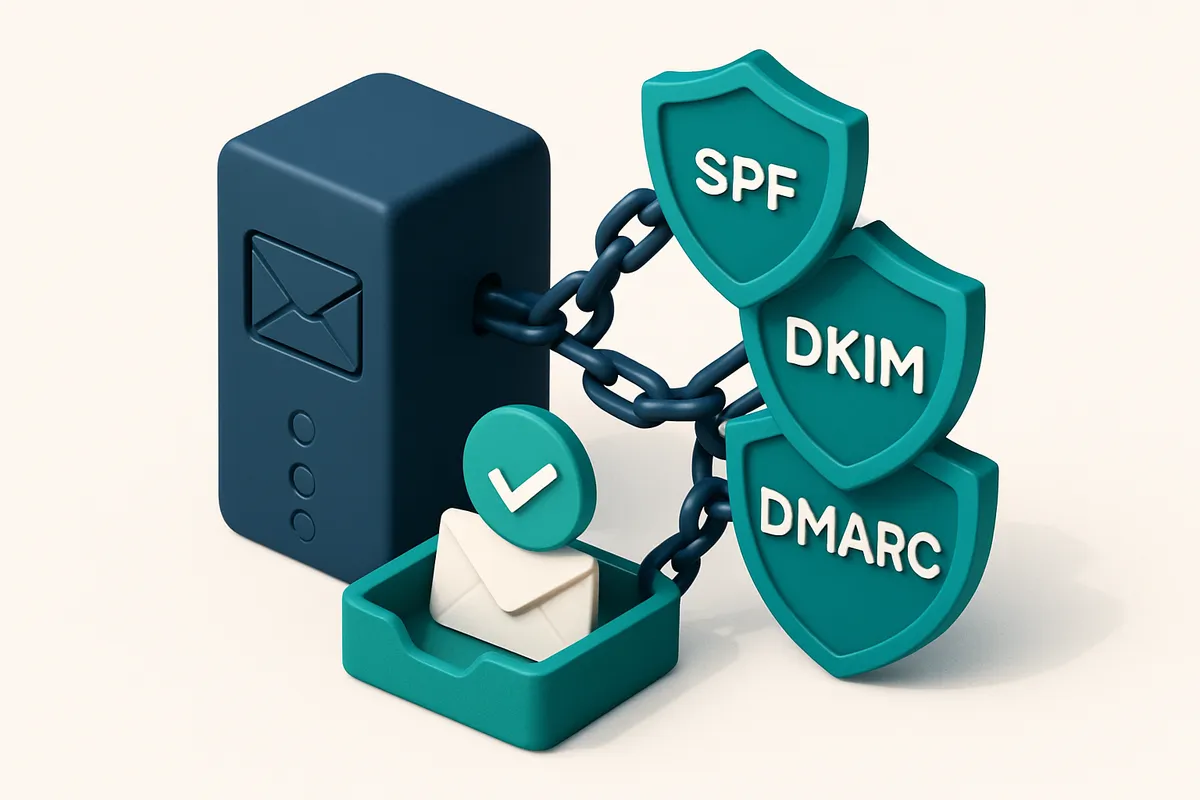
The Silent Threat to Email Deliverability: DMARC Misalignment
You’ve set up SPF and DKIM. Your email provider confirms authentication is working. But your messages still land in spam, or worse—get bounced without explanation.
That’s not a fluke. It’s DMARC misalignment in action. Even when SPF and DKIM are technically correct, the receiving server checks if they align with the email’s “from” domain. If they don’t—or if your provider signs differently than expected—your message fails the DMARC check regardless.
DMARC doesn’t care about correct syntax alone. It cares about alignment. And if your email service provider signs messages in a way that doesn’t match your DMARC policy’s expectations, your deliverability crumbles.
This article walks you through how to align your DMARC policy with the actual signing behavior of your email authentication provider, starting with the correct DNS setup. You’ll learn how to verify real-world alignment, avoid common gaps in configurations, and stop messages from getting silently blocked by recipient servers.
How to align DMARC policy with email authentication providers isn’t a luxury—it’s a necessity. Without it, even compliant setups can fail.
Key takeaways
- DMARC misalignment can block valid emails even when SPF and DKIM are correctly configured.
- Your email provider’s signing behavior must match your DMARC policy’s alignment mode (strict or relaxed).
- Verify alignment by checking the actual headers of delivered messages and comparing them to your DNS records.
Why SP, DKIM, and DMARC Must Be Aligned—Even When They Work
Let’s be honest: SPF, DKIM, and DMARC all working in isolation doesn’t mean they’re working together. They’re part of a chain. SPF checks if the sending server is authorized. DKIM verifies that the message hasn’t been altered in transit. But DMARC is the enforcer—it decides what happens when either check fails. The problem? DMARC policies are blind to whether the mechanisms align with the domain used in the From: header. If you use a third-party provider like SendGrid to send emails, but the SPF record only authorizes the provider’s domain for a different, less visible domain, DMARC fails. Let’s say you send a transactional email from [email protected], but the SPF record only authorizes IP addresses from sendgrid.net. That’s not enough. DMARC sees the mismatch and applies your policy—usually reject or quarantine—even if the email technically passes both SPF and DKIM. This is why alignment isn’t optional. DMARC requires alignment between the domain in the From: header and the domains in SPF (envelope sender) and DKIM (signing domain). Without it, even valid messages get blocked. That’s a real risk with third-party senders, especially in hybrid setups where one domain sends via a different one. Consider this: a 2023 report from the Messaging, Malware, and Mobile Anti-Abuse Working Group (M3AAWG) highlighted that misaligned authentication is a top reason for email rejection, even when SPF and DKIM pass. Their findings, while not always publicly detailed, are consistent with ISP behavior.
Alignment Matters Most When You Use Multiple Senders
You might think, “Well, our email sends fine.” But inbox placement hinges on consistency. A single misaligned message can tarnish your sender reputation, triggering filtering across major providers. Even one failure can cause a chain reaction. Third-party tools like SendGrid or Mailchimp often require you to authenticate on their domain. That’s where alignment breaks. If you don’t route your sending through the correct domain, DMARC will flag it. And the result? Your emails go to spam or are rejected outright. You can verify this before you send. Use a tool like bulk email verification to test if your domains are correctly aligned across providers. It checks not just deliverability but also the consistency of authentication setup. Even if SPF and DKIM pass, you’re still vulnerable if the domains don’t match. That’s why you need to audit your email setup regularly—especially when adding new senders.
Making Alignment Work in Practice
Start with clear policies: define which domain each sender is allowed to use. Then ensure SPF, DKIM, and DMARC all point to consistent domains. When using SendGrid, for example, you can set up a subdomain like mail.yourbrand.com and align SPF, DKIM, and DMARC to that domain. That way, the From: header, envelope sender, and DKIM signature all line up. No tool can fix broken alignment. But you can detect it early. Test your sending paths using an inbox placement checker like the one at inbox placement. It simulates real inbox delivery and flags alignment issues. Remember: authenticity isn’t just about proof. It’s about consistency. Even when everything appears to work, alignment ensures stability across all inboxes, all the time.
Step-by-Step: Verify Your Authentication Setup Matches DMARC Policy
Let’s get real: a DMARC policy with p=reject is only as strong as your actual SPF and DKIM setup. If those don’t align with your sending domains, you’ll still lose trust. Here’s how to audit your setup step by step.
Start with Your DMARC Record
- Use a DNS lookup tool like MxToolbox or
dig TXT _dmarc.yourdomain.comto retrieve your current DMARC record. - Check the
p=value:nonemeans no enforcement,quarantinemarks suspicious messages, andrejectblocks them outright. This must match your actual delivery goals. - If you’re using
p=rejectbut still seeing bounces or failures, your SPF/DKIM setup is likely inconsistent — that’s where the real problem lies.
Verify Sender Domain Alignment
- For each email provider you use — SendGrid, Mailchimp, HubSpot — check which domain appears in the
From:header of your messages. It’s not always your primary domain. - Ensure your SPF record includes the exact provider domain via
include:(e.g.,include:sendgrid.net). If the IP or service isn't listed, messages fail SPF. - Confirm DKIM is signed using the correct selector and signing domain. DKIM can pass technically but fail alignment if it’s signed with a different domain than the
From:header. - Align your SPF and DKIM results with the
From:domain. DMARC requires both to align — a single misalignment means your policy doesn’t apply, even if both checks pass.
Alignment is not optional. It’s a core requirement defined in RFC 7001. Even if SPF passes and DKIM signs, mismatched domains result in DMARC failure.
Want to double-check your entire sender setup at scale? You can test it with inbox placement testing or scan your full list with bulk verification to catch dead or misaligned addresses before they hit your inbox.
Most teams skip alignment testing until issues arise. But catching these gaps early avoids sudden drops in deliverability — especially when you’re ready to move from p=none to p=reject.
Common Alignment Failures and Their Real-World Impact
Let’s talk about why your DMARC policy might be failing—even when SPF and DKIM seem to pass. The issue often isn’t the individual records. It’s misalignment between the authentication methods and the actual email headers your recipients see.
Subdomain Mismatches Break Alignment
You send from [email protected], but your SPF record lives on example.com. That’s not enough. If your SPF record doesn’t explicitly allow the subdomain or include a mechanism like include:marketing.example.com, alignment fails. SPF only passes for the domain in the Return-Path, but DMARC requires alignment with the From: header. Without proper delegation, even valid emails get flagged.
The problem shows up in real-world deliverability: your marketing emails end up in the spam folder, or worse, rejected entirely. This is well-documented in RFC 7483, which defines how DMARC alignment works using either “domain” or “rMailFrom” modes. Most senders use domain alignment, so the branding domain must appear in both the From: header and the Return-Path.
DKIM Misalignment Is Invisible to the Sender
DKIM can pass with flying colors, but if the selector in the DKIM-Signature header points to a different domain than the one in the From: header, alignment breaks. Let’s say you sign with dkim._domainkey.your-esps-domain.com, but the From: header says example.com. The signature is valid—but DMARC doesn’t care. It demands that the signing domain matches the From domain.
This happens regularly with ESPs like Klaviyo, Mailchimp, or SendGrid. They apply their own DKIM signatures using their own domains. So unless you configure a custom DKIM selector on their platform, alignment fails. Many teams miss this until they see consistent inbox placement drops or bounces with “authentication failure” codes.
You can catch these issues before they cost you deliverability. Use a real-time verification tool that checks both alignment and DNS structure. EmailListChecker’s API validates full authentication chains, including DMARC alignment, across your sending domains and subdomains. It runs in seconds and flags issues that standard tools might miss.
Fixing alignment isn’t a one-time task. As your email infrastructure grows—especially with new subdomains, ESPs, or third-party senders—regular validation is essential. Don’t assume alignment is automatic. Check it, verify it, and fix it.
The Role of Email Verification in Preventing Alignment-Related Bounces
Even if your DMARC policy is set to strict and your SPF/DKIM are properly aligned, sending emails to invalid or role-based addresses still poses a real risk. Addresses like admin@, sales@, or support@ are often catch-alls or non-deliverable, meaning your messages never reach a real inbox. These bounces—especially hard bounces—can indirectly trigger DMARC failures over time by hurting your sender reputation, even if the authentication itself is technically correct. Let’s be clear: alignment is not just about technical correctness. It’s about sending to real people who expect your email. If your list includes invalid or role accounts, you're not just risking low engagement—you’re increasing the odds of a hard bounce, which signals to ISPs that your sending behavior is aggressive or unverified. Over time, this can lead to filtering or even domain-level rejection, regardless of your DMARC policy status. That’s where email verification comes in. Running your list through a trusted verification tool doesn’t just clean up dead addresses—it helps ensure that only deliverable, legitimate emails are sent through your authenticated channels. This prevents unnecessary strain on your sender reputation and reduces the chances of being flagged by filtering rules tied to poor deliverability patterns. One overlooked point: some role accounts are intentionally designed to catch mail from anyone. Sending to them may not result in a bounce, but it can still count as wasted send volume, especially if your list is large. This volume can hurt your reputation metrics over time, even without a bounce. Verification helps you eliminate these addresses before they ever hit your sending infrastructure. Using a service like Emaillistchecker.io lets you check entire lists in bulk, identifying invalid, disposable, or role-based emails before sending. It flags risky addresses and provides a clear view of what’s deliverable. This isn’t just about reducing bounces—it's about sending only to actual human recipients, which keeps your sending reputation healthy. For automation, the API lets you verify addresses in real time during sign-up or campaign preparation. This ensures every new entry—and every send—is vetted before it leaves your system. Think of it this way: DMARC alignment protects your domain from spoofing. But proper email verification ensures your legitimate sends don’t get penalized by sending to the wrong targets. It’s a critical layer in maintaining inbox placement and sender health.
Quality over quantity: the real deliverability guardrail
You don’t need to send to every email in your list. You need to send only to those that will be opened, read, and responded to. A clean list, verified beforehand, directly supports alignment by reducing the risk of hard bounces and reputation damage. According to RFC 7898, senders are expected to maintain sender reputation through responsible practices—including ensuring address validity. Verification is not a luxury—it's part of that obligation.
DMARC Report Analysis: Reading Reports Without Overcomplicating
Let’s cut through the noise. DMARC reports are useful — but only if you know what to look for. They come from email providers like Postmark, Google, and Return Path, and they show how your authenticated emails are being received and validated.
Check alignment first, not just pass/fail
- Start with the alignment status — it’s the single most overlooked yet critical signal.
- If SPF shows
passbut alignment isfail, the sending domain doesn’t match the From: domain. This breaks DMARC even if SPF passes. - Look for non-aligned DKIM signatures. Even one misaligned signature can trigger rejection if your DMARC policy is set to
rejectorquarantine. - DKIM alignment depends on the
d=tag in the signature matching the From: domain’s domain. If it doesn’t, the signature fails alignment — even if the cryptographic signature is valid. - Use this RFC 7483 reference to confirm domain alignment requirements and ensure your setup matches the standard.
Validate real-world inbox placement
- Passing DMARC in a report doesn’t mean your email lands in the inbox. Real-world delivery is the true test.
- Use inbox-placement testing tools to simulate how DMARC-aligned emails perform across Gmail, Outlook, and other major providers.
- Test with real messages — not just headers — and verify delivery, spam score, and inbox placement in actual user inboxes.
- Try Emaillistchecker.io’s inbox-placement test to validate whether your sender configuration, including DMARC alignment, actually gets through.
- Don’t assume “pass” means “delivered.” Use tools that give you actual inbox placement data, not just protocol-level validation.
Alignment isn’t optional. It’s what makes DMARC work in the real world.
Remember: a single mismatched domain in SPF or DKIM can cause your entire message to fail. Focus on the alignment field — not just the pass/fail result. The real test is whether your emails reach the inbox, not just satisfy a protocol. Let data, not guesswork, drive your decisions.
How Email Verification Tools Like Emaillistchecker.io Help with Alignment
You don’t want your DMARC policy to fail because of bad email addresses in your send list. Invalid, role-based, or disposable emails hurt deliverability and damage sender reputation—both of which can trigger stricter DMARC enforcement. That’s where email verification tools come in.
Preventing Reputation Damage Before It Starts
Let’s be clear: sending to a role email like admin@ or info@ doesn’t help your reputation. These accounts are often monitored, frequently unengaged, and prone to marking your messages as spam. Disposable emails are worse—they’re used for short-term sign-ups and vanish after a few days. You send to them, and you get a bounce or a block. That’s a reputation hit, and DMARC doesn’t care where it came from.
Tools like Emaillistchecker.io catch these early. With 98.9% accuracy, it flags invalid, role-based, and disposable addresses before they ever reach your email service provider. This means fewer bounces, fewer spam complaints, and a healthier sending history—key to keeping DMARC policies from triggering rejection.
Verification at Scale, in Real Time
Whether you're cleaning a 50k list or verifying individual emails in real time, Emaillistchecker.io handles both. Use the bulk verification tool to scrub your entire list before campaigns launch: https://emaillistchecker.io/bulk-verification. It checks each address by validating the domain, checking for catch-all servers, and confirming inbox readiness.
For dynamic workflows, the real-time API enables you to verify new contacts as they sign up—even during checkout or form submission. With just a few lines of code, you can filter out bad addresses before they even join your list. This integration keeps your sender reputation stable from the first touchpoint.
And yes, that means fewer failed deliveries. Fewer failed deliveries mean fewer triggers for DMARC alignment failures, especially when sending at scale.
When your email service provider sees consistent delivery to valid, engaged inboxes, that signal travels up through the infrastructure. ISPs and mailbox providers notice. They see a pattern of reliable sending—and that’s exactly what you want when enforcing DMARC policies.
While DMARC defines the rules, the real-world behavior of sending to valid, deliverable addresses defines whether you follow them. Tools like Emaillistchecker.io don’t just help you comply—they help your sending practice be honest and sustainable.
The best part? You aren’t stuck with expired credits. Credits you buy never expire. That’s something you can count on whether you're doing a one-off clean-up or ongoing list hygiene.
For more, see the full suite of tools: integrations with Mailchimp, HubSpot, and Klaviyo, and start exploring with 100 free verifications. https://emaillistchecker.io/pricing
The Hidden Cost of Ignoring Alignment: Inbox Placement and Reputation
You might have SPF and DKIM set up correctly, but if your DMARC policy isn’t properly aligned, your emails could still be rejected — especially by Gmail or Yahoo, which enforce strict authentication checks.
One Misaligned Message Can Spoof the Entire Brand
Let’s say you send a transactional email using a subdomain like newsletters.yourcompany.com. If the sending domain (sender) doesn’t match the domain in the “From” header (envelope-from), even if SPF and DKIM pass, DMARC will flag it as suspicious — and likely mark it as spoofed.
Major providers use DMARC to decide whether to deliver, quarantine, or reject email based on alignment. A single failure can trigger a flag, and repeated ones erode sender reputation fast.
Even Perfect Authentication Isn’t Enough Without Alignment
You don’t need to break SPF or DKIM to get blocked. If the domains don’t align — either in strict or relaxed mode — the message fails the DMARC check, regardless of other checks passing.
According to the DMARC RFC, alignment is core to the protocol's design. It’s not optional. Ignoring it means ignoring how major email providers actually validate trust.
Over time, repeated failures — even if isolated — degrade your sender reputation. This reduces inbox placement across major inboxes and can eventually result in blacklisting, even with proper DNS setups.
A single misaligned email sent to a Gmail domain can start a chain: lower trust → higher suppression → fewer deliveries. It’s not about volume. It’s about quality and consistency.
That’s why aligning your DMARC policy with your email authentication providers isn’t a technical checkbox. It’s a required step in maintaining inbox placement across Gmail, Yahoo, Apple Mail, and others.
And yes, even if you’re doing everything else right, misalignment can still sink your deliverability.
Want to catch alignment issues before they cost you inbox placement? Run your domain through a real-time DMARC and authentication check. Our inbox placement test simulates delivery across major providers and shows where your emails fall short.
Don’t wait for a delivery failure to discover your alignment is off. Double-check now — it’s one of the few steps that guarantees your authenticated emails actually land in the inbox.
Integrating Verification into Your Email Send Workflow
Why Pre-Send Verification Isn’t Optional
Let’s be blunt: skipping list hygiene before a major campaign is a risk. Invalid emails, catch-alls, and role addresses don’t just bounce — they hurt your sender reputation. If your domain’s DMARC policy is strict (like `p=reject`), these bad addresses can trigger alignment failures or even trigger filters that block future mail. You’re not protecting your inbox placement by sending to every email in your list. You’re protecting it by sending only to emails that actually exist and match your authentication setup.
The Right Way to Verify
Integrate verification directly into your workflow so you’re not relying on luck or after-the-fact cleanup. Here’s how:
- Run a full list verification before every major send campaign — not just once a quarter, but every time you send to a large audience.
- Do this especially when switching email service providers (ESPs), since alignment between SPF, DKIM, and DMARC can break during migration.
- Use Emaillistchecker.io’s integrations with Mailchimp, SendGrid, Klaviyo, and HubSpot to automate scrubbing. You can run verification as part of your workflow without leaving your platform.
- Set pre-send validation as a mandatory step in your email workflows — even if it adds a minute to your process. That minute prevents hours of damage from failed sends and reputation issues.
- Check for catch-alls and disposable domains during verification. A catch-all might accept delivery, but it doesn’t mean the email is a real person — and that’s a red flag for DMARC alignment.
- Monitor inbox placement regularly using inbox placement testing, especially after changes to your email infrastructure.
- Review your DMARC reports (via Spamhaus or other monitoring tools) to catch alignment missteps early — an email passing authentication but still not landing in inbox? That’s often an alignment issue.
This isn’t about perfecting every email. It’s about building a process where alignment risks are caught before they go live.
Even with strong SPF and DKIM, a DMARC policy set to `p=reject` will still fail if authentication is inconsistent — especially across providers. A clean verification step catches these misalignments before they hurt deliverability.
If your system sends to an email that passes SPF but fails DKIM validation due to a misconfigured provider, DMARC will reject the message. That’s why verifying alignment at scale is essential. The goal isn’t just to avoid bounces. It’s to keep your sender reputation intact across different environments. You're not paying for an email service to deliver to dead zones. You're paying to reach real people — and verification ensures you only try with the ones who can actually receive.
Summary: The One Thing You Need to Fix to Make DMARC Work
DMARC fails not because SPF or DKIM are broken, but because they don’t align with the From: domain. Even if both pass individually, misalignment breaks the policy enforcement.
Alignment is the single most common reason DMARC reports fail. Without it, your emails risk being marked as spam or rejected, no matter how strong your authentication setup.
Use email verification tools to clean your list and reduce bounce risk. Real-time checking helps confirm domain alignment before sending—ensuring SPF and DKIM outcomes match the sending domain.
Keep reading
- Email authentication: SPF, DKIM, DMARC and BIMI (complete guide)
- How to Use DMARC Reports to Tune Email Authentication Policies
- How to Use DKIM to Improve Sender Reputation with Major ISPs
- SPF Record Configuration for SendGrid Email Sending with DNS
- STARTTLS and SSL/TLS: Email Security Explained
Ready to put this into practice? Emaillistchecker.io verifies emails with 98.9% accuracy — start with 100 free verifications.
Frequently asked questions
What does 'alignment' mean in DMARC?
Alignment means the domain used in SPF or DKIM matches the domain in the From: header of the email. Without alignment, DMARC fails even if the authentication mechanisms pass.
Can I use multiple email providers with one DMARC record?
Yes, but each provider must correctly align SPF and DKIM with the From: domain. Some providers sign with their own domain, requiring careful configuration.
Why do my emails fail DMARC even with SPF and DKIM enabled?
Because alignment between the From: domain and the authenticated domains is missing. This is the most common reason for DMARC failure.
How often should I verify my email list for deliverability?
Before every significant send, especially after list growth or provider changes. Use Emaillistchecker.io’s bulk verification to maintain list hygiene.
What happens if DMARC policy is set to reject but alignment fails?
Emails are rejected by receiving servers. Even if SPF and DKIM pass, misalignment causes DMARC to block delivery.
Can disposable email addresses cause DMARC issues?
No, but they hurt deliverability. Sending to them increases bounce rates and harms sender reputation, which can indirectly affect DMARC enforcement.
Is there a tool to test DMARC alignment in real time?
Yes, Emaillistchecker.io offers inbox-placement testing and real-time verification that includes alignment and deliverability checks.
How do I check if DKIM is signed with the correct domain?
Inspect the DKIM-Signature header in email headers. The d= field should match the From: domain. Use tools like MxToolbox to verify.
Does a 'p=none' DMARC policy prevent delivery?
No, 'p=none' only reports failures. It doesn’t block emails, but doesn’t enforce alignment either—ideal for monitoring.
Can list hygiene tools prevent DMARC-aligned failures?
Yes. By removing invalid, role, and disposable emails, tools like Emaillistchecker.io reduce bounce rates and reputation risk—key factors in DMARC policy enforcement.
Should I test DMARC with a test email before sending?
Yes. Use inbox-placement tools like Emaillistchecker.io to test a sample message across major providers before full send.
What’s the difference between SPF alignment and DKIM alignment?
SPF alignment checks if the sender domain in the MAIL FROM line matches the From: domain. DKIM alignment checks if the d= domain in the DKIM signature matches the From: domain.


