
How to Use DKIM to Improve Sender Reputation with Major ISPs
Learn how to use DKIM to improve sender reputation with major ISPs. Reduce bounces, avoid spam filters, and boost inbox placement using proven technical steps.
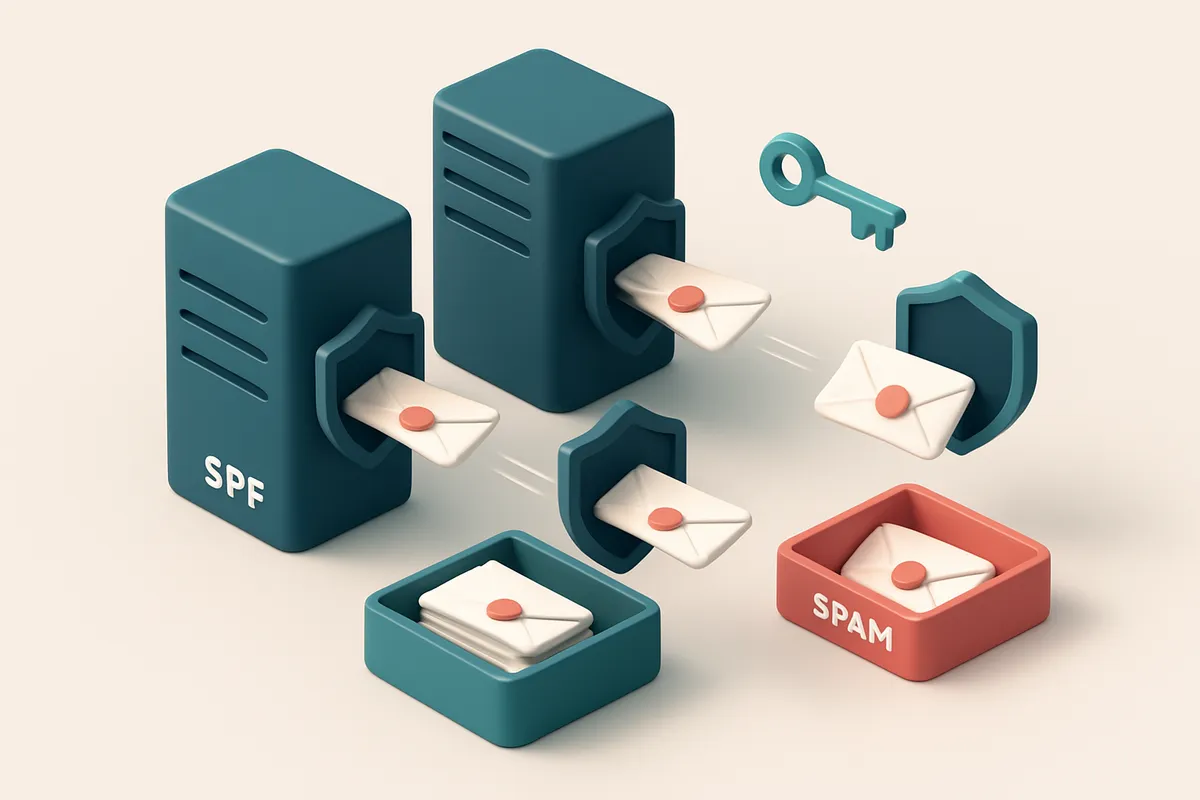
Why DKIM Matters for Inbox Placement
You send emails. They land in the spam folder—or worse, vanish. You’ve set up SPF, verified your domain, and checked your bounce rate. But your deliverability hasn’t budged. Why?
Because major ISPs like Gmail, Yahoo, and Outlook don’t just check your domain—they verify your message’s integrity. DKIM is the cryptographic signature that proves your email wasn’t altered in transit. Without it, your messages arrive unverified, raising red flags.
Even with correct SPF and DMARC, a missing or misconfigured DKIM signature undermines sender reputation. It’s not a nice-to-have. It’s required.
Key takeaways
- DKIM is a mandatory verification layer trusted by Gmail, Yahoo, and Outlook.
- Messages without valid DKIM are more likely to be filtered, even if SPF and DMARC are correct.
- DKIM reduces the risk of being marked as spam or blocked by major ISPs.
How DKIM Works Behind the Scenes
When you send an email, your server doesn’t just blast it into the internet. It first creates a digital fingerprint—called a signature—using a private key stored securely on your domain’s infrastructure. This key is unique to your domain and never shared.
Signing the Message
That signature is attached to your email header. It covers key parts of the message: the sender, subject, body, and other headers. Anyone who intercepts or modifies that email will break the signature.
Think of it like signing a letter with a tamper-evident seal. Once sealed, any change—even a single character—invalidates the seal. That’s exactly what DKIM does: it proves the message hasn’t been altered in transit.
Verification at the Receiving End
When the receiving server (like Gmail or Outlook) gets your email, it pulls your domain’s public key from your DNS records. This key is published in a TXT record and is freely available to anyone who looks.
It then uses that public key to verify the signature attached to your email. If the math matches, the server knows the email was genuinely sent from your domain and hasn’t been altered. If it doesn’t match, the email might be flagged or rejected.
Major ISPs such as Google, Yahoo, and Microsoft use this process routinely. It’s not a guarantee of inbox delivery, but it’s a foundational trust signal. According to RFC 6376, DKIM is an industry-standard method for email authentication and is widely adopted by large-scale senders.
And yes—this process doesn’t require you to change your email client or mailing service setup. It’s handled at the server level. But it does require proper implementation. One missing DNS record, one misconfigured key, and the chain breaks.
That’s where tools like bulk verification help. You don’t want to send to addresses that can’t authenticate or aren’t even valid. Cleaning your list ensures only deliverable, properly configured emails go out.
DKIM isn’t a silver bullet, but it’s one of the few things that directly prove your emails are authentically yours.
When paired with SPF and DMARC, DKIM strengthens your overall sender reputation. It signals to ISPs that you’re serious about compliance, not just blast-and-run.
DKIM, SPF, and DMARC: Roles in Email Authentication
Let’s get practical. You’ve heard the trio — SPF, DKIM, DMARC — thrown around a lot. But what do they actually do? And why do they matter for your sender reputation with Gmail, Yahoo, or Microsoft? Let’s break it down, not with jargon, but with clear roles.
How Each Protocol Works
Think of email authentication like a security checkpoint at a high-rise building:
- SPF is the badge scanner — it checks if the sending server is on your approved list.
- DKIM is the fingerprint — it cryptographically verifies the message wasn’t altered in transit and came from your domain.
- DMARC is the policy manager — it tells receivers what to do if SPF or DKIM fails.
You need all three to build trust with major ISPs. One missing? Inboxes may still accept the email, but your reputation takes a hit. ISPs like Gmail and Outlook use this stack to assess sender trustworthiness.
| Protocol | What It Does | How It Helps Reputation | Common Misstep |
|---|---|---|---|
| SPF | Authenticates which mail servers are allowed to send email on your domain's behalf. | Blocks spoofing attempts. Prevents spammers from impersonating you. | Too many or conflicting records can cause alignment failures. |
| DKIM | Uses cryptographic signatures to verify email content integrity and sender origin. | Proves the message wasn’t tampered with after leaving your server. | Not properly aligned with the "From" domain can trigger DMARC failures. |
| DMARC | Specifies how receivers should handle messages that fail SPF or DKIM. | Enforces policies like quarantine or reject, giving ISPs clear action rules. | Setting it too strict too soon can block legitimate mail. |
For the full picture, see how email standards evolved: the RFC 7001 for DMARC, RFC 7208 for SPF, and RFC 6376 for DKIM. These are foundational — not optional.
Why This Matters for Deliverability
If your email fails SPF or DKIM, DMARC steps in. If your DMARC policy is set to “reject,” the message won’t reach inbox. That’s why alignment matters — the domain in the “From” header must match the DKIM signature and SPF record.
It’s not just about passing checks. It’s about signal consistency. ISPs track how consistently you send authenticated mail. A clean, fully aligned stack improves long-term sender reputation.
To audit your domain’s authentication setup, use inbox placement testing or verify your sender infrastructure with our API. Real-time checks can reveal if your DKIM is properly aligned or if SPF is too permissive.
Configuring DKIM: A Step-by-Step Guide
Why DKIM Matters Before You Begin
DKIM isn’t just a technical checkbox—it’s a trust signal to ISPs like Gmail, Yahoo, and Outlook. When your outbound messages are signed, they prove you’re not impersonating yourself. ISPs look for this to filter spam and protect users. Without it, even clean content can land in the junk folder.
Let’s walk through how to set it up correctly. It won’t fix bad sender reputation overnight, but it builds the foundation for it.
- Log into your email service provider. Whether you use SendGrid, Mailchimp, AWS SES, or another platform, sign in to your account. This is where you manage your sending infrastructure.
- Navigate to authentication or security settings. Look for sections labeled “Authentication,” “Email Settings,” “Security,” or “SPF/DKIM/DMARC.” This is where you’ll find the DKIM toggle and key generator.
- Generate a new DKIM key pair. Your provider will create both a private key (kept secure on their servers) and a public key. The public key is what you’ll add to DNS. Don’t skip this step—using an old or shared key weakens the validation.
- Add a TXT record to your domain’s DNS zone. Copy the full public key and selector name provided by your email service. Paste them into your DNS management tool, and create a new TXT record with the selector as the name and the key as the value. This makes the signature verifiable across the internet.
- Wait for DNS propagation. Changes to DNS can take 15 to 60 minutes to spread globally. Check the status using tools like MXToolbox or DNSChecker.org to confirm it’s live.
- Enable DKIM in your outbound settings. Once the DNS record is confirmed, flip the switch in your email platform to begin signing every outgoing message. You’ll know it’s active when you see
Authentication-Resultsheaders with a “pass” for DKIM in the email headers.
What Happens After Setup
DKIM signing doesn’t improve deliverability magically. It reduces the chance of your emails being flagged or blocked. Over time, ISPs like Google and Yahoo correlate consistent DKIM results with sender legitimacy. This helps build sender reputation.
If your list is full of invalid or disposable emails, DKIM won’t fix that. Before you sign anything, clean your list with reliable verification. Use tools like bulk email verification to remove bad addresses before sending, so your entire sending profile—authentication and content alike—stays strong.
DKIM is one part of a larger trust framework. Without proper DNS setup, even the best content won’t reach inbox. The standard requires both technical accuracy and consistent practice.
Once you’ve verified every stage of the setup, monitor inbound bounces and spam complaints. If you’re using a platform with analytics, watch for changes in delivery rates and inbox placement. That’s where you’ll see the real impact—over time.
Common DKIM Misconfigurations and Their Impact
Why DKIM Fails in Practice
Let’s be honest: DKIM works only when it’s set up right. Even small errors can break verification across major ISPs like Gmail, Outlook, or Yahoo. Here’s what actually goes wrong — and what it costs you.
- Using the same DKIM selector across multiple providers creates signature conflicts. If you’re sending through both SendGrid and Mailchimp using
defaultas your selector, their keys clash. ISPs see two valid signatures but no clear sender identity. Result: higher rejection rates, even if your email content is clean. - Incorrect DNS TXT record syntax breaks everything. Missing quotes around the key, incorrect line breaks, or extra spacing can render the DNS entry invalid. Tools like MXToolbox can validate your record, but you won’t know until ISPs reject your message. A single typo means your DKIM fails silently.
- Rotating keys without updating DNS is a common oversight. When keys expire, you must publish the new one before retiring the old. If you don’t, the signature validation fails. Gmail and Yahoo will flag the sender as inconsistent — hurtling your reputation down the drain.
- Reliance on SPF alone without DKIM significantly reduces delivery reliability. SPF only checks the envelope sender. DKIM verifies the body and header integrity. ISPs like Microsoft (which includes Outlook) now treat missing DKIM as a signal of lower sender trust, even if SPF passes. You’re not just missing a layer — you’re dropping points with gatekeepers.
How to Catch and Fix These Before They Break Deliverability
Most senders don’t test DKIM until they’re seeing bounces or inboxing issues. By then, reputation damage is already happening. You can verify your DKIM setup with tools like RFC 6376, the technical foundation of DKIM validation. But real-world testing matters more. Let’s make it simple: use a real-time verification platform that checks both syntax and delivery signals. Tools like EmailListChecker's API can validate your DKIM and SPF alignment during testing, catching setup flaws before you send to thousands. If you’re managing multiple domains or senders, use unique selectors per provider. This avoids conflict and makes troubleshooting easier. Better yet, audit your DNS records regularly. A single misformatted TXT record can stop half your campaigns from delivering. And yes: DKIM isn’t optional. It’s a core layer of email reputation. Without it, even a perfect message gets blocked — not because it’s spam, but because the sender doesn’t prove identity. Use verification tools that check real-world deliverability signals, not just syntax. At EmailListChecker, we check DKIM, SPF, and real inbox placement across major ISPs — all through a single integration. See how your senders stack up: Inbox Placement Testing. Not a guess. Just results.
Verifying DKIM Implementation with Real-World Tools
Let’s be clear: setting up DKIM is only half the battle. The real test is whether major ISPs like Gmail, Yahoo, and Outlook actually trust your signature. You can’t rely on your own inbox to tell you—these platforms don’t show you how their filtering systems interpret your headers. That’s where inbox-placement testing comes in.
Test Your Message Where It Matters
Use inbox-placement testing to send a real message through your infrastructure and see exactly how it lands across Gmail, Yahoo, and Outlook. These tests simulate the full delivery pipeline, including DKIM verification by the receiving server. If your DKIM checks fail in testing—despite appearing correct in theory—you now have a direct path to fixing it, not guessing.
Check from the Receiving End
DKIM is only as strong as the validation on the receiving side. You can inspect the full email header in Gmail or Yahoo to see if DKIM passes, fails, or isn’t recognized. Open the message, click the three-dot menu, and select “Show original.” Look for DKIM-Signature and its result. A pass means the receiving server verified it. A fail means something in the chain broke—likely the selector, key, or alignment.
Third-party tools like MxToolbox use RFC 6376-compliant logic to verify DKIM signatures across domains. They don’t just check the record—they validate the entire signing process in real time. This tells you if the key is correct, the selector matches, and the hash aligns with the content. It’s the closest thing to a neutral, automated audit.
For deeper diagnostics, use your command line. Run dig TXT _selector1._domainkey.example.com or nslookup -type=txt _selector1._domainkey.example.com to retrieve the TXT record directly. Compare the output to your published record exactly, character by character. Even a mismatched space or quote can break DKIM.
Make sure the selector (like selector1) and the full public key are published exactly as specified in your DNS. Some tools or email platforms will trim whitespace or mangle quotes during parsing. If your selector is dkim, make sure the DNS record is published under dkim._domainkey.example.com, not dkim._domainkey.example.com. (with a trailing dot that should not be there). Even small missteps here lead to fails.
DKIM is a technical contract between sender and recipient. It only works if both sides agree on the terms—and if you’re not verifying every piece of that agreement, you’re trusting luck over infrastructure.
Final check: run your domain through a standard SPF, DKIM, and DMARC check via MxToolbox or a trusted diagnostic service. These tools show you not just if DKIM is set up, but whether it’s being properly enforced. It’s the same logic used by SendGrid, Mailchimp, and other platforms to validate sender reputation.
Combining DKIM with List Hygiene for Maximum Trust
DKIM is a strong signal to major ISPs that your emails are legitimate. But even perfect DKIM signing won’t protect your sender reputation if your list is full of invalid, disposable, or role-based addresses.
Let’s be honest: a single bounce from a fake address can hurt your reputation. And if your list includes spam traps or invalid domains, you’re not just wasting sends—you’re risking blacklisting. ISPs monitor engagement and rejection rates closely. Poor list quality sends red flags, regardless of your authentication setup.
Start with a clean list
Before you even think about DKIM, you need a list that’s free of noise. That means removing role accounts like info@, sales@, or admin@. These aren’t real people and don’t engage. They also don’t help your deliverability—and in some cases, they’re used as spam traps.
Disposable email domains (like mailinator.com or tempmail.org) are another big risk. ISPs often treat sends to them as spam signals, even if you're compliant elsewhere. And invalid addresses? They’ll bounce, and every bounce counts against your reputation.
Use verification to stop reputation damage before it starts
You don’t need to guess. Run your list through a tool like bulk verification before sending. This checks for syntax errors, invalid domains, disposable emails, and role accounts—all in one pass. You’ll get real-time feedback on each email’s validity, catch-all status, and risk level.
With a clean list, your DKIM setup works as intended: ISPs see consistent, authenticated sends from known good addresses. No sudden spikes in bounces. No accidental deliveries to spam traps. That consistency builds trust over time.
Even the best authentication can’t compensate for poor list hygiene. But when you combine valid lists with proper DKIM, your emails are consistently trusted. It’s not just about passing a test—it’s about signaling reliability every time you send.
For ongoing trust, pair this with regular list maintenance. New leads come in, old ones go stale. Use Emaillistchecker’s API to verify emails in real time during onboarding. That way, you never send from a suspect address.
Spamhaus and other blocklist operators track sender behavior, including bounce rates and engagement. A clean list + correct DKIM is how you stay off their radar. It’s not magic—it’s discipline.
How Emaillistchecker.io Supports DKIM-Driven Deliverability
You're setting up DKIM to boost your sender reputation. Good move. But you don’t just want to sign your messages—you want to know if they actually land in inboxes, not spam folders. That’s where inbox-placement testing comes in.
See How DKIM-Aware ISPs Treat Your Messages
Our inbox-placement tests simulate real-world delivery across major ISPs like Gmail, Yahoo, Outlook, and Apple Mail. You send a test campaign with DKIM signatures enabled and we show you where it lands: primary inbox, promotions tab, or spam. This gives you concrete feedback on whether your DKIM configuration is being trusted by the receiving end. ISPs evaluate DKIM alignment as part of their authentication chain—getting it right means better trust signals.
Real-world examples show that properly aligned DKIM reduces bounce and spam filtering rates significantly, especially when paired with SPF and DMARC. You can find the technical foundation in RFC 6376, which outlines how DKIM signing works and why alignment matters.
Verify Before You Send—Even If You’re Using DKIM
DKIM doesn’t fix bad addresses. Sending encrypted, signed messages to invalid or disposable email addresses still harms your sender reputation. That’s why you need to clean your list first.
With our bulk verification, you can check thousands of addresses at once. The tool detects invalid, role-based, disposable, and catch-all emails—preventing you from wasting DKIM-signed messages on addresses that won’t even accept them. Every verified address is a better chance for a successful delivery.
And when you’re building a campaign dynamically? Our real-time verification API lets you validate addresses and check DKIM readiness before they even enter your send queue. It’s like a pre-flight check for your email’s delivery potential.
Even when things go wrong, we help you decode why. Incoming delivery failure reports often include headers that look like code soup. Our in-app AI assistant parses those headers and highlights whether DKIM failed due to alignment, key issues, or timing—so you fix the problem, not guess at it.
Let’s be clear: DKIM doesn’t guarantee inbox placement. But it’s a critical layer. Pair it with list hygiene, real-time validation, and inbox testing, and you’re not just signing a message—you’re building a track record ISPs can trust.
Measuring the Impact of DKIM on Sender Reputation
Let’s cut through the noise. You’ve set up DKIM. Now you need proof it’s working—especially with major ISPs like Gmail, Yahoo, and Outlook that prioritize authenticated senders. The key is tracking real-world metrics before and after activation.
Track Delivery and Inbox Placement Over Time
Compare your inbox placement rates across platforms—Gmail, Apple Mail, Yahoo—before and after DKIM. Major ISPs use authentication signals like DKIM to filter inbound mail. Poor authentication leads to lower placement, even if your content is safe.
- Use inbox placement tools—like the in inbox placement test—to simulate real-world delivery across major providers.
- Run tests weekly for 4–6 weeks before DKIM, then again after. Look for a measurable increase in inbox placement, particularly in Gmail and Yahoo, where SPF/DKIM alignment is heavily weighted.
- Check header logs and feedback from ISPs; DKIM success is confirmed when receiving servers validate your signature and mark the message as “passed” instead of “failed” or “unauthenticated.”
Monitor Bounces and Feedback Loops
Bounces aren’t all equal. Soft bounces often stem from temporary issues—but misconfigured authentication can cause them to persist. DKIM reduces these by proving your identity.
- Track soft bounce rates specifically. Common causes like “550 5.7.1 Unable to verify sender domain” are often linked to missing or failed DKIM validation.
- Enable Feedback Loops (FBLs) with major ISPs. They report when users mark your messages as spam—your first real clue that deliverability is slipping. Authentication failures often correlate with higher complaint rates.
- Use tools that validate your entire email list’s health before sending. The bulk verification tool helps you identify invalid or high-risk addresses that could hurt your reputation, even if DKIM is properly set up.
- Compare your sending volume—with clean, verified lists—against delivery success. A spike in successful deliveries over time, despite growing volume, indicates strong authentication and reputation alignment.
“DKIM is not a magic fix—it’s one part of a layered delivery strategy. Proper setup and consistent monitoring are what build trust with ISPs over time.”
The best way to verify your list’s readiness is with real-time validation. Run your list through the real-time API to catch catch-all domains, role accounts, or disposable addresses that can trigger filters—even with DKIM in place.
Digital infrastructure isn’t about chasing perfection. It’s about reducing risk. DKIM helps you do that. But without tracking outcomes, you’re guessing.
What You Can’t Fix with DKIM Alone
DKIM is a powerful tool for proving your emails are genuinely from your domain. It helps major ISPs like Gmail and Yahoo verify authenticity. But just because your DKIM signature is valid doesn’t mean your message will land in the inbox.
Content Still Gets Filtered — Even With Perfect DKIM
Let’s be clear: DKIM doesn’t protect your content from being flagged as spam. Spam filters analyze tone, layout, and engagement signals. A message with all-caps subject lines, excessive exclamation points, or misleading claims will still get blocked—even if your DKIM is flawless.
Spam scoring isn’t just about technical validity. It’s about behavior. If your emails look like a scam, even with perfect authentication, ISPs will treat them as such. This isn’t about configuration; it’s about reputation built over time.
Sender Reputation Isn’t Just a Technical Score
DKIM is one signal, but sender reputation is a composite of many things. Poor list hygiene—like sending to invalid or unengaged addresses—hurts deliverability no matter how solid your authentication is. A high bounce rate signals spammy behavior, and ISPs notice.
Poor engagement matters just as much. If your emails consistently go unread or are frequently marked as spam, that history will override a strong DKIM signature. You can’t fake engagement with code.
Campaigns with misleading subject lines, like “You’ve won free money!” or “Last chance—today only,” may trigger spam filters regardless of how well you’ve configured DKIM. These signals are evaluated separately from authentication.
There’s no shortcut around long-term engagement. ISPs track open rates, click-throughs, and unsubscribe behavior. If your audience isn’t responding, your sender reputation suffers—no matter how secure your domain appears.
Real reputation comes from consistency, permission, and value. You can’t outsmart the system with a technical fix alone. Even major ISPs track behavioral data over weeks and months to determine trustworthiness.
That’s why tools that assess real deliverability are essential. Use inbox placement testing to see how your emails perform in practice—not just in theory. You can check how your messages land across major providers with inbox placement tests.
And before you send anything, clean your list. Use a bulk verification tool to catch invalid or risky addresses early. Bulk verification helps reduce bounces and protects your reputation before your campaign ever launches.
DKIM is a foundational layer. But reputation, engagement, and content quality are what keep your emails welcomed in the inbox.
Conclusion: DKIM Is a Technical Foundation, Not a Magic Bullet
DKIM is a mandatory technical layer that major ISPs rely on to verify email authenticity. Without it, even well-intentioned messages may be rejected or marked as suspicious.
DKIM does not fix poor list hygiene or low engagement. It only ensures that legitimate messages aren’t blocked due to technical flaws. It’s one part of a larger system — not a standalone solution.
When DKIM is paired with high-accuracy email verification, like Emaillistchecker.io’s 98.9% validated results, senders can reliably send only clean, authenticated emails. This combination prevents technical failures, supports sender reputation, reduces blocklist risk, and improves inbox placement over time.
Keep reading
- Email authentication: SPF, DKIM, DMARC and BIMI (complete guide)
- Step-by-Step DKIM Configuration for Outbound Email Servers
- DKIM Best Practices for Email Verification Platforms
- How to Use DMARC Policies to Prevent Email Phishing Attacks
- DKIM Configuration for Twilio SendGrid: A Step-by-Step Guide
Ready to put this into practice? Emaillistchecker.io verifies emails with 98.9% accuracy — start with 100 free verifications.
Frequently asked questions
Does DKIM prevent emails from being marked as spam?
DKIM doesn’t directly stop spam filtering, but it reduces the chance of rejection due to authentication failure, improving delivery odds.
Can I use DKIM with Mailchimp or SendGrid?
Yes—both platforms support DKIM signing, and they provide tools to generate and publish the required DNS records.
How long does it take for DKIM to start working?
After DNS propagation (typically 15–60 minutes), DKIM signing begins immediately on outbound messages.
What happens if DKIM fails during delivery?
Receiving servers may quarantine or reject the email depending on the DMARC policy set by the domain owner.
Do I need a separate DKIM key for each email platform?
Yes—using different selectors for each platform prevents conflicts and keeps authentication independent.
Can DKIM be bypassed by spammers?
Spammers can forge DKIM if they gain access to your private key, which is why key rotation and access control are critical.
Is DKIM required for email marketing?
While not enforced by all ISPs, absence of DKIM significantly harms deliverability and sender reputation.
How do I test if my DKIM is working?
Use Emaillistchecker.io’s deliverability testing or inspect email headers in Gmail to verify the DKIM-Signature field.
Does DKIM affect email open rates?
No—DKIM influences delivery, not engagement. Open rates depend on list quality, timing, and content relevance.
Can I use DKIM with a free email provider?
Most free providers don’t allow custom DKIM keys. Use a dedicated transactional or ESP platform for full control.
What is a DKIM selector?
It’s a unique identifier in the DKIM signature that references the public key in DNS. Each service should use a distinct selector.
Does Emaillistchecker.io verify DKIM configuration?
No—DKIM is verified through DNS and header inspection. Emaillistchecker.io checks email validity and deliverability risk before sending.


