How to Use DMARC Policies to Prevent Email Phishing Attacks
Learn how to use DMARC policies to stop email phishing attacks. Prevent spoofing, strengthen sender reputation, and improve inbox deliverability with real-world
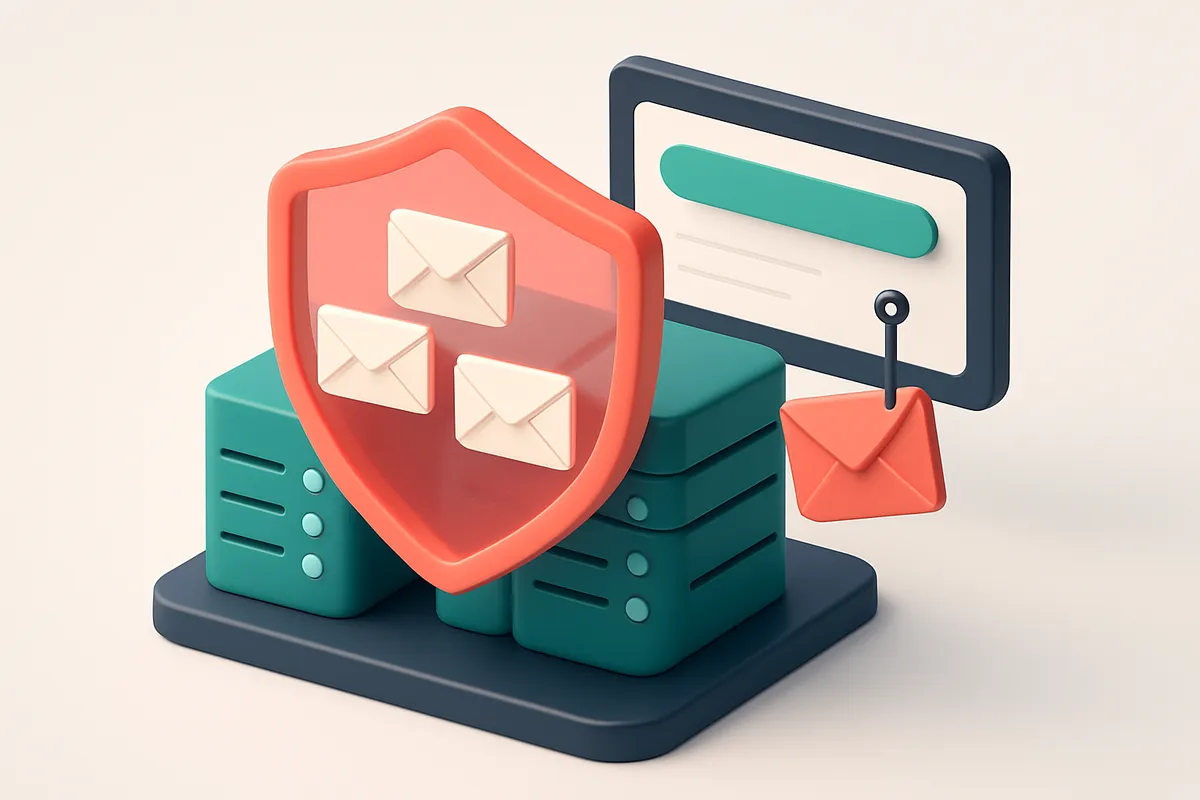
Phishing Is Everywhere — And It Starts With Email Forgery
You open an email that looks like it’s from your bank. It says your account is flagged. The sender address is almost identical to the real one. You’re logged in, you click the link — and suddenly, your credentials are gone. This isn’t paranoia. It’s how 90% of successful phishing attacks begin.
Attackers don’t need to hack your system. They just need you to trust a forged sender address — and they succeed when your email system can’t tell who truly sent the message. No SPF. No DKIM. No DMARC. That’s not a weakness. That’s an open door.
DMARC isn’t just another checkbox. It’s the last line of defense: a policy that says, “Only emails from authorized sources get delivered.” Without it, even your real messages can be rejected — or worse, used against you.
Key takeaways
- Phishing attacks often start with forged sender addresses that evade basic spam filters.
- Missing or misconfigured DMARC policies leave organizations vulnerable to impersonation.
- DMARC validates email origin and ensures only authorized messages reach inboxes.
What DMARC Actually Does (And Why It’s the Cornerstone of Email Security)
You’re not just protecting your domain’s name—you’re setting the rules for how email receivers treat messages claiming to come from it. DMARC (Domain-based Message Authentication, Reporting, and Conformance) is the policy layer that tells incoming mail servers what to do when an email fails SPF or DKIM checks. Without it, those failures go unnoticed, and attackers can impersonate you with impunity.
It Turns Authentication into Action
SPF and DKIM verify that an email is genuinely sent from an authorized source. But they don’t tell the receiving server what to do with a failed check. That’s where DMARC steps in. You define a policy: reject it outright (p=reject), send it to spam (p=quarantine), or ignore it (p=none).
Most organizations should start with p=quarantine. That way, suspicious emails land in the spam folder, not the inbox—without disrupting legitimate mail. If you're confident in your sending setup, you can eventually enforce p=reject for maximum protection.
Visibility Is Half the Battle
DMARC isn’t just about blocking bad mail. It gives you visibility. You get aggregate reports from major email providers showing who is sending email on your behalf—legitimate services, compromised accounts, or outright impersonators. These reports are invaluable for spotting new threats or misbehaving partners.
Forensic reports (less common but available) go further, pinpointing individual failed emails with full headers. This allows you to investigate phishing attempts in depth. Tools like Spamhaus and RFC 7489 detail how DMARC operates in real-world email infrastructure.
Without DMARC, attackers send fake emails from your domain with zero technical barriers. Even if you're using SPF and DKIM correctly, you’re blind to who’s forging your name. Worse, a poorly configured policy could cause legitimate mail to be rejected—especially if you use third-party senders or change providers.
Let’s be clear: DMARC alone doesn’t stop phishing. But it’s the first line of defense that stops large-scale spoofing at scale. The moment you deploy DMARC with a sensible policy, you dramatically reduce the chances of your brand being used in a scam.
Properly verifying your sending domains is just as crucial. If you're managing a large email list, using bulk verification to clean invalid or risky addresses ensures your domain stays clean and trusted.
How DMARC Works with SPF and DKIM: A Real-World Breakdown
Let’s talk about how DMARC, SPF, and DKIM work together to stop phishing — not just in theory, but in real email flows.
SPF: Your Approved IP List
SPF checks whether the sending server’s IP address is on your domain’s approved list. If the IP isn't listed in your DNS records, the email fails SPF. Think of it as a guest list. If someone shows up without being on it, they’re flagged.
But SPF alone isn’t enough. It doesn’t verify what’s inside the message — only where it came from. That’s where DKIM comes in.
DKIM: The Message Integrity Seal
DKIM adds a digital signature to the email header. When the receiving server gets the email, it checks that signature against your domain’s public key in DNS. If the signature matches, the message hasn’t been tampered with.
This is crucial. Phishers often alter content — changing “Verify your account” to “Verify your password now” — but DKIM catches that. The signature breaks if even a single character is changed.
DMARC ties it all together. It doesn’t replace SPF or DKIM. It says: “I’ll accept this email if either SPF or DKIM passes — or both.”
Let’s say an email passes DKIM but fails SPF. If your DMARC policy allows it (like “quarantine”), the receiver might mark it as suspicious but still deliver it. But if your policy is set to “reject” and both SPF and DKIM fail, the email gets blocked.
This is how DMARC stops phishing. A fake sender might have a spoofed IP (fail SPF), but they can’t generate a valid DKIM signature without your private key. So if both fail, DMARC blocks the attack before it reaches the inbox.
Think about it: you’re not just verifying who sent the email. You’re verifying it hasn't been altered and that it came from a legitimate source. That’s a layered defense. And it’s an industry-standard practice — even the IETF’s official DMARC specification makes it clear: alignment of SPF or DKIM is key to policy enforcement.
For teams managing large email lists, making sure your domains have proper SPF, DKIM, and DMARC in place is foundational. But verifying the actual email addresses in your list is just as important — especially if you’re sending to thousands.
That’s where tools like bulk verification come in. You don’t want to send messages to invalid, disposable, or risky addresses. Those can harm your sender reputation — and that weakens your entire email security posture, even if you’ve got great DMARC set up.
DMARC protects your domain. But clean data protects your inbox placement. Combine both — and you’re not just defending against phishing. You’re building deliverability that lasts.
Step-by-Step: Starting With DMARC Policy Implementation
Let’s get you from "I know DMARC exists" to "I’m actually using it" — safely and correctly.
Build the foundation: SPF and DKIM first
You can’t enforce a DMARC policy without proper SPF and DKIM in place. Think of them as the identity checks your domain uses to confirm outgoing emails are real. If either is misconfigured, DMARC will block legitimate messages by mistake, even if the policy is set to p=none.
Verify your SPF record includes all sending sources: your email platform, marketing tools, and any third-party vendor. DKIM must be set up on every server or service that sends from your domain. Use a tool like MXToolbox’s DKIM checker to validate your signatures.
Start small, monitor everything
- Set up your DMARC DNS record with p=none. This policy doesn’t block emails — it just starts collecting data. Use
p=noneand includerua=mailto:[email protected]to receive aggregate reports. - Wait 7–14 days and review the incoming DMARC reports. These reports come from major ISPs and show who’s sending mail from your domain, whether it passes SPF/DKIM, and if any domains spoof your name. You’ll see unexpected sources — sometimes even from old vendors or broken scripts.
- Update SPF and DKIM to cover all legitimate senders. If you see a service like a CRM, newsletter platform, or support tool in the reports, ensure it’s explicitly allowed in your SPF record and that DKIM is correctly configured for its sending domain. The DMARC specification (RFC 7483) states that a policy is only effective when SPF and DKIM are both in place and correctly aligned.
- Gradually tighten your DMARC policy. Once you’ve verified all authorized senders and no critical messages are failing, change your policy step by step:
p=none→p=quarantine(senders with alignment failures go to spam) →p=reject(block non-compliant emails outright).
This progression is key — rushing to p=reject without monitoring can break your legitimate outbound email. You’re not just blocking spammers; you’re protecting your brand’s deliverability.
If you're managing large lists, it's smart to verify your sender domain's health before rolling out DMARC. Use our inbox placement testing to measure how well your domain currently delivers.
DMARC isn't a one-time setup. It’s a continuous process of validation and refinement — especially when third parties add new sending services.
Once DMARC is solid, you've built a foundation that makes phishing attacks much harder to succeed. That’s defense in depth, backed by standards.
DMARC Policy Types and What They Mean in Practice
Start with p=none: Watch, Don’t Block
You’re setting up DMARC for the first time? Start with p=none. No action. Just monitor what’s coming through.
Let’s be honest—your email ecosystem likely has unapproved senders you didn’t know about. Internal tools, marketing platforms, vendors. p=none lets you see all the messages that fail SPF or DKIM checks without disrupting anything.
Use this phase to gather baseline data. Track who’s sending on your behalf, and identify false positives. It’s a safe way to learn before enforcing rules.
RFC 7483 describes this as the “monitoring” mode. It’s widely accepted as the standard first step.
Move to p=quarantine or p=reject — Based on Confidence
- p=quarantine means failing messages go to spam. No one gets blocked, but phishing attempts land in junk folders. This reduces harm without risking legitimate emails.
- It’s a strong middle ground. Great for organizations still auditing their senders. You’re cutting phishing impact while you verify your internal processes.
- Once you’ve confirmed all your real senders are properly authenticated, switch to p=reject. Now, any email that fails DMARC checks gets denied outright.
- This is when you get true protection against spoofing and phishing. Bad actors can’t use your domain anymore — even if they guess the recipient.
- But don’t rush this. Setting p=reject without visibility can break legitimate workflows. You might lose important messages from vendors, automated alerts, or outsourced platforms.
Let’s say you’re using a third-party email service. If you set p=reject before verifying the sender domain is properly authenticated, that email won’t reach the inbox. No warning. No delivery. Just silent failure.
Tools like bulk email verification help you identify and clean up invalid or suspicious addresses in your list before sending—reducing the risk of your domain being used in attacks.
DMARC doesn’t stop all phishing, but it stops the easy kind: fake sender addresses using your name. When you enforce a p=reject policy after full visibility, you’re making it much harder for attackers to impersonate your brand.
Remember: the goal isn’t just compliance. It’s stopping real damage. The right policy depends on your readiness—not just your ambition.
Common DMARC Missteps That Leave You Vulnerable
Let’s be honest—setting up DMARC feels like a solid win. You’ve locked down your domain, sent a few test emails, and now you’re ready to block all impostors. But if you skip the groundwork, you might end up blocking your own team instead.
Start with SPF and DKIM—Don’t Skip the Basics
You can’t enforce DMARC unless SPF and DKIM are correctly configured. If you publish a DMARC record without verifying those first, you risk false positives. Even a single misconfigured sender can cause legitimate emails to be flagged or rejected. The Internet Society’s RFC 7483 outlines how DMARC relies on alignment with SPF and DKIM—skipping this step undermines the entire process.
Don’t Go Strict Too Soon
Setting your DMARC policy to `p=reject` right out of the gate can backfire. It’s tempting to harden your defenses immediately, but many organizations use third-party tools—SendGrid, HubSpot, Mailchimp—that aren’t yet included in SPF. If you enforce strict rejection before adding them, your outbound marketing, onboarding, or customer service emails will fail. Start with `p=none` or `p=quarantine` to monitor and adjust safely.
Monitoring DMARC Reports Is Non-Negotiable
A DMARC record without DNS monitoring is like a security lock without an alarm. You won’t know if attackers are still impersonating your domain, especially if they’re using subdomains or subtle variations. The most effective way to stay ahead is to collect and analyze DMARC aggregate reports (RUF) from receivers. Services like MxToolbox or Google’s Postmaster Tools help, but you need to look at them regularly.
Watch for Overlapping or Conflicting SPF Records
SPF records can only be defined once per domain. If you have multiple SPF TXT records, only the first one is processed. This leads to misconfiguration, which breaks email delivery for everyone—even authorized senders. Use a tool like MxToolbox’s SPF checker to validate your record’s structure. A single syntax error can cause your domain to fail authentication.
Include All External Senders in SPF
You’re not the only one sending emails from your domain. Marketing platforms, support systems, analytics tools—each needs to be explicitly included in your SPF record using `include:` statements. Miss one, and it fails SPF. It’s easy to overlook a vendor like SendGrid or HubSpot. Double-check your integrations to avoid gaps. You can validate sender alignment using DMARC monitoring dashboards, or test your setup with deliverability testing tools. For teams looking to verify sending consistency across their ecosystem, our inbox placement service helps confirm how your messages are being received across major inboxes. We also help ensure your list integrity before outreach, using bulk verification to clean out invalid or risky addresses ahead of campaign send. A well-managed DMARC policy isn't set and forgotten. It’s a living process—validated, monitored, and adjusted. Let your data guide the next step.
How Email Verification Tools Help Confirm Your DMARC Readiness
Let’s be clear: setting a strict DMARC policy won’t stop phishing if your own email list is full of dead, disposable, or role-based addresses. Spoofers love those. Before you enforce DMARC, you need to know exactly which emails are valid and sendable.
Start with a clean, verified sender list
You can’t rely on assumptions. Just because an email address is in your system doesn’t mean it’s real or safe to use. Invalid or disposable domains can be exploited to test your sender reputation or validate phishing campaigns. That’s why validating your domain’s actual sending behavior is step one. Using tools like Emaillistchecker.io’s bulk verification helps you weed out addresses that are inactive, misspelled, or generated by temporary email services. These are common vectors for attackers to probe your domain’s defenses. The platform checks hundreds of addresses at once, flagging those that are risky or invalid. Bulk verification gives you a clear picture of your list’s health before you lock down DMARC.
Real-time checks catch hidden loopholes
Even address formats that look valid can hide dangers. Catch-all domains, for example, accept every email sent to them — no matter the address. This means an attacker could send mail to [email protected] and still get delivered, allowing them to test delivery paths without a real user. Tools that only validate syntax miss this. Emaillistchecker.io’s real-time API checks against live SMTP servers, meaning it can detect whether a domain truly accepts mail for a given address. This catches catch-all setups that might otherwise go unnoticed. This API integrates with your workflow, so you can verify every incoming or outgoing address on demand. The result? A sender list that’s not just clean, but truly deliverable. And when only valid addresses are used, attackers can’t use your domain to validate lists, test delivery, or harvest data. You’re closing the loop before the attack even starts. DMARC is not a fix-all — it’s a gatekeeper. But gates only work if you know who’s actually on your list. That’s where verification comes in. It’s not about perfection. It’s about eliminating the easy entry points that phishers rely on. For more on how real-time email validation supports deliverability and security, see RFC 7483, which outlines DMARC’s technical foundation.
What Happens When DMARC Fails — And How to Recover
Let’s say your domain gets hijacked for phishing. Attackers send fake invoices, spoofed login alerts, or impersonate your support team. They’re using your name, your logo, even your email domain. And here’s the damage: because they’re sending from a legitimate-looking address, recipients don’t immediately suspect anything. But your sender reputation takes a hit — even though you didn’t send those messages.
When phishing messages flood in from your domain, ISPs and email providers see a sudden spike in reported abuse. They react by blacklisting your IP or domain. Once that happens, even your real emails start landing in spam or getting blocked entirely. That’s not just an inconvenience — it’s a direct hit to your business communications, customer trust, and deliverability.
The Fix: Enforce DMARC With Policy Action
DMARC only works if it’s enforced. You’re not safe if your policy is set to none or quarantine alone. Only when you set a policy to reject or reject in production do you block unauthorized emails at the gate.
When properly enforced, every message that doesn’t pass SPF or DKIM — and doesn’t originate from an approved source — is rejected immediately. That means no spoofing. No phishing from your domain. No more damage to your reputation.
You can see how this works in practice with protocols like RFC 7483, which defines DMARC’s core framework. It’s designed to let domain owners opt in to strong alignment checks and response actions, giving them control over inbound trust.
Recovery Isn’t Just Turning On DMARC — It’s Verifying Reality
DMARC enforcement stops new attacks, but recovery requires work. You’ve got to verify your own sending infrastructure is clean. Did a third-party service get compromised? Did an employee’s account leak credentials?
Start by auditing all email sources — your CRM, marketing tools, transactional systems. Revoke access for any unapproved services. Check for misconfigured domains, forgotten test accounts, or open relay setups.
Then, test deliverability. You can’t assume things are fixed just because you’ve enforced DMARC. Use inbox placement testing to validate that your real emails are now reaching inboxes again, not being flagged or blocked. Tools like inbox placement testing simulate real-world delivery across major providers and spot failures early.
DMARC isn't a magic shield. But when it’s enforced correctly, it’s one of the most effective technical controls you have to prevent abuse. And recovery — though it takes effort — is possible with visibility and verification at every step.
Integrating DMARC With Your Email Ecosystem
Let’s be clear: DMARC only works if your email sends are properly authenticated. You can publish a DMARC record, but if your sending platforms don’t align SPF or sign messages with DKIM, DMARC will fail. That means spoofing attacks can still bypass your defenses — even with the policy in place.
Authentication Is Non-Negotiable
If you use Mailchimp, HubSpot, Klaviyo, or SendGrid, the basics of sender authentication must be set up correctly. SPF validates the sending server’s IP address. DKIM signs each message with a cryptographic key. Both need to align with your domain for DMARC to recognize a message as legitimate. Most of these platforms let you configure the sender domain and generate DKIM keys. You’ll need to add those keys to your DNS records. Without proper configuration, even a well-written DMARC policy won’t stop fraudulent emails from appearing to come from your domain.
Verify Before You Send, Protect After
Let’s not let your list quality undercut your security. Sending to invalid, disposable, or risky addresses increases your exposure — not just to deliverability issues, but to phishing abuse. Attackers often target weak points in your database, so only send to verified, valid email addresses. Emaillistchecker.io integrates with all four platforms — Mailchimp, HubSpot, Klaviyo, and SendGrid — so you can verify your lists before sending. The bulk verification feature checks every address for validity, catch-all status, and inbox placement risk. You can do this in bulk and get results back in minutes. This matters because DMARC doesn’t stop spoofing by cleaning up your list. But a clean list reduces the attack surface. If your list only includes verified, real recipients, there’s less room for malicious actors to exploit your brand. Use the API to integrate verification directly into your workflow. Or use the email finder to source accurate, validated contacts in the first place. And if you need to test your deliverability, inbox placement tools confirm whether your messages reach inboxes — not just spam folders. DMARC is only as strong as the foundation you build. Start with proper sender authentication, validate your lists, and let tools like Emaillistchecker.io's integrations help you keep the ecosystem secure. For context on why authentication matters at scale: the DMARC RFC outlines how domains use SPF and DKIM to enforce policy, but also stresses that both mechanisms must be correctly implemented to be effective. If you’re sending regularly, you’re not just protecting your brand — you’re preventing your infrastructure from being used in phishing campaigns. The right tools help you do both.
The Bottom Line: DMARC Is Not Just a Technical Fix — It’s a Reputation Shield
DMARC doesn’t stop all phishing attacks, but it shuts down the most common attack vector: domain spoofing. Without it, attackers can impersonate your brand with near impunity.
With DMARC in place, you prevent fraudulent messages from using your domain to deceive customers, partner organizations, or employees. This protection extends beyond spam filters — it safeguards your sender reputation. A single successful phishing campaign can lead to your domain being flagged or blocked, even if your legitimate emails are clean.
DMARC gives you visibility into who’s using your domain, accountability for email sources, and real-time control over how your organization’s brand is represented. It’s not a magic bullet, but it’s a necessary foundation for email trust.
Keep reading
- Email authentication: SPF, DKIM, DMARC and BIMI (complete guide)
- How to Use DMARC Reports to Tune Email Authentication Policies
- How to Verify DKIM Record Publication After DNS Update
- How to Detect Spoofing Attempts with Optimal DMARC Policy Settings
- What to Do When DKIM Fails on a Shared Hosting Email Server
Ready to put this into practice? Emaillistchecker.io verifies emails with 98.9% accuracy — start with 100 free verifications.
Frequently asked questions
What happens if I don’t set up DMARC for my domain?
Without DMARC, attackers can send emails spoofing your domain with no technical barrier. These emails may land in inboxes, damaging your brand reputation and exposing customers to phishing attacks.
How long does it take to implement DMARC?
The process typically takes 7–14 days to monitor traffic and confirm proper setup, followed by policy tightening. Full enforcement can take up to 30 days.
Can DMARC break legitimate emails?
Yes — if not configured with valid SPF and DKIM records, or if third-party senders aren’t included in SPF, valid emails may fail DMARC checks and be blocked.
Do I need to pay for DMARC tools?
No — DMARC is a free DNS-based policy. You only need a domain and the ability to edit DNS records. Tools like Emaillistchecker.io help verify your list quality, but aren’t required.
What kind of reports does DMARC provide?
Aggregate reports show daily summaries of authentication results from receiving mail servers, including sender IPs and pass/fail status. Forensic reports flag individual failed messages.
Can DMARC stop all phishing attacks?
No — DMARC stops domain spoofing, a common phishing method, but not all attacks. Social engineering and malicious links still require user education.
Why should I verify my email list before using DMARC?
A clean list reduces the number of invalid or disposable addresses. If attackers use those to test delivery, it skews DMARC reports and can lead to misinformed policy changes.
Is there a tool to scan my domain's DMARC configuration?
Yes — tools like MxToolbox or DNS checkers can verify DMARC records. Emaillistchecker.io offers inbox placement testing for real-world deliverability validation.
Does DMARC affect email deliverability?
Yes — properly configured DMARC improves deliverability by protecting sender reputation. It signals trust to receiving servers and reduces the chance of being flagged as spam.
Can DMARC be bypassed by attackers?
Only if they compromise your domain DNS records — but DMARC only enforces policy for authorized senders. Strong authentication and monitoring are key.
How often should I review my DMARC reports?
At least once a week during initial monitoring, and monthly thereafter. Use the data to verify sender legitimacy and detect impersonation attempts.
What should I do if my DMARC report shows unauthorized senders?
Identify the source — it could be a compromised account, an unapproved third-party, or a phishing attempt. Block or disable the source immediately.