
How to Gradually Increase DMARC Policy Enforcement from None to Quarantine
Learn how to safely evolve your DMARC policy from none to quarantine with a proven, step-by-step approach. Reduce inbox delivery risks and improve sender reputa
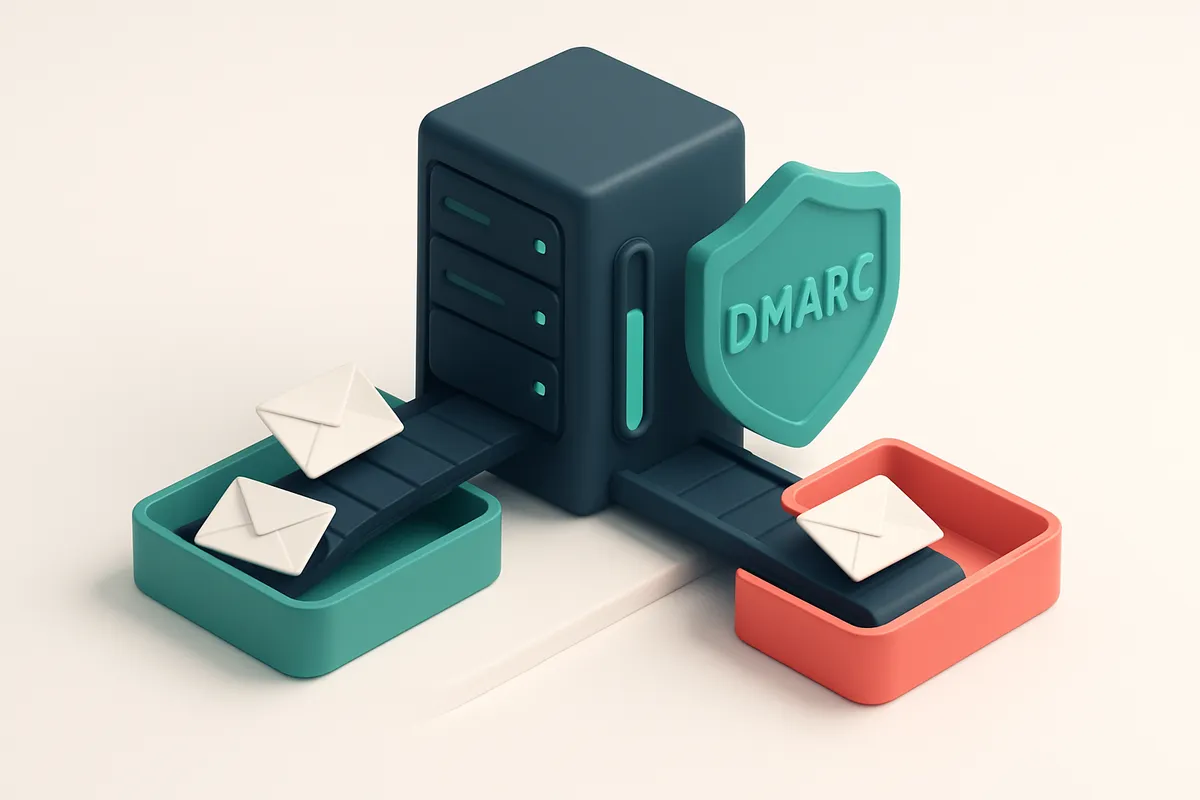
Why Skipping DMARC Enforcement Leads to Email Failure
You send emails daily. Your SPF and DKIM are set. But your inbox placement is still inconsistent. Why?
Because without DMARC enforcement, your emails are flying blind. Even with valid technical authentication, receivers don’t know what to do with messages that don’t align. A single misaligned email can trigger filtering — not because it’s spam, but because it’s unverified.
Jumping straight from DMARC policy="none" to policy="quarantine" is like switching lanes at high speed without checking traffic. You might break your own campaigns. A gradual rollout avoids this. It tests alignment, reveals gaps, and protects sender reputation before full enforcement.
Key takeaways
- DMARC enforcement is the final layer that tells receivers how to handle unaligned emails.
- Jumping from none to quarantine causes high failure rates if authentication isn't fully aligned.
- A phased rollout reduces risk, maintains deliverability, and protects sender reputation during transition.
Start with DMARC Policy = None: Monitoring Phase
You begin by setting your DMARC record to p=none. This policy doesn’t block or quarantine any messages. It only tells receiving email providers to send you reports about messages claiming to come from your domain.
Think of this as your email traffic audit. You’re not making changes to delivery yet—just listening. The goal is to collect data on what’s sending mail on your behalf, and whether it aligns with your SPF and DKIM configurations.
Use Aggregate and Forensic Reports to Find Misalignment
DMARC sends two types of reports: aggregate (RUA) and forensic (RUF). RUA reports give you a broad view of sending sources, timing, and alignment results. RUF reports show you individual message failures—useful for spotting specific phishing attempts or misconfigured tools.
Let’s say your marketing team uses a third-party service to send newsletters. If that service doesn’t properly authenticate, the message will fail alignment checks—your reports will show it. You’ll see the sending IP, the source domain, and the alignment status. No action needed yet, but you now know what needs fixing.
Common Sources of Misalignment
Third-party tools like CRMs, marketing platforms, and support software often use your domain name in the “From” header but don’t configure SPF/DKIM correctly. Shared IPs—like those used in shared hosting or mass email campaigns—frequently lack proper authentication. Old or inactive email senders still in your system may be sending out of date or unverified messages.
Use tools like MXToolbox’s DMARC analyzer to validate your record and confirm it’s being read. You can also use RFC 7483 as a reference for DMARC record syntax and policy behavior.
Your inbox placement and email deliverability depend on consistent authentication. But you can’t fix what you don’t know is broken. That’s why starting with p=none is critical—only then can you see the full picture.
You don’t need to act on every report immediately. But over time, you’ll see patterns: a certain tool sends 90% of failed alignments, or a shared IP consistently misaligns. You can then fix those sources before moving to stricter policies.
Once you understand your sender ecosystem, you’re ready to reduce risk and move to p=quarantine—with confidence that real users won’t get blocked.
Measure Your Alignment Score Over Time
You can’t enforce DMARC policies blindly. You need visibility into how your sending sources align with your domain’s SPF and DKIM configurations. Start by analyzing the DMARC reports (RFC 7483) your domain receives—these are goldmines for spotting mismatches between claimed identities and actual authentication results.
Track Alignment by Sender, IP, and Email Type
Let’s be specific: check how alignment performs across different sending sources—your marketing platform, transactional email service, internal teams, and third-party vendors. Look not just at aggregate stats, but at individual senders. A single misaligned transactional email from a legacy system can trigger a high-volume complaint, even if your overall send volume is low. A 98% alignment rate isn’t just a target—it’s a practical threshold. Anything below that means you’re leaving gaps open to abuse. Some reports show that even small alignment violations (1–2% of messages) correlate with increased delivery issues, especially as you move toward quarantine or reject policies.
Use Tools to Interpret and Visualize Reports
Raw DMARC reports are difficult to parse at scale. Use tools that extract and analyze RFC 7483 data to highlight patterns: which domains fail alignment, which IP addresses send from unexpected places, and which email types—marketing vs. transactional—consistently underperform. You’ll spot services that skip SPF or use inconsistent From domains. For example, a widely used email infrastructure provider once failed alignment because it used a subdomain (like `mail.yourcompany.com`) but sent as `[email protected]`. This mismatch, though subtle, breaks SPF alignment and harms deliverability over time. Your goal is steady improvement. Aim for over 98% alignment across all sending sources, every day. Consistency matters more than perfection—especially as you scale enforcement. Let’s say you’re using a third-party CRM that sends customer onboarding emails. If it’s not aligning, you’ll see it clearly in your reports. Once identified, you can either fix the configuration (e.g., update SPF or use a consistent From domain) or add the sender to a DMARC policy exception zone while you plan a fix. Once you’ve cleaned up the low-hanging fruit, you can begin adjusting your DMARC policy—starting with `p=quarantine` for a few low-risk sources before expanding. This gradual shift, informed by real data, is how you avoid breaking sending workflows. To catch alignment issues early, you might verify your sending domains with a dedicated email-verification service. Tools like bulk email validation help you spot misaligned or fake addresses that could reflect broader infrastructure flaws. While not a direct DMARC tool, maintaining clean lists reduces the attack surface your reports monitor. Remember: DMARC enforcement isn’t about a single switch. It’s about measuring, learning, adjusting, and repeating—over weeks and months. The reports you collect today are your foundation for inbox placement tomorrow.
How to Progress from None to Quarantine Without Damage
After running a p=none policy for 1–3 weeks, you’ve collected enough DMARC reports to identify misaligned senders. That’s the green light to move to p=quarantine. It’s not a full block—just a signal to recipient mail servers that messages from your domain that don’t authenticate should be treated with caution.
Quarantine Isn’t a Block—It’s a Warning
Under p=quarantine, unauthenticated or improperly aligned messages don’t get rejected. Instead, they’re routed to spam or junk folders. This means your legitimate senders still receive their mail, but inbox placement drops. It’s a low-risk way to test enforcement without breaking workflows.
Think of it as putting a “handle with care” tag on suspicious mail. It gives you room to catch false positives and fix alignment issues before enforcing p=reject.
Monitor the Impact—Don’t Assume It’s Safe
Even with quarantine, inbox placement will dip. That’s expected. But if you see a sharp rise in soft bounces or a sudden drop in deliverability for known senders, dig into the reports. Check if third-party tools, internal systems, or partner emails are failing DMARC.
Use tools like MxToolbox or DMARCian to validate alignment and track how your domains are being validated at scale. These tools pull real-time data and help isolate root causes before they spiral.
If an internal tool or a partner’s list is failing, fix the authentication—update SPF records, align DKIM, or validate the sending domain. You don’t want your own systems penalizing you.
Let’s be honest: some senders will never align. That’s okay. You’re not trying to catch everything—just the large-scale ones. Focus your fixes on the biggest offenders first.
Once you’ve stabilized under quarantine, you’ll be in a better position to move to p=reject with confidence. But that comes later.
If you’re verifying your sender list for authenticity and alignment before sending, tools like bulk verification can help clean your list and ensure you’re not inadvertently sending from untrusted domains. This reduces the chance of alignment failures before they happen.
DMARC Enforcement Rollout Sequence: A Step-by-Step Process
Let’s walk through how to safely ramp up DMARC enforcement without breaking legitimate email flow. This sequence is designed to minimize disruption while building strong alignment across your sending infrastructure.
Phase 1: Assessment and Detection
- Set SPF, DKIM, and DMARC records with
p=none. Start by publishing all three records in DNS. This doesn’t block anything, but it enables you to collect data on who’s sending email on your behalf, including unauthorized senders. The DMARC RFC specifies thatp=noneis the baseline for monitoring. - Collect and analyze DMARC abuse reports for 7–14 days. Use a reporting tool like Microsoft’s SNDS or third-party services to review aggregate reports and identify which domains or IPs are sending emails that fail SPF or DKIM. Look for unexpected sends from marketing platforms, CRM tools, or internal teams.
- Fix misaligned senders. Some senders (like third-party email tools) may not align properly with your domain. Update configurations in tools such as Mailchimp, HubSpot, or SendGrid to use your authorized domain or align the sending domain with your main domain. Misalignment often causes emails to be marked as unauthenticated even when legitimate.
Phase 2: Gradual Enforcement
- Move DMARC policy to
p=quarantine. Once you’ve identified and fixed misaligned or rogue senders, you can start marking unauthorized emails as “quarantined” in recipient mailboxes. This means they may land in spam or junk folders but aren’t blocked outright. It’s a low-risk step that signals enforcement without full disruption. - Monitor delivery drop-offs and engagement for 7 days. Watch open rates, click-throughs, and bounce reports. If your legitimate emails still reach inboxes with acceptable delivery and engagement, you’re good to proceed. Tools like inbox placement testing can help confirm your messages aren’t being filtered prematurely.
- If no degradation, move to
p=reject. After confirming no unintended effects, set the policy top=reject. Now, any email not authenticated by SPF or DKIM will be rejected by receivers. This gives you full protection against spoofing and phishing with your domain. - Reassess quarterly. New tools, vendors, or internal tools can introduce unapproved senders. Review your DMARC reports every quarter to catch drift early. Automation helps — tools like real-time verification APIs can detect misconfigurations before they impact delivery.
DMARC isn’t a one-time setup. It’s a continuous control mechanism. Each step builds confidence in your email stack’s integrity, reducing the risk of abuse and improving your sender reputation over time.
Common Pitfalls in DMARC Gradual Enforcement
Rolling out DMARC enforcement isn’t just about flipping a switch. Even in a phased approach, missteps can leave you exposed. Let’s break down the real-world mistakes organizations make when moving from none to quarantine.
Skipping Verification Before Enforcement
- Assuming all senders are compliant without validating their alignment is a recipe for email breakage. You might think your marketing tools are set up correctly, but many aren’t — especially niche or third-party services.
- Always verify sender alignment before tightening policies. Use tools like bulk email verification to audit your list and identify non-compliant or outdated addresses that could trigger false alignment failures.
Missing the Hidden Senders
- CRMs, help desks, and payment systems often send on your behalf without proper authentication. Even if your IT team knows about them, they often miss the DMARC alignment check.
- Make sure you audit all third-party tools listed in your email sending inventory. DMARC checks alignment based on From header and SMTP MAIL FROM, so a mismatch here can cause legitimate emails to be quarantined or blocked.
- Look at your forensic reports — not just the aggregate ones. Aggregate data can show no issues, but forensic reports often reveal spoofing attempts targeting your domain, especially from untrusted sources.
Overlooking Non-Transactional Flows
- Role accounts like
[email protected]or[email protected]often get skipped in alignment checks. These emails aren’t from a single user, and their senders may lack proper SPF/DKIM alignment. - Many organizations assume these accounts don’t send often enough to matter. But even one misaligned role email can break your reputation if it’s abused by attackers.
- Use email finder tools to map out all active addresses associated with your domain — including roles — and ensure they’re properly authenticated.
How Email Verification Supports DMARC Readiness
Before you ramp up your DMARC policy from none to quarantine, you need to know exactly who you’re sending mail from. Let’s be honest: if your outbound emails include invalid addresses or role accounts like info@, admin@, or support@, you’re exposing your domain to unintended spoofing claims — even if you didn’t send them.
Verify Your Outbound List First
Role addresses often don’t validate, and catch-all domains can falsely signal legitimacy. If your list contains these, DMARC enforcement could block real messages or falsely flag your domain as a risk. That’s why bulk email verification is a non-negotiable step.
Using tools like Emaillistchecker.io’s bulk verification, you can process thousands of addresses at once. It checks each for validity, catch-all status, and whether it comes from a disposable domain. This isn’t guesswork — it’s a clear signal of sender health.
Align Addresses with Authentication
DMARC doesn’t care whether an email is technically "valid." It cares if the sending address aligns with SPF and DKIM. If your system sends from [email protected], but your SPF record includes mail.yourcompany.com and billing@ isn’t included, DMARC fails.
That’s where verification helps. It surfaces misaligned addresses early — like a help@ email sent from an IP not in the authorized list. By fixing these before enforcement, you reduce false positives and ensure your mail reaches inboxes, not quarantines.
A clean list improves sender reputation metrics over time. Bounce rates drop. Feedback loops stay healthy. You’re not just preparing for DMARC — you're building consistent deliverability.
And yes, you should verify your own sender list too. If your marketing or CRM system uses placeholder or role emails, they can trigger DMARC warnings when they're not actually sending anything. Even a few invalid senders can harm your domain’s trust score.
Email verification isn’t just about cutting bounces. It’s about building a foundation where authentication works — where DMARC can actually protect you, not hurt your deliverability.
DMARC works best when your sending practices are already clean. Verification is the prep work.
Once you’ve verified and cleaned your list, you can confidently move from DMARC policy=none to quarantine — knowing you’re not blocking real, valid mail.
Integrating Email Verification into Your DMARC Workflow
Start with Clean Data
Let’s be honest: even the most careful email campaigns fail when sent to invalid or poorly maintained addresses. Before you increase your DMARC policy, make sure your list isn’t dragging down your reputation.
- Use Emaillistchecker.io’s real-time API to validate every email address at the point of submission. This blocks invalid or disposable emails before they ever hit your transactional or marketing system.
- Run a bulk verification on your entire customer database. Remove invalid addresses, catch-alls, and role-based emails like
sales@orinfo@unless you’re intentionally targeting those accounts. - You’ll see a sharp drop in hard bounces—often 15–30% in typical datasets—just by filtering out dead or malformed addresses. The fewer bad sends, the stronger your sender reputation becomes.
Test Before You Commit
Migrating to p=quarantine is a serious step. It means failing emails get sent to spam folders. You don’t want to trigger an inbox placement drop just when you’re making progress.
- Run a inbox placement test before and after enabling
quarantine. Compare results across major inboxes—Gmail, Outlook, Apple Mail—to check for degradation. - Monitor your bounce rate and complaint rate. A sudden spike might mean you’re filtering out valid users or mislabeling role addresses.
- Use pre-built integrations with tools like Mailchimp, HubSpot, or SendGrid to automate verification in your workflow. The cleaner your input, the more predictable your deliverability.
- Set up a monthly cleanup schedule. Email lists decay fast—role accounts expire, domains go dark, and people change jobs. Regular validation prevents long-term drift.
A 2022 DMARC analytics report found that senders with consistent list hygiene had 40% higher inbox placement than those with unverified data.
You’re not just protecting delivery—you're building sender reputation step by step. Each verified email improves your standing with receiving domains. Think of it like tuning a car: you can’t adjust the engine until the transmission is clean.
Monitoring Success: What Metrics to Track After Enforcement
Checklist: Core Metrics to Watch After DMARC Enforcement
- Track your bounce rate — aim to keep it below 0.5% for mail campaigns. A spike above that threshold usually signals undeliverable or invalid addresses in your list.
- Monitor spam complaint rate — it should stay under 0.1%. Any value above that suggests issues with content, sender trust, or list hygiene.
- Check inbox placement rate — you want at least 85% of your messages to land in the primary inbox, not junk. Tools like inbox placement testing give you real-world visibility.
- Verify DMARC report coverage — you should receive reports from 80% or more of major email providers. Low coverage means you’re missing key insights on spoofing attempts or authentication failures.
- Review your sender reputation score using tools like SenderScore or Google Postmaster Tools. These give you a snapshot of how ISPs view your sending behavior over time.
- Use a bulk verification tool like EmailListChecker’s bulk verification to clean up your list before enforcement, reducing bounce and complaint risks.
- Enable real-time verification via the EmailListChecker API to ensure new subscribers are valid at signup.
- Use the email finder to rebuild lost contacts with accurate addresses — fewer errors mean better deliverability.
- Integrate with your existing stack using EmailListChecker’s integrations to automate verification across Mailchimp, HubSpot, Klaviyo, and SendGrid.
- Set up alerts for sudden drops in inbox placement or spikes in complaints. Early detection prevents larger deliverability issues.
Why These Metrics Matter, and What They Reveal
You’re not just enforcing policy — you’re validating trust. Each metric reflects a piece of the deliverability puzzle.
Bounce rate shows list health. A high one means your address list includes outdated or fake entries. You can preempt this with clean-up tools before enforcement.
Spam complaints are direct feedback from real users. Even one can hurt your reputation. Let’s keep it quiet.
Inbox placement is the ultimate test: is your message seen? It’s influenced by authentication, sender history, content, and engagement — not just DMARC.
DMARC reports provide transparency on who’s sending email on your behalf. You want coverage from providers like Gmail, Yahoo, and Outlook, as defined in RFC 7483 and maintained by the DMARC Analyzer.
Sender reputation is cumulative. It’s not about one day’s score, but consistency over weeks and months. Even a single poor sending cycle can impact it.
Let’s be honest: you can’t monitor everything at once. Focus on the big five — bounce, complaint, inbox placement, DMARC coverage, and reputation — and use tools that give you accurate, actionable data.
Final Stage: Moving to DMARC Policy = Reject
You’re ready to move to p=reject only after at least seven days of stable inbox delivery under p=quarantine. This isn’t about speed—it’s about safety. If your legitimate emails haven’t broken or been flagged during that phase, your alignment is likely solid.
Full Protection Against Impersonation
With p=reject, any email sent from your domain that doesn’t pass SPF and DKIM alignment is blocked at the gateway. This stops attackers from forging your name in subject lines or sender fields. It’s the strongest defensive layer available for your domain’s reputation.
But it’s not automatic. If your delivery suddenly drops after switching, that’s a red flag. Let’s say an email tool, CRM, or newsletter service is misconfigured and fails the DMARC check. You’ll see a spike in bounces or failed deliveries. That’s the system working—just not your way.
Verify and Fix Misconfigurations
Use email verification tools to spot and fix issues early. Send a test batch through the bulk verification feature to ensure your sender addresses are valid and properly aligned. If you’re using third-party senders, verify their setup with real-time API checks to audit SPF and DKIM alignment.
Common missteps include missing or overlapping SPF records, DKIM signatures that don’t match the from domain, or outdated DNS configurations. Fix them before applying p=reject to avoid cutting off legitimate outbound traffic.
Even after enforcement, you must keep monitoring. DMARC reports (aggregate and forensic) show you how many emails are being rejected, by which domain, and whether new spoofing attempts arise. Use tools like Spamhaus or MxToolbox to validate DNS records and assess alignment at scale.
Let’s be clear: DMARC isn’t a one-time fix. It’s a continuous process. The transition from p=none to p=quarantine to p=reject is gradual, and each stage is designed to reduce risk without disruption. You’re not just protecting your domain—you’re building a trustworthy sender reputation.
“DMARC enforcement works best when it’s phased and monitored. Rush it, and you risk collateral damage.”
Stick to the plan, validate each step, and use tools that tell you the truth—not just what you want to hear.
The Bottom Line: Gradual Enforce Is the Only Safe Path
DMARC enforcement isn't a switch you flip. It's a process. Starting at none, moving to quarantine, and eventually to reject ensures alignment across your domain, email infrastructure, and sending practices.
Skipping stages risks real consequences: high bounce rates, lost deals, and inbox placement drops. Without a gradual rollout, even a correctly configured policy can break legitimate email delivery.
- Begin with DMARC reporting only (p=none).
- Transition to quarantine (p=quarantine) after validating alignment across sending sources.
- Only after consistent low failure rates, enforce reject (p=reject).
Each step must be backed by verification. Invalid or outdated email addresses weaken your sender reputation and reduce the value of your DMARC reports.
Combine DMARC strategy with proactive email verification to reduce risk at every phase. Tools like Emaillistchecker.io help maintain accuracy and reliability—98.9% verified with no expiration on credits.
Keep reading
- Email authentication: SPF, DKIM, DMARC and BIMI (complete guide)
- Understanding STARTTLS vs SSL: Secure Your Email Communication
- DMARC Policy Alignment Issues and How to Fix Them
- STARTTLS and SSL/TLS: Email Security Explained
- What DNS Settings Are Required for Sending Emails Securely in 2026
Ready to put this into practice? Emaillistchecker.io verifies emails with 98.9% accuracy — start with 100 free verifications.
Frequently asked questions
How long should I stay in DMARC policy = none?
Typically 7 to 14 days. Use this time to collect data and identify misaligned senders before advancing.
What happens if I jump straight to DMARC policy = quarantine?
Unaligned messages may be quarantined, lowering inbox placement. If you lack alignment, this can harm delivery until fixed.
Can I enforce DMARC without SPF and DKIM?
No. DMARC requires SPF and/or DKIM to be aligned. Enforcing DMARC without them won’t reduce spoofing risk.
What is a DMARC report? How do I read one?
A DMARC report (RUA) shows which IPs sent mail and whether they passed SPF/DKIM alignment. Use tools to parse and analyze them.
How often should I review DMARC reports?
At least once a week during rollout stages. After full enforcement, review monthly to catch new misconfigurations.
Does Emaillistchecker.io verify DMARC alignment?
No. It verifies email address validity, catch-all status, and deliverability—but not DMARC records or domain-level settings.
Why do I see unaligned messages even after setting SPF and DKIM?
Common causes include missing or incorrect DKIM signing, incorrect SPF records, or third-party services not using proper alignment.
Can role accounts like `info@` be included in a DMARC-enabled list?
Yes—but ensure they’re used properly. Role addresses often fail checks (catch-all, disposable) and reduce list health.
What’s the ideal bounce rate after implementing DMARC?
Below 0.5% is acceptable. Above 1% indicates list hygiene or alignment issues that need fixing.
Do I need to change anything in my email marketing platform?
Yes. Review your ESP’s sending settings, ensure correct SPF/DKIM alignment, and test with inbox placement tools.
How does list hygiene improve DMARC effectiveness?
Clean, verified lists reduce spoofing signals and improve deliverability. They also make DMARC reporting more accurate.
Are there any downsides to using `p=quarantine`?
It reduces inbox placement for unaligned messages. This is intentional—protecting users—but requires monitoring.


