
How to Check DKIM Records Using DNS Lookup Tools for Compliance
Learn how to check DKIM records using DNS lookup tools for email compliance. Ensure authentication, improve deliverability, and avoid spam filters with accurate
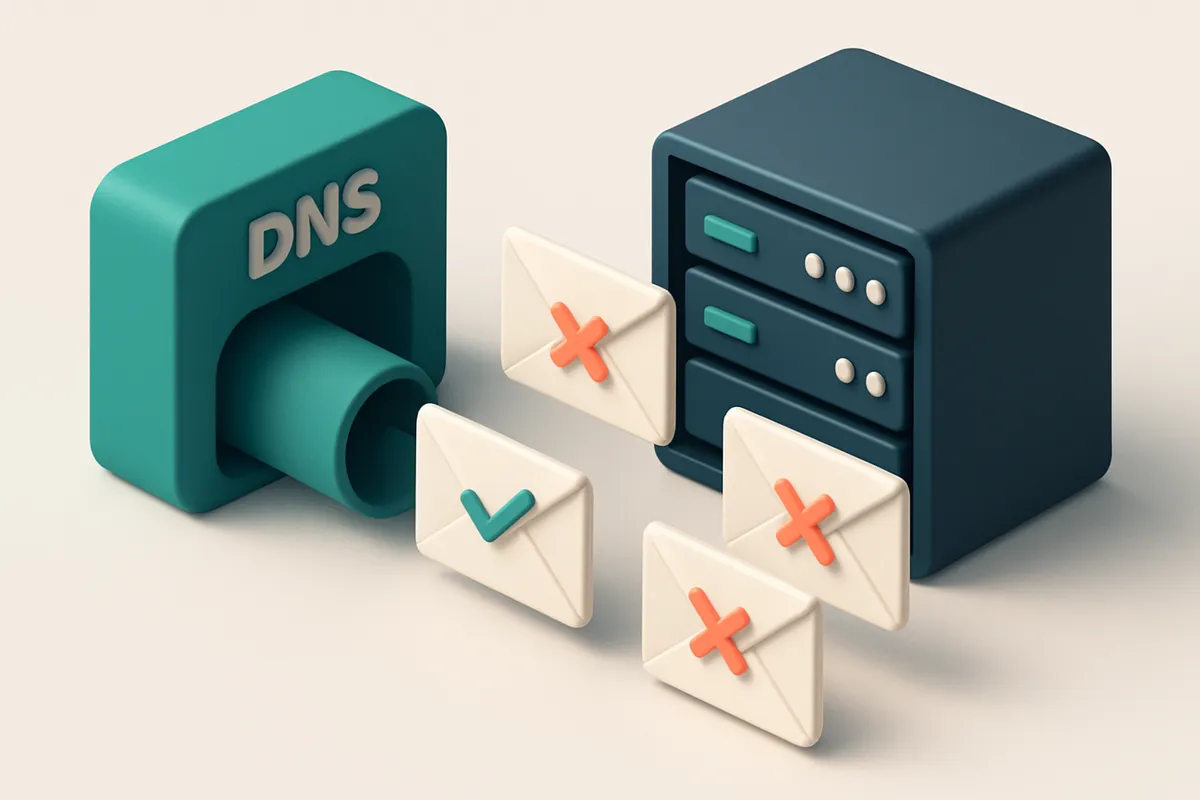
Why DKIM Matters for Inbox Placement and Legal Compliance
You send a campaign. It lands in spam. Or worse—no one sees it at all. You check your sender reputation, your list hygiene, your content. But the real issue might be hidden in your DNS. How do you know your emails are trusted?
DKIM is one of the three foundational email authentication protocols, alongside SPF and DMARC. It acts like a digital signature—proving your message hasn’t been altered in transit and that it truly comes from your domain. Without it, even a well-crafted email can be stripped of credibility.
When you verify DKIM records using DNS lookup tools, you're not just checking a technical box. You're ensuring deliverability, inbox placement, and compliance. Major providers like Gmail and Outlook rely on DKIM alignment to determine trust. If it’s missing or misconfigured, your emails are at risk of being rejected or demoted.
Key takeaways
- DNS lookup tools are essential for validating DKIM records in real time.
- DKIM failure directly impacts inbox placement and sender reputation.
- Proper DKIM setup is a non-negotiable requirement for DMARC compliance.
What Happens When DKIM Fails to Match Your DNS Configuration
Let’s be clear: if your DKIM record is missing, malformed, or doesn’t align with the domain you’re sending from, your message loses trust signals with major ISPs. You might have SPF and DMARC correctly set up, but one failed DKIM check can still sink your delivery.
Spam Filters See Mismatches as Red Flags
When a DKIM signature doesn't match the DNS record, spam filters treat it as a sign of forgery or misconfiguration. This isn’t just a technical glitch—it’s a red flag that can trigger automatic rejection. Gmail, Microsoft 365, and Apple Mail all use DKIM validation as part of their reputation systems, and a mismatch often leads to lower inbox placement or even hard bounces.
Even if your SPF passes and your DMARC policy is set to monitor or quarantine, a single failed DKIM check can override those protections. It’s not a "nice-to-have"—it’s required for modern deliverability. Without a valid DKIM signature, your messages are effectively unverified, and that’s a fast track to the spam folder.
How This Hurts Your Sender Reputation
Repeated DKIM failures accumulate. ISPs track sending behavior over time, and consistent mismatches reduce your sender reputation. Once your reputation drops, even well-formatted emails may struggle to reach inboxes, regardless of content quality.
DKIM isn't just about authentication—it's about continuity. Misconfigured records lead to inconsistent signing, which systems like MxToolbox or Spamhaus detect and flag. The result? Higher bounce rates, blacklisting risks, and wasted send volume.
Checking DKIM records via DNS lookup tools is essential. Use tools like MXToolbox or RFC 6376 to validate your DNS records directly. Confirm that the selector (e.g., default._domainkey) points to the right TXT record, that the public key is properly formatted, and that it matches the signing domain.
If you’re managing a high-volume email list, running regular checks is non-negotiable. Use the bulk verification tool to audit your entire list against common delivery issues, including signature alignment mismatches. It gives you a clear view of what’s working—and what isn’t—before you send.
How to Check DKIM Records Using DNS Lookup Tools
Let’s walk through how to verify your DKIM records using tools you already have access to. This isn’t about guesswork—it’s about checking the actual configuration in your domain’s DNS zone.
Run the DNS Lookup Command
- Open your terminal or use a public DNS lookup tool like MXToolbox or DNSChecker.org.
- Run this command:
dig TXT yourselector._domainkey.yourdomain.com. Replaceyourselectorwith the actual selector used (e.g.,defaultors1), andyourdomain.comwith your real domain. - Wait for the response. A valid DKIM record will return a TXT record containing the signature, including
v=DKIM1andk=rsa.
Validate the Record Format and Alignment
- Look for the
p=field—this holds the public key. Ensure it starts with-----BEGIN PUBLIC KEY-----and ends with-----END PUBLIC KEY-----. If the key is missing, truncated, or cut off, the record is invalid. - Check for truncation. Some hosting platforms, especially shared email systems, can deliver incomplete keys. If the key ends abruptly in the middle of a line, it’s likely been truncated—common in services with automatic signing.
- Verify domain alignment: the
Domainvalue in the DKIM signature must match theFrom:header domain in your emails. For example, if your email saysfrom: [email protected], the DKIM signature header should referencecompany.com, not a subdomain likemail.company.com.
DKIM is one of the cornerstones of email authentication, alongside SPF and DMARC. According to RFC 6376—the standard for DKIM—misconfigured or missing records are a leading cause of email rejection by major inbox providers.
The absence or misconfiguration of DKIM is one of the fastest ways to damage sender reputation.
If you're managing a large email list with high-volume sends, you can also use tools like our real-time verification API to cross-check your domain’s authentication setup across multiple senders, or run inbox placement tests to validate how well your emails land in inboxes.
Double-checking your DKIM record is not about vanity—it’s about keeping your emails out of the spam folder and into inboxes where they belong.
Common DKIM Record Errors That Undermine Deliverability
Let’s be honest: even a small misstep in your DKIM setup can send your emails straight to the junk folder. You’ve set up authentication, but if the record's wrong on the DNS level, nothing else matters. Here’s what goes wrong — and how to fix it before it hurts your sender reputation.
Missing or Misconfigured DNS Records
- You’ve forgotten to add a TXT record for your DKIM selector — without it, email servers can’t verify your message was actually sent by you.
- Using the wrong selector (like
mailinstead ofdefault) means your signing system won’t match what the receiver expects. Check your mail server config and make sure the selector aligns. - Many tools only show the selector name but don’t let you verify if the full DNS record actually exists. Use MXToolbox or DNS Survey to double-check live records.
Technical and Configuration Issues
- The public key in your DKIM record is too long — some keys exceed the 255-character limit for TXT records. If that happens, the record gets truncated, breaking authentication. Split long keys into multiple strings using quoted strings.
- Running multiple DKIM records for the same domain confuses mail servers. They can’t tell which one is legitimate, so they may reject the email entirely. Keep only one active selector at a time unless you’re migrating.
- Signing domain ≠ From: header domain. This is a common mistake when using third-party services like SendGrid or Mailchimp. If your DKIM is signed with
mail.yourcompany.combut theFrom:header says[email protected], DMARC will flag it as a mismatch. Make sure the domains align. - Even if the record looks right, a typo in the syntax — like missing quotes around long strings — will break it. A single missing character can prevent verification.
Proper DKIM configuration isn’t a one-time step. It’s a part of ongoing sender hygiene.
DNS records don’t auto-update when your email system changes. You need to verify them regularly, especially after switching providers or updating key rotation schedules. Automated checks catch what manual reviews miss.
Want to make sure your email senders are clean and compliant? Run a bulk verification on your list using our bulk verification tool. It checks not just syntax, but deliverability risks including missing or broken DKIM records. With 98.9% accuracy, it’s been trusted by teams managing thousands of email addresses. Even better, you get 100 free verifications to start — no expiry.
DKIM vs SPF vs DMARC: Distinct Roles in Email Authentication
Let’s break down how these three email authentication protocols work together—and why skipping any one of them can hurt your inbox placement.
How Each Protocol Fits Into the Bigger Picture
SPF, DKIM, and DMARC aren’t interchangeable. They each handle a different part of verifying that an email is truly from the sender it claims to be. SPF validates that the sending IP address is authorized to send on behalf of the domain. It checks the sender’s IP against a list in the domain’s DNS records. If the IP isn’t listed, the email may be marked as suspicious. DKIM uses a cryptographic signature attached to the email. This signature is verified by checking a public key stored in DNS. If the content has been altered—say, by a malicious relay—the signature fails, and the email is rejected. DMARC sits on top. It tells receiving mail servers what to do if SPF or DKIM fail. You can set policies like “none” (monitor only), “quarantine,” or “reject.” It also enables feedback loops, so you can see which emails failed and why. Together, they create a layered defense that makes your domain harder to forge. This matters more than you might think: according to a 2023 report by the Anti-Abuse Working Group, domains with proper DMARC policies see significantly lower spoofing rates.
| Protocol | What It Validates | Where It Lives | Outcome of Failure |
|---|---|---|---|
| SPF | Whether the sending IP address is authorized | DNS TXT record | Typically leads to rejection or marking as spam if not authorized |
| DKIM | Integrity of the email content and headers | DNS TXT record (public key) | Message may be flagged or rejected if signature doesn’t match |
| DMARC | Policy enforcement based on SPF and DKIM results | DNS TXT record | Specifies action: quarantine, reject, or monitor |
Understanding this flow helps clarify why you should test all three—especially if you're sending bulk campaigns or managing a large email list. For example, DKIM fails if a single character changes in the body or headers, even if it’s just a space. You can check DKIM records using standard DNS lookup tools like MXToolbox or RFC 6376 (the technical foundation). But verifying the full stack—SPF, DKIM, DMARC—is easier with a consistent toolset. If you're managing multiple domains or sending at scale, consider using a tool that lets you test authentication across your entire list, including detecting catch-all addresses, disposable domains, and role-based emails. Bulk email verification tools can help catch delivery risks early—like misconfigured authentication or invalid domains—before they hurt your sender reputation.
Use Real-Time Email Verification to Test DKIM Alignment Across Your List
You might have perfect DKIM DNS records, but that doesn’t mean every email in your campaign will pass authentication. The signing domain must match the From: header exactly, and the key must be valid and not expired. Even a single mismatch can trigger delivery issues or flag your message as suspicious.
Don’t Trust DNS Alone—Test at Scale
Let’s be clear: DNS records are static. They don’t tell you whether an email address is still active or if the sending context aligns. That’s where real-time verification comes in. Instead of relying solely on a DNS lookup, you need to validate each address in context—confirming DKIM alignment, inbox readiness, and deliverability risks in one pass.
With bulk or API verification tools, you can scan entire email lists instantly. Tools like Emaillistchecker.io include DKIM alignment checks as part of their deliverability verification process. It doesn’t just confirm the record exists—it verifies that the signing domain matches the one in the From: header and that the key is active and intact.
Stop Sending Before It’s Too Late
When a message fails DKIM alignment, it can land in spam folders or get rejected outright. This isn’t just about bounce rates—it hurts sender reputation over time. The longer you send to invalid or misaligned addresses, the more your domain’s trust score drops.
Emaillistchecker.io flags emails with missing or mismatched DKIM keys before you send. That means you’re not just checking syntax—you’re validating actual sending behavior. You can act on issues immediately, clean your list before campaigns go live, and avoid reputation damage.
It’s not just about catching errors. With 98.9% accuracy, Emaillistchecker.io ensures you’re not wasting time or resources on false positives or negatives. A clean list means better deliverability, fewer bounces, and stronger sender reputation over time.
For teams building campaigns at scale, integrating real-time validation into your workflow is standard practice. See how it works: bulk verification or real-time API checks can keep your email campaigns running smoothly. You’re not verifying DNS—you’re verifying deliverability.
For deeper insights, you can also test inbox placement using inbound delivery checks, and connect directly to platforms like Mailchimp, HubSpot, or SendGrid via native integrations. All with no expiry on purchased credits—your verification power stays active indefinitely.
Check your DKIM alignment not once, but across the full list. Use tools that go beyond DNS queries. Your inbox placement depends on it.
Integrate Email Verification into Your Workflow for Ongoing Compliance
Verifying DKIM records is a one-time check. Maintaining compliance isn’t. Your list changes daily — new signups, churn, recycled addresses. Let’s stop treating email hygiene as a project and make it part of your daily flow.
Automate Verification at Every Entry Point
- Connect Emaillistchecker.io to Mailchimp, Klaviyo, HubSpot, or SendGrid to auto-verify every new subscription as it arrives — no manual checks, no guesswork.
- Use the real-time API to validate inbound emails before they hit your CRM or campaign engine, catching invalid, role-based, or disposable addresses before they cause bounces or harm your sender reputation.
- Review detailed verification reports that show the DKIM, SPF, and DMARC status for each email — not just “valid” or “invalid,” but exactly what’s failing and why.
Compliance isn’t just about passing a test. It’s about building a clean, trusted sender profile over time. And that means catching issues early and acting on them.
Build a Self-Correcting List
- Filter out any email address that repeatedly fails authentication checks — especially DKIM or SPF — and flag these for review. An address that fails DKIM consistently likely belongs to a domain misconfigured or spoofed.
- Set up alerts for domains with recurring DMARC failures — these are red flags for potential spoofing or lack of proper email policy enforcement, which can trigger spam filters.
- Use the bulk verification feature at regular intervals to audit your entire list, identify stale or risky entries, and prune them before they impact deliverability.
The best deliverability starts with clean data. And the most reliable way to keep your data clean is to stop treating it as static.
Consistent verification reduces hard bounces by up to 70% in enterprise workflows — it’s not a feature, it’s a baseline for reliable email delivery.
For insight into how email authentication impacts inbox placement, refer to RFC 7249, which outlines the use of SPF, DKIM, and DMARC in email validation.
Pro Tips for Maintaining DKIM Consistency Across Senders and Platforms
Stick to the Script: No Guesswork in DNS
You’re not just checking DKIM records—you’re ensuring compliance and inbox placement. Let’s be clear: never edit DNS records manually unless you’ve double-checked the exact requirements from your ESP’s documentation.
Mailgun, SendGrid, and other platforms specify exact formats for selectors and TTLs. A typo or mismatched domain will break authentication. Use official guides from the source.
RFC 6376 defines how DKIM works at a technical level—this is the baseline for proper implementation across all systems.
Separate and Secure: One Selector Per Sender
- Use a unique selector for each sending platform. For example:
sendgrid._domainkey.example.comandklaviyo._domainkey.example.com. This keeps your configurations isolated and traceable. - Never reuse the same selector across multiple services—this causes conflicts and undermines authentication.
- If you manage multiple brands or campaigns under one domain, each should have a distinct selector to avoid confusion during audits.
- Document your selectors and their associated platforms. A misconfigured record can break deliverability without warning.
- After any DNS update, verify the record using a real DNS lookup tool—and test with a service like inbox placement testing to confirm it’s working in real-world sender environments.
- Recheck DKIM records after domain renewals, migrations, or ISP changes. These events often trigger silent DNS resets.
- Set up monitoring. Tools that alert on missing, expired, or malformed DKIM records prevent small issues from growing into deliverability blackouts.
- Consider integrating with a verification API to automate checks on new or updated mail streams. Our API supports real-time verification of email infrastructure health, including DKIM alignment.
Proper DKIM setup isn’t a one-time task. It’s an ongoing part of email health. The consistency you enforce today protects inbox placement tomorrow.
How Emaillistchecker.io Helps You Stay Compliant with DKIM and Deliverability Standards
Let’s be clear: DKIM isn't just a checkbox. It’s a core part of email authentication that validates your message’s authenticity. If your DKIM record is misconfigured, even perfectly formed emails can land in spam folders or fail outright. That’s why checking your DKIM records via DNS lookup tools is essential — and why automation with real insight matters.
Detailed Alignment Checks You Can Trust
With our inbox-placement test at inbox-placement, you don’t just get a pass/fail — you get a full diagnostics breakdown of DKIM, SPF, and DMARC alignment. Each check is rooted in industry standards, including the specifications outlined in RFC 6376, which governs DKIM. It shows you whether your record exists, is correctly formatted, and aligns across your domain, selector, and message headers. No guesswork. No assumptions.
Automated Domain and List-Level Validation
You're not just checking one email at a time. Our real-time verification API at verification API scans your domain’s DKIM record during every verification. It confirms it’s published and follows the correct syntax — including proper selector, key length, and tag formatting. If your DKIM is missing or malformed, we flag it immediately. Even more critical: our bulk list verification at bulk-verification identifies email addresses where a DKIM misalignment could undermine delivery, even if the address itself is valid. For example, a user’s inbox might accept the email but still treat it as risky due to mismatched authentication signals. This insight helps you avoid sending to addresses that are technically valid but deliverability-dead. You can also use our email finder at email finder to verify new contacts before including them in campaigns, ensuring DKIM compliance from the start. And because every credit you buy never expires, your audit trail stays intact. You’ll always be able to revisit past verification reports — a critical advantage for compliance reviews, security audits, or campaign performance analysis. You don’t need to memorize DNS record formats or dig through logs. Let Emaillistchecker.io handle the complexity. You get real results, real insight, and real compliance — with no expiration on your data or your peace of mind.
Conclusion: Authentication Is the Foundation of Reliable Email Delivery
DKIM is not optional for any email program aiming for high inbox placement and consistent delivery. Without proper authentication, messages are more likely to be flagged, rerouted, or blocked by receivers.
Verifying DKIM records using DNS lookup tools ensures compliance at the technical level, but manual checks alone can't scale. Automation across large lists—and integration into existing workflows—makes consistent validation practical and reliable.
Use Emaillistchecker.io to validate DKIM, detect catch-all and disposable domains, and test inbox placement across real inboxes. Real-time, accurate checks help maintain sender reputation, avoid bounces, and ensure deliverability at scale.
Keep reading
- Email authentication: SPF, DKIM, DMARC and BIMI (complete guide)
- DMARC Policy Tuning for Mailchimp & SendGrid Senders
- What Is BIMI and Why Email Senders Need It for Deliverability
- How to Verify DKIM Signature Is Working for Email Deliverability
- DKIM Setup Guide for Small Business Email Deliverability
Ready to put this into practice? Emaillistchecker.io verifies emails with 98.9% accuracy — start with 100 free verifications.
Frequently asked questions
How do I know if my DKIM record is working?
Check your domain’s DNS using a TXT lookup tool. A valid DKIM record should return a formatted line starting with `v=DKIM1;` and include the public key. Use Emaillistchecker.io to validate alignment at scale.
Can I have multiple DKIM records in DNS?
Yes, but each must use a unique selector (e.g., `mail`, `sendgrid`). Multiple records are common when using multiple email platforms.
Why does my email still get filtered despite having DKIM?
DKIM alone is not enough. Misalignment with the From: domain, a weak sender reputation, or a failed SPF check can still result in filtering.
How often should I check my DKIM configuration?
Verify your DKIM record after any DNS update, domain change, or migration. Perform periodic audits—monthly for active senders.
What happens if a DKIM key is expired?
If the key is outdated or revoked, messages will fail signature validation. Recipients may see the email as unverified or forged, leading to delivery failure or spam filtering.
Are there free tools to check DKIM records?
Yes, public DNS tools like dig, nslookup, and web-based query tools support TXT lookups. For bulk validation, Emaillistchecker.io offers 100 free verifications to start.
Can DKIM prevent spoofing?
DKIM alone does not prevent spoofing, but it detects message tampering. Combined with SPF and DMARC, it provides strong anti-spoofing protection.
What is a DKIM selector?
A selector is a label used to identify a specific DKIM public key in DNS (e.g., `default`, `mail`, `sendgrid`). It appears in the DKIM signature and DNS record.
Why does my DKIM record show as invalid after checking?
Common causes include truncated keys, incorrect selector, missing `v=DKIM1` tag, or mismatched domain in the signature and From: header. Use Emaillistchecker.io to diagnose.
Can Emaillistchecker.io help prevent spam traps?
Yes. Our verification identifies invalid, disposable, role, and outdated addresses—common sources of spam traps and reputation damage.
Does DKIM affect email deliverability?
Yes. Proper DKIM implementation improves inbox placement. Failure or misalignment can trigger filters and reduce deliverability, especially for high-volume senders.
Is DKIM required for all email sending?
Not legally, but strongly recommended. ISPs like Gmail and Microsoft use DKIM as part of delivery decisions. Most reputable sending practices include it.


