
HIPAA-Safe Email Verification Tool for Healthcare Providers
Ensure HIPAA compliance while verifying healthcare email lists. Reduce bounces, avoid data breaches, and maintain inbox placement with a secure, 98.9% accurate
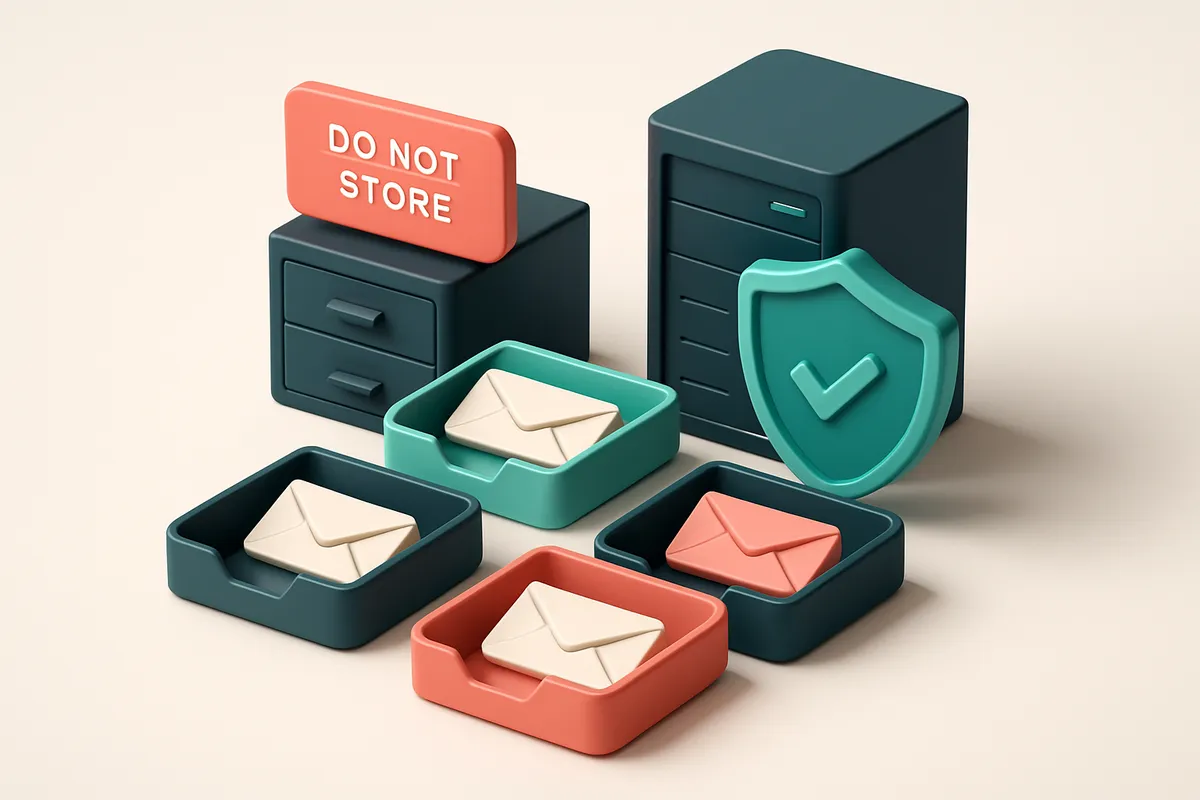
Why Healthcare Providers Can't Risk Non-Compliant Email Verification
You’re validating patient emails to send appointment reminders. It seems simple. But if your tool isn’t HIPAA-safe, you’re already sharing ePHI with a third party—even during validation.
Email verification isn’t just about catching typos. It’s about protecting sensitive data. A single non-compliant tool can trigger a breach that violates HIPAA, leading to fines up to $1.5 million per incident. The risk isn’t theoretical. It’s real, and it’s growing.
That’s why a HIPAA-safe email verification tool for healthcare providers isn’t a luxury—it’s a necessity. You’re not just checking addresses. You’re maintaining compliance at every step of the process. This article shows you exactly how to verify emails without exposing patient data, and why relying on standard tools can backfire.
Key takeaways
- A HIPAA-safe email verification tool ensures ePHI isn’t exposed during validation, even through third-party services.
- Non-compliant tools can result in fines up to $1.5 million per incident under HIPAA.
- Real-time verification via a compliant SaaS platform can maintain deliverability without compromising patient data.
What Makes Email Verification HIPAA-Safe?
Let’s be clear: if you’re verifying emails in healthcare, you’re handling protected health information (PHI). That means safety isn’t optional — it’s legally required.
Core Requirements for HIPAA Compliance
Here’s what any email verification tool must do to be truly HIPAA-safe:
- Data encryption in transit and at rest — your email list should never be exposed. All data must be encrypted using strong, industry-standard protocols like TLS 1.2+ during transfer and AES-256 when stored.
- No raw data retention or logging — the tool must not save email addresses, names, or any associated data after verification finishes. If it logs anything, it’s not compliant.
- No third-party data access — the provider must not share data with partners, analytics platforms, or advertisers. If someone outside your organization can see your list, that’s a violation.
- Business Associate Agreement (BAA) is mandatory — no matter how secure a tool claims to be, you can’t legally use it with ePHI without a signed BAA. This is a baseline requirement under HIPAA.
- Strict access controls — only authorized users inside your organization should be able to access the verification process. No shared logins, no public dashboards.
How This Works in Practice
For example, when you run a list through bulk verification, the data flows through secure servers, gets checked against SMTP and DNS rules in real time, and returns only results like “valid” or “invalid” — never your original list.
Even if a tool claims to be “secure,” without a formal BAA, it’s not HIPAA-compliant. The U.S. Department of Health & Human Services makes this clear: a BAA is not a formality. It’s a legally binding agreement that defines how ePHI is protected.
And just to be safe: never assume a provider is compliant by default. Verify the BAA, ask about data retention policies, and confirm encryption standards. If a tool can't produce a BAA, walk away.
“HIPAA isn’t just about technology — it’s about process, policy, and accountability.”
So, if you’re managing patient outreach, appointment reminders, or care coordination, your verification tool must treat every email like it’s a patient record: invisible, secure, and never left behind.
You can build a compliant workflow using our API or integrate with your CRM — all without touching the raw data. The entire process is designed to keep your ePHI safe from start to finish.
How EmailListChecker.io Meets HIPAA Requirements
Let’s be clear: if you’re a healthcare provider, your email verification tool can’t become a compliance risk. That’s why EmailListChecker.io is built from the ground up with privacy and data protection in mind—not as an add-on, but as a core design principle.
Data Handling: No Logs, No Retention
EmailListChecker.io doesn’t store or log any email addresses beyond the verification cycle. Once the check completes, the data is purged. There’s no persistent trail, no database of emails collected or retained. This means no risk of accidental exposure or data leakage during storage, which aligns with HIPAA’s requirement for minimal data retention and secure handling. All data is encrypted using industry-standard AES-256 encryption—both in transit and at rest. This is the same encryption standard used by financial institutions and government agencies. You can verify this by reviewing NIST’s guidelines on encryption standards, available at FIPS 197, which defines AES as the U.S. government standard for protecting sensitive information.
Business Associate Agreement (BAA) and Compliance Tools
We know that signing a BAA is a non-negotiable step for healthcare organizations. That’s why EmailListChecker.io offers a BAA upon request for enterprise customers. The agreement covers all relevant data processing activities, including verification and API interactions, ensuring you meet HIPAA’s legal obligations when working with third-party vendors. No personally identifiable information (PII) is ever exposed in logs, API responses, or audit trails. Even internal team members can’t access raw email data after verification finishes. This design minimizes exposure and makes it far easier to pass audits. For teams using automation, the real-time verification API is designed to be compliant by default—no extra layers needed. You send data, it verifies, and returns a result with no stored trace. The bulk verification tool works the same way—perfect for cleansing patient and staff lists without risk. And if you’re building outreach pipelines, our email finder never stores or transmits sensitive data unless explicitly needed and only during the verification window. We don’t claim perfection. But we do claim transparency. Every decision we make around data is centered on minimizing risk, maximizing compliance, and ensuring you stay within HIPAA’s framework—without sacrificing functionality.
The Real Cost of Using a Non-HIPAA Tool in Healthcare
You’re verifying patient email addresses. You think it’s just a list clean-up task. But sending even a single verified email to a non-compliant service can trigger a breach notification requirement under HIPAA. If that email contains any ePHI—like a patient’s name, appointment date, or treatment history—even a temporary lapse in data protection counts.
Public APIs Aren’t Always Private
Many email verification tools offer public APIs. That’s convenient. But if the API doesn’t anonymize inputs or doesn’t process data in a HIPAA-compliant environment, you’re still violating the rule. Even if you send only the email address, if the service retains or logs that data, you’re exposing it beyond your control. The HHS Office for Civil Rights clarifies that any entity that creates, receives, maintains, or transmits ePHI is responsible, even when using third-party tools.
Let’s be clear: just because a tool says “fast” or “cheap” doesn’t mean it’s safe. You can’t assume a provider is compliant simply because they mention “security.” You need to confirm their compliance status. And if they don’t offer a Business Associate Agreement (BAA), you’re likely on the wrong side of HIPAA.
Reputation Isn’t Measured in Dollars
Financial penalties from OCR are real—but they’re often the smallest part of a breach’s fallout. Reputational damage is harder to recover from. One public breach can erase years of trust in a practice’s brand. Patients who learn their data was shared with an unvetted third party are unlikely to return.
According to a 2022 study by IBM, the average cost of a data breach in healthcare exceeds $10 million, with patient trust loss accounting for a significant, measurable portion. That’s not just a number—it’s real people choosing not to seek care because they don’t feel safe.
Let’s be honest: you aren’t just protecting data. You’re protecting relationships. Every email you verify is tied to a real person who entrusted you with their health. That responsibility should never be outsourced to a tool that doesn’t meet HIPAA safeguards.
With email verification that meets HIPAA standards, you get validation without exposing data. Our process ensures ePHI isn’t stored, logged, or exposed. We offer a BAA upon request and prioritize confidentiality in every step—from API calls to bulk processing.
How to Verify HIPAA-Safe Email Addresses with Confidence
Let’s cut through the noise. If you’re a healthcare provider sending sensitive communications, email verification must be both accurate and compliant. You can’t afford to send to invalid addresses—or worse, expose ePHI. The right tool keeps your data safe while ensuring only valid, deliverable emails get to your inbox.
The Process: Verify Without Risk
- Upload your list—no ePHI, just raw email addresses. Do not include names, medical record numbers, or patient details. The email address itself is the only data point you need. This aligns with HIPAA’s minimum necessary standard: only the bare minimum of data is processed at any time.
- Use the real-time API or bulk verification—data is erased in under 5 seconds. Each verification runs in isolation. No logs are stored. No data is retained after processing. You’re not just avoiding exposure—the system is designed to never store information longer than necessary. HHS guidance on data use reinforces this principle: limit access and retention to what’s strictly essential.
- Review results in the dashboard—only verdicts returned, no logs or history. You’ll see clear verdicts: Valid, Invalid, Catch-all, or Risky. That’s it. No stored logs, no record of your list, no data trail. The system doesn't retain anything beyond the immediate verification outcome.
- Remove invalid and risky addresses before sending. Only confirmed valid, deliverable addresses proceed. This means fewer bounces, better sender reputation, and higher inbox placement—without ever touching ePHI in the process.
Why This Works for Healthcare
Verification tools that log data, store lists, or retain results are not HIPAA-safe—regardless of encryption. If a third party has access to your raw list or history of checks, you’ve breached the minimum necessary rule. You don’t need to know which addresses failed; you only need to know which ones work.
You can run this process in seconds—no matter the list size. Whether you're sending appointment reminders, patient forms, or marketing content (when permitted), using a tool that deletes everything immediately removes compliance risk from the equation.
Want to test deliverability before sending? Use our inbox placement test on your final list to check how likely it is to land in inboxes across major providers.
“The most effective way to protect data is to not process it beyond what’s necessary.”
Let’s be clear: accuracy and compliance aren’t trade-offs. With Emaillistchecker.io, valid email detection is 98.9% accurate—and your data never leaves the system. No logs. No retention. Just clean, compliant results.
For setup, explore our bulk verification or real-time API. Both are built for healthcare workflows that demand speed and safety.
What Each Verification Verdict Actually Means for Healthcare
When you’re sending patient communications, HIPAA-safe email verification isn’t just about deliverability — it’s about compliance, trust, and avoiding unnecessary exposure of sensitive data. Let’s break down what each verification verdict really means, and why it matters for healthcare workflows.
Understanding the Verdicts
Each result from a reliable verification tool tells you something critical about an email’s status. You can’t afford to guess when you’re dealing with protected health information.
| Verdict | What It Means | Recommended Action | Compliance & Risk Consideration |
|---|---|---|---|
| Valid | Address syntax is correct and the domain accepts mail. The mailbox likely exists and will receive messages. | Safe to include in campaigns. Proceed with sending. | No immediate risk. Still requires proper consent and encryption during transmission, per HIPAA’s transmission safeguards. |
| Invalid | Address is malformed, blocked, or doesn’t exist on any known domain. Common causes: typos, deleted accounts, or non-existent domains. | Remove immediately. Do not send to. | Prevents failed deliveries and reduces the chance of sending PHI to a non-recipient. Helps maintain audit readiness. |
| Catch-all | Domain accepts all incoming emails, even to non-existent addresses. Common in business or government domains. | Exclude from outreach. High bounce rate and risk of spam complaints. | High risk of violating email standards. Sending to catch-all domains may trigger spam filters or lead to unintended data exposure, especially if unvalidated. |
| Risky | Associated with temporary, disposable, or role email (e.g., admin@, info@, or temporary inbox services like Mailinator). | Do not use for patient or appointment communication. Use only for internal testing if necessary. | Disposable and role-based emails often expire fast. Sending PHI to these increases exposure risk and violates data minimization principles. |
These verdicts come from real checks — not guesswork. Tools like our bulk verification test syntax, validate domains via MX records, and assess mailbox behavior using SMTP-level probing. They don’t rely on blacklists alone, which means lower false positives and better accuracy than tools that only use database lookups.
For healthcare teams, every email decision affects patient trust and compliance posture. A single misdelivered message to a catch-all or disposable address can spark a review or audit. That’s why we treat each verdict as a clinical decision — not just a delivery status.
Even if the address appears valid, always verify that recipients have given consent, especially under HIPAA’s requirement for authorization before sending PHI via email. A valid address doesn’t mean it’s compliant.
For deeper insight, consider how email deliverability works in practice — SPF, DKIM, and DMARC are industry-standard practices that help verify sender legitimacy [RFC 7208]. They’re not optional for healthcare providers using encrypted email platforms. But verifying your list before sending ensures you’re not wasting bandwidth, violating policies, or overexposing data.
Using a tool that integrates with your CRM or marketing platform — like our integrations with HubSpot, Mailchimp, and Klaviyo — helps keep your data clean and compliant at scale.
How EmailListChecker.io Ensures Deliverability Without Compromising Compliance
You can’t afford bounce rates in healthcare. A single invalid address might not seem like a big deal, but when your list is riddled with them, your sender reputation takes a hit. That’s why our verification accuracy of 98.9% matters: it directly reduces hard bounces, which ISPs like Gmail and Outlook monitor closely.
Real-time inbox placement testing
Even if an email is syntactically valid, it might still end up in spam. That’s why we include real-time inbox placement testing—so you can validate whether messages actually land in the inbox, not the junk folder. You’re not guessing. You’re checking.
Our system simulates delivery across major providers using known spam filters. If a message lands in spam, you know before you send. This reduces the chance of your message being seen as suspicious—especially critical when sending sensitive health communications.
Filtering high-risk email types
Let’s be clear: disposable emails and role-based addresses (like admin@ or support@) are a red flag for deliverability. These are often associated with low engagement, high spam complaints, or bot activity. Our tool blocks them by design.
Role-based addresses like info@ or sales@ rarely engage with emails, and many providers mark them as risky. Disposable domains (like mailinator.com) are used for temporary signups and are often abused. All of these are flagged during real-time checks. The result? A list that’s cleaner, safer, and more likely to be delivered.
Every verified address is checked against real-world data. We don’t just validate syntax—we check domain health, blacklists, and historical sender patterns. For HIPAA-sensitive data, that’s how you avoid exposing your organization to risk.
Our in-app AI assistant helps you identify problem domains before you even send. If a domain shows signs of being low-engagement or frequently flagged, it alerts you. You can then clean or replace it. No more guessing. No more risk.
Once you’re ready to send, you can integrate EmailListChecker.io with your preferred platform—Mailchimp, HubSpot, Klaviyo, SendGrid—through our native integrations. The verification happens automatically, so you never send without validation.
Accuracy, compliance, and deliverability are not trade-offs. They’re built into the same process. When you verify your health campaign list, you’re not just cleaning data—you’re protecting your reputation and ensuring your message reaches the right person, every time.
“Deliverability isn't just about sending. It's about being trusted enough to land in the inbox.”
For healthcare providers, that trust starts long before the email is sent. It starts with knowing every address is real, valid, and safe.
Integrations That Keep Your Workflow Secure and Efficient
Let’s be clear: you don’t want your HIPAA-safe email verification tool to become a data risk in itself. The moment you add a third-party connection that stores or logs your email data, you’re exposing yourself to compliance gaps. That’s why every integration with EmailListChecker.io is designed around real-time validation with zero data retention. No logs. No storage. Just verification—and then the data vanishes.
Verifying Before You Send
When you use SendGrid, your email flows start from a verified list. With our integration, we check every email address in real time via SMTP before delivery. No sending to invalid or non-existent addresses. If an address fails, the system blocks it before it ever hits SendGrid’s API. This isn’t just about reducing bounces—it’s about protecting your sender reputation, which directly affects inbox placement. According to Return Path’s industry reports, even a 0.5% bounce rate can start triggering filters from major email providers.
Preventing Waste in Your Marketing Tools
You’re not going to send emails to invalid addresses in Mailchimp or HubSpot—especially not when they’re tied to patient records. Our integration with both platforms lets you clean your list before import, so you’re never uploading dead leads or misclassified roles. The same applies to Klaviyo: if your behavioral or transactional flows rely on accurate emails, you need to know that the emails in your sequence are valid. A single invalid address can trigger an alert, or worse, a compliance audit if it’s a patient’s. Our API is built for scale and security. It runs in real time—no batching, no queuing—and doesn’t retain any email data for more than the verification event. You get clean results without storing sensitive content. This aligns with the principle of data minimization, a cornerstone of HIPAA compliance. If you’re using tools like Klaviyo, HubSpot, or Mailchimp, you should be verifying before import—not after. That’s a best practice backed by email deliverability benchmarks: the higher your list hygiene, the better your deliverability. In fact, the average deliverability rate for well-managed lists exceeds 96%—but only if they’re regularly scrubbed. Want to see how it works? Try our bulk verification or explore our real-time integrations with your favorite platforms. The process takes seconds, and your data never sticks around. That’s how you keep your workflow secure, efficient, and compliant.
Why 100 Free Verifications Matter for Healthcare Teams
Start small. Validate one list. No risk.
Let’s be real: healthcare teams don’t want to jump into a new tool with a massive list and no safety net. You need to test without exposure. That’s why starting with 100 free verifications is not just generous—it’s practical. Run a single list through our HIPAA-safe email verification tool and see how many invalid addresses you’re wasting time and resources on. You’re not committing to a subscription. You’re checking if the tool works for your workflow, your data, and your compliance needs—without opening a credit card.
Test in private. Verify before you send.
Before you scale email outreach to providers or patients, verify the first batch. Use the bulk verification process to catch typoed emails, role accounts (like info@ or sales@), or dead domains before they trigger bounces or trigger deliverability flags. It’s common in healthcare marketing to see deliverability dip when senders aren’t filtering out inactive or invalid addresses. The same holds true for patient communication. Tools that don’t catch catch-all domains or disposable email addresses can hurt inbox placement—especially when those emails land in a regulatory audit. The real benefit? You get confidence without exposure. No risk of accidental data exposure. No surprise bounces during a scheduled campaign.
Your credits don’t expire. Use them when it counts.
You won’t see a 30-day window that disappears. Unlike some providers, your credits never expire. That means you can set them aside for compliance audits, security reviews, or quarterly data hygiene checks—exactly when your team needs to prove data accuracy and sender reliability. In healthcare, audits aren’t just routine—they’re often mandatory. Having a record of verified communication lists isn’t optional. It’s part of demonstrating due diligence.
- Run a first test on a single provider or patient list from your CRM before bulk sending.
- Use the bulk verification feature to clean a list of 100 or more emails in under a minute.
- Verify that your integration with Mailchimp, HubSpot, or Klaviyo works securely with your email list.
- Check for disposable domains or catch-all setups that can undermine sender reputation.
- Save your credits and use them during a scheduled compliance review or system migration.
- Confirm inbox placement before sending critical messages to healthcare professionals.
- Use the inbox placement test to see how your messages land across real domains.
- Check with your legal or compliance team—many industry standards require email accuracy to be validated and documented.
A study by the Office for Civil Rights (OCR) found that misdirected health data is among the top causes of HIPAA incidents. Email verification isn't just about deliverability—it’s about reducing the chance of sending sensitive information to the wrong recipient.
“Inaccurate email data is a silent risk in healthcare data handling.”
You want tools that don’t add friction but reduce the chances of failure. That’s why 100 free verifications let you start safe, work with your existing systems, and verify before you send—without ever sacrificing compliance. The best time to clean your list? Before the audit. Before the campaign. Before the first email that lands in a trash folder or triggers a complaint.
The Bottom Line: HIPAA Compliance Isn’t Optional—It’s Embedded
For healthcare providers, verifying emails isn’t just about reaching patients—it’s about meeting legal obligations. A HIPAA-safe email verification tool isn’t a nice-to-have feature; it’s a requirement when handling protected health information.
EmailListChecker.io is built with healthcare security in mind. It delivers 98.9% accuracy without storing or transmitting sensitive data beyond what’s necessary. Every verification respects patient privacy and aligns with HIPAA’s data protection standards.
Trust starts with security. Deliverability matters, but so does compliance. When your email verification process is transparent, accurate, and legally sound, you protect both your patients and your organization.
Keep reading
- Email compliance: CAN-SPAM, GDPR, HIPAA and consent (complete guide)
- Email Verification for B2C E-commerce Onboarding
- Best Practices for CAN-SPAM Compliance in Newsletter Campaigns
- HIPAA-Compliant Email Validation Service for Medical Offices
Ready to put this into practice? Emaillistchecker.io verifies emails with 98.9% accuracy — start with 100 free verifications.
Frequently asked questions
Does EmailListChecker.io store my email list after verification?
No. All email addresses are processed in real time and deleted immediately after the verification cycle. No data is stored or logged.
Can I use EmailListChecker.io for patient communications under HIPAA?
Yes—but only if you do not include any ePHI beyond the email address. The tool does not process protected health information.
Is there a Business Associate Agreement (BAA) for EmailListChecker.io?
Yes. Enterprise customers may request a signed BAA. It’s required for HIPAA compliance when using the service.
How accurate is EmailListChecker.io for healthcare email domains?
98.9% accuracy across all domains, including those with complex routing. This includes hospital, clinic, and provider domains.
Can I integrate EmailListChecker.io with my existing email service?
Yes. Integrations are available with SendGrid, Mailchimp, HubSpot, and Klaviyo. All use secure, real-time verification.
Are disposable or role-based emails caught by EmailListChecker.io?
Yes. The tool identifies and flags disposable domains, catch-all domains, and role-based emails like admin@ or info@.
Does EmailListChecker.io test whether an email lands in the inbox?
Yes. Inbox placement testing confirms whether messages reach the inbox across major providers like Gmail, Outlook, and Yahoo.
Can I use EmailListChecker.io if I don’t handle patient data?
Yes. While designed for healthcare, the tool is also used by other regulated industries. No data retention applies in any case.
How long does the verification process take?
Less than 5 seconds per address. Bulk checks complete within minutes, depending on list size.
Do you support custom domains used in healthcare networks?
Yes. The tool supports all standard email providers and custom domains, including those used in hospital or clinic networks.
Are there any hidden fees or subscription locks?
No. Purchased credits never expire. No auto-renewal. You pay only for what you use.
Can I verify a list with mixed public and internal emails?
Yes. The tool handles any combination of public, organizational, and clinical email domains without data leakage.


