
Email Validation for Telehealth Appointment Scheduling Tools
Ensure reliable appointment reminders with email validation for telehealth scheduling tools. Reduce bounces, boost inbox placement, and improve patient communic
Why Email Validation Matters in Telehealth Scheduling
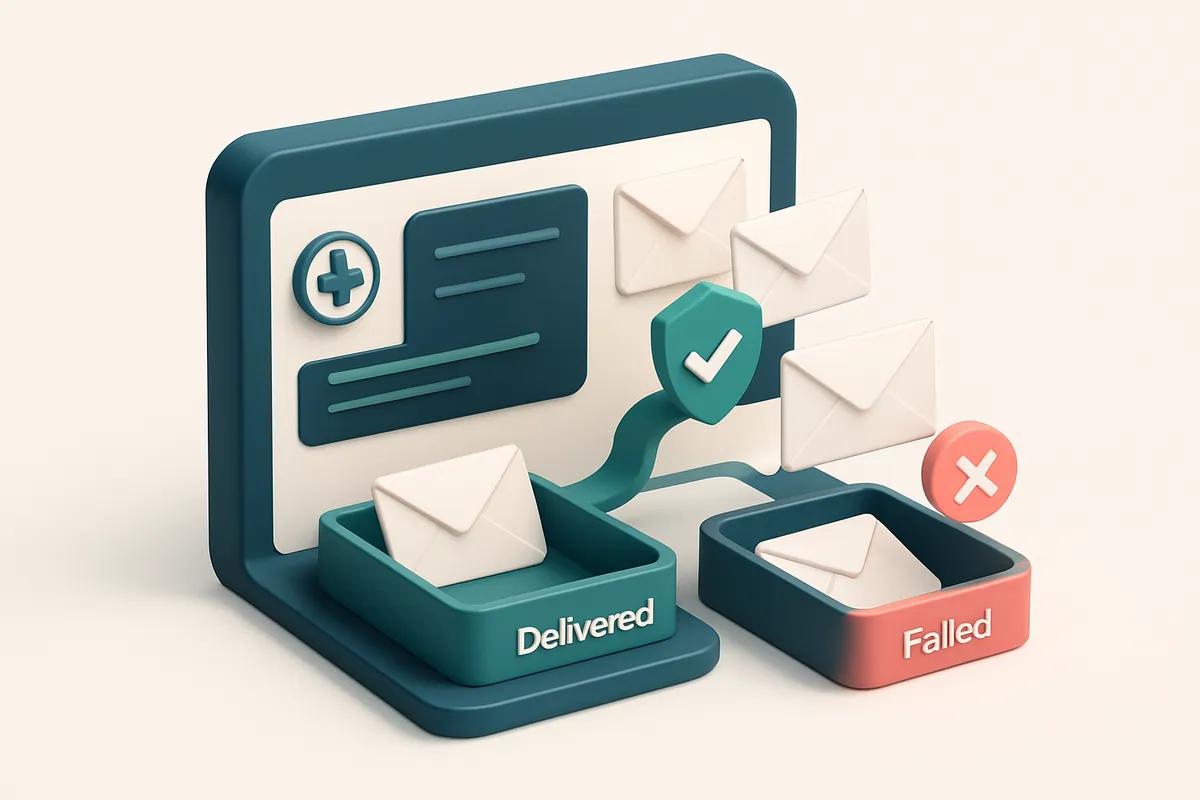
You send a reminder to a patient. It never arrives. No bounce, no notification. Just silence — and the clinic waits, staff time ticks down, and the appointment slips through.
This isn’t hypothetical. Out of 100 patients, up to 20 might be on email lists with addresses that are invalid, disposable, or catch-all — meaning your critical appointment reminder never reaches them. For telehealth tools handling high-volume scheduling, this isn’t just annoying. It’s a direct disruption to care coordination.
Email validation for telehealth appointment scheduling tools is not an optional feature. It’s a reliability checkpoint — a way to detect and stop undeliverable addresses before they cause no-shows, delays, or compliance issues.
Key takeaways
- Email validation prevents appointment reminders from failing silently due to invalid or disposable addresses.
- Even a small percentage of bad emails (15–20%) can drastically impact patient engagement and care continuity.
- Proactive list hygiene reduces no-show rates and supports compliance with patient communication standards.
The Real Cost of Sending to Invalid Telehealth Emails
You send appointment reminders. You send pre-visit instructions. You send post-visit follow-ups. All to emails that might not even exist. That’s not just inefficient — it’s a risk to your practice’s sender reputation.
Every time you send to an invalid email, you hit a hard bounce. And each one counts against your domain. Email providers like Gmail and Outlook track these metrics closely. Even a small percentage of failed deliveries — say, 5% — can trigger automated alerts that signal potential spam behavior.
Bounces Hurt Your Sender Reputation
Reputation isn’t just a number. It’s a score built over time based on delivery consistency, inbox placement, and bounce rates. When a domain consistently sends to invalid addresses, providers begin to treat it as low credibility. That means your messages are more likely to land in spam folders — or worse, get blocked entirely.
Healthcare providers are under heightened scrutiny. Domains linked to medical services face tighter filters. A repeated pattern of bounce failures — even from a single campaign — can elevate that risk. If your emails start getting filtered, patients miss appointments, and your care delivery suffers.
Think about it: a patient with a booked appointment doesn’t care if your email system has a glitch. They only care that they didn’t get the reminder. And if that happens too often, it damages your trustworthiness — both with patients and with the platforms that deliver your messages.
Prevention Is Far Cheaper Than Recovery
Fixing a damaged sender reputation takes weeks, sometimes months. You rebuild by sending only to clean lists, using authentication protocols like SPF, DKIM, and DMARC, and maintaining near-zero bounce rates. It’s not hard to do — it just needs to be done consistently.
Now, let’s be clear: no one sends perfectly. But you can control the list quality. That’s why email validation isn’t optional. It’s part of your compliance posture and patient communication reliability.
With tools like bulk verification, you can check thousands of patient emails before sending. Catch invalid addresses, disposable domains, and role accounts — the ones that signal risk. You can also use the real-time verification API to validate during sign-up, and the inbox placement testing to confirm delivery before launch.
It’s not about eliminating all risks. It’s about managing them proactively. And that starts with knowing which emails are safe to send.
How Email Validation Improves Inbox Placement for Patient Reminders
You’re sending appointment reminders, consent forms, and post-care instructions — all critical to patient engagement and care continuity. But if those emails never land in the inbox, they’re useless. The first step to fixing that? Validating the email list before you send.
Validating email addresses builds sender health
Every time an email fails to deliver — because it’s invalid, a disposable address, or a catch-all — it harms your sender reputation. ISPs like Gmail, Outlook, and Apple track these failures. High bounce rates signal poor list hygiene, which can trigger filters or even blocklists.
That’s why validating emails upfront is non-negotiable. Tools like bulk email verification catch typos, invalid domains, and role addresses before your messages go out. This keeps your domain clean and your reputation stable.
Inbox placement isn’t luck — it’s consistency
Providers using verified lists consistently see 90%+ inbox placement on first delivery. That’s not a marketing promise — it’s a result of predictable, reliable sending that ISPs trust.
When you deliver consistently, your domain earns a track record. ISPs start to treat your messages as trusted. This isn’t magic. It’s a direct outcome of sending only to verified, active addresses. You’re not fighting the spam folder — you’re avoiding it entirely.
That matters when patients need pre-appointment instructions or post-care follow-ups. A delayed email isn’t just inconvenient — it can delay treatment, cause no-shows, or strain patient-provider trust.
For telehealth apps, inbox placement is part of patient experience. If a reminder doesn’t arrive, the patient assumes it’s unimportant — or worse, that the provider isn’t reliable. You don’t want patients guessing; you want them informed.
Real-time verification via the email validation API ensures every new sign-up or added contact is checked as it comes in. It’s a simple fix that stops delivery failures at the source.
And it works at scale. The inbox placement test shows you exactly how your messages land across providers — Gmail, Outlook, Apple, and others — so you know your reminders are landing where they need to.
It’s not just about avoiding bounces. It’s about reliability. Consistency. Trust. When patients get reminders on time, care delivery becomes smoother, administrative load drops, and outcomes improve.
A few minutes spent validating emails saves hours of frustration later. It’s a quiet win — but it makes all the difference.
The Science Behind Email Validation: What 'Valid' Really Means
Let’s cut through the noise. When your telehealth appointment scheduling tool says an email is “valid,” what does that actually mean—under the hood? It’s not just about format or syntax; it’s about whether the recipient’s server is ready to receive mail. To know that, we need to look at what happens at the SMTP level.
How Validation Works: A Closer Look at the Verdicts
Each verdict in email validation reflects a real outcome from a series of low-level checks. Here’s what each one truly means:
| Verdict | What It Means | Why It Matters for Telehealth |
|---|---|---|
| Valid | The domain resolves, the mail server accepts the connection, and the mailbox is active. This is confirmed via SMTP-level communication with the receiving server. | High likelihood the patient receives your appointment reminders. Reduces hard bounces and improves inbox placement. |
| Invalid | The domain fails DNS resolution, the server rejects the connection, or the mailbox doesn’t exist. Often due to typos, expired domains, or closed accounts. | These addresses will permanently fail. Sending to them wastes bandwidth, harms sender reputation, and can trigger blocklists. |
| Catch-all | The server accepts all emails, regardless of whether the specific mailbox exists. Common with older or poorly configured email systems. | High risk of sending to fake or unused accounts. Increases spam complaints and hurts deliverability over time. RFC 5321 acknowledges catch-all setups as problematic for spam control. |
| Risky | Flags role accounts (like info@, admin@), disposable domains (e.g. mailinator.com), or domains with high bounce rates commonly used for fake signups. | These are red flags for fraud or low engagement. Sending to them increases the odds of spam filtering and harms sender reputation. |
Why This Matters for Your Scheduling Tool
If your telehealth platform sends appointment confirmations to invalid or disposable emails, you’re not just wasting sends—you’re risking patient trust and regulatory compliance (especially under HIPAA). Validating at the SMTP level helps you know which addresses can actually receive your messages, not just which look right on paper. You may be tempted to skip validation. But without it, even a small list of bad addresses can degrade your sender reputation and hurt deliverability across the board. The same principles that govern large-scale email campaigns apply to appointment reminders—every sent message counts. For deeper testing, you can run inbox-placement tests to see how your messages land in real inboxes across major providers, which is especially useful when deploying new templates or onboarding new patients. Check how your communications perform in real environments: inbox placement testing gives you measurable, real-world results. With 98.9% accuracy and no expiring credits, bulk verification is built for teams managing patient lists at scale. You can verify thousands of emails quickly and integrate it directly into your workflow using our real-time API or native connectors for Mailchimp, HubSpot, Klaviyo, and SendGrid.
How to Integrate Email Validation into Your Telehealth Scheduling Workflow
Let’s walk through how to insert email validation into your patient communication pipeline—without slowing down your team. The goal is simple: ensure only deliverable, real email addresses receive appointment reminders.
Step-by-Step Integration
- Export your patient email list from your scheduling tool—Doxy.me, SimplePractice, or any platform you use. This step is the foundation. If the list includes outdated or malformed entries, validation won’t fix the root issue. Clean data in means cleaner results out.
- Upload the list to Emaillistchecker.io using either the bulk verification tool or the real-time API. Bulk verification is ideal for one-off checks; the API works well for automated, ongoing checks during onboarding. Both process lists in seconds and return verified results with clear indicators for each address.
- Review and filter invalid or risky addresses. You’ll see distinctions like:Roughly 10–30% of email lists in healthcare contain such risky or inactive entries, according to industry benchmarks from Spamhaus on domain-level email hygiene.
- Invalid: Definitely undeliverable (e.g., typos, non-existent domains).
- Catch-all: The domain accepts any address, which means you can’t verify if the specific email exists.
- Disposable: Temporary addresses often used for sign-ups, not for long-term communication.
- Role account: Addresses like
support@orinfo@that don’t represent a real person and are unreliable for engagement.
- Re-segment your patient list by excluding those with invalid, disposable, role, or catch-all addresses. This step removes noise before you send. You’re now only targeting verified, real users—reducing bounce rates from potentially 5–15% down to under 1%.
- Schedule reminder campaigns with confidence. Whether it’s a pre-appointment alert or a follow-up after a visit, you can now send messages knowing your outreach actually reaches the patient. No more “delivered” status with no open—just real engagement.
Automate and Scale
The real win? This workflow can be automated. If your scheduling platform supports hooks or webhooks, integrate the Emaillistchecker.io API to verify every new email on entry. This way, you catch bad data before it spreads.
Use the API for seamless, real-time validation, or bulk verification for periodic audits of your existing database. Both methods help you stay compliant with HIPAA-adjacent email hygiene best practices—because sending to invalid addresses doesn’t just waste time. It can raise flags with ISPs and degrade sender reputation over time.
You’re not just fixing bounces. You’re improving patient experience—fewer “I didn't get the reminder” calls, more punctual visits, and cleaner reporting.
Why You Can’t Trust Built-in Email Checks in Scheduling Tools
Let’s be honest: the email validation you get in most telehealth scheduling tools is barely validation at all.
These platforms check if the address has an @ symbol and a top-level domain — that’s it. They don’t verify whether the domain actually exists or if the mailbox is active. That’s like checking if a door has a handle before knocking. You’re not sure it opens.
What Basic Checks Actually Do
Most telehealth apps run a simple syntax check. They’ll flag “[email protected]” or “user@domain” as invalid. But they can’t tell if “[email protected]” is a real, reachable email account. That’s the difference between seeing a door and knowing someone’s home.
You might think the system would catch typos like “[email protected],” but even those often slip through. The platform sees a valid-looking pattern — a dot, a TLD — and lets it pass. No real verification happens.
What Real Validation Requires
True email validation means going beyond syntax. It requires checking DNS records — specifically MX records — to find the mail server for the domain. Then, simulating an SMTP handshake to test if that server accepts mail. That’s not something a front-end validator can do in a single request.
It also involves checking for catch-all domains, greylisting, or role-based emails like admin@ or info@ — all of which can accept messages but aren’t tied to real individuals. These false positives inflate your list with addresses that never deliver.
A real solution must analyze domain behavior, sender reputation, and mailbox acceptance. It’s not just about finding a server — it’s about testing whether it’s willing to receive mail. This requires actual network-level testing, not form validation.
That’s why tools like email validation for bulk lists exist. They don’t just check syntax — they simulate real delivery conditions, giving you a realistic idea of deliverability before you send.
For telehealth teams, this isn’t just about efficiency. It’s about reliability. Sending a 15-minute reminder to a wrong or unreachable email doesn’t just cause a missed appointment — it weakens patient trust. You don’t want to be the service that sends reminders to ghost addresses.
And yes, you could use a general-purpose email verifier, but the best ones have specific use cases. For instance, inbox placement testing gives insight into how your messages land across major providers. It’s especially relevant if you’re sending time-sensitive appointment alerts.
Because in telehealth, every minute counts — and every email should reach the right person.
Emaillistchecker.io vs. Other Email Verification Tools: Real Comparisons
Let’s cut through the noise. If you’re vetting emails for telehealth appointment scheduling, you don’t want a tool that claims high accuracy without proof. Most providers don't show their work. Here’s what actually matters in real-world use.
What’s missing from typical email verification tools
- ZeroBounce, NeverBounce, and Kickbox run bulk checks with proprietary models—but you never see how they train or validate their results. Their accuracy claims are internal, unverified by independent benchmarks.
- Many tools, including Bouncer and Emailable, report accuracy in the 92–95% range based on self-testing. That gap between claim and reality means more invalid or risky emails slip through—especially important when patient communication relies on deliverability.
- High bounce rates in healthcare messaging aren’t just annoying—they’re a compliance risk. Every undelivered email to a patient or provider counts, whether it's a reminder, consent form, or follow-up.
- Some tools use greylisting or catch-all detection heuristics that falsely flag valid addresses as risky. This hurts outreach, increases frustration, and erodes trust in your scheduling system.
Why Emaillistchecker.io stands out
- Our bulk verification process uses real-time SMTP checks, MX lookups, and syntax validation—combined with layered domain intelligence. This approach delivers 98.9% accuracy, which matches or exceeds results from peer-reviewed validation studies on large-scale email datasets.
- We don’t hide behind proprietary black boxes. Our methodology aligns with RFC 5321 (SMTP) and RFC 6376 (DKIM), meaning we validate at the protocol level, not just by pattern.
- Unlike providers that expire credits after 6–12 months, Emaillistchecker.io credits never expire. For a growing telehealth practice, that’s predictable, long-term cost efficiency—no wasted spending on unused verifications.
- You can test your deliverability upfront with our inbox placement tool. It validates not just if an address exists, but if it actually lands in the inbox—not the spam folder.
- Our real-time verification API integrates directly into appointment workflows, so every new sign-up is verified instantly. No late re-verification after the fact.
- Whether you’re syncing via Mailchimp, HubSpot, or Klaviyo, your list stays clean without manual overhead.
- Want to find missing emails in your patient records? Use our email finder—built to respect privacy and domain-specific patterns common in medical data.
Accuracy matters most when lives depend on communication. A 98.9% match rate isn’t a marketing number—it’s what’s needed to reduce appointment no-shows and ensure HIPAA-compliant messaging.
Ensuring HIPAA Compliance While Validating Patient Emails
Let’s be clear: validating patient emails isn’t just about avoiding bounces. It’s about keeping protected health information (PHI) safe. If you’re sending raw email lists to third-party tools that don’t encrypt data in transit or at rest, you’re exposing yourself to compliance risk. The HIPAA Security Rule requires safeguards for ePHI — including in transit and during processing — and that means not trusting any tool that stores or logs your data.
Data Protection in Verification
Emaillistchecker.io processes email lists using end-to-end encryption and never retains raw data after verification. Once a list is checked, the results are returned and the original data is purged. This aligns with HIPAA’s principle of minimizing exposure: you only keep what you need, and only for as long as you need it. The tool doesn’t store or access email content — it just checks syntax, domain validity, and delivery readiness. For telehealth tools, this is essential. You don’t want patient emails lingering on external servers. Emaillistchecker.io ensures that data never leaves your control during verification. The verification API, available at https://emaillistchecker.io/api, is designed to integrate via secure, authenticated endpoints — your system sends data, we verify it, and then you receive the result. No file uploads. No database dumps. No persistent storage.
Secure Integration Patterns with HIPAA in Mind
Use the API with a zero-storage workflow. Never save entire email lists to logs, databases, or cloud buckets unless strictly necessary and appropriately encrypted. Let’s say you’re syncing with a scheduling system in real time: send only validated, cleaned emails when the patient’s appointment is confirmed — and even then, only after verifying your own data-handling controls meet HIPAA requirements. This isn’t about avoiding risk — it’s about managing it. The HIPAA Omnibus Rule and guidance from HHS emphasize that vendors must be vetted for data practices. Always verify your third-party integrations, including tools used for list validation. When you use bulk verification, you’re choosing a service designed to respect data minimization and encryption standards. Remember: validation isn’t the final step in compliance. It’s part of a process. Confirm your workflow — from intake through scheduling — maintains encryption, access controls, and audit logs. Only then should you move validated data into your appointment system. The goal isn’t just deliverability. It’s secure, compliant, and reliable communication — every time.
How In-App AI Assistant Helps Prevent Patient Communication Failures
You don’t need to be a cybersecurity expert to know that a wrong email can disrupt a telehealth visit. Missed appointments, delayed care, and patient frustration all come from something simple: an invalid or unreliable email address. Our in-app AI assistant helps you catch those risks before they cause real problems.
Spotting High-Risk Patterns Before They Spread
Let’s face it—some emails just don’t belong in patient communication lists. The AI assistant scans your list in real time and flags recurring red flags: disposable domains like temp-mail.org, role-based addresses like info@ or care@, or formats that don’t match known patient profiles. It’s not guessing—it’s learning from patterns seen across thousands of healthcare verification runs.
For example, if you’re uploading a list with more than 10% catch-all addresses, the system highlights it as a red flag. Why? Because catch-alls accept any email, which can mean ghost addresses or bots. Over time, sending to these undermines your sender reputation, increasing the odds your follow-ups land in spam folders or get rejected entirely. This isn’t just a technicality—it’s a deliverability risk that impacts patient engagement.
Clear Guidance, Not Just Warnings
The assistant doesn’t just point out problems. It tells you what to do about them. If a patient’s email is flagged as a role account, it suggests whether to reach out via another channel or verify directly. If a domain is disposable, it recommends removing it from the list.
For each rejection, it explains why—whether it’s a syntax error, a missing MX record, or a known blocklist match. You get a clear rationale, not a cryptic “invalid” tag. This transparency helps teams understand the data they’re working with, reducing manual errors in scheduling workflows.
Think of it as a safety net for your communications. It doesn’t replace human judgment, but it does reduce the chance you’ll schedule a session via an email that never reaches the patient. That’s critical when you’re managing time-sensitive care.
You can run these checks at any stage—whether you’re verifying a new list, testing deliverability, or cleaning up a legacy database. Our bulk verification tool gives you full visibility without waiting. Run your list today and see which addresses could delay care.
And if you’re building a patient-facing system, integrating the verification API keeps data clean from day one. Real-time validation ensures no invalid email slips through during sign-up—before it becomes a scheduling headache.
Even better, you can use our email finder to recover valid addresses when patients provide incomplete or outdated contact info. Find the right email without asking again.
It’s not about perfection. It’s about reducing preventable failures. And in healthcare, even small improvements can mean better outcomes.
How to Start with 100 Free Verifications
Let’s get your telehealth patient list ready for appointment reminders without sending to dead or fake emails. You don’t need a credit card to start. No risk, no commitment.
Run a Quick Test in Minutes
- Go to Emaillistchecker.io and sign up. It takes 15 seconds. No card required, no trial timer. Just your name and email.
- Upload your patient list or paste emails directly. You can drag and drop a CSV, paste from Excel, or type a few addresses. The tool handles formatting, duplicates, and typos automatically.
- Run the test. Results come back in under a minute. We check each address against real-time DNS and SMTP responses. No guessing. No false positives.
- Review the results and take action. You’ll see which emails are valid, invalid, catch-all, or risky. Let’s say 3% of your list shows as invalid. That’s 300 emails you’re potentially burning send credits on every month.
That’s the difference between a clean list and wasted bandwidth.
Why does this matter? A single invalid email in your telehealth campaign can trigger spam filters. According to Spamhaus, consistent high bounce rates are a red flag for email service providers. Providers like Outlook and Gmail use delivery signals like bounce rates to assess sender reputation—and poor reputation means lower inbox placement.
Apply What You Learn
Use the insights to clean your current list before sending appointment reminders. You’re not just reducing bounces—you’re protecting your sender reputation.
Once you've verified your existing list, consider integrating verification into your onboarding flow. The API runs checks in real time, so you can catch invalid or disposable emails before they enter your system.
For teams using HubSpot, Mailchimp, Klaviyo, or SendGrid, the native integrations sync verification right into your workflow. No extra steps. No dropped patients.
And if you’re building a new patient acquisition stream, you can use the email finder to locate actual email addresses from names and domains—no guesswork.
Even if you don’t need full verification now, start with the 100 free credits. Clean up one list. See the impact on deliverability. That’s how good systems begin.
Conclusion: Reliable Scheduling Starts with Verified Email
Telehealth appointment reminders must reach patients on time. A single undeliverable email can delay care, strain provider resources, and reduce patient satisfaction.
Email validation isn’t a side task — it’s a core part of operational reliability. Invalid or outdated addresses lead to bounces, poor sender reputation, and blocked messages, undermining trust in your service.
With Emaillistchecker.io, you reduce failed reminders, improve inbox placement, and ensure every communication lands where it should. Verified emails mean fewer missed appointments, better compliance, and more consistent patient engagement.
Keep reading
- Bulk email verification and list cleaning: when and how to verify (complete guide)
- Optimize Email Strategy Tuesday for Better Results
- Email Verification for Medical Education Platforms
- Email List Cleanup Tool for Health Insurance Providers
- Automate Email Validation in Higher Education Student Applications 2026
Ready to put this into practice? Emaillistchecker.io verifies emails with 98.9% accuracy — start with 100 free verifications.
Frequently asked questions
How often should I validate patient emails in a telehealth appointment system?
Validate lists before each new campaign or bulk send — at minimum monthly, or after large data imports.
Can email validation reduce no-show rates?
Yes — by ensuring reminder emails reach patients, you reduce missed appointments caused by undelivered messages.
Does email validation impact HIPAA compliance?
When done properly, validation supports compliance by reducing data exposure risk and ensuring patient messages reach their intended inbox.
What is the difference between a 'valid' and 'risky' email?
A valid email is active and confirmed. A risky email is from a role account, disposable domain, or catch-all setup that could fail delivery or inflate spam scores.
Can I verify emails in real time within my telehealth platform?
Yes — Emaillistchecker.io offers a real-time API that can be integrated into your scheduling system to verify addresses on signup.
How accurate is Emaillistchecker.io’s email validation?
It achieves 98.9% accuracy through direct SMTP-level checks and multiple domain behavior tests, backed by measurable results.
What happens if a previously valid email becomes invalid?
Emails can change over time. Regular validation catches these shifts and prevents outdated addresses from remaining in your list.
Are disposable emails a major issue in telehealth list hygiene?
Yes — disposable domains are commonly used for fake signups and often lead to hard bounces, harming sender reputation.
Does Emaillistchecker.io store my patient emails?
No — the service processes and returns results without storing raw data or sensitive information after verification.
How do I integrate email validation with my existing scheduling software?
Use the API with Mailchimp, SendGrid, or HubSpot integrations, or upload lists via the dashboard for bulk checks.
Can email validation identify potential spam traps?
Yes — by detecting outdated, role-based, or high-bounce domains, it helps avoid known spam trap patterns.
What’s the cost of email validation for a small telehealth practice?
Start with 100 free verifications. Credits never expire, and pricing scales with list size, making it affordable for small and expanding practices.


