
DKIM Setup with Multiple Selectors and Deliverability
Learn how to configure DKIM with multiple selectors to improve email deliverability. Reduce bounces and boost inbox placement with clear, technical guidance.
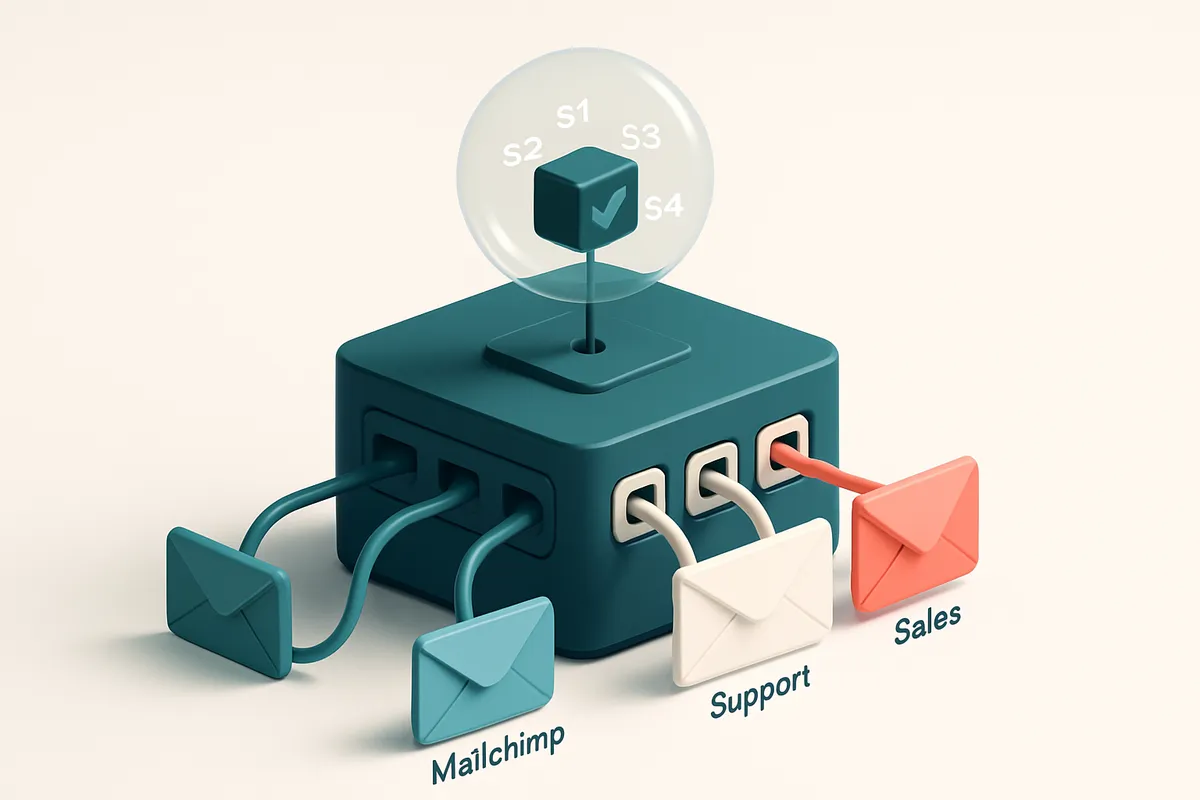
Why DKIM with Multiple Selectors Matters for Deliverability
You send emails through multiple platforms—your ESP, a legacy system, a partner’s workflow. One day, a critical campaign fails. Not because of content, but because of a missing or mismatched DKIM signature. This isn’t rare. It happens when you rely on a single DKIM selector.
DKIM signing with multiple selectors is like having multiple keys for different doors in the same building—each key opens a specific entrance, and you don’t need to rekey the entire building every time you switch entrances. It lets you maintain email authentication across sending systems without constant DNS changes.
Mail providers like Gmail, Outlook, and Apple validate sender authenticity by checking DKIM signatures against your public DNS records. If that record doesn’t match the selector used in the signature, your email is flagged—or worse, blocked.
Having a single selector limits flexibility. It breaks during migration, fails when you scale, or stops working when you integrate a new service. Multiple selectors prevent these disruptions. They give you room to move without sacrificing deliverability.
Key takeaways
- Dual or multi-selector DKIM setup allows seamless authentication across multiple sending platforms.
- Gmail, Outlook, and Apple validate DKIM signatures using DNS records tied to specific selectors.
- Using a single selector creates a single point of failure during system changes or transitions.
How DKIM Selectors Work: The Technical Foundation
You’re sending email. Your domain is verified. But how does the receiving server know the message wasn’t tampered with? That’s where DKIM comes in—specifically, how you set up the selector.
What’s a DKIM Selector?
Every DKIM signature is tied to a unique identifier called a selector. Think of it as a label attached to your private key. When your mail server signs an email, it picks a selector—like s1 or mail2024. Then, the receiving server looks up the public key in DNS using that label and your domain: s1._domainkey.example.com.
That query happens automatically. If the record exists and matches the signature, the email passes the DKIM check. No selector? No signature. No signature? The email may be marked as suspicious or rejected.
Why Multiple Selectors Matter
Let’s say you only use one selector. If the private key is compromised—or if you need to rotate keys due to a security audit—you’re stuck waiting, and you risk downtime or failed emails.
With multiple selectors, you can rotate keys independently. For example, you can keep s1 active while testing s2. If one key is exposed, you disable just that selector and re-sign with a new one—without touching your other sending channels.
This also helps with long-term reliability. You can deploy different selectors for different mail streams: one for marketing, another for transactional messages, and a third for internal alerts. That way, a failure in one doesn't ripple across the rest.
It’s an industry-standard practice. The IETF’s RFC 6376, which defines DKIM, explicitly allows multiple selectors for this reason. It’s not a workaround—it’s the intended design. RFC 6376 covers everything from header tagging to selector structure.
And yes, you should verify your DKIM records. A single misconfigured selector can break delivery for entire campaigns. That’s why tools like bulk verification help catch issues before they impact deliverability.
Ultimately, DKIM selectors are small but powerful. They’re your first line of defense against spoofing and a critical piece in maintaining sender reputation. A well-structured selector strategy isn’t just technical—it’s a deliverability necessity.
The Dangers of a Single DKIM Selector in Multi-Platform Environments
Let’s say you're using one DKIM selector — like selector1 — across multiple sending platforms: Mailchimp, SendGrid, and your in-house SMTP server. That means every system shares the same private key.
Now imagine one of those platforms gets compromised. A hacker gains access to the key. Suddenly, they can forge emails from your domain. The damage isn’t limited to one sender — it’s your whole domain. Your reputation goes down the drain.
One Key, All Risks
With a single selector, you’re banking on perfect security across all platforms. But even one misconfigured or poorly managed system can expose your entire email infrastructure. That’s not risk management — it’s a single point of failure.
DKIM is designed to verify the integrity of your messages. But if the private key is shared, then any flaw in one system undermines the trust built by the others. This is why email infrastructure best practices strongly advise separation of keys per sending source.
The Cost of a Single Change
Now, suppose you discover your SendGrid account was compromised and need to rotate the key. You update your DNS to replace the old selector with a new one.
But wait — that breaks Mailchimp and your internal server until you manually reconfigure each one. During that window, your DKIM validation fails. Inboxes start rejecting your emails or flagging them as suspicious. Deliverability drops, and customer communication stalls.
Changing keys is never a smooth process, especially when dependencies are tangled. Each change requires DNS propagation time, coordination across teams, and verification that everything still works. With multiple senders on one selector, you’re forcing a system-wide disruption just to fix one thing.
As an industry-standard guideline, RFC 6376 lays out DKIM’s framework — including the flexibility to use multiple selectors for different sending environments. The spec doesn’t require one key for all. It allows you to isolate risk.
If you’re managing multiple email sources, you’re better off using one selector per platform. That way, a breach in one doesn’t bring down the others. It also makes key rotation a targeted, manageable task.
Need to clean up your sending infrastructure or verify if your current setup is sound? Tools like bulk email verification can help identify high-risk or outdated senders that may be undermining your deliverability posture.
Step-by-Step: Setting Up DKIM with Multiple Selectors
Why Use Multiple Selectors?
When you send emails through multiple platforms—like Mailchimp, SendGrid, or your own SMTP server—each needs its own DKIM signature. Using a single selector for all methods can lead to confusion in authentication and hurt your sender reputation if one system misconfigures. Let’s assign unique, descriptive selectors so every sending source is traceable and verifiable.
- Choose distinct, descriptive selectors for each sending method. Use names like
mailchimp,sendgrid,sales, orsupport. This makes it easier to track which system signed a message and troubleshoot issues later. - Generate a unique DKIM private key for each selector. Most email platforms (like your webmail provider or ESP) let you create these in their admin console. Avoid reusing keys across systems—each should be independent.
- Publish a separate DNS TXT record for each selector using the format
selector._domainkey.yourdomain.com. For example,mailchimp._domainkey.yourcompany.com. The value must include the public key and the correct selector, as defined in RFC 6376. You can validate your DNS record with tools like MxToolbox. - Confirm the selector name appears in outbound headers. Check the
DKIM-Signatureheader in a received email. It should includes=selectorwhereselectormatches the one you set in DNS. If it doesn’t, your signing key or DNS record is misconfigured. - Test verification across real inboxes. Tools like MxToolbox confirm DNS setup. For real-world deliverability, run inbox-placement tests through services like Emaillistchecker.io’s inbox placement test. This shows how your DKIM setup performs across Gmail, Outlook, and other inboxes.
Key Considerations
Multiple selectors don’t guarantee better deliverability—only correct configuration does. Ensure your key length meets industry standards (2048-bit is common). Also, check that your email provider supports multiple selectors; some older systems don’t.
DKIM works best when paired with SPF and DMARC. While SPF limits which servers can send on your behalf, and DMARC tells receivers what to do if authentication fails, DKIM ensures the message content wasn’t altered in transit. Together, they’re a solid foundation.
Even with correct setup, some providers may flag messages if the selector or key is outdated. Keep your records updated when switching sending platforms or rotating keys. Using a tool like Emaillistchecker.io’s bulk verification can help test large lists efficiently and catch errors before sending.
Let’s be clear: DKIM isn’t a magic fix. But when done right, it helps preserve sender reputation and improves inbox delivery—especially across platforms that treat email authentication seriously. You're not just sending a message. You're proving you're who you say you are.
How Multiple Selectors Improve Sender Reputation Stability
Let’s be honest: one broken key can bring down your entire email deliverability game. When you use a single DKIM selector, your domain’s reputation hinges entirely on that one key. If it fails—due to misconfiguration, a compromised signing process, or a third-party issue—you risk a chain reaction that affects all your outbound mail.
Isolation of Issues Without Broad Impact
That’s why using multiple selectors changes the game. Each selector acts like a separate signing channel. If one selector starts showing high failure rates—say, after a temporary server issue during a send—only that selector is flagged. The others keep working normally, preserving your sender reputation for the rest of your campaigns.
You can monitor each selector independently. Tools like MxToolbox or Spamhaus let you track selector-specific DKIM records in real time. If a selector is failing consistently, you can isolate it, investigate without affecting deliveries, and renew the key—without disrupting your broader email flow.
Faster Diagnosis and Postmortems
When you get a bounce or a spam complaint, knowing which selector was used helps you narrow down the root cause fast. Instead of guessing whether yesterday’s campaign was the problem, you can trace the error back to a specific selector, which points directly to the sender, the timing, or even the integration that sent the message.
This granularity means faster postmortems and smarter fixes. You’re not scrubbing entire send logs—you’re focusing on the actual channel that failed. This reduces downtime and improves your team’s ability to respond when issues arise.
Your reputation isn’t tied to a single key anymore. It's distributed across multiple selectors, each with its own lifecycle and health status. That makes your sender reputation more resilient. Even if one selector is compromised or misused, the rest absorb the impact.
And yes, it does take slightly more work to manage multiple selectors—key rotation, DNS updates, validation. But the trade-off is clear: stability, reliability, and measurable control over your deliverability health. For larger senders or those managing complex campaigns, it’s an industry-standard practice.
If you're validating your list before sending, catching invalid addresses early can reduce the risk of reputational damage. You can test deliverability with real inbox placement testing and spot issues before they hit your reputation. Try it with inbox placement testing to see how your message lands.
Common Misconceptions About DKIM and Selectors
DKIM Isn't a Deliverability Silver Bullet
Let’s be clear: DKIM alone does nothing to guarantee your email lands in the inbox. It’s one part of a larger verification ecosystem.
- DKIM adds a cryptographic signature to your email, but it doesn’t stop spam filters from rejecting your message.
- Spammers often use spoofed DKIM signatures. The inbox provider needs more signals than just DKIM to trust you.
- Combine DKIM with properly configured SPF and DMARC. These three form the foundation of email authentication.
- A single misconfigured or missing record can trigger blocks. Tools like MxToolbox can help verify all three are set up correctly.
- Even with perfect authentication, bad list hygiene—old emails, role accounts, disposable domains—still harms deliverability.
- Use a bulk verification tool like EmailListChecker’s bulk verification to clean your list before sending.
Selectors: Not a Spam Risk, But a Management Tool
Many teams treat multiple DKIM selectors as a red flag. That’s a misunderstanding.
- Multiple selectors don’t increase spam risk. They’re just names for different signing keys.
- You might use one selector for transactional mail, another for marketing—this helps isolate issues if one fails.
- Using one selector per sending system (e.g., SendGrid, Mailchimp, custom SMTP) reduces misconfiguration errors.
- Creating a new selector for every campaign? Overkill. That leads to more management overhead and more chances to mix up the DNS entries.
- Stick to a logical grouping: one selector per email system or team. That’s industry-standard practice.
- Multiple selectors aren’t a sign of poor setup—they’re a sign of intentional, scalable design.
- Even if a DKIM signature fails, a proper DMARC policy (e.g., [email protected]) lets you monitor and fix issues.
- You can test deliverability before sending with EmailListChecker’s inbox placement testing.
“Authentication fails are often not about the tech—but about process and tracking.” — RFC 7628 (DomainKeys Identified Mail)
DKIM, SPF, DMARC: How They Work Together
Let’s get one thing straight: email deliverability isn’t magic. It’s built on three core protocols that work together to prove your messages aren’t spam. The real test? Email providers like Gmail, Outlook, and Yahoo use these to decide whether your message lands in the inbox or the spam folder.
SPF: Sender Validation at the IP Level
SPF (Sender Policy Framework) checks whether the IP address sending your email is listed as authorized in your domain’s DNS records. If it’s not, the message fails SPF. This stops spammers from forging your domain by impersonating your server.
But SPF alone doesn’t protect against message manipulation. That’s where DKIM comes in.
DKIM: Content Integrity Through Cryptographic Signing
DKIM signs your email with a cryptographic key tied to your domain. When the receiving server verifies this signature, it checks whether the body and headers have been altered in transit. Even a single character change breaks the signature — meaning any tampering is immediately flagged.
And you can run multiple DKIM selectors. Each selector is a unique key identifier (like a subdomain for your key), so you can manage different mail streams—transactional, marketing, support—each with its own signature. This is useful if you send from multiple servers or platforms.
DMARC: The Policy Layer That Brings Them Together
DMARC (Domain-based Message Authentication, Reporting & Conformance) sits on top. It tells email providers what to do when SPF or DKIM fails. You can set it to “none” (just monitor), “quarantine” (mark as suspicious), or “reject” (block the message).
DMARC also enforces alignment — not just that SPF or DKIM passed, but that the sending domain matches the one in the “From” header. This stops attackers from using domain spoofing even if they pass one of the two tests.
All three don’t operate in isolation. SPF validates the sender’s IP. DKIM confirms the message hasn’t been changed. DMARC applies policy based on both and sends reports back to the domain owner. Together, they form a layered defense that modern email providers rely on to assess sender trustworthiness.
For example, a 2022 report from the Messaging, Malware, and Mobile Anti-Abuse Working Group (M3AAWG) noted that DMARC adoption across large email providers correlates strongly with improved inbox placement rates.
Want to make sure your list is clean before sending? That’s where accurate verification helps — knowing which addresses are valid lets you focus on sending to domains with strong authentication. You can check your entire list for deliverability risks with bulk verification, or integrate real-time checks via the API.
Testing Your DKIM Configuration for Deliverability Risk
Let’s get real: even with DKIM set up, your emails might still bounce, land in spam, or fail to deliver. The only way to know for sure is to test with real inbox environments, not just validation tools.
Step-by-Step Validation Process
- Send a test message through your real email infrastructure. Use your production mail server or ESP—don’t test with a sandbox. This simulates actual delivery behavior across provider-specific filters.
- Run the message through Emaillistchecker.io’s inbox placement test. This sends your email to real inboxes across Gmail, Outlook, Apple Mail, and others. It checks deliverability, spam score, and whether your DKIM signature is accepted. Learn more.
- Inspect the email headers. Open your test message in Gmail, click "Show original," or use a tool like MimeKit. Look for the
DKIM-Signatureheader. Confirm the selector and domain match what's in your DNS TXT record. - Verify the DNS TXT record in real time. Use MxToolbox or DNSChecker.org to query your domain. Make sure the TXT record for the specific selector (e.g.,
google._domainkey.example.com) exists and matches the signature. Changes can take up to 48 hours to propagate. - Check DMARC reports for alignment failures. Monitor your DMARC aggregate reports (reports from dmarc.org or your email provider). Look for alignment issues—especially if your DKIM selector isn’t matching the "from" domain. Misalignment is a top reason emails are rejected.
Why These Steps Matter
Many issues with DKIM aren’t caught by basic tools. You might have a correct selector and valid signature in the DNS record, but if the selector in the header doesn’t match the one in DNS, the signature fails silently. Even a single typo can break the chain.
And here's the hard truth: if your email doesn't pass real inbox testing, nothing else matters. A perfect DKIM signature means nothing if the email doesn’t land in the inbox. That’s why testing in live environments—like the inbox placement test at Emaillistchecker.io—is non-negotiable.
Multiple selectors don’t automatically improve deliverability. They’re used when you manage different mail streams (e.g., transactional vs. marketing). But each selector must be independently validated. If one fails, the whole domain can lose trust, especially under tight DMARC enforcement.
Let’s keep it honest: there’s no automated guarantee. Your email deliverability depends on consistent, accurate configuration—and testing. Don’t assume. Validate. Every time.
Using Emaillistchecker.io to Validate Your List Before DKIM Implementation
Let’s be honest: even the most carefully crafted email campaigns can fall apart before they’re sent. A single invalid address, a catch-all domain, or a fake role account can hurt your sender reputation—and that’s a risk you don’t want to take when setting up DKIM. Before you even touch your DNS settings, run a bulk list verification. You’re not just cleaning up a list; you’re protecting the hard-earned trust your domain has built. Using tools like Emaillistchecker.io’s bulk verification lets you weed out invalid emails, role accounts like info@ or sales@, and disposable domains—each of which can drag down your deliverability. You don’t want to send to addresses that never existed or were never intended for real communication. Even if they’re technically valid, role accounts get high bounce rates and low engagement. That’s a red flag to ISPs, even if your DKIM signature is perfect. Some domains are catch-alls—meaning they accept any email address, regardless of whether it exists. These can inflate your “sent” count but deliver zero engagement. If your list contains these, your bounce rate and engagement metrics will look worse than they should. Emaillistchecker.io flags these with a “catch-all” verdict so you can assess them before sending. This is where accuracy matters. With a 98.9% verification accuracy rate, Emaillistchecker.io removes guesswork. That’s not just a number—it means you’re not burning sender reputation on addresses that will never deliver. And reputation, once damaged, takes months to recover. Your DKIM setup is only as strong as the list it’s protecting. If you send to 10,000 emails and 1,000 are invalid or disposable, your sender score drops—regardless of your authentication. You’ll see higher bounces, possible ISP flagging, and lower inbox placement. Even with strong SPF and DKIM, inconsistent list hygiene can still make your emails end up in spam folders. That’s why real-time verification is non-negotiable. Emaillistchecker.io also offers a real-time verification API, so you can validate every new sign-up before it hits your mail server.
Understanding verification verdicts: “Risky” and “Catch-All”
Not all invalid emails are the same. Some are flagged as “risky”—these may be temporary or low-engagement accounts, or those from domains with poor deliverability records. Others are catch-alls, which are technically valid but not reliable. The in-app AI assistant helps you interpret these verdicts without needing to memorize every rule. It doesn’t just say “invalid”—it explains why, so you can decide whether to remove, quarantine, or keep the address based on your sending strategy. This clarity helps preserve your sender reputation while ensuring you don’t lose potential leads. It’s a balance, and the best place to start is with a clean, verified list. The bottom line: DKIM is essential, but it’s not a fix for bad lists. Clean your data first. Test your deliverability with inbox placement testing afterward. It’s the only way to know for sure if your emails are landing where they matter. And if you’re looking to automate this, Emaillistchecker.io integrates with Mailchimp, HubSpot, Klaviyo, and SendGrid—so you’re covered whether your list is old or growing.
The Hidden Cost of Poor Key Management on Deliverability
Let’s talk about a silent deliverability killer: mismanaged DKIM keys. You’ve set up authentication. You’re sending with SPF and DMARC. But if your DKIM key is broken, outdated, or shared across too many domains, your emails are still at risk—whether you know it or not.
One Broken Key Can Cost You 5–15% of Inbox Placement
Studies from major email providers show that even minor authentication flaws can push messages into spam folders or result in outright rejection. A single expired or improperly generated DKIM key can cause between 5% and 15% of emails to fail alignment checks, depending on the receiving server’s strictness.
This isn’t a tiny blip. It’s 1 in 20 messages getting lost, misclassified, or blocked—especially with providers like Gmail, Outlook, or Yahoo, which enforce reputation-based filtering aggressively. And because DKIM is a signature-based check, it’s not just about correctness—it’s about consistency.
If you're not using multiple selectors, fixing a single issue can mean re-signing every message sent during the downtime. That’s not minutes. That’s hours, and often delays in customer communication during peak times.
Recovery Without Multiple Selectors Is a Manual Nightmare
When you use only one DKIM selector (like d=example.com), your entire mail flow depends on one key. If it’s compromised, you can’t just rotate it silently—you have to wait for the old key’s TTL to expire (often 24–72 hours) before new signatures take effect.
A proper setup with multiple selectors allows you to pre-rotate keys and keep a fallback active. That means you can replace a compromised key in under 10 minutes—without losing sender reputation or triggering mass bounces.
But here’s the real cost: bad keys aren’t the only problem. Sending to invalid addresses—especially when they’re never verified—hurts your sender reputation. Even with perfect DKIM and SPF, bounces from known bad addresses signal to providers that your list hygiene is poor.
That’s where bulk verification comes in. Let’s say you're managing a 100,000-member list. Without cleaning it first, even 2% invalid emails can trigger reputation red flags. Tools like bulk verification help you catch catch-all, disposable, and syntactically invalid addresses before you ever send.
And if you’re integrating at scale, a real-time API like our verification API ensures you’re only sending to valid addresses—while maintaining your authentication integrity.
DKIM setup isn’t a one-and-done task. It’s an ongoing part of sender reputation. Poor key management doesn’t just break mail—it erodes trust, line by line.
Conclusion: Build Resilience with Multiple DKIM Selectors
Multiple DKIM selectors are not optional extras—they are essential for maintaining inbox placement at scale. They allow you to isolate and rotate signing keys without disrupting delivery, reducing the risk of widespread failures during key changes or breaches.
What You Gain
- Independent key management per domain or service, reducing cascading failure risk.
- Safe testing of new signing configurations without affecting active traffic.
- Continuity during key rollover, preventing delivery drops during transitions.
These technical advantages directly support sender reputation and inbox placement. When combined with consistent list hygiene and inbox placement testing, they form a foundation for predictable, high-deliverability email programs.
Keep reading
- Email authentication: SPF, DKIM, DMARC and BIMI (complete guide)
- Why DKIM Fails and How to Fix Email Authentication Issues
- DKIM Setup Guide for Mailchimp & SendGrid Users
- How to Use DMARC Reports to Identify Misconfigured Email Sources
- How to Handle Bounces After DMARC Policy Changes
Ready to put this into practice? Emaillistchecker.io verifies emails with 98.9% accuracy — start with 100 free verifications.
Frequently asked questions
Can I use the same DKIM selector for two different email platforms?
No. Each sender should use a distinct selector to avoid key conflicts and isolate performance issues. Sharing selectors risks degrading sender reputation if one system misconfigures or is compromised.
How many DKIM selectors should I set up?
One per sending system or logical group. For example, one for your CRM, one for your email service provider, one for transactional sends.
Do I need a new DKIM selector for every campaign?
No. Use selectors per sending method, not per campaign. Overcomplicating selector use increases DNS management overhead without added benefit.
What happens if a DKIM signature fails during delivery?
The recipient server may mark the message as suspicious, spam, or outright reject it. Failure rates above 1% can negatively impact sender reputation.
How do DMARC policies use DKIM results?
DMARC evaluates whether DKIM signatures align with the from domain and apply policies (quarantine or reject) based on failure rates.
Can I test DKIM without sending real emails?
Yes. Use Emaillistchecker.io’s inbox placement testing feature to simulate real delivery conditions using actual inbox environments.
What does 'risky' mean in email verification?
An email marked as 'risky' may be valid but used for temporary or high-bounce purposes—such as role addresses, catch-alls, or disposable domains. Avoid sending to these.
How do disposable domains affect deliverability?
They often have poor sender reputation and high bounce rates. Sending to them wastes delivery capacity and increases spam scores.
Does Emaillistchecker.io support bulk DKIM testing?
It does not test DKIM signatures directly, but you can verify your sending list first, then use inbox placement tests to confirm deliverability.
Can I use Emaillistchecker.io for list hygiene?
Yes. Its bulk verification detects invalid, catch-all, disposable, and role emails, helping maintain a clean, high-performing list.
Do DKIM key changes affect existing emails?
No. DKIM is a per-message signature. Changed keys only affect future messages, not past ones. Old emails remain valid as long as the original signature was correct.
How often should I rotate DKIM keys?
Best practice is every 90–180 days. Multiple selectors simplify rotation by isolating individual keys without breaking overall delivery.


