
How to Handle Bounces After DMARC Policy Changes
Prevent email delivery failures after DMARC policy changes. Clean your list, verify addresses, and maintain sender reputation with proven steps.
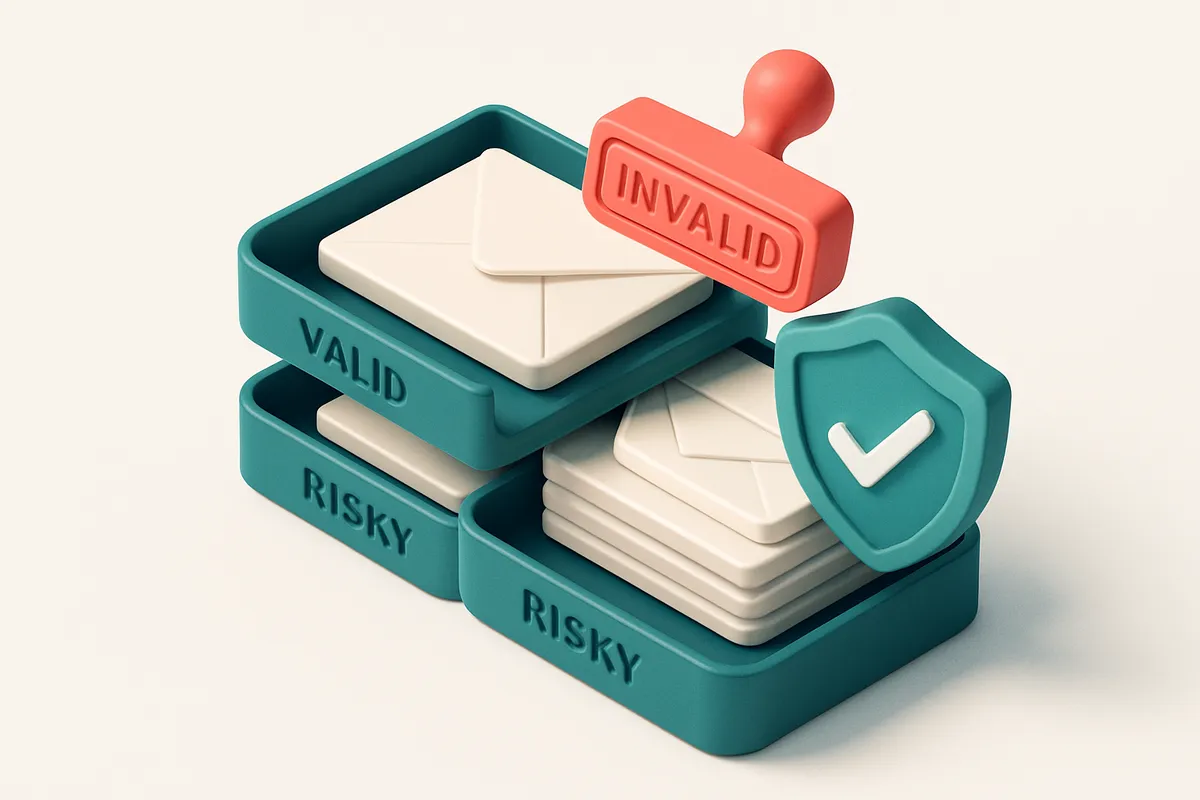
DMARC Changes Can Trigger Unexpected Bounces
You send a campaign. It goes out. Then, suddenly, a batch of hard bounces appears—no spam traps, no typos, just silent rejections. You check your list, your tools, your sender reputation. Nothing seems wrong.
But you're missing the real culprit: your own DMARC policy. When you enforce a strict p=reject policy, you block any email that fails SPF or DKIM—legitimate sends included, if they’ve slipped through the cracks. These aren’t list-quality issues. They’re enforcement outcomes.
Here’s what happens when providers like Gmail or Outlook start enforcing DMARC rigorously: previously delivered messages now fail checks. Even if your domain is clean, an email sent from a subdomain or with a malformed signature can get rejected—resulting in hard bounces you can’t explain.
This article explains how DMARC policy changes trigger these invisible failings, why they’re not your fault, and how to diagnose and fix them—without sacrificing security or deliverability.
Key takeaways
- Strict DMARC policies (p=reject) can block legitimate emails that pass SPF or DKIM checks only partially or inconsistently.
- Hard bounces after DMARC enforcement are not due to invalid addresses or spam traps—they’re policy-driven.
- Verifying your list before and after DMARC changes can prevent unexpected delivery failures.
Why Bounces Increase After DMARC Enforcement
Let’s be real: DMARC isn’t just a policy tweak—it’s a gatekeeper. When you enforce DMARC, you’re telling receiving servers, “Only email that passes both SPF and DKIM alignment gets through.” If either fails, the message gets blocked before it even hits the inbox. That’s the core of why bounces spike after enforcement.
Authentication Isn’t About the Recipient—It’s About the Sender
Even if an email address is valid, the message can still fail if the domain’s SPF or DKIM records aren’t set up correctly. A misconfigured third-party sender, like a forgotten campaign platform, might send from your domain without proper alignment. DMARC sees that and says no—whether the address exists or not.
Think of it like a security checkpoint: the gate checks the ID (SPF) and the signature (DKIM). If either is off—like a fake ID or mismatched signature—the system rejects the whole person, even if they’re real.
That’s why you’ll see sudden spikes in hard bounces after DMARC enforcement, especially in lists where you’ve been using external senders or have inconsistent DNS records. It’s not the email address—it’s the sender’s identity.
Small Changes, Big Consequences
Even minor updates—switching from a legacy sender, adjusting an SPF record, or consolidating email services—can break alignment. For example, adding a new sender to your SPF list without proper inclusion can invalidate the entire record. DMARC doesn’t care if the change feels small. It only sees whether the message passes both checks.
If your domain is configured with an older sender that hasn’t been updated (or worse, still active), it’ll still send with outdated authentication. When DMARC enforcement kicks in, that sends a hard bounce—even for valid addresses.
This is why it’s not enough to know your list has valid emails. You also need to know the sending infrastructure behind them. A tool like bulk email verification can catch these alignment failures earlier by identifying invalid sender domains before they cause a bounce spike.
Industry standards—like those laid out in RFC 7483—reinforce that DMARC alignment is non-negotiable for inbox placement. Receiving servers rely on it to reduce spoofing and phishing, which means failing alignment now directly impacts deliverability.
So if your bounce rate jumped after a DMARC policy update, the issue likely isn’t the recipients. It’s the sender side. And yes, even if the list looks clean, misalignment can quietly undermine your entire campaign.
DMARC isn’t just about preventing fraud. It’s about maintaining the trust that keeps your messages in the inbox.
How to Diagnose Bounce Causes After DMARC Shifts
DMARC policy changes can unexpectedly spike bounce rates. You’re not alone if you’ve seen a sudden uptick in bounces after tightening your alignment. The key is to stop guessing and start diagnosing. Let’s walk through the process.
Identify the Bounce Type
- Check for hard vs. soft bounces. Hard bounces mean the address is invalid — likely a typo, closed mailbox, or domain no longer exists. Soft bounces signal temporary issues like full inboxes or server delays. If your bounce rate spikes after a DMARC enforcement change, focus on hard bounces first — they indicate permanent problems.
- Correlate bounces with timing. Most bounces due to DMARC policy shifts appear within 24–72 hours of enforcement. If your bounce rate jumps right after you moved from
nonetoquarantineorreject, that’s a strong sign DMARC is now rejecting your mail. - Use a deliverability testing tool to validate. Send test emails to known valid addresses that were previously accepted. If the same tool now reports a DMARC failure, you’ve isolated the issue. This step confirms whether DMARC is actively rejecting your mail instead of the receiving server.
DMARC isn’t just about authentication — it’s gatekeeping. If your messages aren’t aligning with SPF and DKIM, or if the domain in your From: header doesn’t match the one in your headers, DMARC will reject them silently. The rejection isn’t always logged as a clear bounce, so you need a tool that can simulate the full delivery process.
Verify Your List Before the next send
Let’s be honest — your list likely has dead endpoints, even if it felt clean before. After DMARC changes, those outdated entries become liabilities. You can’t rely on ISPs to warn you when a domain drops an email due to policy.
Bulk email verification helps you identify invalid addresses before you send. It checks for syntax errors, domain existence, mailbox health, and whether an inbox accepts emails from third parties. With 98.9% accuracy, it finds issues that would otherwise cause hard bounces.
If you send frequently, consider integrating our real-time verification API. It checks a single email before every send, preventing misfires at scale. It’s especially helpful when sending to dynamically populated lists, like leads from a form.
You can also use inbox placement testing to see if your mail lands in the inbox, spam, or gets blocked entirely. This helps you verify whether DMARC enforcement actually improved or hurt delivery — not all rejections improve reputation when they’re from legitimate policies.
DMARC enforcement without data-backed list hygiene often backfires. The best defense isn't just policy — it's knowing who you're sending to.
The Role of Email Verification in Post-DMARC Cleanup
After tightening your DMARC policy, you’re seeing more bounces. But here’s the thing: not all bounces mean the email address is wrong. Some are caused by authentication failures — even if the address is valid, your email might still fail to deliver. DMARC doesn’t validate the address itself. It validates the email's sender identity.
Authentication Failures vs. Invalid Addresses
Let’s be clear: a bounce after a strict DMARC policy doesn’t automatically mean the email is dead. It could mean SPF or DKIM failed during transit. This is especially common with third-party senders or legacy email systems. Without a way to tell the difference, you’re left guessing — and possibly purging good addresses just because they bounced.
That’s where real-time verification helps. A tool like the email verification API checks the actual inbox readiness of an address. It doesn’t just look at DNS records — it simulates the delivery process by querying the mail server directly. It’ll flag an address as invalid, catch-all, or risky, regardless of your DMARC settings.
Here’s the workflow: after your DMARC policy update, run your entire list through bulk verification. The system will return results like “valid,” “invalid,” “catch-all,” or “risky.” You now know which addresses are truly dead versus those that passed verification but failed DMARC.
Sorting Out What to Keep
Let’s say 15% of your list bounces after the policy change. Without verification, you might assume they’re all invalid. But a bulk verification scan might show only 5% are actually invalid. The remaining 10% were fine — just hit an authentication wall. Now you know: keep those 10%, and remove only the 5% that failed even basic inbox validation.
This distinction prevents you from over-cleaning your list. Over-cleaning hurts deliverability — you lose valid contacts and can trigger sender reputation issues. As a rule, you should never purge addresses based on bounce codes alone, especially post-DMARC. The mail server isn’t telling you the address is wrong; it’s saying it couldn’t verify your sender identity.
The bulk verification feature gives you visibility into the real health of your list. You can see each address’s status, including whether it’s a catch-all, disposable, or role-based. It’s the only way to clean your list without overreacting to policy-driven bounces.
For ongoing sender health, consider using inbox placement testing to monitor deliverability in real inboxes. It tells you if your emails still land in the inbox — not just bounce. Combine that with accurate verification, and you build a resilient email program that survives policy changes.
Understanding Email Verification Verdicts
When you run a list through an email verifier after changing your DMARC policy, you’ll see a mix of results. Not all "valid" emails are equally safe to send to. Let’s break down what each verdict really means — and why skipping this step can leave you with bounces, blacklists, and damaged sender reputation.
What Each Verdict Tells You
Here’s what you’re actually getting when you verify a list. These aren’t just labels — they reflect the actual state of an inbox at the domain level.
| Verdict | Meaning | Send Risk | Next Step |
|---|---|---|---|
| Valid | The address is syntactically correct and the domain’s mail server acknowledges it as active. It’s a real inbox. | Low (if domain & sender reputation are intact) | Proceed with normal sending. Monitor for bounce spikes. |
| Invalid | The email address doesn't exist, is malformed, or the domain rejects it outright (e.g., "[email protected]" fails syntax or DNS lookup). | High | Remove from your list immediately. Invalids cause hard bounces. |
| Catch-all | The domain accepts all emails, even non-existent ones. The server doesn’t reject them — it just delivers to a placeholder inbox. | Extreme | Do not send to these. They’re unverifiable and harm deliverability. Use tools like bulk verification to detect and filter them. |
| Risky | Includes disposable, role-based (e.g., info@, support@), or low-quality email domains. These are often used for spam traps or high churn. | Medium to high | Handle with care. Consider a re-engagement campaign before bulk sending. |
Catch-alls are especially dangerous after DMARC changes because they don’t reject mail. They accept it — but no one sees it. That means you’re sending to dead ends, which harms your sender reputation. DMARC RFC 7489 clarifies that domains can still accept email even with strict policies, but that doesn’t mean it’s deliverable.
Let’s say you’ve just tightened your DMARC policy to reject unauthenticated mail. You might think your bounce rate will drop. But if your list still has catch-alls or risk profiles, you’ll see soft bounces, delayed delivery, or even inbox placement drops — even from verified addresses.
That’s why you need to verify not just whether an email exists, but whether it’s a real person. Tools like inbox placement testing show how your email behaves in real inboxes, while real-time API lookups help catch risky addresses before you send.
Action Plan: Clean Your List After DMARC Enforcement
Why Bounces Spike After DMARC
DMARC policies tighten email authentication. When you enforce strict policies, invalid or spoofed addresses get blocked — and so do legitimate ones that were never validated. The result? A sudden surge in bounces.
That’s not a failure. That’s an opportunity. You’re catching bad data before it harms your sender reputation.
How to Clean Your List in Practice
- Run a bulk verification on your entire list using a high-accuracy tool like Emaillistchecker.io. It checks syntax, domain validity, MX records, and detects common spam traps or disposable domains. Its 98.9% accuracy helps you distinguish the real from the unreliable.
- Immediately remove all addresses marked as Invalid. These are dead or non-existent accounts. Sending to them triggers permanent bounces and hurts your reputation. The RFC 5321 standard defines permanent failures — these are not recoverable.
- Filter out Catch-all addresses. These domains accept all incoming mail, regardless of the recipient. They’re a common sign of low-quality or unverified signups. While they don’t bounce immediately, they harm deliverability — many recipients won’t engage, and inbox providers detect them as spam indicators.
- Review every address marked as Risky. This includes roles, temporary domains, or addresses with known red flags. These aren’t guaranteed to fail, but they’re unreliable. Flag them for manual review or suppress them unless you’ve verified consent.
- Re-test your cleaned list through a deliverability checker like Emaillistchecker.io’s Inbox Placement Report. Check whether your emails land in inboxes instead of spam folders across real email providers like Gmail, Outlook, and Apple Mail. This step confirms your list health beyond simple syntax.
- Repeat the process quarterly, or after large campaign spikes. List decay is inevitable — even good addresses can become stale. Maintaining hygiene is not a one-time fix.
“A clean list is the foundation of deliverability. Even the best content won’t reach inboxes if your sender reputation is eroded by bad data.”
Think of this not as a cleanup, but as a strategic investment. Every bad address removed is a safer, more trustworthy sender profile. Tools like Emaillistchecker.io don’t just verify — they help you maintain long-term sender health.
Integrate Verification Tools to Prevent Recurrence
After adjusting your DMARC policy, you might notice email delivery issues creeping up again. That’s because some addresses that were previously accepted may now be blocked—or worse, flagged as risky due to stricter authentication checks. The fix isn’t just technical; it's about how you handle your list data moving forward. Let’s be clear: a DMARC change is not a one-time setup. It affects the long-term viability of your email data. If your list contains outdated, invalid, or role-based addresses, bounce rates won’t just spike—they’ll persist unless you act.
Real-Time Verification at Signup
The best way to stop invalid emails from entering your system is to catch them before they’re added. Integrate Emaillistchecker.io with your core tools—Mailchimp, HubSpot, Klaviyo, or SendGrid. With our API, you can verify every email in real time as users sign up. No delays. No guesswork. This isn’t just about filtering out typos like "gmai.com" or "hotmaill.com"—it’s about catching addresses that pass basic syntax checks but still don’t exist, are role-based (e.g. sales@, info@), or belong to disposable email providers. These are common sources of bounces once authentication rules tighten. You can see how a large percentage of bounces come from non-existent or disposable domains—sources like MxToolbox and Spamhaus track this consistently. Real-time validation stops these at the gate.
Automate to Stay Clean
Don’t rely on manual checks. Automate verification within your workflow. Whether you're collecting contacts from a landing page, a CRM form, or a subscription service, make email validation part of the process. Once set up, Emaillistchecker.io scans each address instantly—checking DNS, MX records, SMTP responses, and known disposable domains. You get back a verdict: valid, invalid, catch-all, or risky. Only the valid ones get into your list. The system remembers what’s been verified. Unused credits never expire, so you’re not paying for outdated checks. This means you’re not just cleaning your list once—you’re building a habit of verification that lasts. For detailed checks on your full list, use our bulk verification tool. It can process thousands at once and flag problem accounts before you send. You can try 100 free verifications anytime: check your list today.
Monitor Sender Reputation and Bounce Rates
After tweaking your DMARC policy, you can’t just set it and forget it. The real test comes in how your emails land — and that starts with monitoring bounce rates. Your email service provider dashboard is your first checkpoint. Look for sudden surges in hard bounces, which signal invalid addresses or misconfigured authentication.
Watch for Thresholds That Matter
Let’s be clear: a sustained bounce rate above 0.5% is a red flag. That’s not a vague warning — it’s a known threshold used by deliverability experts to flag poor list hygiene or configuration issues. If you're consistently hitting or exceeding that, it’s not just a number; it’s a sign your domain’s reputation might be slipping.
High bounce rates don’t just hurt inbox placement — they can trigger filtering systems. Even temporary spikes from misclassified domains or accidental sends to stale lists can affect your sender score. You want to stay under that 0.5% line, not just for compliance but for consistency.
Check for Blocklist Impact
If your bounces are spiking and deliveries are failing, don’t assume it’s all on your end. Check if your domain is listed on any blocklists. Services like Spamhaus (https://spamhaus.org) and MxToolbox (https://mxtoolbox.com) provide real-time lookup tools to confirm whether your domain is flagged — and if so, why.
Being on a blocklist is often a symptom, not the cause. It’s common when DMARC enforcement breaks older routing paths or when legacy email sends suddenly fail due to stricter policies. A blocked domain can severely throttle deliverability, even if your messages are technically valid.
You can't fix what you don’t see. That’s why real-time monitoring matters. Use tools that give you clarity, not just alerts. For example, if you’re seeing high bounce rates post-DMARC, bulk-verify your list ahead of time to catch invalid or risky addresses. Try bulk email verification to proactively clean your list before sending.
Keep your sender reputation in check by validating data before it hits your ESP. Consistent hygiene and real-time visibility are what keep your messages out of the spam folder and into inboxes.
Maintain Deliverability Through Proactive List Hygiene
You’ve just enforced DMARC. Good. But know this: DMARC doesn’t clean your list. It just makes the bad data harder to ignore. Invalid addresses, outdated emails, and role accounts that don’t respond? They now trigger hard bounces. Not because your email changed, but because your list never should’ve had them in the first place.
DMARC Exposure Is a Reality Check
When you go from DMARC p=none to p=quarantine or p=reject, senders with poor list hygiene start to see bounce rates spike—sometimes by 30% or more. That’s not a feature of DMARC. It’s a symptom of unverified data. The policy change didn’t break deliverability; it revealed the flaws in your foundation.
Industry studies show that senders with inconsistent list hygiene see their inbox placement drop significantly during policy shifts. According to data from Return Path (now Validity), even small increases in bounce rates hurt sender reputation over time. Let’s not rebuild after the damage—we should prevent it.
Verification Is the Antidote, Not the Fix
Regular email verification before and after DMARC policy changes is the best defense. Let’s say you verify your list every quarter. You catch role accounts like admin@ or sales@ before they become bounces. You flag disposable domains that don’t accept mail. You filter out typos from the start.
That’s not just a one-time cleanup. It’s ongoing maintenance. The most effective campaigns don't rely on a single cleanup pass—they integrate verification into the entire workflow. Tools like bulk email verification process thousands of addresses in minutes. You can verify your entire list in a single session, even with 50k+ records. No manual checks. No wild guesses.
Even after enforcement, your list can stay clean. The real-time verification API works seamlessly with your CRM or marketing stack. Every new signup gets checked instantly. No more letting bad data slip through.
And yes, deliverability isn't just about avoiding bounces. It’s about sender reputation—how ISPs see you over time. A clean list reduces complaints, lowers bounce rates, and keeps your domain trusted. That means better inbox placement across Gmail, Outlook, and other major providers.
Proactive hygiene isn’t extra effort. It’s the standard. A list that passes verification is one that’s already aligned with current email infrastructure. You’re not reacting—you’re staying ahead.
Final Step: Validate What You Send
DMARC policy changes improve security but don’t guarantee deliverability. A clean list isn’t enough—emails must still land in inboxes, not spam folders or get blocked entirely.
Test Real Inboxes, Not Just Validation Tools
Verification tools confirm syntax and domain presence, but only real sends reveal actual placement. Use inbox-placement testing to check whether messages land in primary folders, not spam.
- Run a test send to a representative sample of your verified email list.
- Check inbox placement across multiple providers (Gmail, Outlook, Apple Mail).
- Validate results manually or through third-party tools with real inboxes.
Monitor Continuously with Real-Time Tools
Email lists degrade over time. Use Emaillistchecker.io’s API or dashboard to automatically flag invalid, risky, or bouncing addresses as they arise.
Keep reading
- Email authentication: SPF, DKIM, DMARC and BIMI (complete guide)
- DKIM and SPF Alignment Best Practices for Email Deliverability
- DMARC Policy Tuning for SPF and DKIM Alignment in Gmail
- Master DKIM and SPF Authentication for Secure Email
- SPF Record Setup for Mailchimp and Other ESPs in 2026
Ready to put this into practice? Emaillistchecker.io verifies emails with 98.9% accuracy — start with 100 free verifications.
Frequently asked questions
Why did my bounce rate increase after enabling DMARC reject?
DMARC p=reject blocks messages that fail SPF or DKIM checks. Some valid senders may trigger bounces due to alignment issues even if the email address is correct.
Can DMARC cause hard bounces?
No—DMARC itself doesn’t generate hard bounces. It causes rejection at the mail server level before delivery, often returning a soft bounce or no delivery confirmation.
How do I know if a bounce is due to DMARC or a bad email?
Use email verification to check the address. A 'valid' result means the address is real—but if DMARC blocks sending, the issue is authentication, not the address.
Should I remove catch-all addresses after DMARC changes?
Yes. Catch-all domains accept all emails, but they often contain invalid or spam trap addresses. Remove them to reduce bounce risk.
Does list hygiene help with DMARC-compliant sending?
Yes. A clean list reduces false positives and improves sender reputation. DMARC works best when the sending domain has low bounce and spam complaint rates.
Can I verify emails without sending?
Yes—email verification tools use SMTP checks and domain-level analysis without sending messages, preserving inbox reputation.
How often should I verify my email list?
At minimum, verify before every major campaign. For active lists, monthly verification helps maintain deliverability.
What’s the risk of not verifying after DMARC changes?
Unverified lists contain invalid, role-based, or disposable emails. These increase bounce rates, hurt sender reputation, and reduce inbox placement.
Does Emaillistchecker.io verify disposable email addresses?
Yes. Its verification process identifies disposable domains and flags them as risky, helping prevent delivery failures.
Do I need to re-verify after changing my sending domain?
Yes. A domain change can break existing SPF and DKIM alignment. Re-verify the list to ensure addresses are still valid and compliant.


