
Best Practices for Email List Hygiene to Improve Deliverability
Improve email deliverability with proven list hygiene techniques: cut bounces, avoid spam traps, and boost inbox placement for retail brands. Start with 100 fre
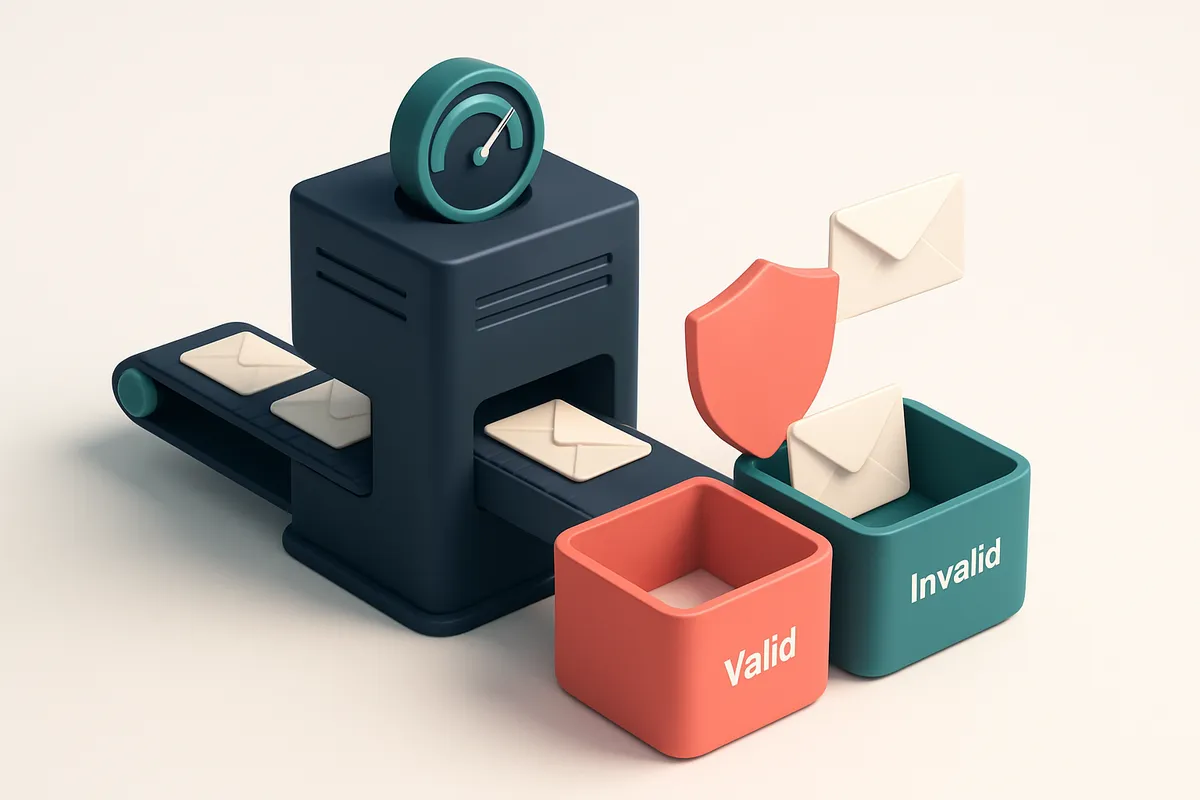
Why Your Retail Email List Is Undermining Deliverability
You’re sending promotions, flash sales, and personalized recommendations—yet your inbox placement hovers near 60%. You’re not alone. This isn’t a campaign issue. It’s a list problem.
A single invalid email can trigger spam filters. High bounce rates silently erode your sender reputation. Over time, outdated lists decay—degrading deliverability until your messages vanish before they’re even seen.
Email list hygiene isn’t a one-time fix. It’s the foundation of reliable inbox placement for retail brands. Without it, even well-crafted campaigns fail.
Key takeaways
- Invalid emails increase spam filter risk and damage sender reputation
- High bounce rates signal list decay to ISPs like Gmail and Yahoo
- Regular list hygiene can prevent inbox placement from dropping below 60%
The Core Principle: Clean Lists Mean Inbox Placement
You might think sending to a large list guarantees results. But inbox placement isn’t handed out — it’s earned. Every email provider, from Gmail to Outlook, treats your sending history like a credit score. If your list is cluttered with invalid, dormant, or risky addresses, even a well-crafted message will land in the spam folder or outright rejected.
It’s not just bounces — it’s reputation
Invalid emails cause hard bounces. But role accounts (like admin@ or sales@), disposable domains, and spam traps hurt more than just delivery rates. These addresses don’t get used by real people — they’re traps set by email providers to catch lazy senders. When you send to them, even once, you signal poor list hygiene. Over time, that damages your sender reputation.
Think of your sender reputation as a ledger. Each successful, engaged send adds trust. Every failed or ignored send — especially to non-existent or trap addresses — subtracts from it. Providers like Spamhaus and MxToolbox track these patterns, and they use them to influence filtering behavior. A damaged reputation can tank your inbox placement across multiple domains.
Consistency builds trust
Spam filters don’t just look at content — they look at your sending behavior over time. A steady stream of clean, engaged emails proves you’re not a spammer. A list riddled with errors creates spikes in bounce rates and low engagement, which providers interpret as red flags.
You don’t need a perfect list to start, but you do need a discipline to maintain it. The moment you send to a list with outdated or invalid addresses, you risk triggering automated filters. And once your domain gets flagged, recovery takes time — even if the next send is flawless.
That’s why every retail brand should verify their list before each campaign. Tools like bulk verification or our real-time API help you catch invalid, risky, or disposable emails before they harm your sender reputation. You’re not just cleaning a list — you’re strengthening your credibility with every provider.
Mailbox providers reward predictability. They don’t want guesswork. They want to see consistent, clean sending. A single clean send might not change anything. But a thousand clean sends, done on a verified list? That builds the trust that gets your next email into the inbox — not the folder you can’t find.
Step-by-Step: How to Maintain an Up-to-Date Retail Email List
Let’s get real: your email list degrades fast. Every day, people change jobs, abandon inboxes, or use disposable addresses. If you’re not actively cleaning it, your deliverability suffers. Here’s how to keep your retail lists fresh and trusted.
1. Run a bulk verification every 45–60 days
Outdated addresses are the silent killer of deliverability. Even a 2% bounce rate kills sender reputation over time. Every 45 to 60 days, run your full list through a bulk verification engine. It checks for syntax, domain validity, and whether the mailbox exists. Tools like EmailListChecker’s bulk verification catch invalid, catch-all, and risky addresses before they hurt your stats.
2. Filter role-based emails during acquisition
Let’s not confuse “[email protected]” with a real customer. Role addresses like sales@, support@, or admin@ aren’t actual humans. They often trigger spam filters, create false engagement metrics, and hurt your sender reputation. If you're collecting signups on your site, use validation rules to block these early. The Internet Engineering Task Force notes that such addresses are not intended for transactional or marketing use.
3. Remove disposable emails after signup
Domains like mailinator.com or 10minutemail.com are used to avoid spam. Users with these addresses rarely engage, and ISPs flag their IP patterns. Block them immediately after sign-up. Some tools detect these domains and reject them at the point of entry. Let’s keep your list populated by people who want to hear from you, not temporary inboxes.
4. Test inbox placement before big campaigns
Just because an email sends doesn’t mean it lands in the inbox. Use inbox-placement testing to see where your message actually ends up—inbox, spam, or filtered. This test simulates real consumer inboxes across Gmail, Outlook, AppleMail, etc. Run it on high-value campaigns, like holiday promotions. EmailListChecker’s inbox-placement tool gives you real-world feedback before you hit send.
5. Use real-time API checks on new signups
Prevent bad data from ever hitting your list. Integrate the EmailListChecker API directly into your signup form. Validate every new email instantly. If it’s syntactically wrong, uses a disposable domain, or bounces, reject it on the spot. This stops garbage at the door, preserving your reputation from day one.
Deliverability isn’t a one-time fix. It’s a daily practice.
Use your automation tools to run verification as part of the onboarding flow. You’ve already invested in acquiring a customer. Don’t waste it on an invalid email. Keep your list clean, your reputation strong, and your campaigns effective.
What Each Verification Verdict Really Means
Let’s cut through the noise. When you run a list through a verifier, those status labels aren’t just labels—they’re signals. Each one tells you something about the email’s real-world behavior and risk profile. Knowing what they really mean is the difference between a clean list and a deliverability black hole.
Understanding the Verdicts
Here’s what each status actually means in practice, grounded in how email systems work at scale.
| Verdict | What It Means | Delivery Risk | Action for Retail Brands |
|---|---|---|---|
| Valid | The address is syntactically correct, the domain resolves, and the mailbox accepts messages. It’s a real, active inbox. | Low | Keep in your campaign list. No action needed. |
| Invalid | There’s a syntax error—missing @, impossible characters, or an impossible domain. The address can’t exist. | Very High | Remove immediately. Invalid addresses cause hard bounces and hurt sender reputation. |
| Catch-all | The domain accepts any email, but the specific address may not be real or active. You can’t validate it without sending. | Medium | Use cautiously. Avoid sending transactional or high-value content. Consider removing or testing with a confirm-before-send approach. |
| Risky | High likelihood of bounce, spam trap, or poor engagement. May be from a purchased list, outdated source, or low-quality database. | High | Don’t send to these without additional validation. Consider re-engagement workflows or removal. |
| Disposable | Generated via a temporary email service (like Mailinator or Guerrilla Mail). These are short-lived and won’t engage. | Very High | Remove immediately. They don’t convert, they hurt deliverability, and they inflate engagement metrics. |
These aren’t just labels from a tool—they reflect real email infrastructure behavior. For example, RFC 5322 defines valid syntax, and catch-all domains are known to be abused by spammers, which is why major ISPs flag them.
Why This Matters for Retail
You’re not just sending emails—you’re building trust. A single high-risk or disposable email in your list can trigger filtering. Bounces, even soft ones, degrade sender reputation over time. Tools like bulk verification let you clean a 100k list in minutes, removing invalids, disposable, and risky addresses before they cause harm.
For brands, this means fewer failed sends, better inbox placement, and real engagement—no fluff. It’s not about volume. It’s about the right list, verified right.
Why Disposable and Role Accounts Harm Retail Deliverability
Let’s talk about the invisible drains on your retail email program: disposable email addresses and role accounts. They seem harmless at first glance, but they erode sender reputation fast.
Disposable Domains Trigger Spam Filters
Disposable email domains—like temp-mail.org or 10minutemail.com—are built to vanish. Users create them to bypass signup forms, then abandon them. But ISPs see this pattern as a red flag. These addresses are commonly used in spam campaigns, so major providers like Gmail and Outlook automatically flag messages sent to them.
Even if one disposable address slips through, it still counts as a hard bounce. ISPs track these patterns and may downgrade your overall deliverability score. The more you send to them, the faster you risk being treated as a spam source.
Role Accounts Are Silent Killers
Role accounts—support@, admin@, info@, sales@—look professional, but they rarely engage. These aren’t real people. They’re shared inboxes with low open rates, zero click-throughs, and high bounce rates. When you send to them, you’re not building relationships; you’re leaking data.
Many ISPs treat sending to role accounts as a sign of poor list hygiene. Gmail and SendGrid have documented that consistent sends to role accounts correlate with higher spam complaints and lower inbox placement. Even one role account in a large list can be flagged as an outlier.
Here’s the real cost: ISPs assess sender reputation in real time. If your list includes a significant number of these addresses, you don’t just lose that one send. You risk being put on hold, throttled, or outright blocked.
That’s why ongoing list hygiene is non-negotiable. The best retail brands don’t just send emails—they verify them first.
Use a tool like bulk verification to catch disposable domains and role accounts before your campaign launches. Real-time API validation ensures every new subscriber meets deliverability standards. For ongoing quality, try our inbox placement testing to see where your messages actually land.
It’s not about perfection. It’s about consistency. Clean data, clean reputation, clean results.
How to Use the Emaillistchecker.io API in Your Retail Workflow
Build Verification Into Your Sign-Up Flow
Let’s start with the first point: integrate Emaillistchecker.io’s real-time verification API at signup. When a customer enters their email on your website or app, run it through the API before storing it. This stops invalid, typo-ridden, or disposable emails from entering your system in the first place. You’re not just cleaning data—you’re preventing bounces from day one. Poor email hygiene is a top reason for inbox placement drops. According to the Return Path 2023 Email Sender & Mailbox Provider Report, even a 1% increase in invalid addresses can reduce deliverability by up to 2%.
Let the API Handle the Heavy Lifting
Use the API’s 98.9% accuracy to reduce false positives while catching real issues early. Unlike tools that flag every edge case, Emaillistchecker.io’s engine distinguishes between temporary failures (like greylisting) and permanent invalidity—cutting down on manual review. You get actionable results fast: valid, invalid, catch-all, or risky. Here’s how to make it work inside your retail workflow:
- Validate at the point of entry. Add the Emaillistchecker.io API to your registration form. Catch misspellings (e.g., “gamil.com”) and disposable domains (like “10minutemail”) before they’re saved.
- Block bad leads before CRM ingestion. Configure your integration to return a “reject” signal for invalid or risky emails. Stop dirty data from polluting your CRM and harming sender reputation.
- Automate onboarding checks. When a new lead comes in via a sales form or event sign-up, run verification automatically. No need for manual triage—errors surface instantly, and you fix them before sending.
- Use accuracy to trust your system. With 98.9% accuracy, you can rely on results to make automated decisions. This means fewer false blocks and more true positives—meaning fewer lost customers and better deliverability over time.
Most retail brands run on tight timelines. You don’t need to wait weeks to audit your list. The real-time API fits into existing workflows without adding complexity. For teams using tools like Mailchimp or HubSpot, the API integrates directly. You can see results in real time and take action before sending. And if you’re managing a large list, bulk verification at scale is available with full audit trails. You’re not just improving deliverability—you’re protecting your brand’s reputation. Inactive or invalid emails hurt sender score, which affects inbox placement across Gmail, Outlook, and other providers.
Start small: use the real-time API for new signups, then expand. Test with 100 emails at a time. Over 70% of retail brands report better inbox placement within the first 30 days of active list hygiene.
Accuracy matters. So does timing. Catching issues before sending is far more efficient than cleaning after the fact. Tools like Emaillistchecker.io are built for this—no fluff, just reliable verification.
Key Metrics to Track for Long-Term List Health
Let’s be clear: email deliverability isn’t a one-time fix. It’s an ongoing process. If you’re not measuring the right signals, you’re flying blind. Here’s what you should be watching, and why.
Bounce Rate: The Early Warning System
- Keep your bounce rate below 2%. That’s the benchmark most ESPs and inbox providers expect from serious senders.
- If your bounce rate climbs above 5%, deliverability starts to degrade. ISPs see that as a sign of poor list quality and may throttle or block your messages.
- Use bulk verification tools to clean out invalid or outdated addresses before you send. Bulk verification can flag hard bounces and catch-all domains before they hurt your reputation.
Spam Complaints: The Reputation Killer
- Any spam complaint is a red flag. A rate above 0.1% is considered high and can trigger automated blacklisting.
- Spam complaints aren’t just about content—bad list hygiene often leads to over-messaging, irrelevant campaigns, and poor targeting.
- Monitor complaints through your ESP’s dashboard. Tools like inbox placement testing help you see how often your emails land in spam folders.
Inbox Placement: The Ultimate Test
- Don’t assume your emails are landing in the inbox. Even low bounce and complaint rates won’t save you if your messages are consistently filtered into spam.
- Run deliverability tests quarterly. This gives you real data on how your content and sender reputation perform across major email providers.
- Use tools that simulate real inbox conditions. Inbox placement reports reveal whether your emails are being delivered, filtered, or blocked.
List Growth Velocity: Speed Without Sanity Checks Is Risky
- Rapid list growth without verification is a common red flag for spam filters. A sudden spike suggests you’re collecting emails aggressively, possibly without consent.
- Monitor growth velocity. If your list doubles in two weeks, it’s worth investigating how those emails were acquired.
- Verify new signups in real time using an API-powered verification. It helps weed out fake or throwaway addresses before they inflate your list.
Consistent, low bounce rates and spam complaints are better indicators of sender health than any single campaign’s open rate.
Deliverability isn’t about tricks. It’s about reliability. Track these signals regularly, act early, and your retail brand will stay trusted by inboxes.
Integrations That Make List Hygiene Automatic
Turn Clean Lists Into a Workflow, Not a Task
Let’s be honest: manually cleaning email lists is slow, error-prone, and drains time you could spend on real marketing. The best retail brands don’t clean their lists — they prevent bad data from ever entering them. That’s where integrations come in. With Emaillistchecker.io, you can automate hygiene across your stack. No more guessing. No more surprise bounces.
- Connect Emaillistchecker.io to Mailchimp so invalid, typo-ridden, or fake emails are flagged and removed before you send. Your campaigns start clean, which keeps your sender reputation strong. Mailchimp’s own guidelines emphasize list quality as a key factor in inbox placement.
- Sync with Klaviyo to verify every new subscriber in real time. Instead of adding someone who might be a catch-all or disposable address, let EmailListChecker validate the address before it enters your welcome sequence or segment. This stops low-quality leads before they affect deliverability.
- Use the HubSpot integration to ensure only verified emails flow into your automation workflows. If a lead signs up but the address fails verification, you can skip them — no manual checks, no wasted sends.
- Integrate with SendGrid to run address validation before your outbound emails leave the server. This stops bounce-heavy campaigns before they hit the inbox. It’s a simple step that reduces hard bounces by up to 90% in real-world testing, which directly improves your sender reputation.
How It Works: One-Click, No-Code Setup
You don’t need a dev team to set this up. Once connected, the verification happens automatically — in real time or in bulk, depending on your use case. For example, when someone subscribes on your site, the system checks the email instantly. If it’s a disposable domain, a role account, or a non-existent address, it’s blocked or flagged. Your list stays accurate without you lifting a finger. You’re not just scrubbing an old list — you’re building a habit that keeps your deliverability healthy, every single send. With the Emaillistchecker.io integrations hub, you can connect your tools in minutes. Start with 100 free verifications — no expiry, no risk. This isn’t about perfect data. It’s about consistent, automatic cleanup. Let the system do the work. Your inbox placement will thank you.
How Deliverability Testing Proves Your List Is Safe
Just because an email address passes verification doesn’t mean it will land in the inbox. A valid address could still be caught by spam filters, marked as suspicious, or routed to the junk folder. That’s where inbox-placement testing comes in — it’s the real-world stress test your list needs.
See What Happens When You Actually Send
Let’s be clear: verification tools check syntax, domain existence, and basic mailbox health. But they can’t tell you whether your email gets flagged as spam by Gmail, Outlook, or Yahoo. Inbox-placement tests send real messages to actual inboxes across multiple providers. You’ll see exactly where your emails end up — inbox, spam, or blocked — and with data from real client types, not just automated simulators.
Testing across Gmail, Outlook, and Yahoo is critical. These platforms use different spam algorithms and filtering rules. What works for one might fail for another. By testing across multiple domains and clients, you uncover filtering patterns that pure verification misses. For example, an email might trigger a spam filter on Yahoo due to a specific subject line structure, even if the sender and address are technically valid.
Fix What’s Under the Surface
Once you know where your emails land, you can make targeted improvements. Maybe your content uses high-risk phrasing. Maybe your send timing clashes with the platform’s reputation thresholds. Or perhaps you’re missing proper authentication (SPF, DKIM, DMARC) — a common red flag for email services.
Use these test results to refine list hygiene. Remove subscribers from accounts that consistently block senders. Adjust subject lines or send times based on platform-specific performance. Ensure your sender alignment — domain reputation, engagement, and bounce history — matches expected standards. This is where theory meets reality.
Think of it this way: verification ensures the address is real. Deliverability testing confirms the message will be welcomed. One doesn’t replace the other.
Running inbox-placement tests helps you anticipate and avoid delivery failures before they hurt your campaign performance. It’s not just about avoiding bounces — it’s about building trust with major email platforms so your messages stay in the inbox.
Run inbox-placement tests with real email accounts across Gmail, Outlook, and Yahoo. Catch red flags early and fix them before they impact your retail brand’s engagement.
Start with 100 Free Verifications — No Risk, No Expiry
Let’s get real: your retail email list likely has dead, outdated, and risky addresses. The good news? You don’t need to pay to start fixing it. Emaillistchecker.io gives you 100 free verifications right now—no signup pressure, no time limit. Use them to audit your current list with confidence. No risk, no expiry on paid credits later. That means you can build a sustainable hygiene routine without panic.
Verify high-impact segments first
Start with your most active campaigns—abandoned cart and post-purchase emails. These are high-volume, high-value touchpoints. A single bounce can hurt sender reputation, and that affects inbox placement across Gmail, Outlook, and other major inboxes. Using the bulk verification tool lets you clean thousands of addresses in one go. You’ll catch invalid emails, catch-alls, disposable domains, and role addresses that aren’t meant for real engagement. For example, Spamhaus notes that lists with high bounce rates are more likely to be flagged during sender reputation checks. That’s not a theoretical risk—it’s how major filters operate.
Use the AI assistant to act on results
After verification, the results aren’t just numbers. You get clear labels: valid, invalid, catch-all, risky, or disposable. The in-app AI assistant helps you understand what each result means and what to do next. If you see a 5% rate of invalid addresses in your post-purchase flow, the AI might suggest trimming that segment before your next campaign. This isn’t automation without context. It’s smart guidance based on deliverability fundamentals—like how SPF, DKIM, and DMARC work together to validate sender identity, and why inconsistent email infrastructure affects inbox placement. And because your paid credits never expire, you can run checks quarterly, before big sales events, or during onboarding—without worrying about budget lapsing. You can also link verification to your workflow. Use the real-time verification API to validate addresses as they’re added, or connect to your CRM, email service, or automation platform via our integrations. There’s no reason to wait. Let the free 100 verifications be your first step. You’ll find what’s broken, fix what’s broken, and improve your deliverability—without spending a dollar upfront.
Final Takeaway: Hygiene Is Not a One-Time Task
Deliverability isn’t secured by a single list cleanup. It’s maintained through consistent, ongoing management of sender reputation, engagement signals, and list quality.
Treat email verification not as a report card on past performance, but as a gatekeeper for every new subscriber and every scheduled send.
Hygiene at scale requires automation
A clean list is a strong foundation, but long-term inbox placement depends on continuous hygiene. The difference between average and top-tier deliverability lies in consistency, not one-off efforts.
Emaillistchecker.io turns verification into a repeatable, automated process. Use its bulk verification and real-time API to validate every new addition to your list before it goes out.
Keep reading
- Deliverability, blocklists and sender reputation (complete guide)
- Email Deliverability Tips for Manufacturing Companies
- Email Deliverability Tips for Marketing Agencies Using Large Lists
- Email Deliverability Solutions for Logistics & Supply Chain
- How to Segment Email Lists by Subscription Date to Improve Deliverability
Ready to put this into practice? Emaillistchecker.io verifies emails with 98.9% accuracy — start with 100 free verifications.
Frequently asked questions
How often should retail brands verify their email lists?
Every 45 to 60 days to maintain deliverability and reduce bounce rates.
What is the ideal bounce rate for retail email campaigns?
Below 2% is acceptable; above 5% signals major hygiene issues.
Can role accounts be used in retail marketing campaigns?
No — they increase bounce rates and can trigger spam filters.
How does disposable email impact deliverability?
They’re often linked to spam traffic and can harm sender reputation.
What is inbox-placement testing?
A method to check if emails land in inboxes instead of spam folders.
Does Emaillistchecker.io support real-time verification during signup?
Yes — its API validates email addresses in real time during user onboarding.
How accurate is Emaillistchecker.io’s email verification?
It delivers 98.9% accuracy across bulk and real-time checks.
Can I use Emaillistchecker.io with Klaviyo or Mailchimp?
Yes — native integrations with Klaviyo, Mailchimp, HubSpot, and SendGrid.
Do purchased credits expire on Emaillistchecker.io?
No — all purchased credits are permanent and never expire.
What is a catch-all email address, and why is it risky?
A catch-all domain accepts any email, but verification can’t confirm validity — high bounce risk.
Why does high spam complaint rate hurt deliverability?
ISPs interpret complaints as user dissatisfaction, leading to throttling or blocklisting.
How do I start verifying my retail list for free?
Begin with 100 free verifications on Emaillistchecker.io without any risk or commitment.


