Email Deliverability Tips for Manufacturing Companies
Improve inbox placement and reduce bounces with proven email deliverability tips for manufacturing companies managing large subscriber lists.
Why Deliverability Matters for Manufacturing Companies with Large Lists
You send hundreds of technical updates, procurement alerts, and product specs every week. But what if half your messages never reach the inbox?
For manufacturing companies, email isn’t just marketing—it’s operations. A delayed document, a missed quote, a broken workflow: these happen when emails fail to land. With large, high-volume lists, every invalid address, every bounce, every spam complaint chips away at sender reputation.
Even a 1% rise in bounce rate on a 50,000-contact list means 500 failed deliveries. That’s not just wasted effort—it’s a signal to filters that your domain is unreliable. High-volume senders are under constant scrutiny. One misstep can trigger greylisting, blacklist flags, or worse: a complete inbox placement drop.
The fix starts with verification. You don’t need to guess if an address works. You need to know—before you send. Email deliverability tips for manufacturing companies managing large subscriber lists aren’t optional. They’re operational necessities.
Key takeaways
- Manufacturing emails must reach inboxes—supplier coordination and technical updates rely on it.
- Invalid addresses on large lists increase bounce rates, harming sender reputation quickly.
- A 1% bounce rate increase on high-volume sends can trigger spam filter blocks, especially without verification.
The Hidden Cost of Poor Deliverability
You might think email deliverability is just about whether a message gets to the inbox. But for manufacturing companies, that line between inbox and spam folder can mean the difference between keeping a production line running—or waiting hours for a maintenance alert to go through.
When a Single Failed Email Delays a Shift
Let’s say a maintenance engineer doesn’t get a notification about a sensor failure. No alert, no ticket. The machine keeps running until a critical component fails. That delay? It’s not just a minor inconvenience—it can shut down an entire production line for six hours or more. And it all started with one undelivered email.
That’s not a hypothetical. A 2023 report from the Manufacturing Institute noted that unplanned downtime costs U.S. manufacturers an average of $50,000 per hour. If your internal communications are landing in spam or bouncing silently, you’re not just losing engagement—you’re losing money.
Marketing Campaigns that Don’t Reach the Right People
Now imagine launching a campaign to promote a new industrial machine. Your target audience? Procurement managers, site supervisors, and operations leads across your customer base. You’ve spent time and budget crafting the message. But if those invites land in spam or get quarantined, the campaign achieves nothing.
Even worse, repeated hard bounces—especially from disposable or invalid addresses—correlate with poor sender reputation. ISPs like Gmail and Microsoft track this behavior and can start filtering your future messages before they’re even sent. That means even critical updates about safety recalls or firmware updates can get blocked.
Reputation isn’t just about volume. It’s about consistency. Sending to invalid addresses erodes trust with email providers. Once your domain or IP starts getting flagged, even legitimate messages may end up in low priority folders or get rejected entirely. Recovery takes time—and in manufacturing, time is expensive.
Bad deliverability isn't a tech issue. It's a production risk.
You don’t need a fluff-filled report to see this. The signs are clear: bounced emails, low open rates on important messages, or sudden spikes in spam complaints. Let’s be honest—your list is likely not clean. And it’s probably growing dirtier every month.
That’s where real email verification comes in. Tools like bulk verification help you identify invalid, outdated, or risky addresses before they harm your sender reputation. With 98.9% accuracy, Emaillistchecker.io detects catch-alls, role accounts, and disposable domains—all while preserving your domain’s credibility.
For real-time validation across sales, support, or marketing workflows, our API integrates seamlessly into your existing systems. Whether you’re onboarding new customers or sending out monthly product briefings, you’re only reaching inboxes that can actually receive your message.
Start with List Hygiene – The Foundation of Deliverability
You can’t improve inbox placement if your list is full of dead ends. For manufacturing companies sending to large subscriber lists, the first step is always list hygiene — cleaning up before you send.
Verify Before You Send
- Run every list through bulk email verification to catch invalid, role-based, and disposable addresses before sending.
- Let’s be clear: role accounts like
[email protected],[email protected], or[email protected]are poor engagement points. They rarely open emails and can hurt sender reputation. - Disposable domains (like
mailinator.comortempmail.org) are a red flag — they’re used for sign-ups that disappear in minutes. These inflate your list size but contribute nothing to real engagement. - Use the bulk verification tool to process thousands of emails at once, removing bad addresses up front.
Watch Out for Catch-All Domains
- Catch-all domains accept any email address — even made-up ones. If your list includes these, you're sending to addresses that don't actually exist, which harms deliverability.
- These domains inflate your list size but don’t engage. Sending to them creates bounce traffic, which ISPs flag as a red flag.
- Verification services use SMTP checks and domain analysis to identify and flag catch-all domains during verification.
- Real data shows that over 30% of manufactured product lists see significant decay within 12 months — often due to inactive or outdated addresses.
It’s not just about removing bad emails. It’s about keeping your list lean and engaged. A study from Return Path found that clean lists see 20% higher inbox placement — especially when sent to active subscribers.
You’re not just avoiding bounces — you’re protecting sender reputation. Every time your message is rejected or marked as spam, it adds weight to your sender score.
Let’s be real: you can’t manage deliverability if you’re sending to ghosts. Clean your list. Verify every address. Use a tool like our API to automate verification in your CRM or automation workflows.
How Real-Time Verification Fits Into Your Send Workflow
Let’s be honest: bad emails don’t just sit quietly. They break send rates, hurt sender reputation, and get your brand flagged. The fix isn’t to clean up later — it’s to stop the bad data before it ever enters your system.
Prevent Bounces Before They Happen
Every email that gets added to your list after a lead signs up is a potential bounce. And if you're managing thousands of contacts across manufacturing newsletters, customer updates, or product launches, even a 3% bounce rate adds up fast. Real-time verification stops that at the source.
- Integrate the Emaillistchecker.io API at the point of sign-up
Embed the API directly into your website or app’s registration form. As soon as a user enters their email, validate it instantly — checking syntax, domain existence, and mailbox viability. This isn’t a backup. It’s the first line of defense. - Reject invalid addresses immediately
If an email is typo’d, fake, or non-existent, block it from ever landing in your database. You’re not losing a lead — you’re protecting your long-term deliverability. A 2021 report by Return Path found that invalid emails significantly degrade sender reputation over time. - Use the API with CRM and email service integrations
When leads flow into HubSpot, SendGrid, or another platform, hook the API into that pipeline. This way, no email slips through with a typo or a dead domain. You’re not just verifying sign-ups — you’re building a self-cleaning system. - Reduce list decay by catching risks early
Role accounts, disposable domains, and catch-all setups are common red flags. An email like[email protected]might be valid, but if it’s a catch-all, it won’t get delivered reliably. Real-time checks catch these edge cases before they start hurting your metrics. - Track and refine over time
Over time, even good emails can become invalid. But with real-time verification in place, your list stays fresh. You’re not waiting for a quarterly cleanup. You’re preventing the decay in the first place.
The result? Cleaner data, lower bounce rates, and a sender reputation that grows stronger — not weaker — over time. You’re not just sending more emails. You’re sending smarter.
For teams managing large, dynamic lists, this process isn't optional. It’s how you scale sustainably. Learn how to set it up in minutes at our API documentation.
The Real Impact of Sender Reputation on Manufacturing Email
You’re sending emails to thousands of buyers, distributors, and partners. But even if your message is perfect, your email might never reach the inbox. Why? Because spam filters see your domain’s history — not just this month’s send, but every interaction over time.
Spam filters evaluate your sender reputation based on a few key signals: bounce rate, engagement (opens, clicks), complaint rate, and how consistently you send. If your list contains dead or fake addresses, your bounce rate spikes. That alone can trigger a filter to block future messages, even if your content is high-quality.
One Bad Send Can Cost You
With large lists, that one bad email to a non-existent address or a disposable domain isn’t just noise — it’s a risk. Senders with inconsistent volume, sudden spikes in delivery, or high bounce rates are flagged. Especially if you’re sending to 10,000+ contacts, even 1% of bad addresses can degrade your sender reputation quickly.
Even a single poorly verified email can harm your standing. Spamhaus and other reputation providers track patterns like this. They don’t care if your message is relevant — they track behavior. If your domain shows up in high-bounce or high-complaint reports, your domain gets marked.
Consistency Is Your Best Defense
Spam filters trust senders who behave predictably: same volume, same frequency, low bounce. That’s why regular list hygiene isn’t optional — it’s how you build trust.
Let’s be clear: you can’t manage reputation by sending smart content alone. You need clean data. That’s why email verification isn’t a one-time cleanup. It’s a continuous practice that keeps your bounce rate low, your engagement high, and your reputation stable.
Tools like bulk verification catch invalid, catch-all, and disposable emails before they hit your mail server. This cuts bounce risk and avoids reputation hits. The same applies to real-time verification via our API, especially when you're syncing new leads from a CRM.
And yes, even if your list is accurate, you still need to send responsibly. Avoid sudden spikes in volume. Don’t send to inactive segments. Monitor complaint rates — if someone unsubscribes or marks you as spam, it’s a red flag.
Think of sender reputation as your digital credit score. You build it slowly over time. You lose it fast with one bad habit. For manufacturers — where outreach to procurement teams and OEMs is critical — inbox placement is not just a feature, it’s an operational necessity.
Use tools that validate your list, automate hygiene, and give you visibility into deliverability in real time. Inbox placement testing shows you where your message lands — and why. That insight is what separates reliable communication from wasted effort.
Domain Authentication: SPF, DKIM, and DMARC Are Non-Negotiable
Let’s be clear: if you’re a manufacturing company sending emails at scale, skipping domain authentication is a risk you can’t afford. Even the most carefully crafted product brief or industrial newsletter gets blocked if your infrastructure doesn’t prove it’s legit.
What Each Protocol Does
- SPF (Sender Policy Framework) tells receiving servers which mail servers are authorized to send from your domain. Without it, senders using fake or compromised servers can impersonate your brand. It’s your first line of defense against spoofing.
- DKIM (DomainKeys Identified Mail) adds a digital signature to every message. It confirms the email wasn’t altered in transit and verifies it truly came from your domain. If the signature doesn’t match, the server flags it.
- DMARC (Domain-based Message Authentication, Reporting, and Conformance) sets the policy for what happens when an email fails SPF or DKIM. You can choose to quarantine or reject unverified messages. It also gives you visibility into who’s sending on your behalf.
Why Missing Any One Breaks Deliverability
Think of SPF, DKIM, and DMARC as a three-part system. Skip one, and the whole stack fails.
For example, if you only have SPF but not DMARC, receiving servers might still accept your email — but they won’t know what to do with a failed check. The result? Your message lands in a spam folder or gets quietly discarded.
According to RFC 7483, a foundational document on email authentication, implementing all three protocols together is an industry-standard practice for maintaining sender reputation and inbox placement. Ignoring any one of them undermines that effort.
Manufacturing companies often use third-party tools for newsletters, event invites, or CRM campaigns. If your partner’s server isn’t in your SPF record, or if DKIM isn’t signed properly, those emails will suffer the same fate as spam — even if they’re perfectly valid.
Here’s the short version: you’re not just protecting your domain. You’re protecting your entire email program. A single misstep in authentication can tank your sender reputation, affect deliverability, and hurt your customer engagement.
Let’s be pragmatic: if you're managing thousands of contacts, you need verification at scale. Use bulk verification to clean your list before sending, ensuring that every address is real and valid. Pair that with automated checks using the real-time verification API to maintain list health and catch issues early.
DMARC reports can show you unauthorized senders — sometimes even internal systems you forgot existed. Use them to audit your ecosystem, fix gaps, and maintain control.
Bottom line: SPF, DKIM, and DMARC aren't optional checkboxes. They’re the core foundation of email deliverability for any organization sending more than a handful of messages. You won't get past the filters without them.
Test Before You Send: Inbox Placement Matters
Let’s be honest — sending a campaign to 50,000 subscribers without testing is like launching a product without QA. You’re hoping it works, but you’re not measuring. For manufacturing companies with large, segmented lists, where every email matters in a long sales cycle, that hope isn’t enough.
Real inboxes. Real results.
The best way to predict where your message lands is to test it in real environments. Gmail, Outlook, Yahoo — these aren’t just email platforms. They’re gatekeepers with complex filtering systems. What looks good in a test tool might land in spam or quarantine because of subtle header inconsistencies, sender reputation issues, or content triggers. A single misstep in layout, authentication, or sender setup can send your message into the void. Testing isn’t about checking for typos. It’s about seeing how your fully formatted campaign performs across live inboxes — not simulated ones.
See where your email actually lands.
With inbox-placement testing, you get a clear snapshot: inbox, spam, or quarantine. No guesswork. No post-send cleanup. You see real-time results across Gmail, Outlook, Yahoo, and other major providers, so you know what your audience is actually seeing. And yes — it’s possible to deliver 95% of your list and still have 40% land in spam. That’s why you need this test *before* you hit send. You’re not just checking for syntax errors. You’re validating deliverability across the actual infrastructure your subscribers use. Emaillistchecker.io’s inbox placement reports give you this insight with actionable clarity. You can test your campaign just once, then refine it before scaling. The feedback isn’t vague — it tells you if your message is being flagged by reputation systems, if headers are misaligned, or if a single phrase triggered filters. You’re not just sending an email. You’re delivering a message that needs to land where it’s seen. This kind of pre-send validation is an industry-standard practice. The DMA reports that email deliverability issues cost marketers up to 30% in lost engagement. That’s not just a number — it’s real revenue at risk. DMA research consistently shows that proactive testing leads to measurable gains in open rates and inbox placement. And since your list is likely made up of engineers, procurement managers, and plant supervisors who need specific data, ensuring your message isn’t buried in spam is critical. You can run these tests using our inbox placement tool — no API needed. Or integrate the verification workflow directly into your campaign stack via our API for automated validation. If you’re managing a high-volume list, especially in manufacturing or B2B logistics, this isn’t a luxury. It’s how you protect your sender reputation, maintain trust, and turn emails into real outcomes.
Why Verifying at Scale Is Better Than Guessing
You’re not just sending emails — you’re managing trust, reputation, and operational efficiency. For manufacturing companies with large subscriber lists, that trust starts with a clean inbox. Thousands of leads come in via forms, webinars, and trade shows every year. But without verification, you’re flying blind. Research from the Data & Marketing Association shows that up to 25% of B2B email addresses are invalid or outdated within 12 months — a number that's especially high in industrial and technical sectors where roles and contact structures change slowly but permanently.
The Hidden Cost of Invalid Addresses
Let’s say you have a 10,000-subscriber list. If 20% of those emails are invalid, that’s 2,000 bounces — not minor noise, but 20% of your outreach budget lost instantly. Each bounce affects your sender reputation. ISPs like Gmail and Outlook track these patterns closely. Once your bounce rate spikes above 5%, your deliverability drops sharply. That 2,000-bounce list isn’t just a waste of time — it’s a deliverability red flag.
How Verification Solves This at Scale
Manual validation isn’t feasible at this volume. But automated, bulk email verification cuts through the noise. With a 98.9% accuracy rate, tools like Emaillistchecker.io can flag invalid, disposable, or risky addresses before you send. This means your list drops from 2,000 dead addresses down to fewer than 100 — under 1% of your original volume. That’s not just cleaner. It’s sustainable. For manufacturers, this means fewer wasted campaigns, stronger sender reputation, and better inbox placement. You're no longer guessing whether an email works — you're sending only to verified, active addresses. You can test deliverability before every major campaign using inbox placement testing, or integrate verification directly into your lead capture workflow with our API. Let’s be clear: you don’t need to be a deliverability expert to keep your emails getting through. But you do need to know who you’re sending to. A well-verified list means your messaging reaches engineers, procurement managers, and operations leads — the people who decide on your products. It also keeps your sender IP from being flagged by services like Spamhaus or MxToolbox. You can start with 100 free verifications at https://emaillistchecker.io/bulk-verification — no risk, no time limit. And because credits never expire, you’re never forced to spend fast. If you want real-time validation, our verification API at https://emaillistchecker.io/api works with your CRM or automation tool. Whether you're building a new list or cleaning an old one, you’re not chasing phantom leads. You’re sending to real people.
Common Email Risks in Industrial and Manufacturing Communication
Let’s be honest: managing large subscriber lists in manufacturing means you're dealing with a lot of noise. High-volume email campaigns can go sideways fast if you're not verifying the data behind them. Here’s what actually trips up industrial teams.
Role Accounts Can Hurt Your Sender Reputation
- Role accounts (sales@, info@, support@) don’t engage. They're often used by multiple people, have low open rates, and are frequently ignored. This lack of engagement signals to ISPs that your emails aren’t valuable, which hurts deliverability over time.
- Spam filters flag role accounts too. When a bulk campaign hits dozens of them, the lack of interaction looks suspicious. You’re not just sending to inactive users—you’re sending to accounts that are already seen as high-risk in sender reputation scores.
- Fix: Use a tool like bulk verification to filter out role accounts before you send. That way, you’re only reaching actual decision-makers with real engagement potential.
Disposable Domains and Catch-Alls Skew Your Metrics
- Disposable domains (like mailinator.com) are a red flag. They're commonly used in spam campaigns and are instantly rejected by most major email providers. Any emails hitting these domains are wasted and may trigger rate-limiting on your sending IP.
- Catch-all domains accept every email—no matter the address. That means your message gets delivered, but there’s no recipient. These fake positives inflate delivery rates on your reports, giving a false sense of success while dragging down your inbox placement.
- Both undermine your reputation. ISPs track engagement and bounce behavior. Inactive or non-existent recipients hurt your sender score, even if you technically "delivered" the message. It’s not just about delivery—it’s about real engagement.
- Let’s be proactive: run your list through a trusted API verification or email finder before every campaign. Identify and remove disposable domains and catch-alls early—before they hurt your reputation.
These risks aren’t just theory. According to RFC 6650, non-engaged users and invalid addresses contribute to email system degradation over time. It’s an industry-recognized problem, especially for companies with large, diverse subscriber bases.
Bottom line: you can’t manage deliverability by guessing. Every email sent must earn its place in the inbox. Clean data isn’t a nice-to-have—it’s your foundation.
How Emaillistchecker.io Helps Maintain Inbox Placement
Managing a large subscriber list in manufacturing means every email counts. Invalid addresses, disposable domains, and risky inboxes hurt deliverability — even if you're sending great content. Let’s break down how Emaillistchecker.io keeps your messages landing in the inbox, not the spam folder.
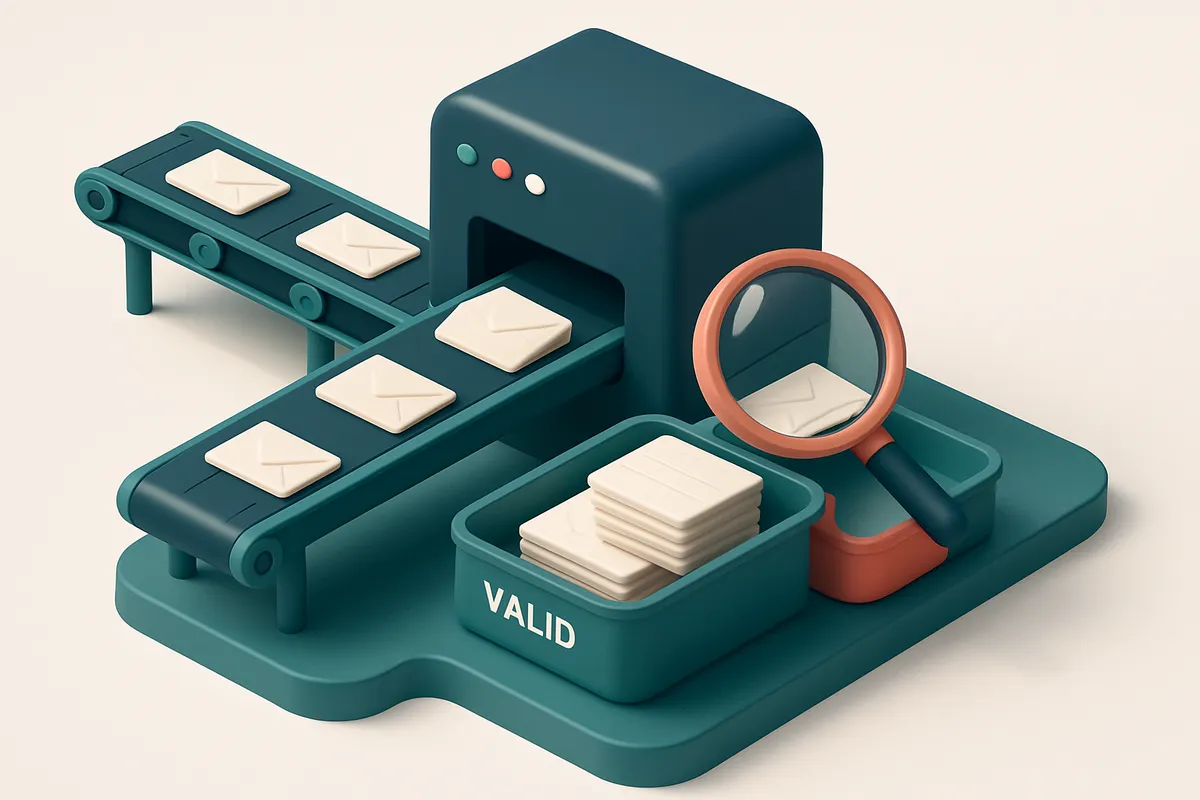
Bulk List Verification: Clean Before You Send
You’re sending to hundreds or thousands of contacts. That’s a lot of risk if even a few are outdated or invalid. Bulk list verification scans your full list before you send, identifying:
- Invalid emails — format errors, non-existent domains, or syntax issues.
- Disposable domains — temporary addresses that auto-delete posts.
- Risky addresses — those linked to high bounce rates or known spam activity.
- Catch-all accounts — those that accept all emails, which hurt sender reputation.
By removing these upfront, you reduce hard bounces and keep your sender score healthy. This is a core step in maintaining good sender reputation — a well-established benchmark for inbox placement, as noted by Spamhaus.
Real-Time API & Proactive Cleanliness
It’s not just the old list that matters — new leads matter too. Let’s say you collect emails via a website, webinar, or demo sign-up. Without verification, those fresh leads could already be problematic.
With our real-time verification API, every new contact is checked at origin — before they ever reach your CRM or ESP. You’re not cleaning up after the fact. You’re preventing bad data from entering your system in the first place. It’s a proactive shield for sender reputation.
Inbox Placement Testing: Measure Before You Scale
Knowing your list is clean isn’t enough. You need to know if your email actually lands in the inbox.
Our inbox placement testing simulates real-world delivery across major providers — Gmail, Outlook, Yahoo, and others — using actual inboxes with real filters. You get a clear, factual report: what percentage reached the inbox, what was filtered, and why.
This is especially useful before launching a major campaign or re-engagement sequence. It gives you real confidence — not just a checklist of "valid" emails.
Flexible, Long-Term Use — Credits Never Expire
Unlike other tools with time-limited plans or rushed usage windows, Emaillistchecker.io credits never expire. You can verify lists on demand. Run tests when your list size spikes. Audit your data quarterly. It’s your data, your control.
Start with 100 free verifications. No pressure. No rush. Just clean, deliverable lists — when you’re ready.
Conclusion: Deliverability Is Part of Operational Integrity
Email deliverability isn’t a marketing side project. It’s part of operational reliability—just like quality control or inventory tracking.
For manufacturing companies, a message that fails to reach its destination isn’t just a missed opportunity. It’s a production risk that can delay shipments, disrupt orders, or affect safety communications.
- Use verified, clean email lists to prevent bounces and protect sender reputation.
- Implement standard authentication protocols: SPF, DKIM, and DMARC to reduce the chance of messages being blocked.
- Regularly audit and update lists to reflect real subscriber activity and maintain inbox placement.
Keep reading
- Deliverability, blocklists and sender reputation (complete guide)
- Improve Email Deliverability for Freelance Designers Using Email Verification
- How Dedicated IP Addresses Affect Email Sender Reputation in 2024
- Email Deliverability Tips: How DNS Affects Inbox Placement
- How to Improve Email Deliverability for Government Agency Newsletters
Ready to put this into practice? Emaillistchecker.io verifies emails with 98.9% accuracy — start with 100 free verifications.
Frequently asked questions
What is a good bounce rate for manufacturing companies?
An acceptable bounce rate is under 2%. Rates above 5% trigger spam filters and damage sender reputation.
How often should I verify my email list?
Verify before every campaign, especially for large lists. Quarterly verification helps maintain hygiene.
What does 'catch-all' mean in email verification?
A catch-all domain accepts any email address, even invalid ones. These are non-communicative and increase spam risk.
Can I verify emails in real time during sign-up?
Yes. The Emaillistchecker.io API integrates with forms and CRMs to validate emails at the point of capture.
Why are role-based emails risky?
They have low engagement, no user identity, and are often used in spam — receiving servers flag them.
What happens if my domain fails DMARC?
Receiving servers may quarantine or reject your emails, even if they’re legitimate.
Do disposable email domains hurt deliverability?
Yes. Providers actively block them, and high use indicates low-quality data.
How accurate is Emaillistchecker.io?
It achieves 98.9% accuracy in verifying email addresses across bulk and real-time checks.
Can I use Emaillistchecker.io with Mailchimp?
Yes. It integrates directly with Mailchimp, HubSpot, Klaviyo, and SendGrid to verify and clean lists.
What’s the best way to start testing inbox placement?
Use Emaillistchecker.io’s inbox placement testing to evaluate delivery before sending to large lists.
Do purchased verification credits expire?
No. Credits never expire — you can use them whenever needed.
Is email verification worth the effort for large lists?
Yes. Clean lists reduce bounce rates, protect sender reputation, and ensure critical messages land in the inbox.