
What Is Blacklist Monitoring and Why Email Senders Need It
Learn what blacklist monitoring is and why it's essential for email deliverability. Protect sender reputation, avoid spam traps, and maintain inbox placement wi
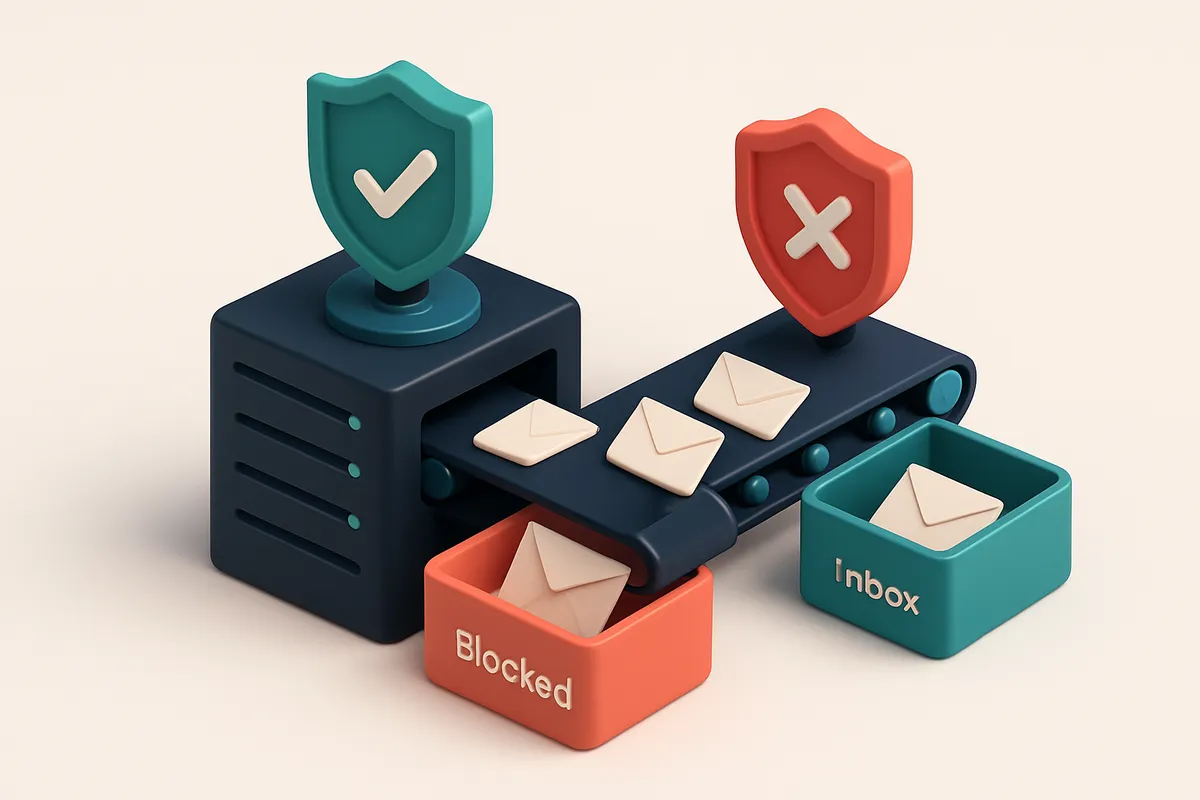
Blacklists Don’t Just Appear — They Hurt Your Deliverability
You send emails. They don’t land. No bounce, no error — just silence. Not because of spam filters, but because your IP or domain is on a blacklist. And no, it didn’t happen overnight.
Blacklists exist because email providers need to protect inboxes. Spam traps, compromised servers, and malicious domains make up the list. When one of them shows up, the entire infrastructure gets flagged. A single entry on Spamhaus or Barracuda can cut your inbox placement to near zero — even if your content is perfect.
Deliverability isn’t just about engagement. It’s about cleanliness. Your sender reputation depends on how clean your IP, domain, and sending practices have been. Blacklist monitoring is the early warning system that tells you when you're slipping into danger.
Key takeaways
- Major blacklists like Spamhaus and Barracuda can drop deliverability to near zero with a single listing.
- Blacklist appearances often result from compromised IP addresses or spam traps, not just poor content.
- Monitoring blacklists is essential because sender reputation reflects historical sending hygiene, not just recent engagement.
What Is Blacklist Monitoring? The Core Mechanism Explained
Let’s cut through the noise: blacklist monitoring isn’t a set-it-and-forget-it task. It’s the ongoing practice of checking your sending IP address and domain against dozens of known blocklists in real time. These lists aren’t random—they’re maintained by operators who track sources of spam, phishing, malware, and other abusive behaviors. Every time you send an email, your IP and domain are potential fingerprints. If they’ve been flagged before—by a previous sender or a compromised server—they can land on a blacklist without you even knowing. The moment that happens, your deliverability tanks. You might not get a warning. Your emails just vanish into the void.
How Blacklists Work in Practice
Public blocklists like Spamhaus (https://www.spamhaus.org/) or ORBS are widely used by email providers. They track abuse patterns and update listings hourly. But there are also private blocklists used by major platforms like Gmail and Microsoft that you won’t see directly. That’s why monitoring must include both. You can’t rely on a single check once a week and call it good. Spam sources change fast. A server that was clean yesterday might be compromised today. The same applies to domains—someone might register your brand name for malicious purposes, and if you aren’t watching, your reputation gets dragged down. A few key points: blacklists don’t block emails on their own. They inform systems whether to accept, filter, or reject your messages. But even being listed is enough to reduce inbox placement. The threshold varies—some providers ignore one-day listings, others treat any listing as a red flag.
Why Monitoring Must Be Active and Ongoing
You don’t wait for a problem to start checking. You monitor proactively. This means automating checks across multiple sources, including both public and private filters. That’s how you catch issues before they hurt your sender reputation. Blacklist monitoring works best when tied to your broader deliverability tools. For instance, if you verify your email list before every send—using a service like bulk verification at EmailListChecker’s bulk verification—you’re already reducing the risk of being flagged for sending to invalid or spam-trap addresses. And if you’re sending at scale, using a real-time API like EmailListChecker’s verification API ensures you’re not sending to IPs or domains already under suspicion. Ultimately, blacklist monitoring isn’t about avoiding a single list. It’s about building trust with email providers through consistency, accuracy, and proactive management. The goal is simple: keep your domain and IP in the clear, so your messages reach inboxes—not spam folders.
Common Sources of Blacklisting — It’s Not Just Spam
Let’s be clear: getting blacklisted isn’t always about sending spam. You can end up on a blocklist even when you’re doing things “right”—if your list or infrastructure has hidden flaws. And once you’re on one, it can hurt your deliverability for weeks, even months.
Invalid or Role-Based Addresses Trigger Alerts
Sending to addresses like admin@, support@, or sales@ isn’t inherently wrong—but these often see no engagement. When your messages go to role accounts with no open rates or click-throughs, systems interpret that as low-quality delivery. It’s a red flag. Providers like Gmail and Outlook track sender behavior, and they correlate unengaged deliveries with risky senders. Even if you’re not spamming, low engagement on stale or role-based addresses can trigger blacklists. Your list might look clean on the surface, but without verification, it’s full of ghosts. You’re wasting sends and risking your reputation.
Legacy IPs with a Bad Past
If you're using an IP address from a previous sender—especially if it was shared or poorly managed—it might have a negative history. IP addresses carry reputational baggage. A former sender may have sent high-volume messages with low engagement or poor setup. Even if you’re sending only permission-based emails now, that past traffic can still pull you into blocklists. Some providers, like Spamhaus, track IP reputations over time. If your IP has appeared in abuse records or has a history of being flagged, it stays on the radar. You can’t outgrow the past unless you isolate or rebuild from a clean IP.
Compromised Infrastructure Exposes Your Domain
Even if you didn’t send a single spam email, if your email infrastructure gets hacked—via a misconfigured server, vulnerable SMTP relay, or a botnet attack—your domain can be used in large-scale abuse campaigns. Once that happens, major providers may block your sender domain entirely. In 2022, a study by Return Path noted that domain reputation can degrade rapidly after a single compromise, even when the breach was isolated. The same study found that domains used in email abuse campaigns rarely regain trust without complete infrastructure reset. You don’t need to be careless. But if your security isn’t tight—or your infrastructure is outdated—you’re exposing yourself to risks you can’t see.
That’s why proactive blacklisting monitoring matters. It’s not just about catching spam—it’s about catching the silent, invisible risks. You need to know if your domain or IP is being flagged, and why. The best defense? Start clean. Verify your list before sending.
Use real-time verification to catch invalid, role-based, and risky addresses early. Bulk verification shows you which emails fail, so you won’t send to dead ends. And with inbox placement testing, you can check how well your messages land before you send at scale.
It’s not just about avoiding blocklists. It’s about building a sender reputation that lasts.
The Real Cost of Being Blacklisted
You might think blacklisting only hurts spammers. But here’s the truth: even if you’re sending legitimate emails, a single bad sender IP or a compromised mailing list can pull your reputation down with it. Every bounced message increases your risk—especially if it’s a hard bounce from an invalid or blocked address. That’s because mail providers don’t just look at your content or timing. They cross-reference your sending behavior with blacklists, and if your IP or domain shows up on one, your chances of landing in an inbox drop sharply.
Blacklists Shape Inbox Placement
Gmail, Outlook, and Yahoo don’t make inbox decisions in a vacuum. They use real-time data from sources like Spamhaus and Barracuda to assess sender trustworthiness. If your IP or domain is listed—whether due to a compromised server, a third-party provider’s misstep, or an old spammy list—it’s a signal to those providers: “This sender may not be safe.” The result? Your messages get filtered into spam folders or rejected entirely.
It’s not just about reputation—it’s about delivery. According to an industry report from Return Path, emails from blacklisted sources see inbox placement rates that plummet to under 5%. That means nearly all your campaigns are failing, even if you're doing everything right. And since many providers won’t even queue emails from blacklisted IPs, your messages might not arrive at all.
Recovery Is Not Instant
Getting delisted from a blacklist isn’t quick. It can take days—sometimes weeks—depending on the source. You might need to verify your domain ownership, fix DNS settings, or submit a removal request. But even after that, mail providers don’t immediately trust you again. There’s a waiting period, and during that time, your campaigns are stuck in neutral. No opens, no clicks, no conversions.
Consider this: a single list with outdated or invalid emails could get you listed. That risk is real—and preventable. The best way to avoid this is to verify your list before sending. Using a tool like bulk email verification catches invalid, disposable, and risky addresses before they cause trouble. It’s not just about cleaning your list—it’s about protecting your sender reputation at scale.
Let’s be clear: blacklists don’t care about your intent. They care about behavior. And if you’re not monitoring your sending health, you're playing with fire. Prevention isn’t optional—it’s a line in the sand.
How Blacklist Monitoring Prevents Deliverability Collapse
Let’s say your email campaign gets sent — but no one sees it. Not because of spam filters, but because your domain or IP is on a blacklist. That’s not hypothetical. It happens daily, and it can cut your inbox placement to zero.
Spot the problem before it’s too late
Blacklist monitoring isn’t about panic after you’ve lost deliverability. It’s about catching the warning signs early. If you’re listed on a blocklist like Spamhaus or Spamcop, your sender score starts dropping—sometimes without visible symptoms until it’s irreversible.
Real-time monitoring lets you detect these listings within minutes, not days. That window is critical. A single listing can trigger throttling or outright rejection by major email providers, and delays in removal compound the damage.
Know where the break happened
When you’re on a blacklist, it’s not just about the name—it’s about the root cause. Was it a misconfigured mail server? A forgotten marketing automation with outdated templates? A compromised account that sent spam without your knowledge?
Knowing you’re listed helps you isolate what went wrong. For example, if your IP is flagged, you can check if it’s shared with other senders who’ve abused it. If your domain is blacklisted, it may point to a breach in your sending infrastructure or a role account being exploited.
Proactive monitoring doesn’t just find the problem—it tells you where to look. It turns reactive firefighting into targeted cleanup.
And yes, even if your sending practices are clean, you can still get listed by mistake. That’s why tools that auto-check against major blocklists are essential. Services like the one from inbox placement testing help validate your sender health across multiple providers before you send.
You don’t get extra points for being a good sender. You just get a lower chance of being blocked. That’s why the best senders treat blacklists as one part of a broader deliverability hygiene routine.
Think of it this way: checking for blacklists is like running a health check on your email infrastructure. You don’t wait for symptoms. You monitor consistently—because reputation is earned over time, but lost in minutes.
Even major providers like Google and Microsoft rely on real-time blocklist feeds to filter mail. If your IP or domain isn’t on their approved lists, you're out. So don't wait to check. Check regularly.
That’s the smart move. That’s what keeps emails landing in inboxes, not spam folders. And that’s why blacklisting isn’t a risk—it’s a known, manageable factor. You just need to monitor for it.
“A single blacklisting event can destroy sender reputation if not addressed immediately.” – Industry practice observed in email delivery systems
How to Check If You’re on a Blacklist (Step-by-Step)
You don’t need to wait for delivery failures to find out if your IP or domain is blacklisted. A quick check can save you hours of debugging.
Step-by-Step: How to Spot a Blacklist Listing
- Find your sending IP or domain — this is usually in your mail server’s configuration or your email platform’s sending settings. If you use a third-party service like SendGrid or Amazon SES, the IP is assigned by them. You’ll need this to check against public blocklists.
- Run a lookup on a trusted tool — use MxToolbox or Spamhaus Lookup to check your IP or domain. These services pull data from multiple sources, including spam traps, real-time threat intelligence, and known abuse patterns.
- Review the results carefully — if listed, look at the reason for the block. Common reasons include spam complaints, open relays, or being part of a botnet. The date reported can tell you if it’s a recent or lingering issue. A listing from 2019 isn’t as urgent as one from yesterday.
- Check delisting instructions — each blocklist has its own process. Spamhaus, for example, requires you to resolve the underlying issue and then submit a delisting request via their form. Don’t skip this step — blind submissions are often rejected.
- Set up monitoring to avoid repeat issues — manually checking is reactive. Use a monitoring service to run checks daily or weekly. If your IP gets blacklisted again, you’ll get an alert before your next campaign sends.
Why This Matters
Being on a blocklist can tank your deliverability. Even if your messages are clean, some ISPs treat blacklisted senders as high risk and either filter them or reject them outright.
According to RFC 5321, the foundational SMTP standard, servers are allowed to reject mail from known sources of abuse. That means blacklists are not just a nuisance — they’re a technical gatekeeping mechanism.
Let’s say you’re using an older email list with old or fake addresses. Some of those may be linked to spam traps. That’s one reason why ongoing list hygiene matters. You can’t verify every one manually — but you can automate cleanup.
Good deliverability starts before the send — with a clean list and an unblocked sender identity.
Tools like bulk verification can help you detect invalid or risky addresses before they trigger a blacklist. They also catch catch-all domains, disposable emails, and high-risk patterns that could undermine your sender reputation.
Blacklist vs. List Hygiene: A Critical Difference
You know your list is clean. You’ve removed invalid addresses, caught the disposable domains, and filtered out role accounts like admin@ or sales@. That’s list hygiene—doing the homework before you send.
But here’s the thing: even a perfect list won’t get delivered if your IP address is on a blacklist. That’s where blacklist monitoring comes in. It’s not about the email addresses. It’s about the infrastructure you’re sending from.
What List Hygiene Doesn’t Cover
List hygiene improves sender reputation indirectly by reducing bounces, spam traps, and complaints. But it doesn’t check if your sending IP has been flagged by Spamhaus, Barracuda, or SpamCop for suspicious activity. Those services track IP reputation, not individual email validity.
A single misconfigured server, a burst of spam from a compromised account, or even a shared IP with a bad neighbor can get your IP listed. And once it's there, even your cleanest list won’t reach inboxes. You don’t need to know every spam trap on Earth—just whether your sending source is trusted.
Why Monitoring Is Non-Negotiable
Think of blacklist monitoring as your IP’s health check. It tells you if your sender infrastructure is still in good standing. The moment you’re listed, deliverability tanks.
Many senders assume cleaning the list is enough. But you can send to a perfectly valid list from a blocked IP—and every email will be rejected or routed to spam. That’s a hard reset for your deliverability.
You don’t need to worry about being blocked by every single blacklist, but you do need to know when you are. Services like Spamhaus maintain real-time blocklists used by ISPs and email providers worldwide. When you're listed there, it's not a suggestion—it's a hard block (Spamhaus.org).
That’s why monitoring your sending IP’s status is just as important as auditing your list. The two aren’t alternatives—they’re complementary. Clean data without a clean IP fails. A clean IP with a dirty list fails too. You need both.
Tools like bulk email verification help catch the obvious flaws in your list. But you still need to monitor your IP’s reputation. That’s not just a best practice—it’s a necessity. If you’re not checking, you’re flying blind.
How Emaillistchecker.io Helps with Blacklist Monitoring and Deliverability
You don’t need to be on a blacklist to face delivery issues. Even before that, your emails can get flagged, filtered, or dumped into spam folders. That’s where inbox-placement testing comes in — not as a replacement for blacklisting tools, but as a smarter early warning system.
Inbox Placement Tests Reflect Real-World Delivery
Instead of relying only on static blacklists, Emaillistchecker.io runs inbox-placement tests using real email providers like Gmail, Outlook, and Yahoo. These tests simulate how your message appears in a live user’s inbox — not just whether it reaches the server, but whether it lands in the primary inbox or the spam folder. The results give you a realistic read on your sender reputation, even before campaigns go live.
Think of it like stress-testing your email before launch. A poor inbox placement score often precedes blacklisting. It’s not a black/white flag — it’s a signal that your deliverability is degrading, possibly due to high bounce rates, poor engagement, or IP reputation issues. Addressing these signs early can prevent a full-blown blacklisting incident.
Integration with Major Email Platforms
Let’s say you’re running a campaign through SendGrid, Mailchimp, HubSpot, or Klaviyo. You can verify your sender domain and IP directly within the Emaillistchecker.io platform before sending. This integration checks your SMTP setup, SPF/DKIM alignment, and sender reputation in real time, catching issues before they trigger delivery problems.
It’s not just about catching bad emails. It’s about validating the entire sending infrastructure. If your domain isn’t properly authenticated or your IP has a shady history, even a clean list won't matter. Tools like MxToolbox or Spamhaus can tell you if you’re on a list — Emaillistchecker.io tells you if your message is likely to be trusted in the first place.
After testing, the in-app AI assistant helps you interpret the results. It doesn’t just say “low inbox placement.” It explains why — maybe your list has too many dormant accounts, or your content triggers spam filters. It then suggests fixes, like warming up your IP or cleaning your list.
If you're running email campaigns at scale, the ability to test deliverability before sending is a non-negotiable. You can try it free with 100 verifications at no cost. No expiration on credits — just reliable validation at scale.
For full verification workflows, check out our bulk verification or email finder. If you’re building integrations, our API is designed for seamless embedding into your delivery pipeline.
The goal isn’t just to avoid blacklists. It’s to send messages that get read — without needing to apologize for being in spam. That starts with visibility into what really happens when your email lands in a user’s inbox.
Why Real-Time Verification Beats Reactive Fixes
Let’s be honest: waiting for bounces after a campaign runs is expensive. Every failed delivery eats into your sender reputation, and every hard bounce raises red flags with ISPs. You’re not just losing a few messages — you’re risking your ability to reach inboxes at scale. When you verify your list **before** sending, you eliminate the risk of sending to invalid, disposable, or role-based emails. Tools like bulk verification process thousands of addresses in minutes, flagging traps before they hurt your deliverability. That’s not guesswork. It’s inspection.
Prevention Is Faster Than Repair
Fixing deliverability issues after a failed send is reactive. You’re already behind. You're dealing with blacklists, sender reputation drops, and angry marketing teams asking why nothing landed. The fix takes days, sometimes weeks. By then, your campaign’s momentum is gone. Real-time verification stops that cycle. With the email verification API, you can clean data as it enters your system — during lead capture, signup flows, or list imports. That means fewer invalid emails ever reach your mail server. Less strain, fewer complaints, stronger reputation. And when you combine list cleaning with inbox placement testing, you’re not just verifying addresses — you’re validating the entire delivery path. This isn’t just about "can they receive mail?" It’s about "will it land in the inbox?"
It's About the Full Delivery Chain
The path from your server to a subscriber’s inbox is full of friction points: DNS records, SMTP handshakes, spam filtering, and sender reputation checks. Even a single misconfigured component can block a delivery — but only after you've sent. Inbox placement testing simulates real-world delivery through major providers like Gmail, Outlook, and Yahoo. It tells you if your messages are landing in the primary inbox, junk folder, or being blocked entirely. Use this proactively, and you’ll catch issues before they impact real campaigns. Think of it this way: you wouldn’t deploy a website without testing the connection from multiple devices. Why send emails without testing the delivery path? The truth is, real-time verification isn’t optional anymore. It’s embedded in best practices for email deliverability. The Internet Engineering Task Force (IETF) standards around email authentication — like SPF, DKIM, and DMARC — exist to reduce spam and improve trust. But those efforts fail if your list is full of invalid or abused addresses. By catching problems early, you reduce waste, protect your reputation, and keep your messages moving through the system. That’s not just efficiency. It’s survival. Check real delivery results with inbox placement testing. Know where your emails land before you send.
The Bottom Line: Blacklist Monitoring Is a Non-Negotiable Part of Sender Health
Why You Can’t Afford to Ignore Reputation Status
You shouldn’t be guessing whether your IP or domain is blocked. A clean list doesn’t mean a clean reputation.
Even if your emails aren’t bouncing, they might still be filtered or delayed — and you won’t know until a campaign underperforms.
“A single blacklisting can reduce deliverability by up to 50% for some senders.”
That’s not hyperbole. It’s the reality when reputation takes a hit — and reputation doesn’t just depend on your list.
What Blacklist Monitoring Actually Protects
- Monitor your IP and domain across major blacklists like Spamhaus and Barracuda — not just once, but continuously.
- Set up alerts for new listings. Let’s face it: you don’t want to learn about a blockage when you’ve already sent 500,000 messages.
- Use tools that check both DNSBLs and reputation scores — not just spam traps or syntax errors.
- Combine blacklist monitoring with real-time verification. Bulk verification catches invalid addresses before they hurt your sender history.
- Check your sending IP’s reputation using standard email authentication protocols (SPF, DKIM, DMARC) — these protect reputation and prevent abuse.
- Test inbox placement regularly with tools that simulate real-world filters. Inbox placement testing shows whether emails land in the primary inbox or the spam folder.
- Use reputation monitoring as part of your onboarding process — especially if you send at scale or rely on third-party providers.
- Don’t assume that “no bounces” means “no issues.” Many blocks don’t trigger hard bounces — they trigger silent delivery failures.
- Integrate monitoring with your email platform. Integrations with Mailchimp, HubSpot, Klaviyo, and SendGrid help keep your senders aligned with real-time data.
Reputation isn’t static. It’s built daily through sender behavior, list quality, and technical compliance.
For context, the Spamhaus Project lists IP addresses and domains that have been reported for spam activity — and their data is used by thousands of email providers worldwide.
Monitoring isn’t a one-time fix. It’s a continuous check-up on your sender health.
Final Takeaway: Protect Your Sender Reputation Early
Blacklist monitoring isn’t a check once a year and forget. It’s a continuous process. A single blocked IP or domain can derail campaigns, damage sender reputation, and reduce inbox placement below 50%.
Effective monitoring requires more than just checking your IP or domain. It must include testing both your email list quality and your sending environment — from DNS records to message content and sender reputation signals.
With 98.9% accuracy and 100 free verifications, Emaillistchecker.io lets you test delivery risk instantly, without commitment. Identify invalid, risky, or spam-trap emails before they hurt your sender score.
Keep reading
- Deliverability, blocklists and sender reputation (complete guide)
- Deliverability-Focused Email Verification for HR Teams
- Real Estate Agent Email Deliverability Checker: Reduce Bounces & Boost Inbox Placement
- What Is Spam? Definition & How to Avoid It
- Email Deliverability Solutions for Logistics & Supply Chain
Ready to put this into practice? Emaillistchecker.io verifies emails with 98.9% accuracy — start with 100 free verifications.
Frequently asked questions
What happens if my IP is blacklisted?
Your emails may be blocked or sent to spam folders. Major providers like Gmail and Yahoo use blacklist data to enforce filters. Recovery can take days to weeks.
Can I be blacklisted without sending spam?
Yes. Compromised infrastructure, poor list hygiene, or outdated IPs from past campaigns can trigger blacklisting even if your current messages are clean.
How often should I check my blacklist status?
At least once per month for consistent senders. High-volume or new senders should check weekly or after infrastructure changes.
Do blacklists include individual email addresses?
No. Blacklists track IPs and domains, not individual addresses. Lists with bad addresses can indirectly harm sender reputation.
Is blacklist monitoring included in email verification tools?
Most email verification tools focus on address validity. Only platforms with deliverability testing include blackout monitoring as part of their service.
What’s the difference between a blocklist and a spam trap?
A blocklist records IPs or domains flagged for abuse. A spam trap is a dormant email address used to detect spam — being sent to one harms sender reputation.
How do I get delisted from a blacklist?
Follow the removal process on the blocklist’s website. Common steps include fixing the root issue, waiting for the timeout, and submitting a delisting request.
Can disposable email domains cause blacklisting?
No — disposable domains are filtered out before delivery. But sending to them inflates bounce rates and signals poor list hygiene, harming reputation.
Does Emaillistchecker.io check blacklists?
It doesn’t check blocklists directly, but its inbox placement tests expose deliverability risks linked to sender reputation — an early signal of blacklisting.
Why does sender reputation matter if my list is clean?
A clean list gets sent — but if your sender reputation is poor due to blacklisting or past abuse, providers may still block or deprioritize your messages.
How accurate is Emaillistchecker.io’s verification?
It achieves 98.9% accuracy across bulk and real-time checks, helping ensure lists are valid and sender health is maintained.
Do purchased credits on Emaillistchecker.io expire?
No. Once bought, credits never expire — giving you flexible, long-term use without time pressure.


