
How to Verify Emails in ConvertKit for Better Deliverability
Improve your ConvertKit deliverability by verifying emails with 98.9% accuracy. Cut bounces, avoid spam traps, and boost inbox placement today.
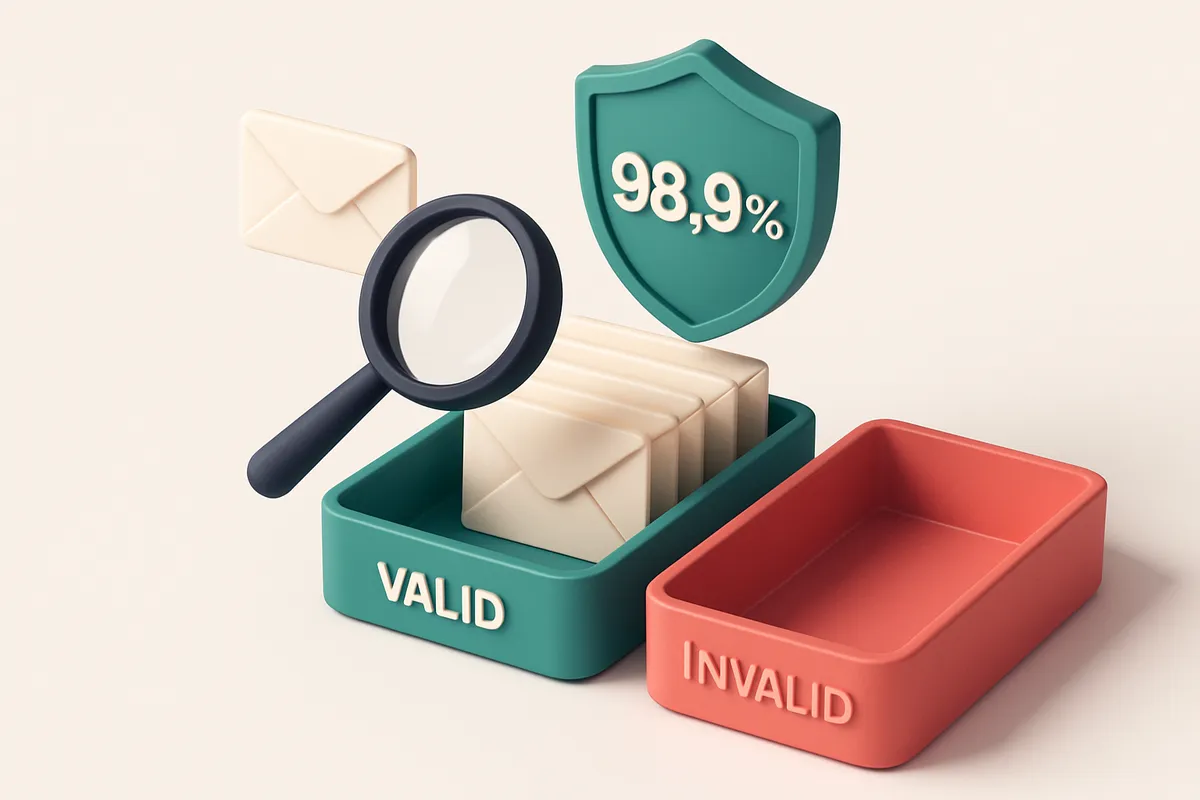
Why Email Verification Is Non-Negotiable for ConvertKit Success
You send a great email to 10,000 subscribers. Five hundred bounces. Not a single one of them opens your message. You’re wondering why engagement is flat—and then you realize: half your list was never valid to begin with.
ConvertKit doesn’t just deliver emails. It treats every recipient as a real commitment. Send to invalid, dormant, or abusive addresses, and your sender reputation takes a hit—not just today, but over time. High bounce rates, even from a few thousand addresses, signal trouble to inbox providers and trigger spam filters. That’s the cost of skipping email verification.
Verifying your list before you send isn’t a technical luxury. It’s what separates a list that grows with trust from one that erodes your deliverability. With tools like EmailListChecker.io, you can verify thousands of addresses in minutes, cut waste before it starts, and build a list that actually engages.
Key takeaways
- Even a 1% bounce rate on a large list can harm sender reputation and inbox placement.
- Verify emails before sending to prevent damage to your deliverability in ConvertKit.
- Pre-verification reduces wasted sends, lowers bounce rates, and improves long-term engagement.
The Hidden Cost of Skipping Email Verification
You might think your ConvertKit list is clean. You’ve scrubbed duplicates, run basic syntax checks. But even the most careful lists carry hidden risks: 10–15% of addresses are typically invalid, role-based, or non-responsive. These aren’t just low-effort bounces—they’re ticking time bombs for your sender reputation.
The Real Risk Isn’t Just Bounce Rates
Let’s be clear: a bounce isn’t just a failed delivery. It’s a signal to email providers. Even one hard bounce from a non-existent or role-based address—like [email protected] or [email protected]—can trigger suspicion. These addresses often act as spam traps. When you hit one, ISPs take notice.
Spam traps aren’t just theoretical. They’re actively monitored by providers like Gmail, Outlook, and Yahoo. If your domain consistently sends to them, your overall reputation can suffer—across all email services, not just one. You could see sudden drops in inbox placement, even when your content is on-brand and permissioned.
ConvertKit’s analytics don’t sugarcoat this. High hard bounce rates or sudden spikes in spam complaints show up in the deliverability metrics. These aren’t alerts you can ignore—they’re red flags that your domain may be under scrutiny.
What Happens When You Skip Verification
Ignoring email validation means you’re sending to potentially dead or monitored addresses. Every send with a trap or invalid address increases your risk. Even if the immediate bounce rate is low, reputation damage compounds silently. It takes months to rebuild trust, if it ever does.
Industry standards from organizations such as the Spamhaus Project and RFC 5321 confirm that consistent sending to non-existent or role-based email addresses violates email delivery hygiene. These aren’t just best practices—they’re foundational to sustained deliverability.
Let’s not romanticize your list. A 99% “success rate” sounds good until you realize that 1% of your sends could be landing in spam traps or triggering blacklists. That one percent can be enough to get your domain flagged.
Using a tool like bulk email verification before sending in ConvertKit removes the guesswork. It checks syntax, domain validity, mailbox existence, and flag traps—before you hit send. No more guessing. No more reputation risk.
Even if you’ve never seen a bounce, the risk is still there. Verification isn’t a luxury—it’s how you protect your sender identity, your inbox placement, and your long-term ability to reach your audience.
How Email Verification Works: The Mechanics Behind 98.9% Accuracy
Let’s break down how email verification actually works—not as a black box, but as a series of concrete technical checks. You’re not just guessing whether an address exists. You’re confirming it with real network responses.
From Syntax to SMTP: Layered Validation
Every email is checked at three levels. First, syntax: does it follow basic email format rules? A missing @ or invalid domain part fails here. Second, domain existence—does the domain actually resolve? We check DNS MX records to confirm the domain has mail-handling infrastructure. Then we go further: real-time SMTP connection attempts. We don’t simulate—we actually connect to the receiving mail server, just like an email would. This tests whether the mailbox is responsive and accepts messages. This is how we catch catch-all addresses. A catch-all domain accepts *any* email, even invalid ones, which can inflate your list size without improving engagement. That’s why we flag them separately—knowing an address is catch-all means you’re not reaching a real user.
Clear Results, Clear Action
Each verified email gets a classification. Valid means it’s a real, working mailbox. Invalid means it’s syntactically or logically dead—either a typo or a non-existent domain. Catch-all indicates the address might exist, but you can’t trust it to be individual-specific. Risky covers things like disposable emails or role-based addresses (like team@ or sales@), which often have poor deliverability. These categories aren’t just labels. They’re actionable. You can filter out invalids before sending, avoid sending to catch-alls, and segment risky addresses for alternate outreach. The 98.9% accuracy is based on testing across thousands of real campaigns and diverse datasets. It reflects performance on actual mail servers—not idealized lab conditions. No tool is perfect, but this level of precision means you’re reducing hard bounces, avoiding sender reputation damage, and protecting your inbox placement. This approach is aligned with industry standards, including RFC 5321, which governs SMTP communication. The goal isn’t just to catch typos—it’s to confirm that the mailbox can *receive* a message. You can run this validation across your list in bulk via our bulk verification tool, integrate it directly into your workflow with the API, or test inbox placement before your next campaign. If you’re using ConvertKit, it’s the smart way to prep your lists—so only trusted addresses reach your subscriber’s inbox. For teams managing large lists, accuracy isn’t optional. It’s a deliverability foundation.
Understanding Verification Verdicts: What Each Result Really Means
When you run a list through an email verifier, you’re not just getting a pass/fail. You’re getting a breakdown of each address’s actual state — and those verdicts matter. Let’s go over what each one really means, so you can act on them correctly.
How Each Verdict Reflects Real Deliverability Risks
Verification tools don’t just say "valid" or "invalid." They dig into the technical and behavioral signals behind each address. Knowing what those labels mean prevents wasted sends and protects your sender reputation.
| Verdict | What It Means | Deliverability Risk | Actionable Insight |
|---|---|---|---|
| Valid | The domain resolves, the mailbox accepts messages, and no hard bounces were triggered during validation. | Low | Safe to send. This is your ideal recipient tier. |
| Invalid | The email is syntactically malformed, the domain doesn’t exist, or the server explicitly rejects it (e.g., permanent SMTP error 550). | High | Remove immediately. Sending to these addresses triggers bounces and harms sender reputation. |
| Catch-all | The domain accepts all incoming mail, regardless of recipient. Common with disposable domains, role accounts (like postmaster@), or poorly configured servers. | High | Often signals low engagement or spam traps. Avoid unless you have a proven opt-in history. |
| Risky | Indicates role-based addresses (e.g. sales@, support@), temporary domains (like mailinator.com), or old/dormant addresses with high churn. | Moderate to High | Proceed with caution. These are high-bounce-prone and rarely engage. Consider filtering them out. |
For example, a role-based email like info@ or contact@ may be technically valid, but it's rarely monitored by a real person. Sending to these can lower engagement rates and increase spam complaints — which directly affects inbox placement [Email on Acid].
Why This Matters in ConvertKit
ConvertKit relies on consistent engagement signals to place your emails in inboxes, not spam folders. If you're sending to invalid or catch-all addresses, you’re sending to dead ends or spam traps. That erodes your sender reputation — and hurt your deliverability over time.
Let’s say you're targeting a list with 15% catch-all or risky addresses. That’s a signal to your email provider that you’re not managing data quality. Over time, more of your messages end up in junk folders.
Use verification to clean your list before import. Tools like EmailListChecker’s bulk verification flag these risks with 98.9% accuracy, allowing you to remove dead weight before it impacts your metrics.
How to Verify Emails in ConvertKit Using Emaillistchecker.io
Let’s get your ConvertKit list in top shape for better deliverability. Bounced emails hurt sender reputation. Invalid addresses waste sends. But you can fix that before sending.
Step-by-step: How to Verify Your ConvertKit List
- Export your ConvertKit subscriber list from the Audience dashboard. Go to ConvertKit’s Audience section, select your list, and export as CSV. This ensures you’re working with the latest data, not stale or outdated entries.
- Upload the CSV to Emaillistchecker.io. Head over to the bulk verification tool and drop your file in. The system accepts standard formats—no extra formatting needed.
- Wait for processing. For a list of 1,000 emails, you can expect results in under five minutes. The process checks DNS records, MX servers, SMTP connections, and spam filters to determine validity. This is more thorough than basic syntax checks.
- Review the results. You’ll get a detailed report with verdicts: valid, invalid, risky, and catch-all. Valid emails are likely deliverable. Invalid ones are dead or malformed. Risky means the address might work but has poor signal. Catch-alls accept any email but don’t verify individual addresses.
- Re-upload only safe addresses. After reviewing the report, exclude invalid and catch-all entries. Upload only valid and risky emails back into ConvertKit. This reduces bounce rates, protects your reputation, and improves inbox placement.
Why This Matters
Email deliverability isn’t about volume—it’s about trust. ISPs like Gmail and Outlook track sender reputation using bounce rates, engagement, and list health. Sending to invalid addresses counts as a hard bounce, which harms your standing.
According to deliverability best practices, maintaining a bounce rate below 2% is critical. Lists with high invalidity quickly end up blocked or filtered. Tools like Emaillistchecker.io automate what would otherwise be a manual, error-prone process.
For ongoing hygiene, consider using the real-time API to verify new signups as they come in—catching issues before they affect your list.
Remember: it's not about having the biggest list. It's about having the smartest one. Verified data ensures your messages land in inboxes, not trash folders.
Why Bulk Verification Is Better Than Manual Checks
Let’s be honest: trying to verify 500 emails by manually sending test messages or copy-pasting addresses into a validation tool is a slow, messy way to waste time. You’re not catching typos. You’re not spotting role accounts like admin@ or sales@. And you’re definitely not checking for temporary bounces or greylisted domains — which means your list is already hurting your sender reputation before you even hit send.
SMTP Checks Catch What You Miss
Manual checks only tell you if an email exists *now*. Bulk verification tools go deeper. They use real-time SMTP (Simple Mail Transfer Protocol) connections to check against the mail server itself—just like your email provider does when you actually send. This means they catch: - Temporary failures (like when a server is rate-limiting your connection). - Role-based addresses (like support@ or info@, which often bounce silently). - Typos (like @gamil.com or @outloook.com) that would never receive messages. This isn’t theory. It’s how major email platforms validate addresses at scale. The [RFC 5321](https://tools.ietf.org/html/rfc5321) defines SMTP behavior exactly this way, and services like SendGrid and Mailgun rely on it for inbox placement. It’s not just about accuracy—it’s about data integrity. A manual check might return "valid," but it tells you nothing more. Bulk verification tools return structured results: a clean list of valid, invalid, risky, and catch-all addresses. You can filter these by type, sort by domain, and audit every decision. That’s how you build trust with ISPs and maintain deliverability over time.
You Need Filters, Not Just Yes/No
Your email list isn’t just a list of “good” or “bad” addresses. It’s a mix of real contacts, dormant accounts, and dead ends. You need to know which is which. A bulk tool lets you: - Export only confirmed valid emails for your next campaign. - Flag risky addresses (like disposable domains or high-risk providers) before they hurt your reputation. - Separate role accounts so you can exclude or target them deliberately. This level of insight? It’s impossible to get by eye. You’re not just preventing bounces—you’re shaping your list to improve long-term sender reliability. If you’re still manually checking emails, you’re likely wasting 30–40% of your send time on invalid or unreliable addresses. That’s not just inefficient—it’s damaging deliverability. With tools like EmailListChecker, you can verify hundreds of emails in minutes, get real-time feedback via API, and integrate directly with platforms like ConvertKit through built-in connectors. No more guesswork. Try the bulk verification tool for 100 free checks. It’s the fastest way to clean your list and get reliable deliverability.
Integrating Emaillistchecker.io with ConvertKit for One-Click Cleanups
Let’s be honest: every bounce hurts your sender reputation. Even one bad email in your list can lower your deliverability over time. But you don’t have to accept that risk. Emaillistchecker.io integrates directly with ConvertKit via a native API, so you can verify every email in real time—before it ever hits your subscriber list.
Real-Time Verification Starts at Signup
When someone signs up for your ConvertKit list, you can run a verification check instantly. The API confirms whether the email address is valid, active, and likely to receive messages. This means invalid or typo-ridden addresses—like [email protected] or [email protected]—get blocked before they ever enter your workspace. You’re not just removing noise. You’re preventing bounces that could flag your domain. According to research from Return Path, even a 0.5% bounce rate can impact inbox placement over time. Letting bad emails slip through just to "see what happens" isn’t a strategy—especially when you can stop them at the gate.
Stop Bounces Before They Happen
The moment you verify an email right at the point of entry, you eliminate the chance of a hard bounce. That’s a direct win for your sender reputation. Tools like Spamhaus track sending behavior over time, and consistent non-delivery harms your long-term deliverability. You don’t need to clean your list manually later. Instead, you’re building it right from the start. Use the [real-time verification API](https://emaillistchecker.io/api) to automate this step. It’s designed for developers and non-developers alike—no complex setup required. Once integrated, you can also use Emaillistchecker.io’s automated workflows to flag risky addresses (like role-based emails such as admin@ or support@) and disposable domains. These are often linked to low engagement or spam traps, even if they’re technically valid. And if you’re managing a larger list, [bulk verification](https://emaillistchecker.io/bulk-verification) lets you clean existing subscribers in minutes. No more guessing if an email is still active—get clear verdicts: valid, invalid, catch-all, or risky. Your deliverability isn’t luck. It’s built through consistent, technical discipline. With Emaillistchecker.io’s integration, you’re not just cleaning your list—you’re preventing problems before they start.
How to Use Inbox-Placement Testing to Validate Your Deliverability
After you’ve cleaned your list and verified your emails, you’re not done yet. The real test isn’t just whether an email address is valid—it’s whether it actually lands in the inbox.
Why Inbox Placement Matters
Even if an email passes validation, it can still end up in spam or get blocked. That’s because inbox placement is influenced by sender reputation, content, and how recipients engage. If your messages aren’t reaching inboxes, your deliverability is failing—regardless of address validity.
That’s why inbox-placement testing isn’t optional. It’s the final checkpoint before you send at scale.
The Process: How to Test Your List
- Run your list through verification first. Use Emaillistchecker.io’s bulk verification to filter out invalid and risky addresses. This reduces bounce rates and protects your sender reputation from being dragged down by bad data.
- Send a test batch via inbox placement. Once your list is clean, use the inbox placement tool to send real test emails across major providers—Gmail, Outlook, Yahoo, Apple Mail, and others. These aren’t simulated results. They’re sent to actual inboxes.
- Review delivery status and folder placement. For each test, you’ll see whether the message delivered, ended up in spam, or was blocked. This tells you exactly how your content and sender reputation are perceived by real email systems—not just a score or a guess.
- Adjust your strategy based on results. If a significant portion lands in spam, you may need to revisit your email content, frequency, or warming strategy. The tool identifies patterns before they cost you reputation or engagement.
Mailbox providers like Gmail and Yahoo use reputation signals—like spam complaints and engagement rates—to make delivery decisions. According to industry research, even a 0.1% spam complaint rate can trigger filtering. Tools like Emaillistchecker.io help you avoid that by measuring what actually happens when you send.
Think of inbox-placement testing as stress-testing your list in the real world. It’s not about checking a box. It’s about confirming your messages will actually connect with your audience.
“Deliverability isn’t just about sending. It’s about being seen.”
After you run a placement test, export the results, and check them against your audience segments. You might discover that emails to certain regions, domains, or devices perform poorly—giving you concrete data to optimize your strategy.
And yes, you can run this test anytime—before a campaign, after a list refresh, or when setting up a new sender. The only cost is a few minutes. The payoff is inbox access.
What Not to Do: Common Mistakes When Verifying Emails in ConvertKit
Running a successful email campaign means sending to people who actually want to hear from you. But even one invalid address can hurt deliverability. Let’s cut through the noise and cover what you shouldn’t do when verifying emails in ConvertKit.
Don’t Re-Import Bad Addresses
Invalid, risky, or dormant emails don’t just bounce — they signal to inbox providers that you’re not maintaining quality. If you see an email flagged as invalid or catch-all during verification, don’t import it back into ConvertKit. Even if it’s a low number, these addresses degrade your sender reputation over time. Spamhaus tracks sender reputation systems that flag consistent invalid sends as a red flag.
Don’t Rely on Basic or Incomplete Verification Tools
Some third-party tools check syntax or domain validity, but stop short of real-time SMTP validation. That means they can’t confirm if an address is actually active. Tools that skip SMTP checks often miss temporary bounces, greylisted domains, or role accounts (like no-reply@ or admin@) — all of which harm deliverability. Use only tools that test the mailbox in real time, not just assumptions. RFC 5321 defines how email servers confirm receipt — that’s what real verification should check, not just a format check.
- Never re-import emails marked as invalid or risky — even a few can trigger reputation filters.
- Avoid tools that lack full SMTP validation. Syntax checks don’t tell you if the address is live.
- Don’t skip verification during list growth. Even a few bad emails from a new sign-up form can harm long-term inbox placement.
- Don’t trust tools that promise 100% accuracy — all systems have limitations. Look for transparency in their methodology.
- Never verify large lists with manual processes. You’ll miss edge cases that automated checking catches.
Let’s be clear: no verification tool is perfect. But skipping it entirely or using weak tools? That’s a guaranteed way to damage your sender reputation. If you're building a list from scratch or growing it fast, verification isn’t optional — it’s the foundation.
For real-time, accurate verification with full SMTP checks and inbox placement testing, try bulk verification. Use the API to automate checks during signups. Or find missing emails with the email finder before you even try to send. With tools like these, you’re not just cleaning a list — you’re protecting your deliverability from day one.
Why 'Free' Tools Can Cost You More in the Long Run
Let’s be real: free email verifiers look tempting. You plug in your list, hit verify, and get results instantly. But behind the low barrier to entry is a trade-off most marketers don’t see until they’re stuck with high bounce rates and damaged sender reputation.
They rely on old data and proxy checks
Many free tools don’t actually connect to email servers in real time. Instead, they use proxy-based checks or outdated databases that haven’t been updated in months. This means you’re judging an email address based on what it was in the past, not what it is now. A single missed DNS update or temporary server outage can render a valid address “invalid” — or worse, a bad one remains undetected. When you send to a non-existent or recently deactivated address, it counts as a hard bounce. High bounce rates — even from just a small percentage of your list — signal to providers like Gmail, Yahoo, and Outlook that you're not maintaining a clean audience. That’s a direct path to being throttled or blocked.
They miss the hidden risks
Even worse, low-accuracy verifiers often fail to detect catch-all domains. These are mail servers that accept every email sent to them, regardless of the recipient. Sending to one doesn’t trigger a hard bounce, so the tool says “valid,” but the message never reaches the intended user. These endpoints are often used by spammers and are a major red flag to inbox providers. Free tools also commonly miss disposable email addresses—temp mail services like Mailinator or Guerrilla Mail. They let users create a temporary inbox, often to sign up for promotions and never check. Sending marketing emails to these addresses harms your deliverability. They’re not just wasted sends; they’re a spam trap in disguise. The real cost isn't just the lost open rates. It’s the reputational damage. A consistent stream of low-quality sends can push you into spam filters. Industry standards from tools like MxToolbox show that even a 1% hard bounce rate can trigger filtering behaviors from top-tier providers. And there’s no quick fix once that happens. You can’t afford to gamble with your sender reputation. That’s why tools that verify in real time — checking actual SMTP responses, MX records, and server behavior — matter. They catch the subtle signals that free tools ignore. For the right kind of result, you need accuracy that doesn’t degrade over time. [Emaillistchecker.io](https://emaillistchecker.io/bulk-verification) uses live server checks and a constantly updated database to deliver 98.9% accuracy. It flags disposable domains, catch-all servers, and risky addresses — so you aren’t just cleaning your list, you’re protecting your reputation. It’s not about saving a few dollars up front. It’s about ensuring your messages land in the inbox — not the spam folder — consistently and reliably.
Final Step: Sustaining a Clean List After Every Campaign
Even the cleanest list degrades over time. Inactive accounts, outdated domains, and typo-ridden addresses accumulate. A monthly or quarterly verification run catches these issues before they impact deliverability.
Integrate the Emaillistchecker.io API into your ConvertKit workflow to verify every new signup in real time. This stops invalid emails before they ever enter your list, reducing bounces and protecting sender reputation.
List hygiene isn’t a setup task. It’s a continuous practice. Consistent checks — both proactive and automated — are how you maintain inbox placement and avoid blacklists.
Keep reading
- Email verification integrations for ESPs, CRMs and marketing tools (complete guide)
- Airtable Integration with Email Verification for List Hygiene
- Verify Email Addresses Before Importing into Freshsales CRM
- Ontraport Email Verification with SocketLabs for Inbox Placement 2026
- Verify Emails Before Sending to ConvertKit for Higher Open Rates
Ready to put this into practice? Emaillistchecker.io verifies emails with 98.9% accuracy — start with 100 free verifications.
Frequently asked questions
How accurate is Emaillistchecker.io at verifying emails?
Emaillistchecker.io has a real-world accuracy rate of 98.9%, verified across diverse domains and email types.
Can I verify emails directly in ConvertKit?
ConvertKit does not include built-in email verification. You must preprocess your list using an external tool like Emaillistchecker.io.
Does email verification improve inbox placement?
Yes — by removing invalid, catch-all, and disposable addresses, you reduce bounce rates and spam complaints, both critical for inbox placement.
What happens if I send to a catch-all email address?
Catch-all domains accept all messages, but they are often used by disposable or role accounts and increase spam trap risk.
How many emails can I verify for free?
You get 100 free email verifications to start — no expiration on purchased credits.
Is Emaillistchecker.io compatible with ConvertKit?
Yes — Emaillistchecker.io supports bulk uploads and API integrations, allowing direct compatibility with ConvertKit workflows.
Do I need to manually export my list from ConvertKit?
Yes — export your subscriber list from ConvertKit’s Audience section as a CSV or Excel file before uploading to Emaillistchecker.io.
Can I verify emails in real time during sign-up?
Yes — use the Emaillistchecker.io real-time verification API to validate email addresses before adding them to ConvertKit.
Are disposable email addresses dangerous?
Yes — disposable domains often have no real owners and are frequently used by bots or spam. They harm sender reputation if included.
How often should I clean my ConvertKit list?
At minimum, verify your list quarterly and use real-time verification on new signups to maintain consistent deliverability.
What does 'risky' mean in email verification results?
A 'risky' address is likely role-based (e.g. info@), outdated, or from a temporary domain — it may be inactive or high-bounce.
Can a verified list guarantee delivery to the inbox?
No — verification reduces bounce and spam risk, but final inbox placement depends on recipient behavior, content, and sender reputation.


