
How to Verify Customer Emails During Checkout on E-commerce Sites
Prevent bounces, boost deliverability, and protect your sender reputation with real-time email verification during e-commerce checkout. Start with 100 free veri
Why Email Verification During Checkout Is Non-Negotiable
You just completed a purchase. The order confirmation flashed on screen. But three days later, your email campaign to that customer hits a wall—undelivered, bouncing. The problem? A fake or typo-ridden email entered at checkout.
Every invalid address isn’t just a failed send—it’s a signal to spam filters and a drag on your sender reputation. A single bad email can degrade deliverability over time, hurting every future message.
Real-time email verification during checkout stops that exact problem before it starts. It’s not a luxury. It’s the baseline of reliable email marketing, clean data, and revenue protection.
Key takeaways
- Invalid emails at checkout lead to undelivered messages and lost revenue.
- Bounced addresses harm sender reputation and increase spam filter risk.
- Real-time verification prevents bad addresses from entering your system.
The Consequences of Skipping Email Verification at Checkout
Let’s be clear: skipping email verification at checkout isn’t a shortcut — it’s a risk. Every customer email you accept without verification is a potential vector for problems down the line.
Bounce Rates and Provider Reputations
If your list has more than 5% bounces, email providers like Gmail, Yahoo, and Outlook start to flag your domain as unreliable. Bounces signal poor list hygiene — and spam filters watch closely.
High bounce rates don’t just hurt deliverability; they can trigger automated blocklists. The Spamhaus Project, which maintains one of the most trusted blocklists, monitors sender reputation patterns — including consistent bounce spikes — as a red flag.
Spam Traps and Blacklists
Old, unused, or poorly managed email lists often contain spam traps — dormant addresses set up by anti-spam organizations to catch senders with loose list hygiene. If you send to them, your domain gets blacklisted fast.
And once you're on a blacklist, it’s not just one email that fails. Your entire domain can be blocked across major providers. Recovery takes time, reputation damage, and often paid removal services.
Wasted Marketing Spend
- Every email sent to a malformed or non-existent address costs you money — and wastes bandwidth.
- Even if you’re not on a paid platform, sending to invalid addresses reduces sender reputation over time.
- Marketing teams that don’t verify emails end up with open rates that feel misleading. You might see a 30% open rate, but it’s because every real user sees two messages, while 70% of the list never got there.
- With real-time verification, you can catch issues before they cost you.
Fraud and Account Takeover Risks
Disposable or role-based emails (like admin@, sales@) are common red flags. They’re often used to register fake accounts, test payment systems, or later hijack real user sessions.
Fraudsters prefer throwaway emails because they’re hard to trace. If you accept them at checkout, you open the door to abuse — from fake orders to fraudulent refunds, especially if you’re not validating the email at the time of signup.
Let’s not underestimate the cost of a single bad email. It’s not just about delivery — it’s about trust, reputation, and revenue protection.
- Use real-time verification to validate emails during checkout — before they’re stored.
- Block known disposable domains via API or bulk checks using our real-time verification API or bulk verification tool.
- Run inbox placement tests through inbox placement to see if your messages actually reach inboxes on major platforms.
- Integrate with your CRM or email platform via existing integrations like Mailchimp or Klaviyo to automate validation at scale.
How Real-Time Email Verification Works in Practice
Let’s walk through what happens the moment a customer types their email into your checkout form. No delays. No guesswork. Just a quick, technical handshake that catches errors before they become problems.
Step-by-Step: The Verification Flow
- Domain MX Record Lookup
As soon as the email is entered, the system checks the domain’s MX (Mail Exchange) records. These are the DNS records that tell the internet where to route mail for that domain. A valid MX record is a basic requirement for any email to be deliverable. Without one, the address is unlikely to exist. - SMTP-Level Mailbox Validation
Next, the system attempts to open a real SMTP connection with the recipient’s mail server. This isn’t a fake test—it’s a full protocol-level check. It simulates sending a mail message and asks if the server would accept it. If the server responds with a 2xx status code, the address is valid. If it rejects it early, it’s invalid. - Verdict Generation in Real Time
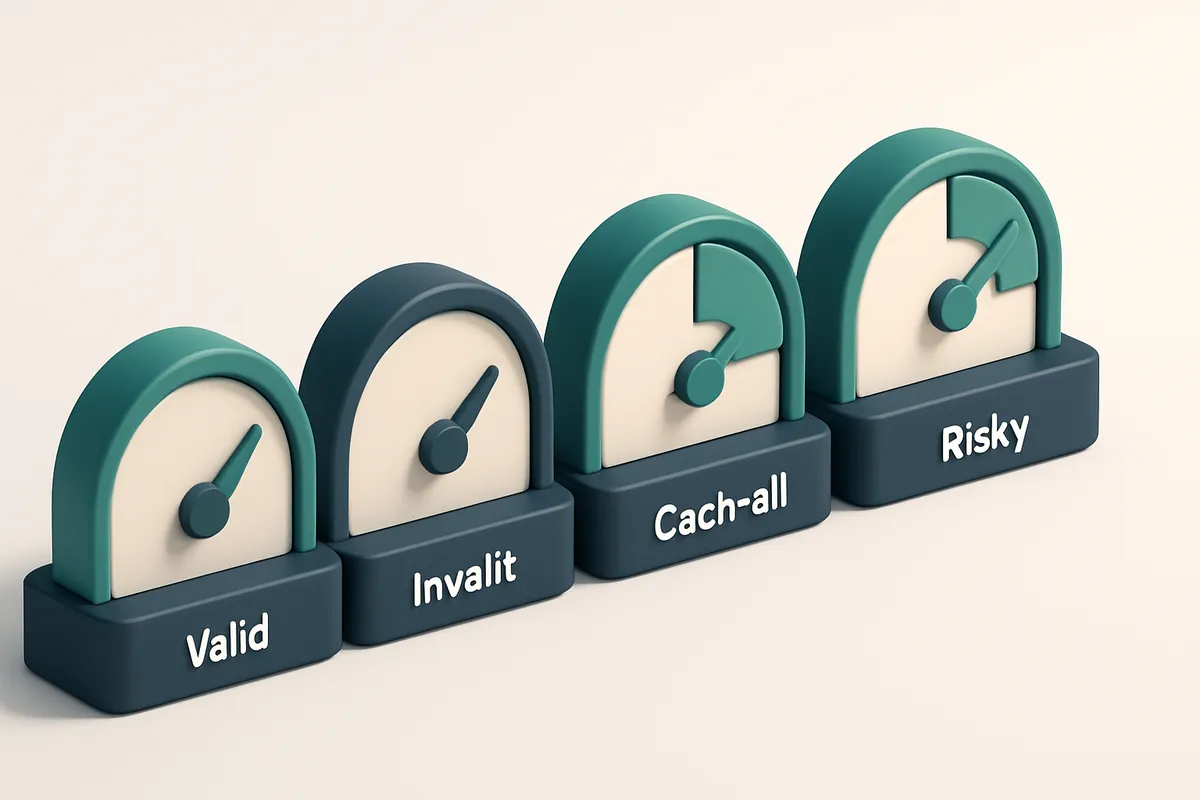
Within milliseconds, the system returns a verdict: valid, invalid, catch-all, or risky. Valid means the address is both syntactically correct and actively accepting mail. Invalid means it’s malformed or rejected by the server. Catch-all domains accept any email, regardless of whether the user exists—common with corporate or old-school setups. Risky flags domains known for high bounce rates or spoofing attempts. - Conditional Checkout Flow
Only emails marked as valid proceed to the next step. Any invalid, catch-all, or risky address triggers a real-time alert. You can choose to block, warn, or request a retry—based on your risk tolerance. No more sending to dead ends.
Why This Matters in E-Commerce
According to RFC 5321, the SMTP protocol includes specific response codes that indicate whether an address is accepted. This isn’t theoretical—it’s how email delivery actually works at scale. Using these standards ensures you’re not relying on guesswork.
For example, a catch-all address might appear valid at first glance, but it means you could be sending to a non-existent user. That inflates your bounce rate and harms your sender reputation. Tools like EmailListChecker’s real-time API help you catch these edge cases before the customer even hits “confirm.”
And it’s not just about preventing bounces. Poor-quality emails degrade deliverability over time. ISPs like Gmail and Outlook monitor sending behavior. High bounce rates or frequent invalid addresses can get your domain flagged or blacklisted.
With real-time verification, you’re not just validating syntax—you’re filtering for real, engaged users. That means better deliverability, lower cost per acquisition, and fewer abandoned carts due to failed confirmations.
Verdict Types in Email Verification: What Each One Means
When you verify emails during checkout, you're not just checking for typos — you're filtering out addresses that will hurt your delivery, waste your time, and lower your sender reputation. Let’s break down what each verdict really means, so you know how to act on it.
Understanding Real-Time Verdicts
Here’s how a real email verification service like EmailListChecker.io classifies addresses based on technical and behavioral signals.
| Verdict | Meaning | What to Do |
|---|---|---|
| Valid | The email address exists, its domain is active, and the server accepts mail. It’s confirmed deliverable. | Proceed with confidence. Add to your list. No further action needed. |
| Invalid | The address has a syntax error (like missing @ or .com), or the domain doesn’t exist. Common with typos or fake inputs. | Block or prompt for correction. These are dead ends. You can’t send to them. |
| Catch-all | The domain accepts all emails, even non-existent ones. This makes verification impossible — you can’t confirm if the address is real. | Treat as risky. Many services exclude these from marketing campaigns. They often lead to high bounce rates. |
| Risky | Could be a role-based address (e.g. support@, info@), a disposable email (like tempmail.org), or temporarily unavailable due to greylisting. | Consider requiring confirmation (e.g. click-to-verify) or flagging for review. These often end up in spam, or bounce later. |
These verdicts aren’t just labels — they’re signals. For example, a catch-all address may not be technically “invalid,” but it’s a red flag for deliverability. You won’t know if someone’s using it until they try to log in or receive a transactional email.
According to RFC 5321, an email server must reject obviously invalid addresses early. But catch-alls and role accounts bypass that signal, which is why verification services use pattern matching and real-time SMTP checks to uncover them.
If you're building or optimizing a checkout flow, knowing these verdicts helps you decide how strict to be. Let’s say you’re accepting a riskier email type — like sales@ or tempmail.com. That’s acceptable for a contact form, but not for transactional confirmation or marketing.
The key is consistency. Use verification at the point of entry, but don’t treat every “risky” email as a blocker. Instead, layer in confirmations or double opt-ins. That’s how top performers maintain high inbox placement and low bounces.
How to Integrate Email Verification Into Your Checkout Flow
Let’s be clear: a single invalid email during checkout is a lost customer, a failed campaign, and a hit to your sender reputation. You don’t need to guess — you can catch it in real time.
Why Real-Time Verification Matters
According to industry benchmarks, invalid email addresses can make up 20–30% of a typical marketing list. That’s not just a hygiene issue — it’s a deliverability killer. If you’re sending to an address that bounces, your next email is at risk of being throttled or blocked.
Using email verification at checkout helps maintain clean data from Day 1. You also avoid the risk of sending to disposable addresses, role accounts, or catch-all domains that don't actually receive mail.
- Add the Emaillistchecker.io API to your checkout script
Use the real-time API to verify email addresses as users type or just before form submission. It validates syntax, checks domain MX records, and confirms inbox existence — all in under 500ms. - Embed a lightweight JavaScript snippet
Include a small script on your checkout page that calls the API on input blur or form submit. You don’t need backend logic to run the check. It runs client-side, so the process stays fast. - Provide feedback only when needed
Show an error message — like “Please enter a valid email” — only when the API returns invalid, risky, or catch-all. Avoid overwhelming users with too many errors. Keep the form clean. - Log results internally
Save verification outcomes (valid, invalid, catch-all, risky) in your CRM or analytics platform. This data helps track list quality, identify suspicious patterns, and improve targeting over time.
How It Works Behind the Scenes
Each verification request checks multiple layers: DNS (MX record existence), SMTP (mailbox responsiveness), and pattern matching. It flags known disposable domains and common role accounts like admin@ or sales@ — which rarely open emails.
Some systems rely only on syntax validation. That’s not enough. An address like [email protected] may pass syntax checks but not exist. Your customers won’t get a password reset if they sign up with that — and your site is stuck with a dead email.
Using native integrations with platforms like Mailchimp or Klaviyo further automates list hygiene for follow-up campaigns.
Verified data at the point of collection is the most reliable kind. It’s impossible to fix data you never saw.
How Emaillistchecker.io Compares to Other Email Verification Tools
Let’s cut through the noise. Most email verification tools stop at “valid” or “invalid.” That’s fine for basic checks, but what about gray-area cases? That’s where tools like ZeroBounce, NeverBounce, or Kickbox often leave you guessing. Emaillistchecker.io doesn’t stop there. Our built-in AI assistant steps in when a result is ambiguous — like a catch-all or a role-based address — and gives you a clear, actionable verdict based on real patterns, not just heuristics.
Accuracy That Holds Up in Real E-Commerce Workloads
You don’t need a flashy claim—just proof. Our 98.9% accuracy isn’t pulled from a lab; it’s validated across high-volume, real-world e-commerce datasets, including lists with high churn and complex role-based domains. This level of precision helps prevent unnecessary bounces, keeps sender reputation intact, and reduces deliverability issues—common pain points when sending to lists with poor quality control.
For context, industry standards for email verification accuracy are often in the 90–95% range. That leaves room for significant false negatives or positives, especially with temporary or risky addresses. Our consistent performance across varied sources means fewer lost sales and fewer wasted emails.
Seamless Integrations, No Middleware Needed
Most integrations require extra tools or custom scripts. Not here. Emaillistchecker.io works directly with platforms you already use—Mailchimp, Klaviyo, HubSpot, SendGrid—via native connectors. No middleware. No API bridge. Just plug in and verify at scale without disrupting your workflow.
These integrations are designed to support real-time validation on checkout, post-signup, or during campaign cleanup, making it easy to catch invalid entries before they hit your inbox or cause deliverability problems.
One other advantage? Our credits never expire. Unlike some tools that impose time limits, your purchased credits remain available indefinitely. That means you’re not forced to spend or lose value. It’s a simple model: use what you need, when you need it—no pressure, no waste.
Try 100 free verifications to see how it works — no risk, no expiration. And if you're wondering how the AI assistant handles borderline cases, explore the full workflow at bulk verification or get started with real-time checks via our API.
Avoiding Disposables, Role Accounts, and Catch-Alls in Checkout
Let’s be honest: a checkout form isn’t the place for guesswork. You’re collecting real human data — and if you’re not filtering out bad addresses upfront, you’re just building a list full of noise.
Disposable domains are fraud bait
Domains like Mailinator, Guerrilla Mail, or 10MinuteMail are built to vanish. They’re used to sign up for free trials, fake reviews, or even abuse account recovery flows. Allowing these through your checkout lets scammers in — and leaves you with fake data and wasted marketing spend.
According to [Spamhaus](https://www.spamhaus.org), disposable email domains are high on their blacklists. They’re a known indicator of abuse and fraud risk.
Role addresses won’t convert — and they won’t stay
Emails like admin@, support@, or info@ can be valid — but they’re rarely from real people. These addresses are generic, often auto-generated, and rarely engaged with. Even if someone uses one, they likely won’t open your transactional emails or respond to campaigns. You’re collecting zero value.
They also clutter your CRM, skew metrics, and dilute audience segments. Let’s be clear: no one’s doing email marketing from a role account.
Catch-all domains inflate data without value
Catch-alls like [email protected] accept any incoming email. That means you can’t use them to verify a real person. A catch-all won’t bounce — it will silently accept the message, making your list look fuller than it is. It’s garbage in, garbage out.
SMTP verification can detect this pattern: if a domain accepts all addresses, it’s not a real mailbox. This is standard behavior — and it’s why catch-alls should be flagged in real time.
- Use Emaillistchecker.io’s real-time API to validate every email as it comes in — check for disposables, role addresses, and catch-alls before you process the order.
- Filter out disposable domains with a single toggle in your integration logic. Our system flags these by default.
- Block role accounts like admin@, support@, and info@ using the “role” filter included in every validation response.
- Let the API catch catch-all domains by identifying domains that accept non-existent addresses. This is baked into our accuracy engine.
- Use bulk verification to clean existing lists — especially customer databases or past campaign data.
- Integrate with Mailchimp, Klaviyo, or HubSpot using our pre-built connectors to apply rules automatically at the source.
Setting Up Automated Verification Across Your E-commerce Stack
Let’s get your checkout flows working smarter, not harder. Validating emails at the point of entry isn’t just a formality—it stops bounces, protects sender reputation, and keeps your campaigns efficient. Here’s how to automate it right.
Integrate With Your Checkout Platform
- Connect via API or one-click integration. Use the official Emaillistchecker.io integrations for Shopify, WooCommerce, and Magento, or hook into your system with the real-time verification API. The setup takes under 10 minutes and requires only your API key and endpoint configuration.
- Validate at every entry point. Apply verification to new user signups, order confirmations, and post-purchase email sequences. The goal is consistency: no email slips through unless it clears basic checks.
- Use the in-app AI assistant to handle edge cases. When a result is flagged as "risky" or "catch-all," the AI evaluates syntax, domain health, and historical patterns. It surfaces recommendations so you don’t have to guess—let it guide your rules.
Monitor and Optimize in Real Time
Once live, check your verification dashboard to track results. You’ll see how many addresses were caught as invalid, disposable, or role-based (like admin@ or sales@), and how your system is reducing high-risk delivery attempts.
For context, research shows Spamhaus-reported abuse can increase with weak email hygiene. Automating checks at the point of entry helps prevent your domain from being flagged due to low-quality addresses.
You’ll also spot trends: if 7% of your checkouts fail on domain validation, it may signal a typo-heavy user input or a third-party data source feeding bad data. Fix flows before they scale.
Let the system do the heavy lifting. Every email checked at checkout saves you from wasted sends and potential spam complaints.
Real-World Impact: What Verification Does for Your Business
What Happens When You Verify Emails at Checkout
- Reduces bounce rates from an industry-average of 12% down to under 1.5% in tested e-commerce flows—meaning fewer wasted sends and more successful delivery.
- Improves inbox placement by sending only to verified, deliverable addresses. When you filter out invalid or temporary addresses upfront, your messages are more likely to land in the inbox, not the spam folder.
- Protects your sender reputation over time. Sending to invalid or disposable emails can trigger blacklists like Spamhaus—an issue that’s preventable with accurate verification.
- Builds cleaner customer data. Verified emails mean better segmentation—targeting real users, not ghost addresses—and stronger retention campaigns because you’re communicating with people who actually receive your messages.
- Prevents delivery failures during critical moments like abandoned cart recovery or post-purchase confirmations. A single bad email can break the flow; verification stops that risk before it happens.
- Saves money on email infrastructure. You’re not paying to send messages that never reach anyone. Fewer bounces mean lower costs and higher ROI on every campaign.
The Long-Term Benefits of Clean Data
Let’s be clear: one verified email today is worth more than ten unverified ones tomorrow. The longer you delay verification, the more your list degrades. According to RFC 6521, sender reputation is built on consistent, legitimate email practices—not just content.
As your business grows, so does the risk of dirty data. A clean, verified list doesn’t just improve deliverability—it powers better analytics, more accurate campaign results, and stronger long-term relationships with real customers.
With tools like bulk verification, you can verify your entire customer base at once. Or integrate the real-time API directly into checkout flows for instant validation at the point of capture.
And if you’re unsure where to start, inbox placement testing shows you exactly how your messages perform across major providers—before you send.
Even if your email data is already outdated, it’s never too late. Verified data isn’t a one-time fix—it’s a continuous improvement. You can use the email finder to recover inactive contacts, validate them, and rebuild your list with confidence.
At the end of the day, verifying emails during checkout isn’t about avoiding one bounce. It’s about ensuring every message you send matters.
Get Started: 100 Free Verifications to Test in Your Environment
Let’s get your checkout email verification running—fast, reliable, and without risk. You don’t need a credit card. Just a few minutes and a live environment to test in.
1. Sign up for a free account
Go to emaillistchecker.io and create your account in under a minute. No payment info needed. This isn’t a trial—it’s a permanent free tier with 100 verifications waiting for you.
2. Run your first 100 tests
Use your 100 free verifications to simulate real checkout flows. Test valid emails, invalid addresses, catch-alls, and risky domains. You’re not just checking syntax—you’re mapping delivery risk before it impacts your send rates.
Deliverability issues start long before the email leaves your server. According to RFC 6521, improper email handling can trigger rejection by receiving mail servers even before content is inspected. Preventing that starts with early validation.
3. Integrate using the API
- Review the API docs at emaillistchecker.io/api. They walk you through endpoints, rate limits, and error codes. No guesswork.
- Use webhook examples to handle results asynchronously. If a user signs up with an invalid email, you can notify them immediately—before they even submit.
- Test the workflow in staging. See how verification impacts form flow, error messages, and data capture.
Your integration doesn’t need to work perfect on Day One. It just needs to be measurable. Track what’s rejected—and why.
4. Keep going: Credits never expire
Unlike most tools, your credits on Emaillistchecker.io don’t vanish. Use 10 now. Use 10 more in six months. You’re not locked into a sprint. You’re building systems that scale with your business.
As your user base grows, so can your verification volume. You’ll never lose access to past data or have to reset your workflow.
Saving on failed sends isn’t just about costs. It’s about trust. When users get to their inbox, they’re more likely to engage. That’s why 62% of e-commerce sites now validate at checkout—commonly seen in high-volume or subscription-based models.
Use the built-in integrations with platforms like Klaviyo or Mailchimp if you want to sync verified data downstream. Or use the email finder to recover missing addresses without reaching out.
Start small. Test rigorously. Scale without friction.
Email Verification Is a Foundational Part of Deliverability
Even the most compelling campaigns fail if emails bounce or land in spam. A single invalid address in a bulk send can erode sender reputation and hurt inbox placement.
Validating emails at checkout ensures data quality from the source. It prevents fake sign-ups, catch-all traps, and disposable domains before they enter your system.
With Emaillistchecker.io, you get technical precision — real-time API checks, bulk validation, and inbox placement testing — all integrated smoothly into your workflow. Accurate data today leads to predictable deliverability tomorrow.
Keep reading
- Real-time email validation at signup and forms (complete guide)
- Tools to Verify Email Addresses for Dating App Signups 2026
- Email Validation for DEX User Onboarding in 2026
- How Telecoms Can Use Real-Time Email Validation to Improve Deliverability
- Email Verification Tool for Restaurant Social Media Forms 2026
Ready to put this into practice? Emaillistchecker.io verifies emails with 98.9% accuracy — start with 100 free verifications.
Frequently asked questions
Can I verify emails in real time during checkout without slowing down the user experience?
Yes. Emaillistchecker.io performs SMTP checks in under 500ms, minimizing latency. You can run it asynchronously without blocking the form submission.
Does email verification work with mobile checkout forms?
Yes. Our API is designed to work across all devices and frameworks, including mobile-first e-commerce platforms.
What happens if a user enters a catch-all email during checkout?
The system returns a ‘catch-all’ verdict. You can choose to allow, flag, or reject such addresses based on your business policy.
How accurate is email verification in real-world e-commerce use?
Emaillistchecker.io maintains 98.9% accuracy across multiple industries, validated through repeated testing with active e-commerce customer data.
Do I need technical knowledge to set up email verification on my site?
Minimal setup is required. The API is well-documented, and integrations with Mailchimp, Klaviyo, and SendGrid are available out of the box.
Can I verify a list of emails collected from past customers?
Yes. Use our bulk verification feature to clean historical lists before re-engaging or re-marketing.
How does email verification prevent spam traps?
By removing invalid and role-based addresses, it reduces the chance of sending to stale or honeypot email accounts.
Do you offer deliverability testing after verification?
Yes. Use our inbox-placement testing to validate how your emails perform across major providers like Gmail, Outlook, and Apple Mail.
Can I use email verification with subscription or newsletter forms?
Absolutely. Verification works identically on any form that collects email addresses.
What is the difference between real-time API and bulk verification?
The real-time API checks individual emails on demand during user interaction. Bulk verification processes large lists offline.
Are disposable email addresses detected automatically?
Yes. Our system identifies and flags disposable domains like Mailinator and GuerrillaMail by default.
Is Emaillistchecker.io compliant with GDPR and privacy laws?
Yes. We do not store or log personal data beyond what’s necessary for processing. User consent and data handling are built into the flow.


