
HTML Emails in Excel: Best Practices & Tools
Master HTML email design in Excel with proven formatting tips, deliverability checks, and tools to verify your list accuracy. Start cleaning your list today.
Why Your HTML Emails Fail (And How to Fix Them)
You copy-paste your HTML email template into Excel, hit send, and wait. Nothing happens. Or worse—your email shows up broken in inboxes, with misaligned images, garbled text, or missing styles. You’re not alone. Many marketers assume Excel can handle HTML email content directly. It cannot.
HTML emails are designed for email clients, not spreadsheets. When you edit them in Excel, embedded styling gets stripped, character encoding breaks, and there’s no sandboxed rendering to test how real inboxes will process the content. You’re not editing a spreadsheet—you’re trying to render a complex UI in a tool built for numbers, not markup.
And if your list includes invalid or risky email addresses? Even the best HTML won’t matter. Bounces pile up, sender reputation suffers, and inbox placement drops. Verification isn’t optional—it’s foundational.
Key takeaways
- HTML emails must be tested in real email environments—not in Excel
- Excel strips critical styling and encoding needed for proper email rendering
- Invalid or risky email addresses reduce deliverability and hurt sender reputation
The Real Problem: HTML Formatting vs Email Delivery
You're not using Excel to send emails. You're using it to edit HTML — and that’s where it breaks down.
Excel doesn’t render HTML. It mangles it.
Excel is a spreadsheet tool. It’s designed to handle numbers, formulas, and cell data — not HTML. When you paste HTML into Excel, it strips tags, collapses whitespace, and rewrites structure. What was a clean, responsive layout becomes a tangled mess.
Alignment breaks. Images disappear. Encoding errors pop up—special characters turn into garbled symbols. This isn’t hypothetical. It’s what happens when you try to treat a spreadsheet application like a design tool for email.
Email clients don’t run on Excel. They run on real standards.
Even if you manage to preview your email in Excel, you’re seeing nothing like what your audience will see in Gmail, Outlook, or Apple Mail. Each client parses HTML differently. Outlook, for instance, uses Word’s rendering engine — a legacy system that ignores modern CSS.
That’s why your HTML looks perfect on your screen but collapses in a subscriber’s inbox. The formatting works in one environment but not another. Testing in Excel gives you a false sense of confidence.
According to RFC 5322, email messages must be structured with proper MIME boundaries and content types. Excel doesn’t validate email standards — it just treats the text as plain data.
Let’s be clear: you can’t build deliverable, properly rendered HTML emails inside an application that doesn’t understand email. The tools you use matter.
Instead of relying on Excel, validate your list and test deliverability with tools built for real email workflows. Use our inbox placement testing to see how your HTML email performs across major providers — before you send.
Or if you're building from scratch, start with a clean list. Verify every address with our bulk verification or API to ensure your messages land where they should — and render as intended.
How to Correctly Prepare HTML Emails for Email Campaigns
Let’s be clear: Excel is not your email design tool. It can’t render email clients properly, and it will corrupt your HTML. You’ll waste hours on formatting errors that delay delivery and hurt inbox placement. Here’s how to do it right.
Step-by-Step: Build for Real Email Clients
- Use a dedicated email builder. Tools like Mailchimp, HubSpot, or Klaviyo are built for email campaigns. They handle responsive design, inline CSS, and cross-client rendering so you don’t have to. These platforms pre-test your layout across major clients like Gmail and Outlook to catch issues early.
- Test your design in a client simulator before exporting. Even with a good builder, rendering varies across inboxes. Use tools like Litmus or Email on Acid (which provide a preview across dozens of devices and clients) to spot layout breaks, font misalignments, or hidden content before sending. What looks perfect in a builder can break in actual mail clients.
- Export HTML only after full testing. Never export raw code mid-process. Wait until your design passes visual and structural checks. Once exported, open the file in multiple email clients or use an inbox placement tool to verify display consistency. This step prevents delivery issues tied to broken HTML structure.
- Never rely on Excel to write or preview HTML. Excel strips or corrupts HTML tags, mangles line breaks, and adds hidden characters that confuse email servers. Even opening an HTML file in Excel can destroy its integrity. Your email’s deliverability depends on clean, valid code — Excel can’t guarantee that.
Even the best design fails if the underlying code is flawed. A single misplaced tag or broken attribute can trigger spam filters or cause rendering errors that reduce open rates. According to RFC 5322 — the standard for email message format — malformed headers or content can result in delivery failure.
Keep Deliverability Front of Mind
Bad HTML doesn’t just break design — it hurts sender reputation. Emails with inconsistent formatting or invalid code are more likely to be flagged or blocked. That’s why you should always verify your list before sending. Use a service like bulk verification to catch invalid or disposable emails before they degrade your deliverability. Even the cleanest HTML can’t overcome a low-quality list.
Also, consider using the API to integrate real-time verification into your workflow. That way, every new subscriber is checked instantly. This reduces bounce rates and keeps your sender reputation healthy.
Don’t let a spreadsheet ruin your campaign. Build in tools built for email — not spreadsheets.
A well-prepared HTML email isn’t just about looks. It’s about trust. Clean code. Proper structure. Verified recipients. Only then does your message reach the inbox — and stay there.
What Happens When You Send to Invalid or Risky Email Addresses
You send an email. It hits a server. That server checks the address. If it’s invalid — like [email protected] — you get a hard bounce. No delay, no ambiguity. The message never lands in an inbox, and the failure is logged.
Hard Bounces Are a Reputation Risk
Every hard bounce signals a problem to the receiving mail server. If you’re sending to a large number of invalid addresses, ISPs see that as a red flag. This can hurt your sender reputation, which directly impacts inbox placement.
According to industry data from Return Path (now Validity), even a small increase in bounce rate — say, above 0.5% — can lead to filtering or outright suppression by major providers like Gmail and Outlook.
If your list includes outdated or typosquatted addresses, those bounces don’t just waste bandwidth — they accumulate. Over time, this signals poor list hygiene, which ISPs use to judge your trustworthiness.
Risky Addresses Aren’t Just Invalid — They’re Dangerous
Not all bad addresses are easy to spot. Role addresses like admin@, contact@, or support@ might technically exist, but they're often monitored by spam traps or used by automated systems to flag senders.
Let’s be clear: sending to them can backfire. Even a single message to a monitored role address can be flagged as suspicious behavior. Some ISPs now treat role-based domains as inherently high risk, especially if the sender lacks proper authentication (SPF, DKIM, DMARC).
Same goes for disposable email domains — services like Mailinator, Temp-Mail, or 10 Minute Mail. These are intentionally short-lived. If you send to them, you’ll get a bounce or, worse, your message might never be seen at all, but the engagement metrics (clicks, opens) still count as fake data. That inflates your conversion rate artificially and harms the quality of your list.
Catch-all inboxes also create noise. These systems accept any email address and just log the message without rejecting it. So, you don’t get a hard bounce — but you also don’t get delivery confirmation. It leads to undelivered messages with no feedback, making it harder to track actual deliverability.
These aren’t just technical glitches. They're systemic issues that degrade your ability to reach real people. And once your reputation dips, it takes time to recover.
That’s why checking your list before sending is not a nice-to-have. It’s essential.
With bulk verification, you can check thousands of addresses at once. Find invalid, risky, or disposable emails before you send — and clean your list with confidence. It’s a direct way to reduce bounces, protect your sender reputation, and improve inbox placement.
The Verdicts Behind Email Verification: What Each Means
When you’re sending emails at scale, you need to know what each verification result means—not just in theory, but in practice. You’re not just cleaning data; you’re protecting deliverability, sender reputation, and inbox placement.
What Your Verification Results Actually Tell You
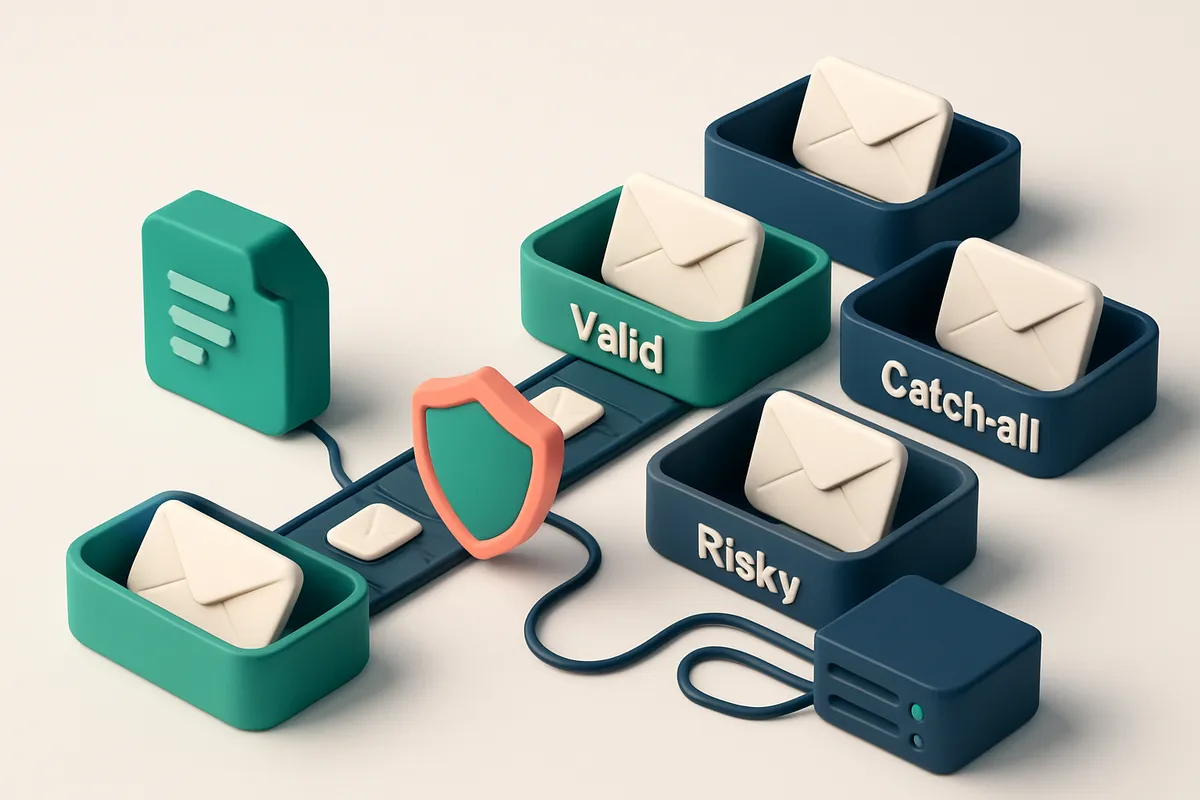
Let’s break down the core verdicts Emaillistchecker.io returns, and what they mean for your outreach:
| Verdict | Meaning | What to Do Next |
|---|---|---|
| Valid | Confirmed working email address. Server accepts messages. No known delivery blockers. | Safe to include in campaigns. These are your core deliverable audience. |
| Invalid | Undeliverable. Domain doesn’t exist, format is broken, or email is permanently rejected. | Remove immediately. Sending to these causes hard bounces and harms sender reputation. This includes emails like [email protected]. |
| Catch-all | Server accepts all incoming emails, regardless of recipient. Often a sign of poor email hygiene or spam trap setup. | Avoid in campaigns. These are high-risk. Even if the email accepts the message, it’s likely to be ignored or flagged. RFC 5321 notes that catch-all configurations reduce spam filtering effectiveness. |
| Risky | Flagged as role-based (like admin@, support@), disposable, or part of a high-bounce domain. Often leads to poor engagement. |
Send with caution. High likelihood of low open rates, spam complaints, or automatic filtering. Use only in controlled scenarios. |
These aren’t just labels—they’re red flags, green lights, and warnings on your path to deliverability. Misinterpreting a risk flag as valid? That’s why inbox placement drops.
Why This Matters for Your Campaigns
High bounce rates from invalid or catch-all addresses trigger alarms with ISPs. Even one hundred invalid emails can push your sender score into the danger zone.
The truth is, no email service provider (ESP) wants to deliver messages to addresses they know won’t engage. That’s why tools like bulk verification are critical—to remove dead weight before it impacts your reputation.
Let’s be clear: there’s no magic. But with accurate results, you’ll know which emails to trust and which to drop. That’s how you keep your sender IP clean and your messages in the inbox.
How to Verify Your Email List Before Sending HTML Campaigns
Stop sending to dead ends
You can craft the most beautiful HTML email in the world, but if it lands in a trash folder or bounces, it’s wasted effort. The first step is making sure your list isn’t full of invalid or non-responsive addresses. Let’s break it down.
- Run a bulk verification check using a reliable email-verification SaaS. This catches invalid formats, typos, and domains that don’t exist—common culprits for high bounce rates.
- Use Emaillistchecker.io’s real-time API to validate addresses as you collect them. This stops bad data at the source, especially when users sign up via forms or apps. It’s a proactive way to maintain list hygiene using standard SMTP practices.
- Test deliverability before launch with inbox-placement testing. Your HTML email might pass validation, but it could still land in spam. A realistic test simulates how major providers like Gmail, Outlook, and Apple Mail treat your campaign.
Why this prevents delivery failures
A list with even a few invalid addresses can hurt your sender reputation. Email providers monitor bounce rates and spam complaints closely. A high bounce rate—especially hard bounces—significantly increases the chance your domain gets blocked. You’re not just saving money on sends; you're protecting your ability to reach inboxes at scale. A single misdirected HTML campaign can trigger automated filtering systems, especially if the message includes links or images that look suspicious without proper authentication. Use inbox-placement testing to simulate real-world conditions. It checks how your message is parsed, whether it triggers spam filters, and how likely it is to land in the inbox—before you send to thousands.
- Start with Emaillistchecker.io’s inbox-placement test to see how your HTML email performs across real provider networks. This gives you real feedback, not just theoretical scores.
- Combine this with their bulk verification tool to clean existing lists. You can upload a CSV and get detailed results: valid, invalid, catch-all, or risky addresses—clearly labeled.
- For dynamic lists, use their real-time API to validate each new addition instantly. It integrates with major platforms like Mailchimp, HubSpot, and Klaviyo via their native integrations.
You don’t need to guess what’s working. You can see what’s breaking—before it breaks your deliverability.
Integrations That Keep Your List Clean and Deliverable
You’re not just sending emails—you’re building trust, one inbox at a time. The real cost of bad data isn’t just a few bounces. It’s damaged sender reputation, blocked domains, and wasted effort. Let’s keep your list sharp, and your deliverability high.
Plug In, Stay Clean
Emaillistchecker.io works directly with your tools—Mailchimp, Klaviyo, SendGrid, and HubSpot. You don’t need to juggle exports or imports. When someone signs up, we validate the email in real time. Invalid, misspelled, or disposable? We flag it before it ever reaches your campaign. This isn’t a one-time cleanup. It’s continuous hygiene. Each new subscriber is verified instantly. No more batch jobs. No more “why did this send fail?” You’re not just checking names—you’re preventing trouble before it starts.
Stop Bounces, Avoid Blacklists
A single bounce can hurt your sender score. High bounce rates trigger filters at major providers like Gmail and Outlook. According to industry data from Return Path (now Validity), sending to invalid emails isn't just inefficient—it directly reduces inbox placement over time. We help you avoid that trap. You can’t stop every spam complaint, but you can stop the preventable ones. By filtering out risky or non-existent addresses upfront—catch-all domains, role accounts, temporary mail—you reduce the odds of triggering filters. Real-time verification means you’re consistently sending to real people with real inboxes. For deeper insight, you can test how your campaigns land in actual inboxes with our [inbox placement testing](https://emaillistchecker.io/inbox-placement). It’s not about guessing. It’s about knowing. And when it’s time to clean your entire list? Run a full bulk verification. Our [bulk verification tool](https://emaillistchecker.io/bulk-verification) processes thousands at a time, with 98.9% accuracy. You’re not just removing bad emails—you’re improving your long-term deliverability. Want to build this pipeline yourself? Our [API](https://emaillistchecker.io/api) lets you automate validation on every signup, whether you’re using a form, a CRM, or a custom app. No manual steps. No guesswork. There’s no magic here. Just clear, clean data, delivered on time, every time. Keep your list clean, and your messages get seen. [See how integrations work](https://emaillistchecker.io/integrations) — or get started with 100 free verifications.
Using Emaillistchecker.io for HTML Email Campaign Readiness
Let’s be honest: your HTML email design won’t matter if it lands in spam folders or gets bounced. You need a clean list before you hit send. Here’s how Emaillistchecker.io fits into your workflow.
Verify Your List at Scale
- Upload your mailing list—up to 10,000 emails—directly from a spreadsheet or CSV file.
- Run the full verification in under five minutes. No delays. No waiting for a human.
- Results come back with 98.9% accuracy, based on real-time checks against SMTP servers and domain records.
Filter Out the Noise Before You Send
- Automatically flag invalid emails—those with syntax errors or non-existent domains.
- Remove catch-all addresses (where any email at the domain is accepted), which inflate your list but never convert.
- Identify risky addresses—those associated with disposable domains or known spam traps—before they hurt your sender reputation.
- Only valid, high-quality emails proceed to your campaign. That means better deliverability and higher inbox placement.
- Use the bulk verification tool to check entire campaigns in minutes.
Think of it like quality control for your email list. Just as you test a website for broken links, you should test your list before your HTML email goes live. According to industry benchmarks, even a 1% increase in list cleanliness can improve inbox placement by 5–10% (a pattern commonly seen in reports from Return Path and earlier studies by Litmus).
The real test isn’t just whether your HTML renders correctly—it’s whether your messages land where they’re meant to. A clean list reduces bounces, avoids blocklists, and protects your sender reputation. That’s a non-negotiable when sending branded HTML emails at scale.
Want real-time validation during onboarding or campaign setup? The API integration keeps your workflows secure and automated.
Need to find a missing email before you verify? Use the email finder to supplement your list with real contacts.
Even if your HTML email looks perfect in your inbox preview, the rest of the journey—delivery, reputation, engagement—starts with a verified list. That’s where you begin.
Deliverability isn’t just about formatting. It’s about trust. And trust starts with clean data.
HTML Emails Excel Doesn’t Handle — Here’s What Does
Excel is great for numbers, lists, and basic formatting — but it’s not built for email. When you're crafting HTML emails, Excel can’t show you how your message will actually render in Gmail, Apple Mail, or Outlook. Each email client parses HTML differently, and some even strip out or misinterpret styles. Let’s be real: if your email looks perfect in Excel, you’re probably not ready for real-world delivery.
Real Email Clients Render Differently
Gmail strips inline styles in some cases. Outlook uses Word’s rendering engine, which can break modern CSS. Apple Mail applies its own quirks, especially around responsive behavior. Even subtle differences in how tables are nested or how font rendering is handled can make your email look broken. Testing across clients isn't optional — it's how you avoid inbox ghosting. You don't need to test every client manually. Tools like Litmus and Email on Acid give you real-time previews across dozens of email clients and devices. They simulate actual rendering, so you can spot issues before sending. These tools also test links, image loading, and mobile responsiveness — all things that matter for inbox placement.
Don’t Just Test the Design — Test Delivery
Even with perfect formatting, your email might still land in spam or the promotions tab. That’s where inbox-placement testing comes in. It’s not enough to say “the HTML renders correctly.” You need to know if your message actually reaches the inbox, and how likely it is to be seen. Emaillistchecker.io offers inbox-placement testing that simulates real-world delivery to major providers. It checks whether your sender reputation, DNS records, and content trigger filters. This isn't just a rendering preview — it’s a delivery audit. You’ll get results that show the actual probability your email will appear in the primary inbox instead of the spam folder. For deeper accuracy, use a tool that combines rendering, content analysis, and delivery scoring. And if you're managing large lists, make sure your emails are valid before you send them. You can verify entire lists in bulk with Emaillistchecker.io’s bulk verification tool, which catches typos, syntax errors, and invalid domains before they hurt your deliverability. Even great HTML can fail if the email is sent to a catch-all, disposable, or role address. That’s why real-time validation — and proper deliverability testing — matter more than ever. Don’t trust Excel to tell you what your email will do in the real inbox. Use tools designed for the job.
Why Sending to Dirty Lists Hurts Deliverability
Let’s be clear: even the most polished HTML email won’t land in an inbox if your list is cluttered with invalid, outdated, or harmful addresses. High bounce rates are a red flag to ISPs and spam filters. When a significant portion of your sends return undeliverable, it signals poor list hygiene. ISPs take this as a sign you’re not managing your contacts responsibly—something they interpret as potential spam behavior.
Bounces Don’t Just Waste Sends—They Damage Reputation
A single bounce isn’t a crisis. But send to 10% invalid addresses, and you’re already ticking off deliverability watchdogs. ISPs track engagement patterns and bounce behavior over time. Consistent bounces correlate with low sender reputation, which directly impacts inbox placement. Spam traps are another silent killer. These are inactive email addresses intentionally planted in old or reused lists to catch spammers. You can’t know they’re there unless you’ve vetted your list properly. Sending to one—even once—can hurt your reputation for months. Many senders assume their HTML is perfect, so deliverability must be fine. But no amount of design polish fixes a dirty list. A well-crafted template fails if it hits an address that’s inactive, disabled, or a trap.
Real-Time List Cleaning Prevents Deliverability Breaks
The key isn’t just sending great HTML—it’s sending only to valid, active emails. That’s where bulk verification comes in. Tools like bulk verification can spot invalid, role-based, and disposable addresses before you send. An API-driven approach—like EmailListChecker’s real-time verification API—lets you clean emails at point of entry. That’s critical for forms, sign-ups, or any list acquisition. And yes, even if your email looks perfect, sender reputation is built on behavior. Sending to a list full of dead or spam trap addresses signals to providers like Gmail and Outlook that you may not be trustworthy—regardless of your content quality. The bottom line: your deliverability isn’t just about the HTML. It’s about who you’re sending to. Clean lists aren’t a feature; they’re a requirement. You can test how your emails perform in real inboxes with inbox placement testing—a step that shows you where your emails land before you send to thousands. For more context on how major ISPs evaluate senders, see the Email Abuse Reporting Service and Spamhaus—resources trusted by security and deliverability teams worldwide.
Ready to Send Confidently? Start with a Clean List
Excel is not designed to validate email addresses or assess deliverability. Relying on it to prepare an HTML email list introduces errors, bounces, and reputational risk.
Instead, verify every address before sending. Emaillistchecker.io checks for syntax, domain validity, inbox presence, and spam traps—ensuring your HTML emails reach real inboxes, not dead ends.
With 100 free verifications to start and credits that never expire, cleaning your list is low risk, high reward. No guessing. No wasted sends.
Keep reading
- Email verification integrations for ESPs, CRMs and marketing tools (complete guide)
- Email Deliverability Optimization Through Salesforce Integration
- Mailerlite Email Verification: Fix Deliverability Now
- Optimize HubSpot Campaigns by Verifying Emails Before Send
- Reduce Email Blacklisting with HubSpot and Email Verification
Ready to put this into practice? Emaillistchecker.io verifies emails with 98.9% accuracy — start with 100 free verifications.
Frequently asked questions
Can I edit HTML emails in Excel?
No. Excel cannot properly render or maintain HTML formatting. Use an email builder or code editor instead.
Why do my emails bounce after using Excel to format them?
Excel corrupts HTML by stripping tags, altering encoding, or breaking inline styles. Always use a proper email tool.
Does Emaillistchecker.io test how HTML renders in email clients?
No — but it tests deliverability and validity. Use Email on Acid or Litmus for rendering previews.
What’s the best way to clean an email list before sending HTML campaigns?
Use email verification to remove invalid, catch-all, disposable, and risky addresses. Then test deliverability.
How accurate is Emaillistchecker.io?
It verifies email addresses with 98.9% accuracy, using real-time SMTP checks and AI-assisted validation.
Can I integrate Emaillistchecker.io with Mailchimp or Klaviyo?
Yes — it supports direct integration with Mailchimp, Klaviyo, HubSpot, and SendGrid for real-time list hygiene.
Do I need to know HTML to send a campaign?
No — email platforms like Mailchimp and HubSpot handle HTML. But you must use clean, valid addresses to avoid rejection.
How many free verifications does Emaillistchecker.io offer?
You get 100 free verifications to start — no expiration on purchased credits.
Do disposable email addresses affect my sender reputation?
Yes. A high percentage of disposable emails in your list signals poor list hygiene and can trigger filters.
Can role accounts hurt my deliverability?
Only if they’re overused. Role addresses like info@ or sales@ are risky and often flagged as spam if sent to excessively.
What is a catch-all email address?
A server that accepts all incoming messages, even for non-existent users. These are commonly used by spammers and should be avoided.
How does Emaillistchecker.io handle greylisting?
It detects greylisted domains by simulating SMTP behavior and identifying delayed or rejected responses.


