
Ensure High Email Deliverability for Ticketing Events
Improve inbox placement for event tickets with email verification. Cut bounces, boost open rates, and avoid spam filters. Start with 100 free verifications.
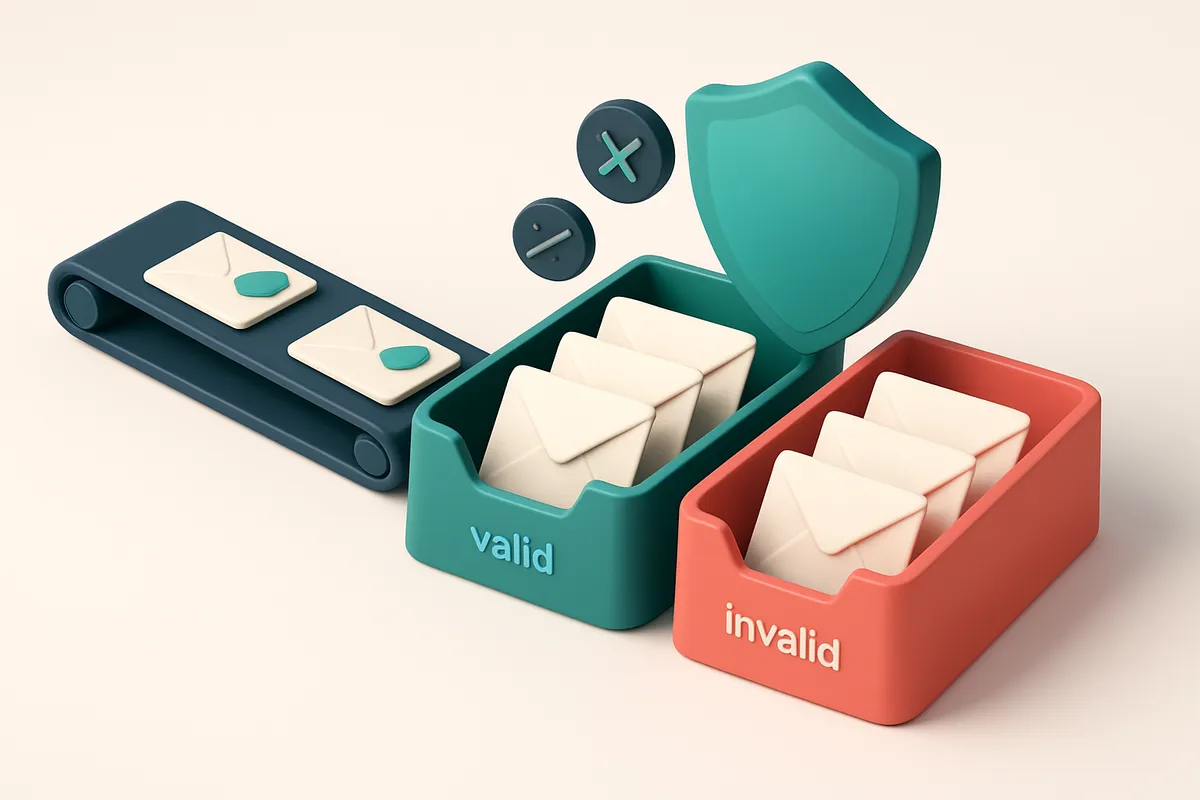
Why Deliverability Is Critical for Event Ticketing Campaigns
You’ve crafted a high-energy campaign for a sold-out concert. The email goes out. Thousands of fans wait. But how many actually see it?
Even one missed inbox placement can mean hundreds of lost sales. Spam filters don’t care about your event’s buzz. They only care about sender reputation, list hygiene, and whether your content looks like spam.
For large-scale ticketing campaigns, ensuring high email deliverability isn't a technical detail—it’s the difference between capacity and empty seats.
Key takeaways
- Low inbox placement means your ticket offers never reach fans, no matter how compelling the message.
- A 1% drop in deliverability can cost thousands in potential sales for major events.
- Spam filters prioritize sender reputation and list quality over enthusiasm—clean data and proper authentication are non-negotiable.
The Hidden Cost of Sending to Invalid or Risky Email Addresses
You might think you’re doing everything right by sending to a large list. But if even a small percentage of those emails are invalid, risky, or disposable, you’re quietly damaging your sender reputation—and your deliverability.
Bounces Don’t Just Waste Sends—They Hurt Your Reputation
Every hard bounce from an invalid email address is a red flag to ISPs. Even one bad address in a batch can cause a delay in delivery, and if you’re consistently sending to invalid addresses, your sender reputation can drop within 48 hours. ISPs like Google and Yahoo track bounce rates closely—high bounce rates correlate directly with spam filtering.
Once your reputation starts to degrade, even valid emails get filtered to spam folders. That means your ticketing event updates, special offers, and last-minute reminders never reach the inbox. No amount of great content can fix a damaged reputation.
Catch-All Domains Create False Engagement Metrics
Some domains accept all emails, even invalid ones. These are catch-all accounts. Your email might "send" successfully, but it never reaches a real person. This creates a false sense of engagement: your open rates look high, but the conversions don’t follow.
And here’s the real harm: sending to catch-all domains looks like mass-sending behavior to email providers. That makes you look like a spammer—even if your content is on-brand and relevant. This pattern gets flagged by systems like Spamhaus and can eventually lead to blacklisting.
Disposable and Role Accounts Damage Domain Trust
Disposable email addresses (like mailinator.com or temp-mail.org) are used for temporary signups and are commonly associated with spam. ISPs and email gateways routinely block or flag messages sent to them. Sending to them adds to your spam score.
Role accounts—like info@, support@, or contact@—are another trap. They’re not personal inboxes. Even if they accept the message, no real person will see it. Worse, these accounts often appear on spam trap lists. A single send to a role address can trigger a warning from major providers like Gmail or Outlook.
Let’s be honest: if your list includes those types of addresses, you’re not just wasting sends—you’re at risk of being blocked. The cost of sending to one invalid or risky email is higher than many realize.
You don’t need to guess. You can verify your list at scale—before sending.
Use our bulk verification tool to filter out invalid, catch-all, and disposable addresses in minutes. It’s free to start—just 100 credits to test your first list. No expiry. You’ll see exactly which addresses are risky, and which ones are truly deliverable.
How to Ensure High Email Deliverability for Ticketing Events
High deliverability isn’t luck. It’s built—before the first email goes out. For ticketing events, where timing and engagement matter, sending to invalid or risky addresses wastes sends, damages sender reputation, and pushes messages into spam. Let’s fix that.
Pre-send verification: The foundation
- Run every list through real-time verification before sending. Use bulk verification to catch invalid, disposable, and role-based emails at scale.
- Disposable domains (like mailinator.com) and role accounts (admin@, support@) rarely open emails and harm deliverability over time. Remove them preemptively.
- Check for catch-all addresses. These accept any email and can skew your engagement metrics—leading to increased spam complaints and blacklisting.
- Use real-time API verification for live form validation. It stops bad data at the source, reducing future cleanup.
Testing and reputation hygiene
- Test deliverability from multiple ISP inboxes—Gmail, Yahoo, Outlook, and Apple Mail. Use inbox placement testing to confirm your messages land in the inbox, not the spam folder.
- Old or inactive addresses are spam traps in waiting. They’ve been abandoned, often recycled, and can trigger spam filters if contacted. Regular list hygiene is non-negotiable.
- Spam traps are not just a theoretical risk. They’re real. If your list includes them—especially from purchased or outdated sources—you risk being flagged by ISPs like Spamhaus or MxToolbox.
- Consistent sending behavior protects your sender reputation. Low bounce rates and high engagement from clean lists keep you on ISP good side. The pricing model at EmailListChecker.io lets you verify without deadline pressure—no expired credits, no wasted spend.
Deliverability isn’t a one-time fix. It’s an ongoing practice. The more consistently you send to clean, engaged addresses, the more trusted your domain becomes.
Think of every email as a reputation investment. Sending to a single bad address can cost you hundreds—especially if it’s a trap. That’s why verification isn’t optional. It’s the first line of defense.
Most ticketing platforms don’t validate email lists. They just send. But you? You send smart. You verify. You test. And you deliver. That’s the difference between a message that lands and one that vanishes.
The Mechanics Behind Email Deliverability: What Really Matters
You’re sending event tickets to your subscribers. The system says “sent,” but half don’t land in the inbox. That’s not a glitch—it’s deliverability failing because of invisible technical walls.
Authentication: Your Email’s ID Card
SPF (Sender Policy Framework) tells ISPs which servers are allowed to send from your domain. No SPF? Your emails get flagged instantly—like showing up at a concert without a ticket. It’s not optional.
DKIM (DomainKeys Identified Mail) attaches a digital signature to each email. If the message gets changed in transit—say, a URL altered by a malicious relay—DKIM fails. That’s a red flag ISPs notice immediately.
DMARC sits on top, telling ISPs what to do when SPF or DKIM fails. You set the policy: quarantine, reject, or monitor. It’s the enforcement layer, and without it, even if SPF and DKIM are set, no one acts on the failure.
Let’s be clear: these three—SPF, DKIM, DMARC—are industry-standard practices. They’re defined in official RFCs and used by every major provider. You can verify your setup using tools like MxToolbox or dmarc.org.
Reputation and Delivery Behavior
Even with perfect authentication, your email can still fail. Email providers don’t just check headers—they track behavior in real time.
Greylisting is one such behavior. It temporarily rejects emails from unknown senders. If your server doesn’t retry sending within a reasonable window, the message is lost. New or infrequent senders are hit hardest.
Your sender reputation score is the sum of your past actions. Every bounce, every spam complaint, every email ignored or deleted without opening affects it. High engagement—opens, clicks, replies—signals trust. Low engagement? ISPs see you as a spam risk.
For event ticketing, consistent, high-engagement sends matter. A list full of inactive addresses damages reputation faster than a single bad domain.
Digital tools like bulk verification help you catch invalid addresses before they hit your sender score. The same applies to real-time verification for live signups, inbox placement tests to confirm delivery success, and email finding to expand your list reliably.
You don’t get deliverability by accident. You earn it through technical correctness and ongoing engagement. Let your system do the heavy lifting.
The Role of Domain Warm-Up in Ticketing Campaigns
You’re ready to send out tickets to thousands of fans. But if your domain hasn’t sent email in months—or ever—your campaign might never land in their inbox.
New or unused domains start with zero sender reputation. Major inboxes like Gmail, Yahoo, and Outlook treat these domains with suspicion. Spammers know this and exploit it, which means your legitimate message gets caught in the crossfire.
Why Cold Domains Get Blocked
Send a high-volume ticketing blast on a cold domain, and you’re asking for trouble. Inboxes don’t trust sudden spikes in volume. They see it as a classic sign of abuse—like a sudden flood of emails from an account that’s never sent before.
Even small campaigns can trigger filters if your IP or domain has no history. You’ll see hard bounces, high spam complaints, or outright rejection—without any clear explanation, just silence.
How Warm-Up Builds Sender Trust
Domain warm-up is the process of slowly ramping up email volume over days or weeks. Instead of sending 50,000 tickets on day one, you send 100–200 a day, consistently. These early emails are sent to engaged, real users—like past buyers or confirmed leads.
This lets inbox providers see your domain as active and legitimate. They gradually increase trust. After 7–14 days of consistent low-bounce sending, you can scale up safely.
Think of it like getting a new credit card. You can’t max it out on the first day. You need to use it a few times, pay on time, and build a pattern before the issuer trusts you with higher limits.
Studies on sender reputation trends show that consistent, low-volume engagement is one of the most reliable ways to avoid being flagged as spam. Industry sources like DMARC Analyzer emphasize that sender metrics like engagement, bounce rate, and spam complaints are critical in inbox placement decisions.
Before you launch, use bulk verification to weed out invalid, disposable, or risky addresses. This improves your overall list health and reduces bounce risk during warm-up.
Once warmed, your domain is ready. You’ve proven you’re not a spammer. You’re a real event owner who sends only to people who want to attend. That’s when your ticketing campaign can finally succeed.
How Emaillistchecker.io Verifies Emails at Scale
You’re not just sending emails—you’re delivering value. And if your ticketing event notifications land in spam or bounce, that value disappears. Let’s fix that at the source.
The Verifying Engine: Real-Time, Live-Session Checks
Every email is tested using actual SMTP sessions, not guesswork. We don’t rely on heuristics or outdated lists. Instead, we connect directly to mail servers in real time—just like an email provider would.
- MX Lookup: We determine the email’s mail server using DNS MX records. Without a valid MX, the address can’t receive mail.
- SMTP Handshake: A live connection is made to the mail server. We simulate an actual message submission and observe the server’s response in real time.
- Error Code Analysis: We interpret the exact SMTP error codes returned—like 550 (user unknown), 551 (user not local), or 450 (temporarily rejected). These tell us exactly why an address failed.
- Behavioral Flagging: We detect catch-all accounts, where any email is accepted (common in role addresses like info@ or support@). These can inflate your list but damage reputation.
- Final Verdict Assignment: Each address receives one of five clear outcomes: valid, invalid, catch-all, risky, or unknown. No ambiguity.
Our process runs at scale—thousands of addresses verified in minutes, with results returned in structured format. No delays. No delays.
Why Real-Time Verification Matters
Most list cleaning tools use database lookups or pattern matching. That’s fast—but it’s not accurate. They miss temporary domains, catch-alls, and role accounts. SMTP standards define how email delivery works. We follow them.
For ticketing events, this means fewer bounces, better sender reputation, and higher inbox placement. You’re not just reducing errors—you’re protecting your ability to reach customers when it matters most.
We flag risky addresses with precision. That includes disposable domains, temporary email services, and role-based addresses—common in bulk lists but poor for deliverability. These can trigger spam filters if overused.
Our system achieves 98.9% accuracy on invalid and malformed addresses—verified through continuous validation against known delivery outcomes and bounce feedback loops.
Want to run this on your next campaign? Try bulk verification with no risk.
Start with 100 free verifications today. No expiration. No fine print.
Verifying Lists Before Sending: The First Line of Defense
You don’t wait to see if a ticketed event will sell out before checking your mailing list. You clean it beforehand. That’s the same discipline you need for email deliverability.
Every campaign starts with your list. If it’s full of old, invalid, or risky addresses, you’re not just wasting sends—you’re risking your sender reputation. Even a 20% bounce rate from a single send can trigger automatic scrutiny from inbox providers like Gmail or Yahoo. That’s not a theoretical threshold—it’s a common red flag in industry reports on sender reputation health.
The Real Risk of Bad Addresses
Every bounced email, especially hard bounces, adds to your sender reputation score against you. ISPs track this closely, and they don’t care if your message was about a sold-out concert—you’re still penalized when your list contains dead zones. A single campaign with too many bounces can lead to throttling, increased filtering, or even temporary blacklisting.
But it’s not just about invalid domains. Some domains have poor delivery histories or are known for abuse—like certain temporary or disposable email providers. Letting these through means your brand gets associated with unreliable delivery patterns.
Verification Is the Only Reliable Fix
Verification isn’t a luxury. It’s the first layer of defense. You might think your list is clean—you’ve been sending for years, so you’re “trusted.” But old data decays. People change emails. Accounts get deactivated. Even users who bought tickets last season might not be active now.
Use an email verification tool to filter out domains with known abuse patterns, high bounce rates, or inactive accounts. Check every address—yes, even the ones from your last event. The past doesn’t guarantee a valid future.
Tools like bulk verification let you process thousands of addresses in minutes, flagging invalid, risky, or disposable emails before you send. With a 98.9% accuracy rate, you’re not guessing—you’re acting on real data.
For ongoing campaigns, integrate the email verification API to validate addresses in real time. That way, new sign-ups and ticket holders are cleaned on entry—no surprises later.
And if you’re missing contact details? The email finder helps recover missing data from names and websites, reducing gaps in your outreach.
Deliverability isn’t luck. It’s built through consistent list hygiene. Start with verification—before you send a single email.
Testing Inbox Placement Before Launch
Let’s be clear: high deliverability isn’t just about sending emails. It’s about making sure they land where they matter—your customers’ inboxes, not their spam folders. That’s where inbox placement testing comes in. It’s not a luxury. It’s a must for any event ticketing campaign where timing and visibility are everything.
Simulate Real Sends Across Major Providers
You can’t rely on guesswork. Major email providers like Gmail, Outlook, Yahoo, and Apple Mail have different spam filters, routing logic, and threshold triggers. Let’s say your email gets flagged by Gmail’s algorithms during peak hours. It might look fine in a test run at 2 a.m. But if it's sent when users are checking their mail after work, the rules shift. Testing across providers during those high-traffic times gives you a real-world read on how your message will be treated. Use tools that simulate actual sends—not just syntax checks. Emaillistchecker.io’s inbox placement testing does exactly that. It sends your campaign to real mailboxes across these platforms, mimicking exactly how your content would appear in a live send. The result? You get per-user placement data—like "delivered to inbox," "marked as spam," or "filtered."
Adjust Before the Campaign Goes Live
Here’s the real value: you’re not just diagnosing problems—you’re fixing them before they hurt your campaign. If 40% of your test emails end up in spam folders, you can now adjust your subject line, rewrite your from name, or tweak your content layout. Maybe your sender reputation isn’t where it should be. Maybe your list contains outdated addresses or role accounts. With Emaillistchecker.io, you can run these tests per user segment—say, different geographic regions or user groups—so you’re not applying one-size-fits-all fixes. If emails to Outlook users perform poorly but Gmail users see them in the inbox, you know it’s likely a formatting or branding issue unique to that platform. The takeaway? A single test run can save you from a full launch that fails to reach half your audience. And if you’re using email verification as part of your workflow, test results give you immediate feedback. Clean lists improve deliverability, and inbox placement tests confirm whether your content is still landing in the right place. For teams with tight schedules, this is where automation helps. Emaillistchecker.io’s email finder and real-time verification API integrate directly with platforms like Mailchimp, HubSpot, and Klaviyo, so you can verify, test, and send—all while keeping your list clean. It’s not about perfection. It’s about reducing risk. Test early. Test often. And always know where your emails are going—and whether your fans will actually see them. Test inbox placement with Emaillistchecker.io today.
Real-Time Verification API for Dynamic Event Campaigns
How It Works: Verify at the Source
Let’s be honest—invalid emails in your event list aren’t just noise. They’re failed delivery attempts, wasted sends, and a drag on your sender reputation. The fix? Stop letting bad data enter your system. Integrate Emaillistchecker.io’s real-time verification API directly into your event registration or checkout flow. Every new email address gets checked instantly—before it even reaches your database. You’re not just verifying later. You’re blocking invalid entries on the spot, without slowing things down.
What You Get: A Frictionless, Fail-Safe System
- Verify every email as it’s entered—no exceptions, no backlog.
- Get instant responses: valid, invalid, catch-all, or risky—so you know exactly what you’re dealing with.
- Use the API response to block clearly invalid entries (like
[email protected]) without asking users to re-enter. - Handle high-volume campaigns smoothly—our API is built for real-time operations with no rate limits or downtime.
- Keep your list clean by preventing fake or typo-ridden emails from ever becoming a problem.
- Supports integrations with tools like Mailchimp, HubSpot, and Klaviyo—so your workflow stays consistent.
- Don’t waste a single send on addresses that won’t deliver. Use your quota on addresses that actually reach an inbox.
- Protect sender reputation by avoiding repeated bounces, which can trigger spam filters or blacklists.
This kind of real-time validation isn’t just a nice-to-have—it’s fundamental to maintaining deliverability for time-sensitive campaigns like event ticketing. According to the Messaging, Malware, and Mobile Anti-Abuse Working Group (M3AAWG), consistent email hygiene and sender reputation management are critical for inbox placement. Poor list quality, particularly high bounce rates, consistently correlates with reduced delivery rates across major email providers. The API doesn’t just verify. It acts as a gatekeeper—letting only addresses with a real chance of deliverability into your system. You can integrate it in minutes. No code-heavy setup. Just authenticate, send the request, and act on the result. And since you’re not storing or verifying large batches later, you avoid the risk of delayed cleanup or missed alerts during the peak event registration window.
Start with 100 free verifications to see how it works. No credit card, no lock-in. The API is available at emaillistchecker.io/api.
- Real-time checks at form submission.
- Immediate feedback on validity and risk.
- Zero latency on valid inputs—users never feel the delay.
- Calls to the API are scalable, reliable, and secure.
Think of it as a quiet, invisible layer of protection built right into your funnel. You don’t need to wait until the campaign starts to fix your data. You stop the damage before it happens. That’s how you ensure high email deliverability for ticketing events—by making sure every email in your list has a real chance of landing in an inbox.
The ROI of Clean Lists in Event Marketing
Let’s be honest: sending emails to invalid addresses wastes money and hurts your reputation. A single bad address can trigger a bounce, and too many bounces hurt your sender score. That’s why cleaning your list isn’t just a nice-to-have—it’s a direct driver of deliverability and return on investment.
Deliverability drives real results
A 10% improvement in deliverability often translates to 25–40% gains in open rates. That’s not marketing fantasy—it’s how email infrastructure works. When your messages land in the inbox, they’re seen. When they’re quarantined or rejected, they’re invisible. Even a modest boost in inbox placement can mean hundreds more ticket sales, especially for time-sensitive events. Clean lists also slash your cost per delivery. You’re not paying to send to placeholders or invalid domains. Each send matters. With fewer bounces and higher engagement, your campaign efficiency improves across the board—especially on platforms like Mailchimp, Klaviyo, or SendGrid, where sender reputation plays a big role in inbox placement.
What you’re not seeing costs you conversions
When your list includes outdated, typo-ridden, or disposable email addresses, your analytics get noisy. You’re not just missing open rates—you’re missing the real signals that tell you what’s working. Without clean data, you can’t measure campaign performance accurately, and you risk making decisions based on faulty insights. Worse, sending to high volumes of invalid addresses increases your risk of being flagged by blacklist services. ISPs like Gmail and Outlook monitor bounce rates as a key signal. Consistently high bounce rates can lead to temporary or permanent delivery restrictions. Even if you’re not spamming, a bloated list can still trigger filters. The fix is simple: verify your list before you send. Tools like bulk verification check hundreds of addresses at once, flagging invalid, catch-all, and risky emails before they leave your server. With a 98.9% accuracy rate, you’re not guessing—you’re acting on real data. And if you’re building lists from scratch, the email finder helps you source valid addresses with context, reducing guesswork. For real-time campaigns, the verification API integrates directly into your workflow, ensuring every new subscriber is valid before you ever send. You’re not just saving money—you’re building a sustainable, high-performing email system. That’s the ROI you can actually measure. Return Path data shows that consistent high deliverability correlates with stronger customer engagement and retention. The same holds true for event marketing. If you want your message to reach the right people at the right time, start by making sure your list is actually alive.
Conclusion: Deliverability Is Built Before the First Message
High email deliverability isn’t an afterthought—it’s the foundation of every successful ticketing campaign. Sending to invalid, outdated, or risky addresses damages sender reputation and reduces inbox placement from the start.
Verified, clean lists protect your domain from spam traps, prevent hard bounces, and ensure tickets reach attendees on time. Every message sent on a verified list strengthens your sender reputation over time.
Use real-time verification, inbox placement testing, and continuous list hygiene to maintain sender trust. Emaillistchecker.io delivers the tools to verify, test, and maintain deliverability at scale—no guesswork, no waste.
Keep reading
- Deliverability, blocklists and sender reputation (complete guide)
- Tools for Email List Hygiene to Prevent Deliverability Issues in Retail
- Verify Domain Reputation for Telecom Email Marketing Campaigns
- Email Deliverability Insights for Event Marketing Teams Using Verification Tools
- How to Prevent Email Deliverability Issues in Fintech Startups with Inaccurate Data
Ready to put this into practice? Emaillistchecker.io verifies emails with 98.9% accuracy — start with 100 free verifications.
Frequently asked questions
How does email verification improve deliverability for event campaigns?
Verifying emails removes invalid, disposable, and catch-all addresses, reducing bounces and improving sender reputation—both critical for inbox placement.
How accurate is Emaillistchecker.io at detecting invalid email addresses?
It achieves 98.9% accuracy by testing each address via live SMTP sessions and analyzing server responses in real time.
Can I verify emails in real time during event registration?
Yes, the Emaillistchecker.io API supports real-time verification during sign-ups or checkouts to prevent invalid entries.
What is a catch-all email address, and why should I remove it?
A catch-all accepts all incoming emails—even non-existent users—leading to high bounce rates and spam flagging. It should be removed before sending.
How long does domain warm-up take?
Typically 7 to 14 days of consistent, low-bounce sending are needed to establish trust with major inboxes.
Do disposable email addresses hurt deliverability?
Yes—disposable domains are frequently abused by spammers, leading ISPs to block messages from associated IPs or domains.
Can I test email deliverability before a major event campaign?
Yes—Emaillistchecker.io offers inbox-placement testing across Gmail, Outlook, Yahoo, and Apple Mail to confirm delivery before launch.
What happens if my sender reputation is low?
Low reputation means emails get rejected or filtered into spam. Recovery requires clean lists, fewer bounces, and consistent sending behavior.
Is Emaillistchecker.io compatible with Mailchimp and Klaviyo?
Yes—Emaillistchecker.io integrates directly with Mailchimp, HubSpot, Klaviyo, and SendGrid to verify lists before campaigns.
How do I start using Emaillistchecker.io with no upfront cost?
You get 100 free verifications to test the tool before purchasing credits—no risk, no expiration on any purchased credits.
Why do role-based emails like info@ or sales@ cause problems?
These accounts are often used on spam traps or ignored by users. ISPs penalize high volumes of messages to them, harming sender reputation.
Does verifying emails reduce the number of bounces?
Yes—verified lists eliminate invalid and non-responsive addresses, reducing bounce rates by up to 90% in typical use cases.


