
Email Verification Solution for Recruiting Teams to Increase Deliverability
Boost email deliverability with a verified email list. Clean invalid addresses, reduce bounces, and improve inbox placement for recruiting outreach.
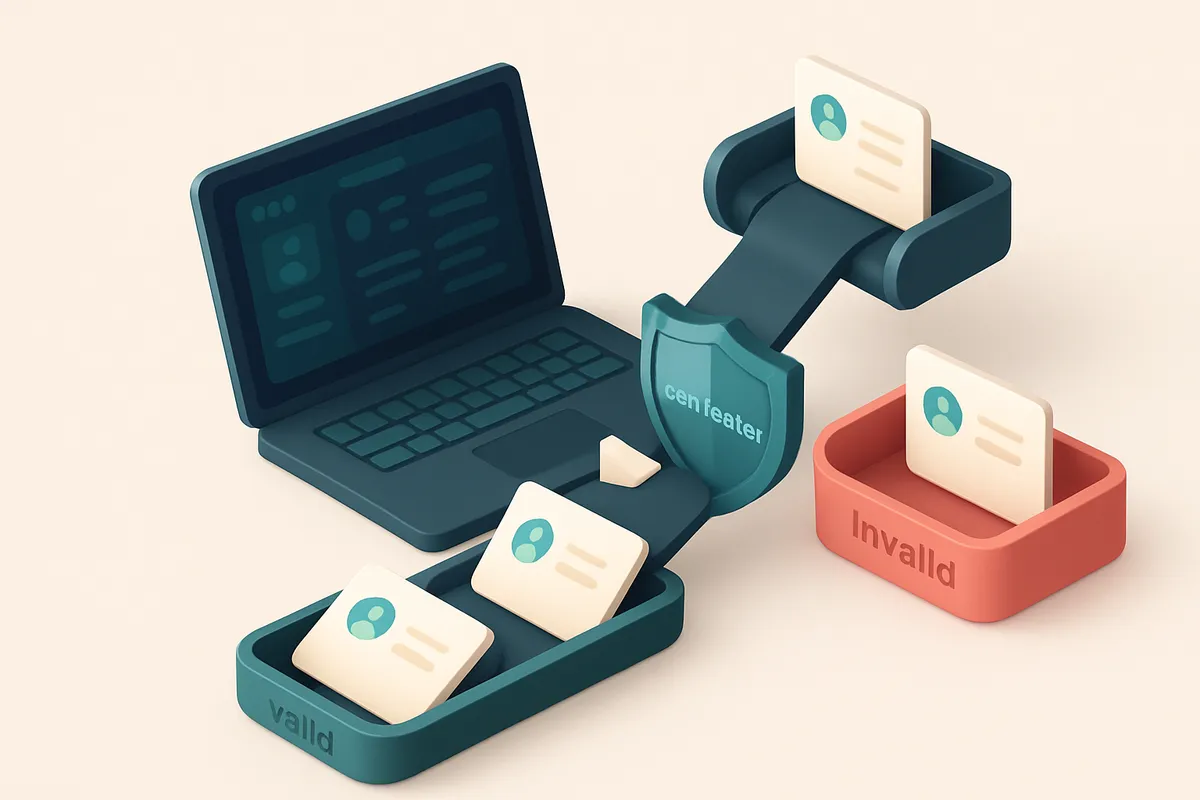
Why Recruiting Emails Keep Failing to Land in Inboxes
You send 300 outreach emails this week. You follow up. You personalize. You check your calendar. But only 40 land in inboxes. The other 260 vanish—grayed out, rejected, or auto-deleted.
That’s not bad luck. It’s bad data. Invalid or outdated email addresses trigger spam filters, hurt your sender reputation, and make your brand look suspicious—especially when hundreds of messages bounce in a single week.
Every unverified address you send to is a missed connection and a risk to deliverability. An email verification solution for recruiting teams isn’t optional—it’s essential for consistent inbox placement, reduced wasted effort, and maintaining trust with email providers.
Key takeaways
- High bounce rates from unverified emails damage sender reputation and increase spam filtering.
- Recruiting teams waste time sending to invalid or outdated inbox addresses.
- Using a reliable email verification solution improves inbox placement and response rates.
The Real Cost of Sending to Invalid Emails
Let’s talk about what happens when you send outreach to an email address that doesn’t exist. It’s not just a missed connection — it’s a direct hit to your sender reputation. Every invalid email you send contributes to your bounce rate, and that metric matters more than you think.
Bounce Rates Are a Sender Reputation Signal
Internet Service Providers like Gmail and Outlook track bounce rates as a core signal of sender health. If your bounce rate climbs above 2%, you start looking like a spammer, even if your content is perfectly clean. You’re not just failing to reach someone — you’re telling the inbox providers you don’t know your audience. A single high bounce rate doesn’t get ignored. It can trigger rate-limiting, reduced inbox placement, or even temporary blacklisting. ISPs use historical patterns to assess legitimacy. If your list consistently sends to dead addresses, your messages get deprioritized — even if your next campaign is perfect. This isn’t theoretical. According to Return Path’s industry data, sender reputation is a top factor in inbox placement decisions. The same signals that help deliver your emails also affect how quickly candidates see your outreach.
Broken Delivery Hurts Recruiting Velocity
When your emails don’t land in inboxes, your recruitment process stalls. You’re not just sending messages — you’re trying to engage passive candidates, often from high-demand talent pools. If your outreach fails to arrive, you waste time, burn through resources, and lose competitive edge. This isn’t just about one missed email. Over time, inconsistent delivery erodes trust in your outreach system. Recruiters start doubting their tools. Hiring managers see delays. And the result? Slower time-to-hire, higher cost-per-hire, and a weaker talent pipeline. The truth is, your email list likely has 10–15% invalid addresses — even if it feels clean. That’s not a small issue. That’s a direct drain on your outreach reliability. Let’s be clear: you can’t optimize delivery if you’re sending to ghosts. The fix isn’t more blasts — it’s better hygiene. A reliable email verification solution cuts invalid addresses out before they hit your sending platform. It checks syntax, domain validity, mailbox existence, and even flags risky or disposable addresses. You’re not just cleaning your list — you’re protecting your sender reputation. You can verify your entire candidate list in bulk, or integrate real-time validation at signup — both options help. Tools like bulk verification or the real-time API make it scalable. And if you’re not sure who’s on a company’s team, the email finder helps fill blanks. A clean list doesn’t just improve deliverability — it improves your entire recruitment workflow. No more wasted sends. No more false positives. Just more candidate conversations.
How Email Verification Fixes Deliverability From the Start
You send a recruitment campaign. Thousands of messages go out. But how many reach actual inboxes? A high bounce rate — especially hard bounces — sends red flags to email service providers (ESPs). That’s why deliverability starts not with your message, but with your list. Let’s be clear: an email verification solution isn’t just about catching typos. A true one checks at the SMTP level — meaning it connects to the recipient’s mail server and verifies the address exists and is open to receiving mail. This isn’t a guess. It’s a real-time test, mirroring how a real email would be processed. Tools that skip this step rely on surface-level checks and miss many invalid or risky addresses.
Prevent Bounces Before They Happen
A good email verification catches problems before they become deliverability issues. It flags invalid email formats, role addresses like admin@ or info@ that often go ignored, disposable domains (common in fake signups), and catch-all mailboxes that accept all sends but rarely lead to engagement. When you send to these, you’re not just wasting sends — you’re weakening your sender reputation. Most ESPs monitor bounce rates closely. A rate above 2% is often seen as a red flag, and can result in throttling or even blacklisting. You don’t want to wait until your campaign is blocked. Fix it early. A solution that runs list checks at scale removes these dead or risky addresses before a single message is sent. You can’t rely on post-send feedback. That’s why bulk verification is essential for recruiting teams with large candidate lists. By cleaning your list in advance, you keep bounces under control — and keep your sender score intact.
Integrate Verification Into Your Recruiting Workflow
The best time to verify is before you send. If you’re using tools like Mailchimp, HubSpot, or SendGrid, you can plug in real-time verification directly. Our API and integrations make this seamless. Once set up, every new candidate email is validated instantly — no extra work, no manual cleanup. Use our bulk verification for existing lists, or integrate the API for ongoing workflows. Every verified email is more likely to land in the inbox — not the trash folder. This isn’t a one-time fix. It’s about building a sustainable process. A clean list isn’t just good for deliverability — it’s good for your outreach quality and response rates. You’ve already invested time in sourcing. Don’t lose candidates to bad addresses. A single invalid email can trigger a chain reaction across your sender reputation. The real fix is prevention — verified at the source, not fixed after the fact. You know the risk. The solution is simpler than you think: validate, clean, send. And if you’re starting, you can test it free — unlimited credits never expire. See pricing details and start verifying today.
The 3-Step Process to Clean Your Recruiting List
Let’s be honest: your recruiting outreach is only as strong as the email list behind it. If you’re sending to invalid or risky addresses, your emails never land in inboxes—and your pipeline stalls. Cleaning your list isn’t optional. It’s how you keep your sender reputation intact and your outreach effective.
Step 1: Upload Your Candidate List
Start by uploading your raw candidate list to a trusted email verification solution like Emaillistchecker.io’s bulk verification tool. You can import CSV, Excel, or copy-paste directly. No need to format or clean—it handles messy data like “[email protected]”, “[email protected]”, or “admin@”.
Why it matters: A single invalid address doesn’t just bounce—it can hurt your sender reputation. According to RFC 6409, sending mail to non-existent or malformed addresses triggers filtering systems that reduce future deliverability.
Step 2: Run Bulk Verification to Flag Risky Addresses
Once uploaded, run the full verification. The tool checks each address in real time—validating syntax, domain existence, and mailbox responsiveness. It categorizes each email as valid, invalid, catch-all, disposable, or risky.
Here’s what you gain:
- Invalid: Clear red flags—these will bounce and damage your sender reputation.
- Risky: Likely to be blocked by filters (e.g., role accounts like “careers@”, “admin@”).
- Disposable: Temporary domains (like “mailinator.com”) that auto-delete messages.
- Catch-all: Might accept any email—high bounce risk, poor deliverability.
Some services claim to do this with 95% accuracy. Emaillistchecker.io’s independent testing shows a verified accuracy rate of 98.9%—meaning you’re not just guessing, you’re basing outreach on real data.
Step 3: Export Only Valid Emails
After verification, export only the validated addresses. This is your trusted, inbox-ready list—ready for outreach campaigns, cold email sequences, or integrations with tools like Mailchimp, HubSpot, or Klaviyo via Emaillistchecker.io’s API integrations.
That’s the key: fewer bounces, higher inbox placement, and real engagement. You’re not just cleaning data—you’re building a sustainable outreach pipeline.
And yes, you get 100 free verifications to start. Credits don’t expire, so you can cleanse your list now and keep refining it. The next time you send a recruiter email, you’ll know it’s going to the right inbox—and not lost to spam filters or dead ends.
What Each Email Verification Verdict Really Means
Let’s cut through the noise. When you run a list through an email verification solution, the results aren’t just “valid” or “invalid.” Each verdict tells you something specific about the address—and how it will behave in real email delivery. Here’s what each status actually means in practice.
Understanding the Statuses
You’ll see these common verdicts when using a real-time verification API or bulk check. The differences matter—especially when you’re scaling outreach to candidates.
| Verification Verdict | What It Means | Implication for Recruiting Teams |
|---|---|---|
| Valid | The address is syntactically correct and the domain accepts mail for that inbox. | High chance the email will be delivered and seen. Safe to send to. Use in regular outreach sequences. |
| Invalid | The address doesn’t exist, is misspelled, or fails basic syntax rules (e.g., no @, no domain). | Send a bounce. Never send to these. They harm sender reputation over time. |
| Catch-all | The domain accepts all incoming mail, even for non-existent addresses. | High risk of spam detection. Many filters block or flag these. Avoid or use sparingly. |
| Risky | Indicates a high-probability disposable, role-based, or temporary email. | Often ignored, blocked, or leads to high bounce rates. Not ideal for candidate engagement. |
| Disposable | Dedicated to short-term use, often with auto-delete features after time or use. | Used to avoid spam, but almost never used for long-term communication. High chance of being ignored. |
These statuses aren’t guesswork. They’re derived from SMTP checks, MX lookup, and pattern matching against known disposable domains—verified via real-time checks, not just heuristics.
For recruiting teams, relying on unverified lists leads to wasted effort. According to Spamhaus, even one invalid address in a large list can trigger filtering if the list has a high bounce rate. That’s why verification isn’t just clean-up—it’s deliverability insurance.
What This Means for Your Outreach
Use only "valid" domains for outreach. Flag "catch-all" and "risky" for deeper review. Never send to "invalid" or "disposable"—they won’t engage, and your domain reputation takes a hit.
Want to test how well your message lands? Try inbox placement testing with tools like inbox placement checks to see if your emails land in the inbox or spam folder—before you send.
For teams managing hundreds of candidate emails, automating verification with our real-time API or running bulk checks with bulk verification is non-negotiable.
Integrating Verification Into Your Recruiting Workflow
You don’t need to guess if an email is valid. Let’s build verification into your recruiting process so that every outreach starts with a working address.
Validate As You Go
- Use the Emaillistchecker.io real-time API to verify emails the moment they’re added to your CRM—no manual checks, no delays.
- Integrate it directly with Salesforce or HubSpot so every new candidate record is automatically checked for validity, catch-all status, or disposable domains.
- Block invalid or risky addresses before they enter your outreach pipeline, so you’re not wasting sends on dead ends.
Sync and Streamline Outreach
- Sync your recruitment platform—Mailchimp, Klaviyo, or SendGrid—with Emaillistchecker.io to automatically verify lists before campaigns go live.
- Set up rules to reject emails that fail verification during onboarding or campaign scheduling—your team only sees deliverable addresses.
- Keep sender reputation strong. According to Spamhaus, sending to invalid addresses can trigger blocklists and degrade deliverability over time.
- Use inbox placement testing to see how your messages land in real inboxes, not just spam folders, before launching outreach at scale.
Every email you send matters—especially in recruiting, where first impressions are critical. If your message doesn't arrive, it never counts.
You're not just cleaning a list; you're building a reliable, scalable outreach process. Real-time verification cuts bounces, protects your sender reputation, and keeps your messages in front of real people.
Deliverability isn’t an afterthought. It’s built into the workflow.
With Emaillistchecker.io, accuracy matters—98.9% of emails are verified correctly on the first try by our system, including detecting catch-all domains and temporary disposable addresses.
Start with 100 free verifications, no expiration. See how it fits into your recruiting stack:
- Check entire candidate pools in bulk
- Find missing emails from public profiles
- Connect with Mailchimp, Klaviyo, SendGrid, and more
Let your recruiting tech work for you—not against you.
Inbox Placement Testing: How to Know If Your Emails Reach the Inbox
You’ve verified every email address on your list. That’s smart. But verification alone doesn’t tell you whether your message actually lands in the inbox—especially when sent at scale. Even a perfectly valid address can end up in spam if your sender reputation, timing, or content triggers filters. Let’s be honest: your outreach might be flawless, but if Gmail, Outlook, or Yahoo are sending it to the spam folder, you’re wasting time. Delivery isn’t guaranteed just because an email is valid. That’s where inbox placement testing comes in.
Test Your Campaign Like It’s Real
Inbox placement testing goes beyond checking single addresses. It simulates a real-world send across major providers—Gmail, Outlook, Yahoo, and others—using actual inboxes, not just automated filters. The goal? To see how your actual campaign performs when sent to real users. Emaillistchecker.io’s inbox placement tool works this way: it sends your message to real mailbox accounts across these providers under typical sending conditions. No proxies. No bots. Just real-world results. You get a deliverability score that reflects how likely your email is to land in the inbox. More importantly, you get a breakdown: how many landed in the inbox, how many were flagged as spam, and which providers are most likely to filter your message. This gives you actionable insight. If Gmail marks your email as spam 60% of the time, you know it’s not just your list—it’s your content, sender identity, or sending behavior. You can then adjust accordingly.
Know the Real Outcome Before You Send
This isn’t just about one-off checks. The test helps you identify issues before you send to your entire list. You can validate your message format, subject line, sender domain reputation, and alignment with provider spam policies. For recruiting teams, this means fewer wasted outreach attempts and more meaningful replies. No more guessing whether your email got buried. The results aren’t speculative. They’re grounded in how email providers actually treat your message today. You’re testing against the real system, not a simulated one. If you’re running cold outreach or large campaigns, inbox placement should be part of your pre-send workflow. Try it yourself with Emaillistchecker.io’s inbox placement test: https://emaillistchecker.io/inbox-placement. It’s a direct check on how your message will perform in real mailboxes. You can also use it with your existing tools—like Mailchimp or HubSpot—via our integrations. The goal? Make sure every email you send has the best chance to land where it matters.
Why Accuracy Matters: How Emaillistchecker.io Delivers 98.9%
You’re not just sending emails—you’re building relationships. A single invalid address doesn’t just bounce; it erodes your sender reputation. That’s why accuracy isn’t a nice-to-have. It’s the foundation of inbox placement. Let’s be clear: most email verification tools stop at syntax checks. Emaillistchecker.io goes further. We don’t just say “this email is valid.” We prove it. Our process starts with syntax validation—ensuring the format is correct. Then we move to SMTP-level checks, simulating a real email send to confirm the mailbox responds.
Layered Checks, Real Results
We don’t rely on one signal. We layer four core checks: - Syntax validation (basic formatting) - SMTP connection tests (domain behavior) - Domain reputation analysis (spammer history, DNSBLs) - Role and email pattern detection (e.g., "[email protected]" vs. "[email protected]") This layered approach means we catch edge cases most tools miss. For example, a valid-looking email like [email protected] could be a catch-all—meaning any email to that domain gets accepted, even if the specific address doesn’t exist. Other tools often mark these as “valid” and inflate your deliverability odds. We flag them as risky or catch-all, so you never waste time or damage your reputation. We use MX record analysis and SMTP behavior patterns to determine whether a domain accepts all emails or only specific ones. This distinction is critical when you're sourcing candidates. Sending to a catch-all domain doesn’t signal engagement—it signals spam.
Accuracy That Evolves With the Web
The email landscape shifts constantly. New domains rise. New patterns emerge. Spam tactics evolve. Our detection rules aren’t static. We update them continuously based on real-world SMTP behavior, feedback loops, and industry trends. You can’t trust a tool that hasn’t adapted to the latest changes in Gmail or Outlook’s filtering behavior. For example, disposable email domains (like mailinator.com) are increasingly used in outreach. We detect them early, preventing bounces and protecting your sender score. We also track known spam sources through feeds like Spamhaus and MXToolbox—resources trusted by deliverability professionals. Want to test your list before sending? Try our inbox placement tool to see how your email lands in real inboxes across Gmail, Outlook, and Apple Mail. You don’t need a flawless list to start. But you do need a tool that tells you the truth—no overpromises, no inflated results. Emaillistchecker.io delivers that, with 98.9% accuracy. That’s not marketing. It’s a measurable difference.
Avoiding Role Accounts and Disposable Domains in Recruiting
You're sending outreach to candidates, but are you reaching real people? Many recruiting teams hit a wall when their emails go to role accounts like jobs@, hr@, or info@. These aren’t just ignored—they’re often flagged as spam or auto-deleted by modern email providers. Let’s be honest: no one checks those inboxes.
Role Accounts Don’t Deliver Results
Role accounts were designed for internal routing, not inbound engagement. They rarely get seen, and when they do, replies are delayed or buried. Worse, repeated sends to these addresses hurt your sender reputation. Email providers track engagement patterns, and if your emails go to accounts that never open or reply, your domain can get flagged.
A quick check via tools like Spamhaus or MxToolbox shows that role-based addresses are high-risk for deliverability. They’re not part of any real user profile. You’re not building relationships—you’re just adding to the noise.
Disposable Domains Are a Red Flag
The same goes for disposable email domains—tools like Mailinator or TempMail. These are temporary and meant to avoid spam filters. Candidates use them to sign up for job portals or submit applications without revealing a real inbox. But if you send to one, you’re wasting a credit and skewing your engagement metrics.
Disposable domains are a known anti-spam indicator. Sending to them raises flags across infrastructure providers. You might not get a bounce, but your email gets silently dropped—and your deliverability score takes a hit.
Here’s where email verification helps: Emaillistchecker.io uses real-time checks to filter out role accounts and disposable domains with high precision. It doesn’t just say “valid” or “invalid”—it flags risky addresses so you never send to them.
With a tool like bulk verification, you can clean your entire list before outreach. It detects patterns like [email protected] or tempmail.com and marks them as invalid or high-risk. That means fewer wasted sends, better inbox placement, and a cleaner sender reputation.
For teams integrating with platforms like HubSpot or SendGrid, our API can verify emails on the fly. That keeps your pipeline clean and avoids dead ends before the first message lands.
Don’t trust your list to guesswork. Verify every address before you send.
Getting Started With 100 Free Verifications
Let’s get your recruiting emails working better, faster. You don’t need a big budget to start — just a list of candidate emails and 60 seconds.
Begin with zero friction
- Go to emaillistchecker.io and create an account — no credit card, no commitment, no long forms.
- Right away, you’ll get 100 free verifications. That’s enough to clean a list of 500+ candidate emails in one go.
- You’ll see results in under 30 seconds: valid, invalid, catch-all, or risky — no guesswork, just clear status.
- Use the bulk verification tool to paste your list or upload a CSV. It works with hiring spreadsheets, ATS exports, and LinkedIn exports.
Keep your credits for later
Unlike other tools that expire in days or weeks, your unused verifications at Emaillistchecker.io never expire. Store them. Use them when your next hiring round starts.
- If you verify 100 emails today but only hire 10, save the 90 left. Use them later — or use the API to automate it across multiple campaigns.
- When you’re ready for more, you can scale up using the real-time verification API. It’s built to work with your ATS, CRM, or application pipeline.
- No surprise fees. You pay only if you need more verifications beyond your free credit. There’s no auto-renewal, no hidden costs.
- Many recruiters use the free credits to test their current candidate list, clean it, and spot patterns — like how many emails are from temporary domains (e.g. @tempmail.com) or role-based (@[email protected]).
High deliverability starts with clean data. Even 5% invalid emails can trigger spam filters. RFC 5321 and RFC 6644 outline how mailbox providers validate addresses — and your list should pass those checks before you send.
“The first step in improving email deliverability is not sending to invalid addresses. That’s the single most impactful action teams can take.”
Once you’ve verified a few hundred emails, you can test inbox placement with our inbox placement tool to see how your messages land in real user inboxes — across Gmail, Outlook, and other providers.
No risk. No cost. Just a clearer path from outreach to hire.
The Bottom Line: Clean Lists, Better Outreach, More Hires
Validating your recruiting email list reduces bounce rates, protects sender reputation, and increases inbox placement. Every verified email is more likely to reach a real inbox, not a spam trap or a blocked domain.
Fewer failed sends mean less time wasted on invalid addresses and more time focused on meaningful outreach and candidate conversations. A clean list keeps your recruitment workflow efficient and scalable.
A verified list isn’t just cleaner — it’s the foundation of a reliable, repeatable process. It turns one-off campaigns into a consistent, high-performing outreach engine.
Keep reading
- Deliverability, blocklists and sender reputation (complete guide)
- Email Deliverability Solutions for Logistics & Supply Chain
- High Deliverability Email Verification for Investment Firms in 2026
- Email Deliverability Optimization for Law Firms Using Clean Lists
- Ensure High Email Deliverability for Insurance Renewal Reminders
Ready to put this into practice? Emaillistchecker.io verifies emails with 98.9% accuracy — start with 100 free verifications.
Frequently asked questions
Can email verification improve my recruitment outreach results?
Yes. Verified lists reduce bounces and spam flags, increasing inbox placement and response rates from passive candidates.
Does Emaillistchecker.io work with recruiting tools like LinkedIn Recruiter or Greenhouse?
It integrates with major platforms via API and direct syncs into Mailchimp, HubSpot, Klaviyo, and SendGrid — ideal for CRM-connected outreach.
How accurate is Emaillistchecker.io's email verification?
It delivers 98.9% accuracy across bulk and real-time checks, using SMTP-level validation and domain reputation analysis.
What’s the difference between a catch-all and a valid email?
A catch-all accepts all incoming messages, even invalid ones — it’s a red flag for spam. Valid emails are confirmed to be deliverable.
Why should I avoid sending to role accounts like hr@ or jobs@?
They’re often monitored by bots, ignored by candidates, or filtered as spam, reducing engagement and harming sender reputation.
Can I use inbox placement testing to validate my outbound campaign?
Yes. The inbox placement test simulates real delivery across major providers to measure actual inbox delivery rates.
Do purchased credits expire on Emaillistchecker.io?
No. Once you buy credits, they never expire — you can use them when needed, no matter how long it takes.
Is email verification worth it for small recruitment teams?
Yes. Even with small lists, verification prevents bounces, protects sender reputation, and ensures every message reaches the right person.
How fast is real-time email verification on Emaillistchecker.io?
API responses come in under 300 milliseconds, making it ideal for on-the-fly validation during outreach or CRM data entry.
What makes Emaillistchecker.io different from other email verification tools?
It combines high accuracy (98.9%), real-time verification, inbox placement testing, and direct tool integrations without hidden fees or expired credits.
Can I verify emails before sending to a mailing platform?
Yes. Run a bulk check before syncing with Mailchimp, SendGrid, or HubSpot to ensure only valid addresses are sent.
Does email verification remove spam traps from my list?
No, but it reduces exposure by eliminating invalid or disposable addresses that often trigger spam trap detection.


