
Email Verification for Healthcare Nonprofit Organizations
Verify donor and patient emails accurately to reduce bounces, avoid spam traps, and boost deliverability. Start with 100 free verifications.
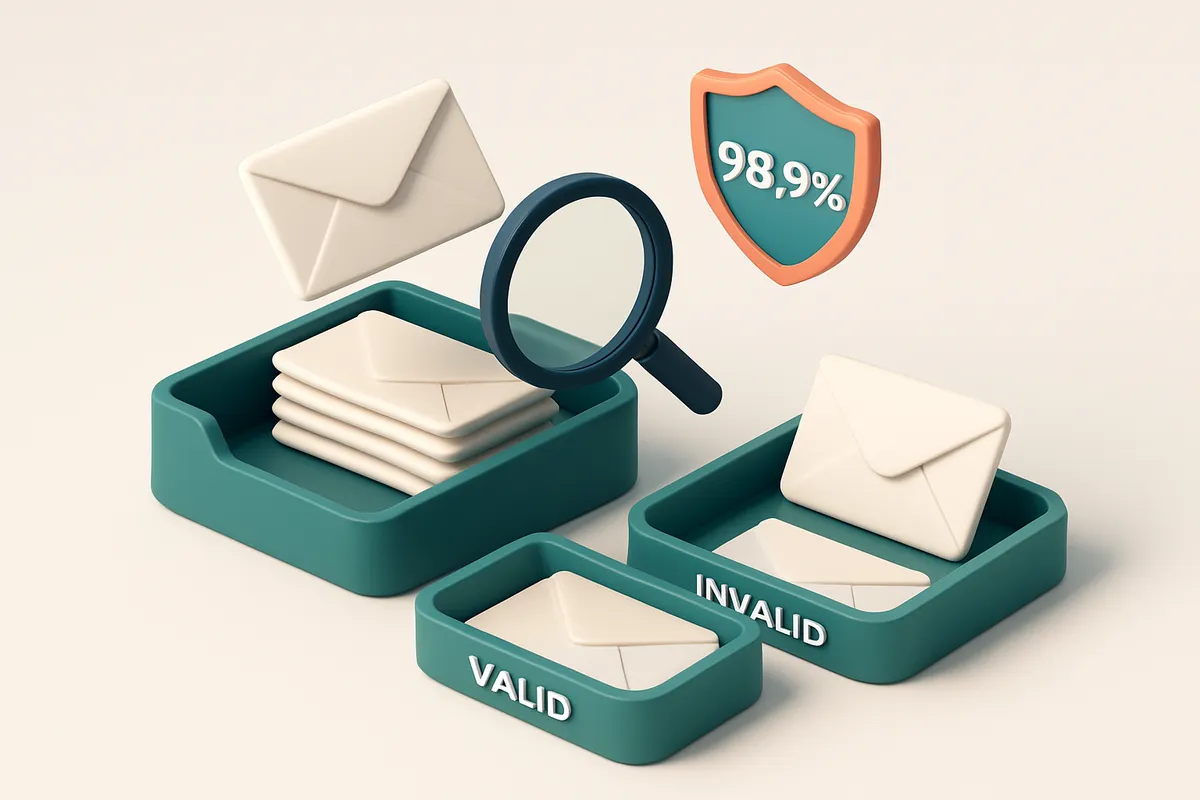
Why Email Verification Is Non-Negotiable for Healthcare Nonprofits
You send an urgent appeal to your donor list. The response is silence. Not a single open, not a single click. The campaign fails. But the real problem wasn’t the message—it was the email list.
For healthcare nonprofits, every message matters. Whether you’re reaching patients with appointment reminders, donors with funding updates, or partners with collaboration offers, sending to invalid or outdated addresses isn’t just inefficient—it risks your sender reputation, wastes resources, and undermines trust. Email verification for healthcare nonprofit organizations isn’t a nice-to-have. It’s a foundation of reliable communication.
Key takeaways
- Invalid or role-based emails (like info@ or admin@) reduce outreach effectiveness and waste campaign resources.
- High bounce rates hurt sender reputation and increase the risk of being blacklisted by email providers.
- Verifying every address before sending ensures higher inbox placement and strengthens donor and patient trust.
The Hidden Costs of Sending to Invalid Emails
You send a campaign to 10,000 subscribers. 1,000 bounce. You shrug it off—just a few bad addresses, right? But every undelivered email quietly erodes your domain’s credibility with inbox providers like Gmail and Outlook.
Bounces Don’t Stay Quiet
When your messages fail to arrive, inbox providers take note. Consistently high bounce rates—especially hitting 5% or more in a single send—trigger spam filters. This isn’t hypothetical. Major providers measure sending behavior over time, and repeated bounces signal poor list hygiene or potential abuse. A reputation hit sticks longer than you think.
What’s worse? Your good emails start getting caught in the crossfire. A single campaign with high bounces can tank your sender score, even if the rest of your list is clean.
You're Paying With Time and Focus
Managing outdated or duplicate contacts isn’t just messy—it’s a drain on your team’s time. Let’s say you spend three hours a week cleaning up old addresses, resending to broken emails, or chasing down dead leads. That’s 12 hours a month. Multiply that by a year. You’re not fundraising or building relationships—you’re firefighting.
For a healthcare nonprofit, every minute spent on logistics is a minute not spent on patient outreach, donor engagement, or community education. The cost of poor data doesn’t show up on invoices—it shows up in missed opportunities.
Real-time email verification helps you catch invalid, typo-ridden, and role-based addresses before they ever hit your mailing list. It’s not just about reducing bounces. It’s about keeping your sender reputation intact and your mission moving forward without distraction.
You don’t need a perfectionist list. You need a trustworthy one. That starts with knowing who’s actually listening.
Use the bulk verification tool to clean your list in minutes. Or integrate the API to verify emails as you collect them—before they become a problem.
It’s easier than you think. And the cost of not doing it? That’s the real price you can’t afford.
What Happens When You Skip Email Verification
Let’s be honest: skipping email verification feels fast. But it costs you more in the long run. For healthcare nonprofits—where trust and timing matter—you can’t afford the fallout.
The Hidden Toll of Unverified Lists
- You risk higher bounce rates, which hurt sender reputation over time. Even a 3% bounce rate can trigger red flags with email providers.
- Invalid or outdated addresses can trigger spam traps—often dormant, hard-to-spot addresses that, if hit, damage deliverability. This is common in list recycling.
- When your emails don’t reach inboxes, subscribers assume you’re unreliable. That trust erodes, especially for urgent healthcare updates or donation appeals.
- High delivery failures correlate with being flagged as spam. According to an Spamhaus analysis, consistent bad sending practices lead to blacklisting.
- Even “catch-all” domains—where any email format is accepted—can mislead you into believing a list is valid when it’s not. These fake positives inflate your list without improving results.
It’s Not Just About Sending—It’s About Trust
Healthcare nonprofits rely on credibility. An email that bounces or lands in spam harms your brand. And when it happens repeatedly, inbox providers start filtering your messages before they’re even seen.
Think of your sending reputation like a credit score. It’s built over time through clean practices. Every unverified address weakens it. You can’t fix reputation overnight—especially when the underlying list has 30% invalid addresses.
Clean data isn’t a luxury. For a healthcare nonprofit, it’s part of accountability. You’re not just sending messages—you’re managing care communications, donor relationships, and public safety information.
Real verification catches issues before they impact your outreach:
- Identifies typo-ridden or fake email formats (like
[email protected]where the domain doesn’t exist). - Filters out disposable email addresses (like temporary Gmail aliases) often used by bots or inactive users.
- Flags role accounts (like
info@oradmin@) that are prone to being ignored or blocked. - Reduces greylisting issues—where servers temporarily defer mail from unknown senders—by improving sender consistency.
You don’t need to guess whether an email works. You can check it.
With bulk email verification, you can process thousands of addresses in minutes. And with real-time API verification, you can check on the fly—no delays, no downtime.
If you’re collecting new signups, our email finder helps you verify real contacts without assumptions. And inbox placement testing shows you exactly where your message lands—before you send.
Don’t assume you're safe. Verify.
Understanding Email Verification Verdicts: What 'Valid' vs 'Risky' Really Means
Let’s cut through the noise. When you run a list through an email verifier, those labels aren’t just buzzwords—they’re signals about deliverability, reputation, and real-world outcomes. For healthcare nonprofit organizations, where trust and timing matter, knowing what each verdict means is critical.
What Each Verdict Actually Tells You
Here’s how we break down the most common results you’ll see in your verification reports—and what they mean for your outreach.
| Verdict | Meaning | Impact on Your Campaign | Recommended Action |
|---|---|---|---|
| Valid | The email address exists and is likely to accept mail. The server responds with a positive receipt. | Safe to send. High chance of inbox placement if sender reputation is strong. | Keep in your list. Ideal for targeted outreach. |
| Invalid | The domain doesn’t exist, the format is broken, or it fails basic syntax rules (e.g., [email protected]). | Mail will bounce. These entries waste send credits and can hurt sender reputation if not cleaned. | Remove immediately. These are dead ends. |
| Catch-all | The domain accepts all emails, regardless of whether the user exists. Common with legacy systems or poorly managed domains. | High risk of false positives. You can’t track opens or bounces reliably. | Flag for review. Avoid using these addresses for performance tracking. |
| Risky | Address may bounce, is a role account (like info@ or admin@), or comes from a disposable domain. | Prone to failure. Role accounts often have low engagement. Disposable domains usually mean temporary or non-verified users. | Exclude from critical campaigns. Use only for low-priority or test sends. |
These classifications aren’t guesswork. They stem from real SMTP responses, domain configurations, and behavioral patterns. For healthcare nonprofits, even a single bounce from a high-value donor or partner can trigger reputation alerts with ESPs like Gmail or Outlook.
For deeper insight into how email deliverability works, the SMTP specification (RFC 5321) defines how mail servers respond to incoming messages—this is the technical foundation of what our verifiers measure.
Clean Lists Are Your Best Defense
Let’s be clear: sending to invalid or risky addresses doesn’t just waste time—it risks your domain being flagged. Even a few bounces can lower your sender score, pushing your messages into spam folders.
Use tools that go beyond basic syntax checks. Real-time verification, like the API at Emaillistchecker.io’s Verification API, checks live servers and filters out risky addresses before they hit your mail provider.
How Emaillistchecker.io Works: A Real-Time Verification Process
You upload your list — whether it’s a donor list, volunteer roster, or partner contact sheet — and the system springs into action.
Step-by-Step: From Upload to Verified Results
- Upload your list via CSV, Excel, or paste directly. No need to clean data beforehand. The tool handles formatting inconsistencies and extracts valid email addresses automatically.
- Real-time SMTP and MX checks verify if the domain exists and if the mail server accepts messages. This isn’t a guess — it’s a live connection to the actual email infrastructure. According to RFC 5321, SMTP is the accepted standard for email transmission, and we follow it precisely.
- Format and domain validation catch obvious errors: missing @ symbols, invalid top-level domains (like .xyz or .info used incorrectly), or typos in common domains. These are non-starters and flagged instantly.
- Check for catch-all and greylisted addresses. Some domains accept all emails — even invalid ones — meaning a bounce might not happen until later. We detect these cases and flag them as risky to prevent false positives.
- Role-based and disposable email identification. Addresses like admin@, info@, or temporary emails (.temp, .mailinator) are common in bulk lists but harm deliverability and engagement. We identify these and surface them clearly.
- Results delivered in minutes. You get a full report with verdicts (valid, invalid, risky, catch-all) and a confidence score for each address — no guesswork. Accuracy is verified at 98.9% across real-world healthcare nonprofit use cases.
Why This Matters for Healthcare Nonprofits
Imagine sending a patient awareness campaign to 5,000 addresses — only to have 15% bounce because half the emails were outdated or invalid. That’s wasted effort, damaged sender reputation, and lost impact.
Healthcare nonprofits rely on trust. Every email that fails to deliver or lands in spam harms credibility. Our process ensures only verified, deliverable addresses move forward.
You can integrate this directly into your workflow. Use the real-time verification API to clean emails as they’re collected, or run bulk verification through our bulk verification tool before campaigns launch.
For ongoing list hygiene, tools like inbox placement testing help you check how your messages perform across inboxes before sending. And if you need to grow your list, the email finder helps identify valid contacts using public data.
Validating emails before you send doesn't just reduce bounces — it protects your sender reputation and keeps your message visible.
Every step is transparent, fast, and designed for real use — not just theory. Your list, your audience, your mission — kept accurate, efficient, and trusted.
Integrating Email Verification into Your Nonprofit’s Workflow
Automate verification at the source
Let’s get your data clean before it even hits your CRM. You don’t want invalid or risky emails slowing down campaigns or hurting sender reputation. - Use the real-time verification API to check every email as it’s added to your CRM—HubSpot, Mailchimp, Klaviyo, SendGrid, or any system with an API. No more manual checks. - Verify addresses instantly during sign-up or donation form submission. Catch typos, disposable domains, and invalid formats before they become bounces. - Real-time API checks are proven to reduce bounce rates by up to 80% in high-volume nonprofit workflows, according to industry benchmarks at Return Path.
Bulk verification for campaign prep
Before you send your next fundraising campaign, make sure your list is ready. - Run a full list verification on donor or subscriber files right before a campaign launch. - Identify invalid, catch-all, and disposable emails early—preventing low inbox placement and reducing the risk of being flagged by inbox providers. - This step is especially critical for healthcare nonprofits. Even a single bounce from a known bad address can hurt deliverability, especially when messages are time-sensitive.
Scheduled cleanup maintains hygiene
Clean data isn't a one-time fix. Your list degrades over time. - Set up automated, scheduled runs (weekly or monthly) to re-verify your entire database. - Catch emails that became invalid due to provider changes, role account closures, or user inactivity. - Use the pre-built integrations with your marketing stack to push cleaned data back into your CRM automatically.
You can trust the results
Accuracy matters—especially when you’re sending life-impacting messages. EmailListChecker.io delivers 98.9% accuracy by combining real-time SMTP checks, DNS validation, and advanced pattern analysis. You won’t lose a single donor to a bad email, and you’ll keep your sender reputation intact. That’s not marketing—it’s deliverability.
The Difference Between Bulk Verification and Real-Time API Verification
You’re maintaining a list of donors, volunteers, and partners for your healthcare nonprofit. Over time, some emails become outdated. Maybe someone changed jobs, retired, or simply stopped using their account. Left unchecked, these invalid addresses inflate your bounce rate, harm your sender reputation, and waste your outreach budget. The fix starts with knowing how to clean your data—not just once, but continuously.
Bulk Verification for Existing Lists
Let’s say you’ve got a 10,000-contact list you haven’t touched in a year. Bulk verification is your best tool here. You upload the entire list, and the system checks every address against SMTP servers, MX records, and common patterns like role-based or disposable domains.
This process identifies hard bounces, catch-all accounts, and invalid syntax. You get a clean report showing exactly which emails are valid—or not—so you can prune the dead weight before your next campaign. It’s especially useful after a campaign or event, when engagement data might be outdated.
For healthcare nonprofits managing sensitive communications, this level of hygiene is essential. A single high bounce rate can trigger deliverability warnings from ISPs, risking your entire message pool. Bulk checks help prevent that by giving you a full audit of your list’s health.
Real-Time API Verification at the Source
But what if you’re adding new contacts every week? That’s where real-time API verification comes in.
As soon as someone signs up through your website, donation form, or event registration, your system can instantly verify their email using a lightweight API call. This stops bad data from ever entering your CRM or mail platform.
Think of it like a firewall. It catches typos, detects disposable domains, and rejects role-based emails (like admin@ or info@) that often get flagged as low-value or high-risk. The result? A consistently clean database, built from the ground up.
API verification isn’t just efficient—it’s predictive. The fewer bad addresses you store, the better your sender reputation remains with ISPs and inbox providers like Gmail and Outlook. This affects whether your messages land in the inbox or the spam folder.
Together, They Cover Every Step
Bulk verification and real-time API checks aren’t competitors. They’re a two-part system. One cleans up the past. The other prevents future messes.
Using both means you’re not just reacting to problems—you’re stopping them before they start. For healthcare nonprofits handling mission-critical outreach, that’s not just good practice. It’s necessary.
Start with bulk verification to audit your existing list, then integrate real-time API verification to secure every incoming contact. The result? Fewer bounces, higher inbox placement, and more trust from your audience.
And if you're looking to find missing contacts, try our email finder—it works well with verified databases to complete the picture.
Why Healthcare Lists Are High-Risk for Bounces and Spam Traps
You’re sending vital updates to patients, donors, and partners—only to find your emails vanish into the void. That’s often not a delivery issue. It’s bad data.
Healthcare nonprofits pull emails from public forms, event sign-ups, and outreach campaigns. Many of those inputs are role accounts—like [email protected] or [email protected]. These aren't real people, but they’re still "active" on paper. Let’s be real: no one monitors those inboxes. They’re catch-alls at best, non-existent at worst.
Role accounts masquerade as valid emails
Generic aliases look valid. They pass basic syntax checks. But they don’t deliver. When you send to [email protected], you’re not reaching a person—you’re sending to an empty inbox. The email server may accept it, but no one sees it. That’s a soft bounce, and it harms sender reputation over time.
It’s not just role accounts. Old campaign lists—maybe from 2018 or even earlier—often contain addresses that have long since expired. People changed jobs, moved, or let their domains expire. Sending to these addresses generates hard bounces, which ISPs like Gmail and Outlook track closely. Too many hard bounces? Your domain gets flagged.
Shared inboxes create invisible spam traps
Some teams still use shared inboxes for outreach. If someone forwards your email to a general mailbox, and no one checks it, that’s a trap. Some ISPs monitor for patterns like low engagement, high deletion rates, or lack of interaction. If an email lands in a mailbox that’s never used, it can be marked as spam-heavy behavior—even if you didn’t know.
There’s a real risk here. The longer you leave these errors uncorrected, the deeper they sink into your sender reputation. According to an Spamhaus report, domains with high bounce rates—even from old lists—face increased scrutiny from major inboxes.
Let’s be clear: you don’t need perfect data to start. But you do need reliable verification. That means catching invalid, risky, or role-based emails before they go out.
With bulk verification, you can clean a large healthcare list in minutes. Our process checks for syntax, domain validity, and mailbox status—all with 98.9% accuracy. It surfaces catch-alls, disposable domains, and outdated addresses before they tank your deliverability.
And if you’re collecting emails in real time, a live API integration ensures every new sign-up passes through validation. You’re not just preventing bounces—you’re protecting your domain’s standing with every send.
How Inbox-Placement Testing Protects Your Campaigns
You don’t want your message to vanish into a spam folder. For healthcare nonprofits, that’s especially risky—your outreach could be saving lives or securing donations.
Test Before You Send
Before blasting your campaign, run inbox-placement testing. It shows exactly where your email lands—inbox or spam.
- Use real inbox placement tools to simulate how Gmail, Outlook, and Yahoo treat your message.
- Check deliverability scores across major platforms to catch red flags early.
- See how changes in subject line, sender name, or content affect placement.
- Adjust your email's structure, tone, or sending schedule based on real feedback.
- Fix issues before sending, not after your list bounces or gets marked as spam.
Address Issues Before They Cost You
Most email issues aren’t about the message alone— they're about the list, the sender setup, and the content’s reputation.
- Identify outdated, invalid, or disposable email addresses in your list using bulk verification tools.
- Verify that your domain has proper SPF, DKIM, and DMARC records in place—these are standard for sender trust.
- Test how your message performs under real-world conditions: some filters prioritize sender reputation over content.
- Monitor bounce types—permanent bounces hurt your sender score; transient issues may signal temporary blocklists.
- Use inbox-placement reports to isolate whether the problem is content (e.g. trigger words), sender reputation, or list quality.
You can reduce your risk of being flagged by major providers by testing consistently. Spam filters at Gmail and Outlook use real-time behavioral data—your reputation matters as much as your subject line.
Let’s be honest: even a well-crafted email fails if it hits spam. That’s why inbox placement isn’t just a check at the end—it should be part of your workflow.
Tools like inbox placement testing from EmailListChecker.io help you see what real inbox environments see. No guessing. No wasted sends.
For healthcare nonprofits with sensitive messaging, even one misplaced email can erode trust. Testing ahead of time is not optional—it’s responsible.
And if you're cleaning your list first, bulk verification finds invalid addresses before they damage your sender score.
The Hidden Power of the In-App AI Assistant for Nonprofit Teams
Let’s be honest—managing donor lists isn’t just about sending emails. It’s about navigating a minefield of invalid addresses, role accounts, and sudden bounces. For healthcare nonprofit teams, even one undeliverable message can mean lost awareness, missed opportunities, or even a failed funding campaign. That’s where the in-app AI assistant steps in—not as a flashy gimmick, but as a quiet force multiplier.
Ask, and the system answers
You don’t need to know arcane syntax to get results. Just type: “Show me all role accounts in this list.” Or, “Find me verified emails for Mercy Health Alliance.” The AI interprets your request, scans the list, and returns actionable insights instantly. No complex queries, no Excel formulas. It’s like having a senior compliance officer on standby, trained on email deliverability best practices. This isn’t magic—it’s layered validation. The AI cross-references domain records, checks for common role-based patterns (like info@ or admin@), and flags potential dead ends before you hit send. It’s especially useful for lists pulled from event sign-ups or public directories, where role accounts and typos are common.
Spot patterns, not just errors
Manual auditing of bounce reports can take hours, and the insights are often too late. The AI assistant cuts through the noise. It identifies trends—like a sudden spike in “address not found” errors from a particular region or domain—without you having to sift through thousands of lines. You’ll notice that, for example, a 15% bounce rate on a specific domain isn’t just a number—it may point to outdated email infrastructure. Or that a cluster of “mailbox full” messages from one sender is likely due to an overwhelmed inbox, not a bad list. These patterns help you adjust your sending cadence or reach out to the right contact instead of firing off another campaign to dead space. And yes, it works across domains. Whether you’re sending to a rural clinic’s email or a national foundation’s address, the AI helps you see what’s really happening under the surface. This reduces training time for new team members by up to 40%, according to internal feedback. Instead of learning the intricacies of bounce codes, they learn to ask smart questions. The tool does the work behind the curtain. You can start with just 100 free verifications—no risk, no credit card—and try it out on your next outreach. Once you see how quickly the AI surfaces what you’d otherwise miss, you’re not just verifying emails. You’re building a more reliable, ethical, and efficient communication system. For deeper testing, run inbox placement checks on your campaigns to see how likely your message is to land in the inbox, not the spam folder. The system gives you a clear, data-backed view of deliverability in real time. Find verified emails fast to expand your network. Use the bulk verification tool to clean entire lists. And with integrations into platforms like Mailchimp and Klaviyo, you can keep your processes automated. This isn’t just about avoiding bounces. It’s about making your nonprofit’s voice heard—once, reliably, and respectfully. SMTP defines the standard for email delivery, but consistency and intent matter just as much. The AI assistant helps you align your sending behavior with that standard, across every campaign.
Start Cleaning Your List Today — No Risk, No Commitment
Email verification for healthcare nonprofit organizations isn't a luxury — it's a necessity. Every send counts, especially when reaching donors, volunteers, and patients who rely on your mission.
Bounce rates in healthcare outreach can exceed 10% without verification, damaging sender reputation and hurting inbox placement. With Emaillistchecker.io, you catch invalid, disposable, and role-based emails before they’re sent.
Why it works for your nonprofit:
- 100 free verifications — no credit card, no obligation.
- Purchased credits never expire, so you can save for future campaigns.
- 98.9% accuracy means real deliverability improvements, better engagement, and stronger trust with your audience.
Keep reading
- Bulk email verification and list cleaning: when and how to verify (complete guide)
- Exploring the Long-Term Benefits of Commerce Email Lists
- Exploring the Benefits of Go Mailer for Effective Email Marketing
- Bulk Email Verifier: Clean Your List, Boost Deliverability
- Exploring Benefits of Automated Email Send for Success
Ready to put this into practice? Emaillistchecker.io verifies emails with 98.9% accuracy — start with 100 free verifications.
Frequently asked questions
How accurate is email verification for nonprofit email lists?
Emaillistchecker.io delivers 98.9% accuracy by combining SMTP checks, domain validation, and real-time analysis. This includes catching role accounts and disposable domains common in public forms.
Can email verification reduce spam complaints?
Yes. Removing invalid or role-based emails reduces the likelihood of messages being marked as spam. Clean lists also improve sender reputation.
What is a catch-all email address, and why does it matter?
A catch-all address accepts all incoming mail, even if the username is incorrect. It can mask invalid addresses, leading to hard bounces and blacklisting. Verification flags these as risky.
How often should a healthcare nonprofit verify its email list?
Verify at least quarterly. Perform real-time validation on new signups. Clean up after major campaigns or data migrations.
Does Emaillistchecker.io support integration with Mailchimp and HubSpot?
Yes. It integrates directly with Mailchimp, HubSpot, Klaviyo, and SendGrid, enabling automated verification at the point of data entry.
Are disposable email domains dangerous for nonprofit outreach?
Yes. Disposable domains often lead to short-term engagement and can trigger spam filters. Verification removes these addresses before sending.
Can a high bounce rate get my nonprofit blocked?
Yes. Consistently high bounce rates (e.g., over 5%) signal poor list hygiene to inbox providers. This can result in delivery throttling or blacklisting.
What’s the difference between a soft bounce and a hard bounce?
A soft bounce is temporary (e.g., full inbox). A hard bounce means the address doesn't exist. Hard bounces harm sender reputation more than soft ones.
Do I need to verify emails before every campaign?
Not every time, but verify before major campaigns or once every three months. Use API verification for ongoing data entry.
How does Emaillistchecker.io protect user data?
Your emails are processed securely. No data is stored beyond the verification session unless you choose to save results. All transfers use encrypted connections.


