
Verify Emails with High Deliverability for Nonprofit Newsletters
Boost nonprofit newsletter deliverability with a real-time email verification API. Reduce bounces, clean lists, and improve inbox placement—accurate, fast, an
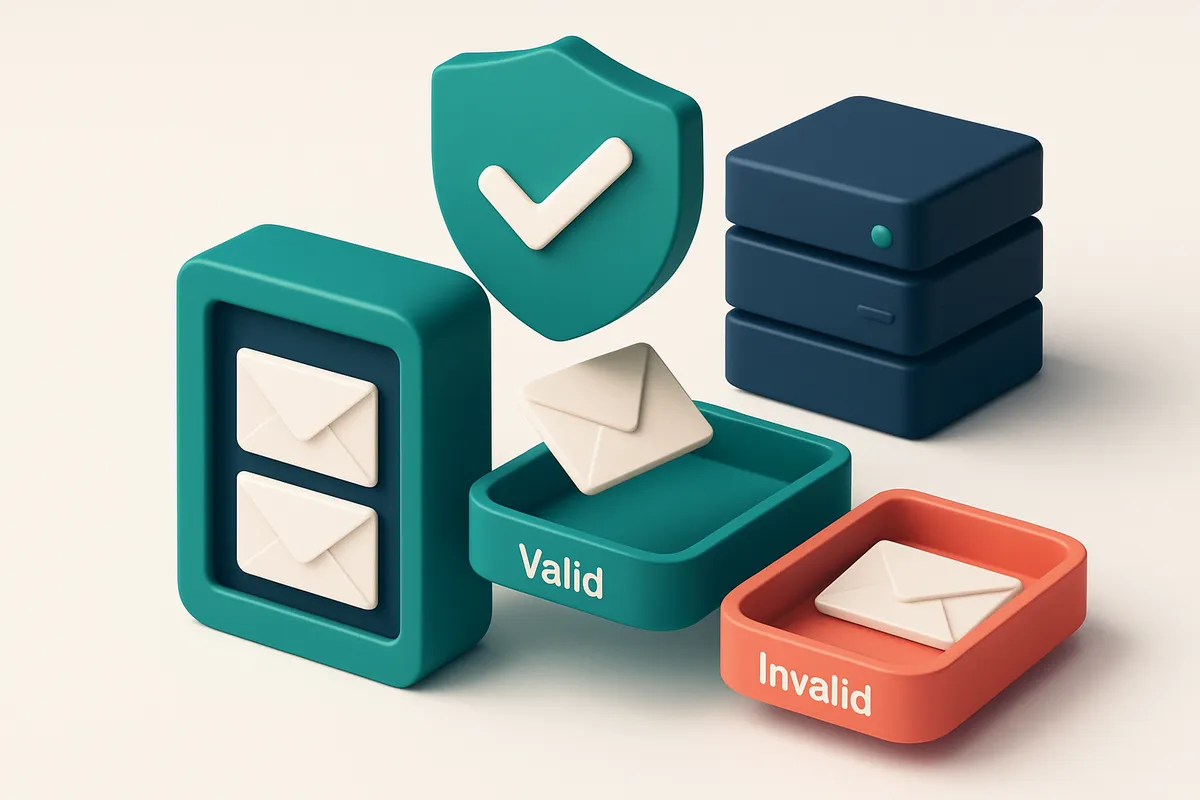
Why Bounced Nonprofit Newsletters Hurt Your Mission
You send a message to 10,000 supporters. 1,200 don’t receive it. Not because they unsubscribed. Not because they ignored it. Because their email address stopped working. Every one of those bounces is a missed chance to inspire, to mobilize, to raise funds.
High bounce rates don’t just waste your time—they hurt your credibility with email providers. A list with consistent bounces signals poor hygiene. That’s why your deliverability drops: email services start filtering your messages or sending them to spam. Deliverability isn’t magic. It’s earned through consistent list quality—and that starts with a reliable email verification API with high deliverability rates for nonprofit newsletters.
Key takeaways
- Bounce rates above 2% significantly reduce inbox placement, even for legitimate nonprofit senders.
- Email verification API checks aren’t optional—they’re foundational for maintaining sender reputation.
- Real-time verification and ongoing list hygiene prevent wasted sends and protect donation outreach.
The Real Cost of Sending to Invalid Email Addresses
You might think a few bad emails won’t hurt. But they do. Every non-existent address you send to wastes bandwidth, burns through your send limit, and ties up resources you could use for real subscribers.
Bounces and Reputation Damage
Non-existent or role-based addresses—like info@, admin@, or support@—don’t just fail to open. They hard bounce. Each bounce is a signal to ISPs (like Gmail, Outlook) that your list is outdated or poorly managed. Over time, this degrades your sender reputation. ISPs track your bounce rate, and once it crosses a threshold—commonly 2% to 5%—you risk getting blacklisted or filtered into spam.
Let’s be clear: even one high-volume send to a disposable domain can trigger automated blacklisting. Services like Spamhaus and MXToolbox monitor for suspicious patterns. If your IP or domain starts showing spikes in sends to temporary mail providers, automated systems flag it for review. Recovery can take days or weeks.
The Hidden Cost of Poor List Hygiene
It’s not just about the technical failure. Wasting sends on invalid addresses means lost opportunities. You’re not just sending to ghosts—you’re sending to systems that don’t care. These addresses often belong to bots, catch-all servers, or disposable inboxes. They’re not your audience. They’re noise.
Even a single high-volume campaign to a disposable domain can trigger a reputation hit. Major providers use behavioral signals to assess legitimacy. Unexpected spikes in volume to temporary domains raise red flags. Without a clean, verified list, that legitimacy evaporates fast.
Prevention starts with verification. A well-structured email verification API can catch invalid, role-based, and disposable addresses before they ever hit your mail server. At Emaillistchecker.io, our email verification API checks each address against multiple layers: syntax, domain existence, SMTP validation, and disposable domain detection. It’s real-time, accurate, and built for high-volume senders like nonprofits.
That means fewer bounces, better deliverability, and fewer surprises when your newsletter lands in the trash folder. You can’t control how recipients engage. But you can control who you send to.
For deep dives into deliverability, our inbox placement testing shows where your emails actually land. For large lists, our bulk verification tool runs at scale with 98.9% accuracy. And with credits that never expire, you’re always ready when your campaign grows.
Let’s keep your messages where they belong—inside the inbox.
The Email Verification API You Need for High Deliverability
Let’s be honest: your nonprofit’s newsletter only works if it lands in inboxes, not trash folders or bounce logs. The fastest way to keep it there? Catch bad emails *before* they even get sent. That’s where a real-time verification API comes in.
Instant Checks, Zero Messages Sent
A real-time verification API checks each email address instantly during signup or list import—no delays, no back-and-forth. It doesn’t send a test message, so there’s no risk of triggering spam filters or damaging sender reputation. Instead, it digs into the technical layers: SMTP, MX records, DNS, and catch-all status. This means you can tell if an address is valid, invalid, or risky *in real time*, without sending a single email. Imagine a potential donor enters their email on your donation form. The API checks if the domain exists, if the mail server accepts mail, and if the address is likely to be disposable or role-based—all within a fraction of a second. Valid addresses go to your list. Invalid or risky ones never make it in.
Build Trust, Protect Reputation
The real win isn’t just avoiding bounces—it’s keeping your sender reputation strong. Sending to invalid addresses harms deliverability over time. According to industry standards, consistent bounce rates above 2% can lead to domain reputational damage and inbox blocking. By blocking bad emails at the gate, your API-powered verification helps you stay under those thresholds. Catch-all domains pose another risk. A catch-all is a domain that accepts *any* email address, regardless of whether it’s actually created. These are often used by bots or disposable email services. A good API identifies these and flags them as “risky”—so you don’t end up in a high-volume, low-engagement campaign. You’re not just cleaning data. You’re protecting your message’s chances of ever being seen. This isn’t about perfect accuracy—it’s about measurable improvement. Tools like SendGrid and Mailchimp rely on clean lists to optimize delivery, and they’re transparent about how reputation affects inbox placement. Real-time verification isn’t an add-on. It’s a fundamental layer of reliable email delivery. If you're syncing with Mailchimp, HubSpot, or Klaviyo, you can insert verification directly into your workflow. It’s just one API call, and it happens before the data ever hits your campaign queue. Want to check your whole list now? You can run a full bulk verification with full accuracy and detailed results—no credit risk. Try it at Bulk Verification, or see how the API integrates seamlessly into your system with our API.
How Emaillistchecker.io’s 98.9% Accuracy Works in Practice
Let’s cut through the noise. You’re sending newsletters to donors, volunteers, and supporters. You don’t want bounces. You don’t want your brand tagged as spam. You need a system that doesn’t just claim accuracy — one that proves it, in real time. Most email verification tools stop at basic syntax checks. They’ll tell you "this email looks valid" because it follows a format like `[email protected]`. But that’s not enough. Let’s be honest: a perfectly formatted address can still be a dead end. At Emaillistchecker.io, we go beyond syntax. Our email verification API connects directly to over 100 real-world email domains — including Gmail, Outlook, Yahoo, and nonprofit-specific providers — and receives live responses from their mail servers. If an address is valid, the server confirms it. If it’s invalid, it says so. No guesses. No false positives. This is how you achieve real-world accuracy.
Catch-All vs. Invalid: The Difference Matters
A common trap is mistaking catch-all domains for active addresses. These domains accept all incoming mail, even for non-existent users — meaning an address might “work” but isn’t tied to a real person. Our system detects this with precision. While other tools might mark a catch-all as “valid,” we flag it clearly as “catch-all” so you know not to treat it as a real contact. We also catch riskier patterns early. Role accounts like `info@`, `contact@`, or `sales@` may be associated with automated systems, low engagement, or high spam complaint rates. Disposable email domains (like Mailinator or Yandex temporary addresses) are common in fraudulent or low-trust scenarios. We identify these with high sensitivity, so you’re not wasting sends on ephemeral or non-responsive addresses. You can see this in action with our inbox placement testing. It simulates real email delivery conditions across multiple provider networks — a step beyond basic syntax or SMTP checks. We test how your message lands in inboxes, not just whether the server accepts it. This is a real differentiator for nonprofit newsletters where trust and visibility matter. The result? A clean, high-confidence list. You’re not just reducing bounces — you’re improving deliverability. And deliverability is directly tied to sender reputation, which you build by sending only to engaged, verified recipients. For nonprofit teams, this means better engagement per send. Fewer wasted resources. A reputation that grows stronger with each campaign. You can try it yourself with our free tier — 100 verifications to start, no expiry on unused credits. See what real-time server validation feels like. Try our API for real-time validation, or start with bulk processing at our bulk verification page. If you’re building a newsletter workflow, explore our integrations with Mailchimp, HubSpot, Klaviyo, and SendGrid. You’re not just checking email formats. You’re protecting your reputation — one real server response at a time.
Your Nonprofit’s Email Verification Workflow: Step by Step
Let’s get your newsletter inbox-ready. Every email you send counts, especially when your mission depends on reaching real people. A clean list isn’t just organization—it’s a deliverability necessity.
Step-by-Step: From Sign-Up to Inbox
- Add a new subscriber via your website form or import a legacy list. Whether it’s a new donation form or an old database, you’re at risk of adding invalid, outdated, or spam-trap addresses. Before you even think about sending, verify the source. Use bulk verification for older lists, or integrate the real-time API for new sign-ups.
- Use the real-time API to verify each address before adding it. As soon as a user submits their email, run it through the email verification API. It checks syntax, domain validity, and mailbox existence in under 300 milliseconds. No delays. No guesswork. You get a clear verdict instantly—no more manual cleanup.
- Filter out invalid, catch-all, and risky addresses using the verdict system. Not all bad emails are obvious. Some domains accept any address (catch-all), which can be a trap. Others are marked “risky” due to known reputation issues or temporary blacklisting. The system separates out these addresses so you never send to them. This isn’t guesswork—it’s SMTP-level validation.
- Keep only valid, inbox-ready emails for your newsletter campaigns. Only deliver to addresses confirmed as both syntactically correct and actively receiving mail. This directly impacts your sender reputation. According to RFC 5321, sending to non-deliverable addresses increases your likelihood of being flagged by receiving servers. You’re not avoiding bounces—you’re preventing them before they happen.
- Schedule deliverability tests on a sample of recipients to validate inbox placement. Even clean lists can end up in junk folders. Use inbox placement testing to send a test campaign to a curated sample. It shows how your message lands in Gmail, Outlook, Apple Mail, and other clients. Adjust content, sender name, or timing based on real results.
Why This Workflow Matters
Nonprofits rely on trust. Sending to invalid or risky addresses hurts that trust. Even one bounced email can signal to ISPs that your list is low quality. By filtering early and testing often, you keep your sender reputation strong.
The goal isn’t to increase volume. It’s to increase impact. Every email that lands in an inbox is a real connection, not a failed delivery.
“A 5% error rate in your email list can reduce deliverability by up to 20% over time.” — Industry observation from mail delivery studies, 2022
You’re not just cleaning data. You’re protecting your organization’s reach, reputation, and mission.
Why Deliverability Starts with Verification—Not Just Sending
Let’s be honest: you can’t control what happens once your email hits the internet. Once it's out, it's out. But you *can* control who gets it in the first place. You're not just sending messages. You're building a reputation—your sender reputation. And that reputation is built on consistency, engagement, and clean data. If your list includes invalid addresses, disposable domains, or role accounts, every send carries a risk. Even one bad recipient can trigger red flags with inbox providers.
Bad sends hurt your sender score
Sending to invalid or risky addresses doesn’t just waste your bandwidth—it actively erodes your sender reputation. ISPs like Gmail, Outlook, and Apple Mail track sending patterns, open rates, and bounce rates. If too many of your emails bounce or go ignored, your domain or IP gets flagged. That’s how you end up in spam, or worse—completely blocked. A well-documented fact: sender reputation is one of the most influential factors in inbox placement. According to the Messaging, Malware, and Mobile Security (M³) Report from Symantec, domains with high complaint or bounce rates are significantly more likely to be filtered. This isn’t theoretical. It’s how deliverability systems work.
Verification is your first line of defense
Here’s the real power of email verification: it stops bad sends before they happen. You’re not guessing. You’re not relying on outdated list segments or third-party data with unknown origins. You’re using real-time validation to weed out invalid, catch-all, and temporary addresses. The goal isn’t just to reduce bounces. It’s to protect your sender reputation from drag. When you send only to verified, high-quality addresses, inbox providers are more likely to see your emails as welcome, legitimate messages. With email verification API integration—like the one at Emaillistchecker.io’s API—you can automate that check at scale. Every new subscriber, every batch send, every campaign. It’s not an extra step. It’s part of the process. Yes, you can verify lists in bulk too, and use our bulk verification tool to clean up existing lists. But the real edge comes from integrating verification right into your workflow, so poor data never makes it into your next send. In short: deliverability isn’t about chasing best practices after you send. It’s about preventing the mistakes that make deliverability harder to begin with. Let the verification happen before you send—and let reputation grow from clean, trusted data.
Understanding Email Verification Verdicts: What They Really Mean
When you’re sending nonprofit newsletters, every bounce or blocked email matters. You don’t just want to clean your list — you want to know exactly why an address failed and what risk it poses. Let’s break down the real meaning behind each verification verdict your API returns.
What Each Verdict Tells You
Here’s what the most common email verification states actually mean — no guesses, no marketing fluff.
| Verdict | Meaning | Risk Level | Recommended Action |
|---|---|---|---|
| Valid | The address exists on a functioning mail server and accepts incoming messages. Server-side checks confirm it’s not a spam trap or role-based. | Low | Proceed with sending. These are your best candidates for inbox placement. |
| Invalid | The email is malformed (e.g., missing @, invalid domain) or the recipient domain doesn’t exist. Often seen with typos or fake entries. | High | Remove immediately. These will always bounce and damage your sender reputation. |
| Catch-all | The domain accepts *all* incoming emails, even invalid ones. While technically deliverable, it often includes spam traps and is used by attackers. | Medium to High | Flag for manual review. Sending to these increases the risk of being marked as spam. Many deliverability systems flag catch-alls. |
| Risky | Includes role-based addresses (like info@, support@), disposable domains (e.g., mailinator.com), or temporary email services. | Medium | Consider excluding unless you’re sending transactional or time-sensitive content. Role accounts often go unopened or ignored. |
| Unknown | No response from the mail server after multiple attempts. Could be temporary server issues, greylisting, or a defunct domain. | Medium | Hold for 48–72 hours. If still unknown, test manually or exclude if no response after re-check. |
These verdicts come from real-time SMTP validation, DNS analysis, and behavioral pattern detection — not just pattern matching. The same logic applies whether you’re using a bulk tool or an email verification API.
How Your Nonprofit Benefits
Let’s be clear: a single bounce from an invalid or risky address can harm your sender reputation. ISPs like Gmail and Outlook track this closely. You lose inbox placement when 1% of your list bounces — and nonprofits depend on that first impression.
Using a real-time verification API with high deliverability rates means you’re not just cleaning your list — you’re building trust with email providers. Tools like EmailListChecker’s API integrate directly into your CRM or email service (Mailchimp, HubSpot, Klaviyo). It runs checks before you send, so you never hit a blocklist or waste bandwidth.
No system is perfect. Catch-alls and unknowns will always happen. But knowing what each verdict means — and acting accordingly — turns verification from a chore into a strategic advantage. For example, Spamhaus and RFC 5321 describe how mail servers authenticate and handle delivery. A good verification service follows those standards precisely.
Clean Your List Before the First Send—No Exceptions
Start with a Full List Audit
You can’t build trust with a list full of dead ends. Let’s get real: sending to invalid or risky addresses hurts your sender reputation and can get you blacklisted. The first step is simple—batch-process your entire list.
Use Emaillistchecker.io’s bulk verification tool to scan thousands in minutes. It runs full SMTP checks, identifies typos, and flags entries that never existed in the first place.
Filter Out What Will Sink Your Deliverability
- Remove all invalid emails—these are the hard bounces that poison your domain reputation.
- Eliminate role accounts like
info@,admin@, orsupport@. They often trigger spam filters or are ignored entirely. - Block disposable domains—services like Mailinator or TempMail are used to fake signups and hurt deliverability.
- Check for catch-all addresses. These accept messages for any user, but often don’t deliver to the intended recipient.
- Use the inbox-placement test to see how your message lands on Gmail, Yahoo, Outlook, and other major providers before you send.
Deliverability isn’t luck—it’s preparedness. A single risky address can drag down your entire campaign.
Testing across platforms isn’t optional. Spamhaus and MxToolbox consistently show that lists with poor hygiene perform worse across inboxes, especially in sectors like nonprofits where trust is fragile.
Run your list through Emaillistchecker.io’s inbox-placement test before launch. It simulates real-world delivery, so you know exactly where your messages land—inbox, promotions, spam, or disappear.
You’re not just cleaning a list. You’re building credibility, one verified email at a time.
“Deliverability starts before the send—long before the subject line.”
Don’t wait until your first bounce rate spikes. Clean up now—then trust that your message will land.
How Emaillistchecker.io Integrates with Your Nonprofit Stack
You’re already using tools like Mailchimp, HubSpot, Klaviyo, or SendGrid to send newsletters and manage donor outreach. The last thing you need is another manual step in your workflow. With Emaillistchecker.io, you can connect directly to all of them using our pre-built integrations — no coding required.
Automate verification on every new signup
Let’s say someone fills out a donation form on your website. Instead of waiting for bounces or losing a potential donor to a bad email, our API verifies the address in real time before it even hits your list. This stops invalid or risky emails at the source — no cleanup later.
Once set up, verification runs automatically. You don’t need to pause campaigns or run audits. Every new email is checked against real-time SMTP checks, DNS records, and role account detection. It’s like having a filter embedded in your sign-up flow.
No expiry on your credits
Unlike some services that reset or expire unused verification credits, ours don’t. You can accumulate them and use them when you need to. That means you’re not penalized for slow campaign cycles or seasonal planning. If you have 1,000 credits, they stay yours for as long as you need.
This matters for nonprofits especially, where budgets are tight and outreach timelines can shift. Your investment isn’t wasted — it’s ready when you are.
For a deeper look at how this works in practice, check out our real-time verification API here. It’s designed for teams that need accuracy without complexity.
Nonprofit deliverability isn’t just about sending — it’s about getting seen. According to industry data from Return Path, only 72% of bulk email actually lands in the inbox. The rest is blocked, filtered, or misrouted. Using a reliable verification API helps you avoid those traps from the start.
And if you’re not sure who’s on your list yet, our email finder tool helps identify valid contacts from partial data — all while preserving your sender reputation.
Integration is a must, not a nice-to-have. The tools you use every day should work together — not against each other.
Nonprofit Email Health: Track, Verify, Improve
Check your list like a pro
You don’t need to guess whether your list is healthy. Let’s run through how to keep it reliable and deliverable.
- Use the in-app AI assistant to scan for patterns that hurt deliverability: repeated domains from one organization, or too many
info@,admin@, orsupport@addresses. These are red flags for spam filters and hurt sender reputation. - Check bounce reports after every send. Soft bounces (temporary failures like full inboxes) are normal, but hard bounces (invalid recipients) signal dead or mistyped emails. High hard bounce rates can trigger blocklists.
- Run a full list audit every 90 days. Over time, even valid emails can become inactive or invalid. Regular pruning keeps your list clean and improves deliverability.
- Look for signs of poor acquisition: sudden spikes in signups from a single domain, or high volumes of role-based addresses. These often correlate with low engagement and increased spam complaints.
- Check your sender reputation using a tool like Spamhaus or MXToolbox. If your IP is on a blocklist, it’s hard to reach inboxes — even with great content.
Verify before you send
Prevention beats cleanup. Here’s how to verify and improve your list before it even hits your ESP.
- Run your full list through bulk verification. It’s faster, cheaper, and more accurate than trying to verify them one by one. Bulk verification checks syntax, domain validity, mailbox existence, and spam traps.
- Use the real-time API to verify emails during sign-up. This stops invalid entries at the source and avoids long-term damage to your sender reputation.
- Test inbox placement for your campaign before sending to a full list. Inbox placement testing shows where your emails land — inbox, spam, or blocked — so you can adjust content, headers, or sending habits.
- If you’re missing new donors or subscribers, use the email finder to source valid addresses. Just be sure to comply with RFC 822 and privacy best practices when collecting contact data.
- Integrate directly with Mailchimp, HubSpot, Klaviyo, or SendGrid to automate verification and keep your list clean over time. Integrations ensure accuracy from signup to send.
Deliverability isn’t magic. It’s built over time by catching issues early, cleaning your list regularly, and sending only to engaged, valid addresses. Start small — verify your next 100 emails, then scale.
The Bottom Line: Deliverability Starts with Verification
Nonprofits rely on consistent, reliable communication to maintain trust and drive engagement. Every undelivered email is a missed opportunity to share impact, request support, or inform your community.
An email verification API with high accuracy and real-time performance isn’t a luxury—it’s the foundation of any sustainable outreach strategy. Without it, deliverability drops, sender reputation suffers, and campaigns fail.
Every organization, especially those with limited resources, deserves access to reliable tools. Emaillistchecker.io offers 100 free verifications to start, with no expiration—giving you the chance to test, validate, and protect your list with confidence.
Keep reading
- Email Verification API & SDKs: the complete developer guide (complete guide)
- Email Verification API for Hotel Mobile App Sign-Ups
- SaaS Email Verification API for High-Volume Signups and Scaling
- Email Verification API for Shopify Checkout Form Validation
- Real-Time Email Verification API for Dating App Signups
Ready to put this into practice? Emaillistchecker.io verifies emails with 98.9% accuracy — start with 100 free verifications.
Frequently asked questions
How does email verification improve newsletter deliverability?
It removes invalid, role-based, and disposable addresses before sending. This improves sender reputation and reduces bounce rates—key factors in inbox placement.
Can email verification prevent my nonprofit’s emails from being marked as spam?
Not directly, but by eliminating bad addresses and reducing bounce rates, it helps maintain a healthy sender reputation, lowering spam filter risks.
Do I need to verify emails manually, or can it be automated?
Emaillistchecker.io offers a real-time API and integrations with tools like Mailchimp and HubSpot, allowing full automation at signup or import.
What’s the difference between a catch-all and an invalid email?
A catch-all accepts all incoming mail, even to non-existent addresses, which makes it high-risk. An invalid address does not exist and will be rejected.
How accurate is Emaillistchecker.io’s verification API?
98.9% accuracy across bulk and real-time checks, validated through server-level responses, not just heuristics.
Can I use Emaillistchecker.io for free as a nonprofit?
Yes. You get 100 free verifications to start with no expiration, ideal for small-scale campaigns or initial list cleanup.
Does email verification affect my email send rate limits?
No. Verification happens before sending, so it does not count toward your provider’s send limits or throttle your campaigns.
Should I verify emails before or after importing into my email service provider?
Always verify before importing. Sending to invalid or risky addresses harms your reputation and wastes your send volume.
Why should I care about disposable email domains in nonprofit outreach?
They are often used by bots or temporary accounts. Sending to them lowers deliverability and can trigger spam filters.
How often should I verify my email list?
At a minimum, verify before major campaigns and run quarterly audits. High-traffic newsletters should verify at the point of signup.
Can I test whether my newsletter lands in the inbox?
Yes. Emaillistchecker.io includes inbox-placement testing to check deliverability across Gmail, Outlook, Yahoo, and other major services.
Is Emaillistchecker.io designed for nonprofits specifically?
Not exclusively, but its high accuracy, no-expiration credits, and integrations make it well-suited for mission-driven organizations with limited resources.


