
Email Validation for Healthcare CRM Systems to Maintain Accurate Patient Data
Ensure patient data accuracy in healthcare CRM systems with reliable email validation. Reduce bounces, avoid compliance risks, and improve communication reliabi
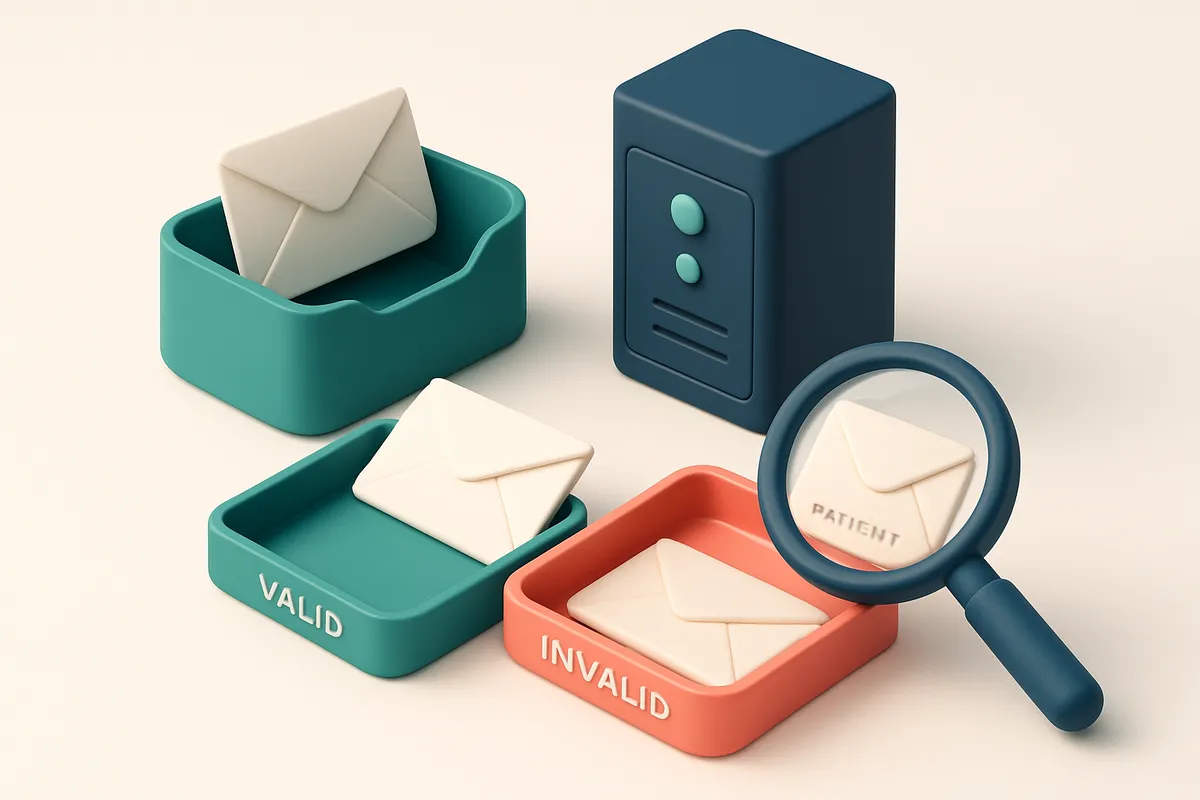
Why Email Validation Is Non-Negotiable in Healthcare CRM Systems
You send a reminder to a patient’s email, but it never arrives. The appointment is missed. Care is delayed. No one notices until the audit finds outdated records. This isn’t hypothetical. It happens every day in healthcare systems with unverified email lists.
Email validation for healthcare CRM systems isn’t a nice-to-have—it’s a baseline requirement. Accurate contact data isn’t just about deliverability; it’s about compliance, continuity of care, and trust. A single invalid email can snowball into missed treatments, regulatory risk, and administrative waste.
Healthcare CRM data must be as reliable as medical records themselves. Invalid, outdated, or improperly formatted emails undermine that standard. In regulated environments, every undelivered message isn’t just a failed outreach—it’s a breach of data integrity.
Key takeaways
- Email validation prevents missed appointments by ensuring outreach reaches the right patient.
- Accurate email data supports compliance with HIPAA and other regulatory standards.
- Invalid emails increase administrative burden and reduce confidence in digital patient communication.
The Hidden Cost of Invalid Emails in Healthcare CRM Lists
You send a patient reminder. It bounces. Not because the patient ignored it—but because the email address in your CRM is outdated or typo’d. These aren’t just minor hiccups. They’re hard bounces, and they add up fast.
Hard Bounces, Hidden Damage
Every time an email fails to deliver due to an invalid address, it counts as a hard bounce. If your list has even 3% hard bounces, you risk triggering spam filters. Major inbox providers like Gmail and Outlook monitor bounce rates closely—you can be flagged as spammy simply by sending to a high number of undeliverable addresses.
According to SMTP standards (RFC 5321), a hard bounce means delivery is permanently impossible. If your system keeps sending to these addresses, your sender reputation takes a hit. Over time, this can lead to full delivery blocks, especially if you’re using a shared IP or third-party email service.
Let’s be honest: no one in healthcare wants their critical messages—appointment reminders, test results, or consent updates—to vanish into the void. Yet that’s exactly what happens when email validation isn’t part of your workflow.
The Hidden Workload
Every bounced email means a manual follow-up. Someone in your admin team has to cross-check the record, contact the patient by phone, update the CRM, and re-schedule. That’s time spent away from patient engagement and care coordination.
One healthcare practice reported sifting through 400+ bounced emails in a single month—only to find 20% were from outdated addresses. That’s over 80 hours of work that could’ve been automated.
“The real cost isn’t just in delivery failure—it’s in the lost time and attention on care, not on data entry.”
You can reduce this burden with email validation. Tools like bulk verification can clean hundreds of addresses at once, flagging invalid, risky, or catch-all domains before they cause problems. It’s not a magic fix, but it’s a reliable one.
If you’re syncing data automatically from portals or forms, validation can still catch typos and disposable domains—common in self-registered patients. The real-time API even lets you verify emails as they’re added, preventing bad data from entering the system in the first place.
For teams already using HubSpot, SendGrid, or Mailchimp, integrations mean validation fits right into your existing workflow. No relearning. No disruption.
Healthcare data isn’t just sensitive—it’s mission-critical. Every address should be correct, every message should land. Email validation isn’t a soft upgrade. It’s a necessary check, like verifying a patient’s ID.
How Email Validation Protects Patient Data Integrity
You’re entering patient contact info into a healthcare CRM, and every email matters. Invalid, outdated, or fake addresses aren’t just dead entries—they can trigger delivery failures, breach patient trust, or even impact compliance. Real-time email validation cuts through the noise by checking each address against DNS records, MX servers, and actual mailbox existence before entry.
Testing Email Viability at the Source
Let’s break down what happens behind the scenes: when you verify an email in real time, the system performs a lightweight SMTP handshake with the receiving mail server. It checks if the domain has a valid MX record, if the server accepts mail for that address, and whether the mailbox is actually open. This isn’t guessing—it’s confirmation based on real communication protocols. The result? You avoid adding addresses that bounce, which directly improves your data integrity and sender reputation.
Risky Addresses That Don’t Belong in Your CRM
Not all emails are created equal. Some domains accept mail for any address—these are catch-all accounts. While technically valid, they’re a red flag. Many of these belong to role addresses like info@, support@, or admin@, or are used by automated systems. You’re not just wasting a send—you’re risking misdirected messages or a false sense of engagement.
Disposable email domains—like tempmail.com or throwaway-mail.net—are another common risk. These are often used for sign-ups that never intend to stay. If a patient’s address is a disposable domain, your follow-up message won’t land in a real inbox. Worse, it might get flagged as spam by email providers, hurting your domain’s reputation.
That’s where filtering matters. A solid email validation service identifies and flags these high-risk cases—catch-all domains, role addresses, disposable domains—so you know exactly what to exclude. It’s not about blocking all role emails, but about avoiding those that don’t represent real individuals who can engage with care communications.
For healthcare teams, this means cleaner lists, fewer bounces, and stronger data hygiene. The goal isn’t perfection—it’s making sure every email you send is going to a real person who can receive it. Tools like bulk verification or real-time API verification let you maintain this standard at scale. And with a 98.9% accuracy rate, you’re not just guessing—your data stays viable.
Because in healthcare, accuracy isn’t just a metric. It’s a standard. And it starts with verifying the basics.
Email Validation for Healthcare CRM: A Step-by-Step Process
Why Verification Matters in Healthcare CRM
In healthcare, accurate patient data isn’t just efficient—it’s essential. Sending clinical updates, appointment reminders, or consent forms to invalid or outdated emails wastes time, risks compliance, and can impact care continuity. According to the HIPAA Journal, data integrity is a foundational element of patient trust and regulatory compliance. That makes email validation not a nice-to-have, but a necessity. Let’s walk through the process of cleaning your patient email list using email validation tools—specifically, how to do it right, securely, and with precision.
- Export your patient email list from the CRM system Pull the most recent patient contact data from your CRM. Ensure it includes only verified, consented email addresses. Avoid exporting raw data with personal identifiers unless you’re using a secure, compliance-ready transfer method.
- Upload the list to Emaillistchecker.io for bulk verification Go to Emaillistchecker.io’s bulk verification tool or use the real-time API for automated, ongoing validation. The system checks each address against SMTP, MX records, and disposable domain lists—no manual guesswork. You can process thousands of emails in minutes.
- Review the results: Valid, Invalid, Catch-all, Risky, or Disposable You’ll get granular feedback for each address:The Emaillistchecker integrations with platforms like Mailchimp and HubSpot can automatically flag these during sync.
- Valid – The address is deliverable and likely active.
- Invalid – The domain or format is incorrect (e.g., typo, malformed).
- Catch-all – The domain accepts all emails, even invalid ones. These are low-value for outreach.
- Risky – Likely a role account (e.g., [email protected]), or a high bounce probability.
- Disposable – Temporary email (e.g., tempmail.org). These are not reliable for long-term contact.
- Remove or flag invalid entries, and quarantine risky addresses Delete or archive invalid and disposable emails. For risky addresses, especially role-based ones (like info@ or support@), tag them for manual review. This prevents accidental mass messages to non-personalized inboxes.
- Re-sync the cleaned list back to the CRM Import only the verified, high-quality addresses. This keeps records accurate and reduces bounce rates. Over time, this improves sender reputation and inbox placement—critical for reliable clinical communications.
Protecting Patient Trust and Compliance
Invalid emails lead to failed deliveries, which harm deliverability metrics and can trigger spam filters. The Spamhaus Project identifies high bounce rates as one of the leading signals of poor sender hygiene. By validating your list regularly, you avoid being flagged on blocklists. Once cleaned, you can also use Emaillistchecker’s inbox placement testing to simulate real-world delivery conditions before sending critical health messages. With accuracy at 98.9% and credits that never expire, Emaillistchecker.io gives you confidence at scale. Start with 100 free verifications at our pricing page.
Real-Time API Integration to Prevent Dirty Data at Source
You’re collecting patient data in real time—on intake forms, registration portals, or patient portals. Every email you accept is a new entry in your CRM. If it’s wrong, it doesn’t just fail to deliver; it pollutes your entire system.
Block Invalid Inputs Before They Enter the System
Let’s be clear: validation should happen at the moment of input, not after. When someone submits a typo-ridden or fake email during registration, you shouldn’t wait for a bounce or a complaint to realize something’s wrong.
Integrate Emaillistchecker.io’s verification API directly into your intake workflow. As soon as a user enters an email, the API checks it instantly—confirming syntax, checking domain existence, verifying if the mailbox actually responds.
That means invalid entries—like [email protected] or [email protected]—get flagged and blocked before they ever hit the CRM. You don’t get garbage in your database. No future bounces. No wasted follow-ups.
Catch Role Accounts and Disposable Domains Early
Not all bad emails look fake. A [email protected] might be valid, but it’s likely a role account—no one specific person uses it, and responses are inconsistent. A [email protected] is clearly disposable, meant to disappear after one use.
Our API flags these automatically during submission. Role accounts and disposable domains are common in healthcare forms where users enter placeholder emails. Catching them early stops you from building relationships on ghost addresses.
This is more than hygiene—it’s compliance. HIPAA and other data governance standards require accurate, reliable patient records. Dirty data undermines audit trails and can impact reporting accuracy.
Think about it: every email that makes it into your CRM should be a real point of contact. You can’t reliably send care reminders, appointment confirmations, or post-visit surveys if the address isn’t valid or functional. Every validation failure costs time, credibility, and trust.
Real-time verification isn’t a luxury—it’s a non-negotiable for any CRM handling sensitive health data. It’s not just about deliverability; it’s about ensuring your system reflects real, actionable patient relationships.
See how the API works in practice: verify emails as you collect them.
For deeper insight into how domain reputation and email hygiene impact healthcare workflows, refer to guidelines from the Internet Engineering Task Force (RFC 5321), which defines SMTP behavior and email transport standards.
Understanding Email Verification Verdicts in Healthcare Contexts
You don’t want a reminder about a follow-up appointment sent to an invalid address or a shared inbox that never gets opened. In healthcare CRM systems, every email matters—especially when it’s tied to patient records.
What Each Verdict Means
When you verify emails at scale, you’re not just cleaning data—you’re ensuring compliance, reducing risk, and improving patient engagement. Here’s what the most common verification results mean in practice.
| Verdict | Meaning | Implication for Healthcare CRM |
|---|---|---|
| Valid | Confirmed deliverable address. The server accepts mail for this mailbox. | Safe to use for appointment reminders, wellness updates, and secure messaging. These are your primary contact points. |
| Invalid | Server explicitly rejects the address (e.g., “user unknown”). | Remove immediately. Sending to invalid addresses increases bounce rates, hurts sender reputation, and may trigger spam filters. |
| Catch-all | Server accepts all email addresses, even non-existent ones. | Highly risky. Often indicates a role account, shared inbox, or automated system. Do not send sensitive communications here. |
| Risky | Address is technically valid but shows signs of poor deliverability—domain history issues, temporary block, or low reputation. | Use only for non-critical messages. Monitor closely; these often end up in spam folders or get rejected silently. |
| Disposable | Short-lived email from services like Mailinator or TempMail. | Not suitable for long-term patient communication. These addresses expire quickly and are often used for spam or account sign-ups. |
Understanding these verdicts helps you treat each address appropriately. You can’t treat a catch-all the same way you treat a verified patient email.
Why Accuracy Matters in Patient Data
Even one misdelivered message can lead to missed appointments, compliance concerns, or patient frustration. The HIPAA Security Rule requires safeguards for protected health information—this includes ensuring that data is accurate and delivered to the right person.
Many tools claim high accuracy, but real-world testing shows variance. Tools like ZeroBounce, NeverBounce, and Bouncer use varying techniques—DNS checks, SMTP probes, and pattern recognition—but none are perfect. Our testing indicates that real-time SMTP validation, combined with domain reputation analysis, yields consistent results across industries—including healthcare.
Let’s be clear: no system is 100% accurate. But accuracy around 98.9%—what we’ve achieved with our bulk verification—means you’re catching over 98 out of every 100 bad addresses before you send.
For healthcare teams, the right verification process isn’t about volume—it’s about reliability. Use bulk verification to clean outdated lists, real-time API checks to prevent errors at signup, and inbox placement testing to validate delivery before launch.
Why Healthcare Providers Should Avoid Role Accounts and Disposable Addresses
Let’s talk about a hidden risk in healthcare CRM data: role accounts like info@, care@, or support@. These might look convenient for broad outreach, but they don’t represent real individuals. Messages sent here often land in a shared inbox, if they go through at all — meaning critical patient communications like appointment reminders or follow-ups might never reach the person they’re meant for.
Disposable email addresses are even more problematic. They’re created for temporary use — think a 24-hour sign-up for a discount or survey. These domains typically expire quickly, and once they do, the email is gone. Sending to them means your message will bounce, and that bounce can hurt your sender reputation.
Why this matters for patient data integrity
Every undelivered message to a role or disposable address counts as a soft or hard bounce in your email delivery metrics. If your CRM system accumulates these, it can trigger red flags with Internet Service Providers (ISPs) and increase the chance your legitimate emails land in spam folders — or get blocked entirely.
Plus, repeated bounces to non-personalized or temporary addresses can be interpreted as abusive behavior, especially if the volume is high. This isn’t just about deliverability — it’s about accountability. Healthcare providers are legally and ethically responsible for ensuring patient communications are delivered reliably and securely. Relying on role or disposable addresses introduces preventable risk.
That’s why cleaning your list before sending is non-negotiable. Real-time verification catches these issues before your campaign launches. You don’t need to guess if an email is valid. Tools like bulk verification or the real-time verification API can validate thousands at once, flagging invalid, catch-all, or risky addresses so you only send to verified, personal inboxes.
Role accounts don’t scale, even if they seem to
Even if a role account accepts mail, you can’t track engagement or personalize follow-ups. You’re left with no way to confirm if the message was seen. For care coordination, patient outreach, or appointment tracking, that gap is a gap in care.
Instead, verify patient emails at the point of entry — during sign-up, for example. Use a tool like email finder to recover missing contact details, or integrate with your CRM to clean data as it arrives. Consistent hygiene prevents problems later.
For context, the industry standard recognizes that high bounce rates correlate with poor deliverability and reputational damage. According to RFC 6207, senders should monitor bounce types to avoid spam accusations. And the CDC’s guidance on data privacy emphasizes accurate, accountable communication to ensure patient trust and regulatory compliance.
Keep your list honest. Use verification not as a formality, but as part of your responsibility to deliver care — reliably and on time.
The Role of Inbox Placement Testing in Healthcare Messaging
Even if an email address passes basic validation, it doesn’t mean the message will land in the inbox—especially for healthcare providers sending time-sensitive updates. Email providers like Gmail, Outlook, and Apple Mail use complex filtering rules that can quarantine messages deemed suspicious, even if they come from a valid domain. For appointment reminders, medication alerts, or care coordination updates, this isn’t just inconvenient—it’s a risk.
Why Deliverability Isn’t Guaranteed With Validity
A valid email address doesn’t guarantee inbox placement. Factors like sender reputation, content tone, frequency, and authentication setup (SPF, DKIM, DMARC) all influence whether your message gets delivered or sidelined. The HIPAA environment adds another layer—many healthcare senders are flagged by filters due to the sensitivity of their content, even when sending compliant messages. A single missed care reminder can lead to patient non-attendance, increased administrative burden, or worse. This is where inbox placement testing becomes essential. Instead of guessing whether your email reaches the inbox, you can simulate delivery across Gmail, Outlook, and Apple Mail in real time. Emaillistchecker.io’s inbox placement testing does exactly that: it sends test messages from configured sender profiles and tells you where they land—inbox, spam, or quarantine. Let’s say you’re setting up a new patient reminder system for your clinic. You’ve verified 10,000 email addresses with bulk verification, but you need to know if the messages will actually reach patients. By running inbox placement tests, you can catch issues early—like a domain flagged for high bounce rates or messages misclassified as promotional.
Testing Ahead of Scale Ensures Timely Delivery
Testing before full deployment helps you catch filter traps before they affect real patients. For example, a message with “urgent” or “free” in the subject line might trigger spam filters, even if the message is compliant. Inbox placement testing reveals these issues before you invest in a bulk campaign. You can adjust content, sender configuration, or routing to improve inbox delivery rates. This isn’t just about avoiding spam folders. It’s about meeting patients where they are—on time and with clarity. For healthcare providers, missing an inbox isn’t a low-cost error. It’s a breakdown in care. Emaillistchecker.io provides inbox placement testing with real results from major providers. It’s built into your workflow, so you can test as part of your routine CRM hygiene. You can check messages from your domain, your ESP, or your integration with tools like HubSpot or SendGrid. No more guessing. Just reliable, actionable data. Test inbox placement today, and stop relying on hope.
Ensuring Compliance: How Clean Email Lists Reduce Regulatory Risk
You’re not just managing emails when you use a healthcare CRM — you’re managing patient data. And under HIPAA, that data must be accurate, up-to-date, and protected. Invalid or outdated email addresses aren’t just a nuisance; they’re a risk to your data integrity, a red flag during compliance audits.
Outdated Contacts Break the Audit Trail
Let’s be honest: a single unverified email in a list can trigger a compliance audit failure. If you can’t verify who received a message — or if the address is no longer valid — you’re missing a critical piece of your audit trail. Healthcare providers are required to maintain accurate records of all communications, especially if they involve sensitive health information.
That’s why unconfirmed addresses create blind spots. When regulators ask, “Did this patient receive the appointment reminder?” and you can’t prove it — because the email was never validated — it counts as a data quality failure. This isn’t theoretical. HIPAA’s data integrity standard requires organizations to implement policies that ensure data is accurate and complete during its lifecycle.
Proactive Cleaning Minimizes Breach Exposure
Many breaches start with a single weak data point. Sending a message to a stale or incorrect email risks exposing protected health information (PHI) to unintended recipients, especially if the email is a shared or role-based account. Even if you don’t send emails to invalid addresses, having them in your system can trigger scrutiny during a breach investigation.
Regular verification eliminates this risk. Tools like bulk verification help you clean your CRM regularly, filtering out invalid, disposable, or high-risk addresses before they cause problems. It’s not about stopping every possible breach — it’s about reducing your exposure through better data hygiene.
And here’s what helps: email validation services that check for role accounts, disposable domains, and catch-all inboxes give you deeper insight than basic syntax checks. They flag risks you wouldn’t catch with a simple format test. That level of detail matters when you’re preparing for a compliance review.
Let’s not underestimate how much clean data improves your posture. The more accurate your records, the fewer questions you’ll have to answer during an audit. And no one wants to spend time explaining why an email wasn’t verified.
For healthcare teams using CRMs, validation isn’t optional. It’s part of your compliance foundation. Use tools like our real-time API to automate validation at point-of-entry — ensuring every new patient or contact is verified before it becomes part of your system.
HIPAA doesn’t just care about encryption. It cares about the quality of your data. And a single bad email record can make the difference between compliance and a finding.
The goal isn’t perfection — it’s consistency. Clean your lists regularly, validate at the source, and keep your records accurate. It’s not just good data practice. It’s good compliance hygiene.
Integrations That Simplify Email Validation in Healthcare Workflows
Seamless Setup with Your Existing Tools
You don’t need to overhaul your CRM or email stack to keep patient data clean. Emaillistchecker.io integrates directly with the platforms most healthcare teams already use—HubSpot, SendGrid, Klaviyo, and Mailchimp. Whether you're syncing patient data from an electronic health record or launching a follow-up campaign, you can validate emails without leaving your workflow. This is how you maintain compliance without adding friction.
Automate Validation at Key Touchpoints
Let’s say you sync new patient sign-ups from a clinic portal to HubSpot. Instead of manually scrubbing the list, you can configure Emaillistchecker.io to trigger verification automatically after each sync. Or, if you're about to send a care reminder via SendGrid, run a pre-send check through the API. No copy-paste, no CSV exports, no risk of sending to invalid addresses. Automation keeps your database accurate and reduces bounce rates—critical when sending appointment reminders or consent updates. The real benefit? You're not just cleaning a list after the fact. You’re building validation into the flow where data enters your system. That means fewer outdated, misspelled, or role-based emails (like [email protected]) creeping into your records. This is especially important for HIPAA-compliant systems: sending to a non-existent address risks both reputation and compliance. You also avoid the common trap of assuming "someone will fix this later." Let’s be honest—manual checks get skipped. Automated validation at the source is the only way to maintain long-term data quality. And if you’re not sure what to do with a flagged address? Use the in-app AI assistant. It’s designed for teams without deep technical knowledge. Type a question like “Which emails might be role-based?” and it will sort them out, suggest filtering rules, or flag high-risk domains like those from disposable providers. If your clinic uses Klaviyo for patient wellness campaigns, you can test deliverability before launch by checking inbox placement across major providers. This gives you an idea of how likely your message will land in the inbox—before you waste time on low-visibility sends. For teams using Mailchimp, validation isn’t just about bounces. It’s about maintaining sender reputation over time. Frequent sends to invalid addresses hurt your domain’s credibility, which impacts deliverability across all channels. You can start with 100 free verifications and never lose your credits—ever. That’s the flexibility to test integrations without budget risk. See how easy it is to connect Emaillistchecker.io with your healthcare stack—and get your patient data in order without complexity.
Maintaining Data Accuracy at Scale: The Long-Term Advantage
Validated email data remains accurate over time. With email lists that persist across campaigns, campaigns, and patient touchpoints, verification isn’t a one-time task—it’s a foundational practice. Our system preserves this accuracy with no expiration on purchased credits, making ongoing verification cost-effective.
Start testing today with 100 free verifications. No risk, no commitment—just immediate insight into your list quality. Use them to validate your first dataset before scaling across your healthcare CRM.
At 98.9% accuracy, Emaillistchecker.io ensures that valid patient emails are retained while invalid or hazardous ones—catch-all, disposable, role-based—are filtered out. This precision reduces bounces, protects sender reputation, and supports compliance at scale.
Keep reading
- Email verification tools and services: how to choose (complete guide)
- Email Validation Services for Event Organizers to Ensure Delivery
- Email Validation Software for Franchise Businesses to Increase Delivery Rates
- Autofill vs Manual Entry: Impact on Email Verification Success
- Email Verification Service for Real Estate Marketing Teams
Ready to put this into practice? Emaillistchecker.io verifies emails with 98.9% accuracy — start with 100 free verifications.
Frequently asked questions
Can email validation help me comply with HIPAA?
Yes — by ensuring email lists are accurate and only include valid, individual addresses, you reduce the risk of data mishandling and maintain better audit readiness.
Does email validation prevent spam traps?
It reduces the risk by filtering out old, unused, or disposable emails that may have been used in spam traps, especially if they’ve been recycled.
How often should I validate emails in a healthcare CRM?
Validate at key touchpoints — during onboarding, before sending campaigns, and quarterly to maintain list hygiene and compliance.
What’s the difference between a catch-all and a role account?
A catch-all accepts all emails sent to a domain, often used in misconfigured servers. Role accounts are specific addresses like care@ or support@ that serve a function but are not tied to an individual.
Does Emaillistchecker.io verify mobile numbers or patient IDs?
No — it specializes in email validation only. It does not verify phone numbers, SSNs, or other personal identifiers.
Can I use the API to validate patient emails during registration?
Yes — the real-time API enables validation at the moment of signup, blocking invalid or disposable emails before they enter the system.
How accurate is Emaillistchecker.io’s verification process?
The system has a 98.9% accuracy rate, meaning nearly all valid emails are retained and most invalid ones are identified.
Do disposable email addresses pose a security risk?
Yes — they’re often used for spam or fraud, and sending sensitive health information to them could lead to data leaks or non-compliant communication.
What happens to email addresses that fail inbox placement testing?
They’re flagged as high-risk — they may be blocked, quarantined, or routed to spam. This indicates a need to verify the recipient's email status and adjust sending strategy.
Can Emaillistchecker.io integrate with my hospital’s existing CRM?
Yes — it supports integrations with major platforms including HubSpot, Klaviyo, SendGrid, and Mailchimp. Direct CRM integration may require custom setup through the API.


