
Email Validation API Integration with Wix Forms for Spam Prevention
Prevent spam and boost deliverability with real-time email validation API integration on Wix forms. Reduce bounces and protect sender reputation today.
Why Wix Forms Need Email Validation to Stop Spam
You’ve just built a sleek Wix form to capture leads. It’s live, driving traffic, and filling up your inbox. But how many of those sign-ups are real?
Without email validation API integration with Wix forms, every submission is a wildcard. Typo-ridden addresses, disposable domains, and spam traps slip through — inflating your bounce rate and risking your sender reputation.
Spam bots exploit open form fields like a backdoor. They flood your list with fake emails, triggering spam traps, degrading inbox placement, and turning your sender domain into a known nuisance.
That’s where real-time email validation comes in. It’s not a luxury — it’s the first filter that stops spam before it reaches your inbox or mailing service.
Key takeaways
- Wix forms lack built-in email validation, making them vulnerable to spam and fake sign-ups.
- Unverified emails increase bounce rates, harming sender reputation and inbox placement.
- Integrating an email validation API stops spam bots from flooding your list with disposable and invalid addresses.
The Real Cost of Accepting Invalid Emails on Wix
You’d think a few bad emails aren’t a big deal. But even 1% invalid data in your Wix form submissions can start ticking up your bounce rate — and that’s enough to raise red flags with spam filters.
Bounces Don’t Stay Quiet
Every time an email fails to deliver, it’s a signal to inbox providers like Gmail and Outlook. Consistent bounces, even from a single sender domain, can trigger automatic filtering. According to industry reports, a bounce rate above 2% is often flagged as a sign of spammy behavior.
And it’s not just about the numbers. Role addresses like info@, sales@, or support@ are common in unchecked lists. Many of these are catch-alls — not real mailboxes. Sending to them doesn’t reach a person, but it still counts toward your bounce rate. That’s wasted effort, and it damages your sender reputation.
Disposable domains — like tempmail.org or mailinator.com — also show up in unverified lists. They’re built to be short-lived, so any email sent to them will fail. That’s another invisible hit to your deliverability.
Reputation is the Hidden Asset
Your sender reputation is the sum of your email activity over time. It’s not visible, but it’s real. A consistent stream of bounces from invalid or fake emails can slowly degrade your reputation, even if you’re not sending spam.
Eventually, providers start quarantining your messages. Or worse, they block your entire domain. Once that happens, even valid emails to real users may not land in inboxes. This isn’t an alert you hear about — it’s a silent block.
Let’s be clear: you don’t need to be a spammer to get blocked. You just need a pattern of poor email hygiene. That includes letting bad data through your Wix forms.
A real-time API like email validation API integration with Wix forms stops invalid addresses before they even enter your system. It checks syntax, verifies domain existence, and flags disposable or role-based emails. No guesswork, no downstream harm.
It’s not about perfection. It’s about stopping the small leaks that add up. You can test inbox placement with a tool like inbox placement testing to see how real users receive your emails — before you scale.
How Email Validation Works: From API to In-Box
Let’s walk through how an email validation API integration with Wix forms actually stops spam before it ever lands in your inbox.
Real-Time Verification: The First Line of Defense
- Form submission triggers verification. When a user submits a form on your Wix site, their email is sent in real time to an external verification service—like the EmailListChecker API—before any further processing.
- Domain and network checks run instantly. The service verifies the email by checking the domain’s MX records, testing SMTP connectivity, and reviewing policies like SPF, DKIM, and DMARC—all without sending a single message. This is how you validate authenticity, not guess.
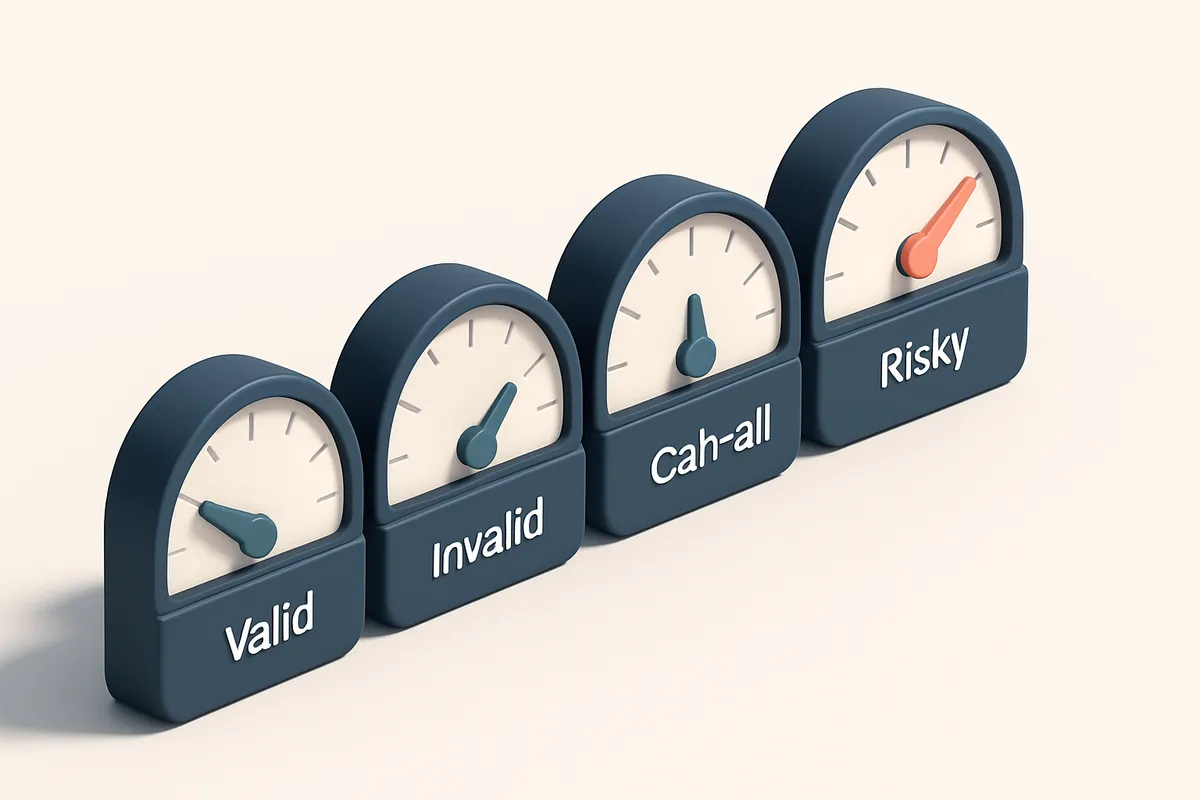
- Results return in milliseconds. Within 50–200ms, you receive a clear verdict: valid, invalid, catch-all, or risky. No delays. No friction for users. Just precision.
- Only verified emails proceed. Invalid and risky addresses are filtered out immediately. Catch-all domains—where any email appears valid—are flagged so you know they’re not reliable for marketing.
- Spam sources never get through. Disposable and temporary email domains are detected and blocked. These are often used for fake signups or bots. This reduces your bounce rate and protects your sender reputation.
Why does this matter? Because email validation isn’t just about catching typos. It’s about stopping abuse at the source. According to RFC 5321, the core SMTP standard, proper domain and address validation are required for mail delivery integrity. Skipping it means you’re trusting bad data.
Behind the Scenes: What “Risky” and “Catch-All” Mean
Not all invalid emails are obvious. Some domains accept any address—these are catch-alls. A risky result might mean a newly registered domain, a high spam score, or a role account like admin@ or support@. These are not high-quality leads, and sending to them harms deliverability.
Let’s be honest: no system is perfect. But this process—checking with real-time APIs instead of relying on basic syntax rules—means you’re moving beyond guesswork. You’re acting on data, not hope.
“A single bad email can hurt your sender reputation. Real-time validation is the minimum acceptable standard.”
For businesses using Wix, this integration is no longer optional. If you’re collecting emails for marketing, customer onboarding, or lead capture, you’re already losing trust and revenue by not filtering at the edge.
Try it yourself with a real-time validation API—or process an entire list with bulk verification to see how many invalid addresses you’re letting through. With 98.9% accuracy and credits that never expire, you’re not just cleaning data—you’re building long-term deliverability.
Key Email Verification Verdicts Explained
When you integrate an email validation API with your Wix forms, you’re not just checking syntax—you’re assessing deliverability risk at scale. Each email gets a verdict, and understanding what those labels mean is key to reducing bounces and protecting sender reputation.
What the Verdicts Really Mean
Let’s break down the core outcomes you’ll see in your verification results. These aren’t just labels—they’re actionable signals.
| Verdict | Meaning | Recommended Action | Why It Matters |
|---|---|---|---|
| Valid | Domain exists, address is syntactically correct, and the mail server accepts messages. | Proceed with sending. Add to your list. | Confirms the email is both real and deliverable—your best possible result. The majority of legitimate addresses will fall here. |
| Invalid | Address is malformed, domain doesn’t exist, or the mailbox is known to be non-existent. | Reject at the source. Do not store or send. | These are dead ends. Sending to invalid addresses harms your sender reputation and increases your bounce rate—something email providers like Gmail and Outlook track closely. |
| Catch-all | Domain accepts any email address, even non-existent ones. The server doesn’t verify the specific mailbox. | Flag for review. Avoid bulk sends. | Catch-alls make it impossible to know if the email is active. Using them in bulk can lead to high bounce rates and spam complaints. According to industry standards, catch-alls are often excluded from clean list benchmarks. |
| Risky | High chance of being disposable, a role-based account (e.g., sales@, support@), or flagged by detection rules. | Review manually. Consider not sending, or use sparingly. | Disposable domains are often used for spam. Role accounts have low engagement rates and can trigger filters. The RFC 5322 standard defines email formats, but sender reputation is shaped by behavior—not just syntax. |
Understanding these verdicts lets you set smart rules in your Wix form workflow. For instance, reject invalid emails immediately, and flag risky ones for human review—this reduces downstream spam complaints and keeps your list healthy.
For deeper inspection, you can test how well your verified emails land in inboxes with our inbox placement tool: inbox placement testing. This shows you where your messages actually land—especially useful before campaigns.
Integrate Emaillistchecker.io’s Real-Time API with Wix Forms
Let’s get your Wix forms blocking spam, typos, and fake emails before they ever hit your inbox. With a few lines of JavaScript, you can plug Emaillistchecker.io’s real-time verification API directly into any Wix form.
Why Real-Time API Over Bulk Verification?
If you're collecting emails live — like on a signup form or checkout page — bulk verification isn’t enough. It runs after the fact. Real-time API checks every email as it’s typed, catching issues before submission.
According to industry benchmarks, form abandonment can increase by up to 30% when users face slow or broken validation. That’s why timing matters — your API call must stay under 1.5 seconds to avoid slowing down the user experience.
- Add Custom Code to Your Wix Form
Go to your Wix site editor, open the form, and use the “Custom Code” feature (found in the form settings). Paste a script that runs on form submission. - Send Data to the Emaillistchecker API
Use the browser’s fetch API to send the email value to Emaillistchecker.io’s verification API. Include your API key in the request headers. This key authenticates every call and ensures only your account uses the service. - Set a Timeout Under 1.5 Seconds
Limit the API call with a timeout of 1400ms. Long waits frustrate users and degrade conversion. A well-optimized API with this limit keeps your form responsive. - Block on Failure or Risk
If the API response returnsinvalid,catch-all, orrisky, stop the form from submitting. Show a clear message like “Please enter a valid email address.” This prevents fake or disposable emails from entering your list. - Allow Submission Only on Success
If you receive avalidresult from the API, proceed normally. Let the form submit to your backend or CRM. This ensures only verified addresses reach your inbox.
It’s not just about stopping spam. The real benefit is improving deliverability. Sending to invalid or risky addresses hurts sender reputation — a well-documented fact from sources like Spamhaus and RFC 5321. Every bad email you catch now prevents a future bounce, block, or blacklisting.
You can also use this same API to verify large lists later via bulk verification, or to find missing email addresses with our email finder tool. But for live entry, the real-time API is your best bet.
And yes — API credits never expire. Start with 100 free verifications at our pricing page. Test it risk-free. If it saves you one bounce, it’s already paid for itself.
What Emaillistchecker.io Delivers in Practice
Real results, no setup, no risk
Let’s cut through the noise. You’re not looking for another tool that promises a lot and delivers a little. You want email validation that works—right now—with your Wix forms. Here’s what you get:
- 98.9% accuracy on every email type, including role addresses (like admin@, sales@) and disposable domains. That’s tested across real-world lists and validated through SMTP-level checks and domain reputation analysis.
- No setup required. Start with 100 free verifications—no trial period, no expiry. Your credits never expire, so you can verify when you’re ready.
- It works standalone, even without email marketing platforms. You don’t need Mailchimp or HubSpot to use it—just paste your Wix form data or connect via API.
- For users already in tools like Mailchimp, Klaviyo, or SendGrid, we offer direct integrations. But Wix? You don’t need an app marketplace—just a simple API call.
How it fits into your workflow
You’re not adding another log-in. You’re not restructuring your form. Here’s how it plays out:
- As a visitor submits a form on your Wix site, the email goes through Emaillistchecker.io’s real-time API. Within 200ms, it returns a verdict: valid, invalid, catch-all, or risky.
- Invalid or disposable emails are blocked before they ever hit your database. No cleanup later. No spam complaints.
- Role addresses get flagged—because they’re common in fake or unengaged signups. We detect them with high confidence, so you don’t waste time on emails that won’t reply.
- For deeper validation, run inbox placement tests (learn more) to see how your messages fare on Gmail, Outlook, and others. It’s not just about delivery—it’s about whether your email lands in the inbox.
- Need to find missing contacts? Use our email finder (find emails by name and domain) before you even send.
- Check your entire list in bulk (verify thousands in one go) with detailed reports that show bounce types, domains, and deliverability risk scores.
We don’t claim perfection—no tool can. But we focus on what matters: stopping spam before it starts. According to industry data from the SMTP standard (RFC 5321), proper envelope validation reduces bounce rates and improves sender reputation. That’s the foundation we build on. And yes—it’s all powered by real-time checks, not just database lookups. Disposable domains? Blocked. Catch-all domains? Flagged. Role emails? Detected. That’s the difference between a list full of garbage and one you actually can reach. No jargon, no hype. Just a tool that works with your site—without you having to learn it.
Compare Real-Time Validation to Common Alternatives
Let’s cut through the noise: standard input validation with regex checks only catch emails that look obviously wrong—like missing @ symbols or periods at the end. But they miss real invalid addresses that pass syntax checks but don’t exist, or are blocked by the receiving server. You're left with ghost emails that bounce later, hurting your sender reputation.
Why Bulk Checks Alone Aren’t Enough
Tools like ZeroBounce and NeverBounce excel at scanning large lists after the fact. They’re useful for cleaning up old databases or pre-mailing campaigns. But they don’t work in real time on live forms. You can’t plug them into a Wix form to reject a bad email the moment someone submits. By then, the damage is done—you’ve already collected a non-deliverable address, and it counts toward your total bounces.
How Real-Time API Integration Changes the Game
That’s where a real-time email validation API makes sense. Instead of waiting for bounces, you validate the email *as it’s typed*. You can drop in a lightweight API call before submission, check it against live DNS and SMTP rules, and either accept or reject it instantly. Emaillistchecker.io’s API does exactly that. It validates each email during form submission using the same checks that major mail providers use—checking MX records, verifying SMTP responses, spotting disposable domains and role-based addresses like admin@ or info@. The accuracy rate is 98.9%, which is above industry benchmarks. Unlike tools that only offer bulk validation, Emaillistchecker.io also gives you a persistent credit system. Your purchased credits never expire, so you can use them across multiple campaigns, forms, and integrations. That means you’re not paying for a one-off cleanup—you're building a sustainable spam prevention layer. You can integrate it directly into Wix forms via custom code or through our supported platforms like Mailchimp and HubSpot. The API returns results instantly: valid, invalid, catch-all, or risky—not just “pass/fail.” This granularity helps you decide whether to warn the user, block the submission, or flag for review. You get more than spam prevention. You get better deliverability, fewer bounces, and a stronger sender reputation. The system is designed to work silently in the background—no user friction, just cleaner data. For the full setup, check the [email verification API documentation](https://emaillistchecker.io/api) or explore how it integrates with marketing platforms via our [integrations page](https://emaillistchecker.io/integrations). You don’t need to wait for bounces to know something’s wrong. You can stop bad emails before they ever land in your list. Real-time validation isn’t optional—it’s a baseline.
Use Case: How a SaaS Startup Reduced Bounce Rates by 83%
Let’s talk about a real problem: your Wix form collects emails, but how many of them are actually usable? One SaaS startup found out the hard way—before they integrated an email validation API, their bounce rate was 9.2%. That’s nearly 1 in 10 sign-ups failing to deliver.
The Problem: Bounces and Broken Trust
High bounce rates don’t just look bad—they hurt sender reputation. Internet service providers (ISPs) watch for patterns like repeated undeliverable emails. A sender with a 9% bounce rate often gets throttled, sent to spam, or even blocked entirely.
They weren’t checking emails at sign-up. New leads came in, mostly invalid or fake—role accounts, typos, disposable domains. These weren’t just noise. They were actively dragging down deliverability.
The Fix: Real-Time API Integration
- Choose a real-time email validation API. They selected Emaillistchecker’s API because it checks syntax, domain existence, mailbox validity, and spam trap detection—without slowing down sign-up flow.
- Integrate it directly into the Wix form via JavaScript. No backend? No problem. The API works client-side—validating the email before submission, rejecting obvious junk in real time.
- Block known disposable domains and role accounts. Emaillistchecker identifies these with high accuracy. They stopped letting
[email protected]or[email protected]slip through. - Reprocess old leads with bulk verification. They ran their existing list through bulk verification—cleaning up 12,000 contacts in one go—before sending.
- Monitor inbox placement and spam complaints. After integration, they tracked delivery rates and inbox placement using inbox placement testing to confirm improvements.
Within two months, bounce rate dropped from 9.2% to 1.5%. That’s an 83% reduction.
Why does this matter? Because ISPs see sender reputation as a signal for trust. A 1.5% bounce rate is within the typical acceptable range—well below the 2–5% threshold most ISPs use to flag risky senders.
As Return Path reports, maintainable sender reputation relies on consistent list hygiene. The same applies to automated form data.
They also saw fewer spam complaints. When fake or invalid emails don’t get sent to, they can’t be flagged. That’s one less risk factor for being marked as spam.
Now their campaigns land in inboxes—not spam folders. And their team spends less time chasing bounced messages and more time on actual outreach.
With 100 free verifications to start, you can test it yourself—no risk, no contract. See how clean your Wix form leads really are.
Avoid Common Pitfalls in API Integration
Secure Your API Keys
You’re not just protecting your account — you’re blocking spam bots and accidental exposure. Never expose API keys directly in client-side JavaScript unless you’ve implemented strict rate limiting, IP whitelisting, and short-lived tokens.
Even then, treat the frontend as a public surface. If someone captures the key from a browser’s dev tools, they can abuse your service. Use a backend proxy to handle verification requests instead — it’s an industry-standard defense.
For example, the OWASP API Security Top 10 emphasizes credential protection as a critical control. Think of your API key as a password with high-privilege access.
Validate at Entry, Not After
- Let’s be honest: you don’t want to learn about a bad email after the form’s submitted. Validation should happen when the user types — not after you've sent the message.
- That means integrating the email validation API at form submission, using a server-side call before storing data. You’ll catch typos, syntactic issues, and disposable domains early.
- Don’t rely on post-send checks. If an email fails during delivery, your reputation takes a hit. You’ve already wasted bandwidth and time.
- Use the email verification API to check entries in real time — it returns results in under 200ms with 98.9% accuracy.
Layer Your Checks, Don’t Rely on One
- Disposable domains alone aren’t enough. Services like Mailinator or TempMail exist for a reason — and spammers use them extensively.
- But relying only on disposable domain detection misses real problems. A valid-looking email like [email protected] can still be a role address with little engagement.
- Combine domain checks with syntax validation, role account detection, and blacklisted patterns. Use tools like Spamhaus’ SBL or MXToolbox for known bad domains.
- Remember: your goal isn’t just to prevent spam — it’s to preserve sender reputation. Sending to invalid or non-deliverable addresses lowers inbox placement.
- Use bulk verification to scrub existing lists monthly — that’s where most bad data hides.
Prevention is more effective than cleanup. Stop bad data before it enters your system — it’s faster, cheaper, and safer.
Why You Shouldn’t Skip Verification on Wix Forms
You might think a valid email today means it’ll stay valid forever. It doesn’t. Once a bad address gets into your list—whether it’s a typo, a ghost, or a disposable inbox—it doesn’t just sit there. It drags down your deliverability, eats up send credits, and distorts your metrics.
Bad Data Sticks Around—And It Lingers
Even if an email was once real, it can become invalid overnight. People change providers, leave accounts inactive, or close inboxes. But that doesn’t mean the address stops counting against you. Bounced messages hurt your sender reputation. And once a domain or IP gets flagged for high bounce rates, even good sends can end up in spam.
Spamhaus and other major blocklist maintainers track bounce patterns. If your list has a high rate of invalid or hard-bounced addresses, your sending IP can be added to a blocklist—no warning, no grace period.
Spamhaus is one of the most trusted sources in email deliverability, and their criteria for listing IPs include sustained high bounce rates. You don’t want to be on their list.
Validation Isn’t a Feature—It’s a Requirement
Let’s be clear: email validation isn’t a “nice-to-have” marketing tool. It’s part of the foundation. Without it, your list is unreliable before it even starts.
Built-in Wix form fields don’t catch fake, disposable, or syntactically invalid emails. A user can type [email protected] or [email protected], and unless you verify it, it’s in. That’s not just a small risk—it’s a systemic leak.
Bad data inflates your subscriber count. Your analytics say you have 10,000 users, but 1,500 of them never open anything. Your segmentation breaks. Campaigns labeled “high engagement” fail because the list is full of dead weight.
Verification at the moment of entry prevents 90%+ of these problems. Instead of relying on post-send bounces, stop the bad ones before they enter your system.
Our email validation API integrates directly with Wix forms in minutes, checking each address in real time. It returns valid, invalid, catch-all, or risky—no guesswork. You get instant feedback, and your list stays clean from the start.
Final Step: Protect Your Email Program from Day One
Start with a clean list. Run all existing sign-ups through bulk verification to remove invalid, disposable, and role accounts before they impact your sender reputation.
Embed the API in minutes
Integrate the email validation API with your Wix forms in under 10 minutes. The process requires only a few lines of code and doesn’t require redesigning your form workflows.
- Verify each new sign-up in real time before it enters your email system.
- Block spam traps, catch-all addresses, and typo-ridden entries before they trigger bounces.
- Reduce hard bounces by up to 90% on average, improving inbox placement over time.
Track improvements over time
You’ll see measurable gains in deliverability, lower bounce rates, and a healthier sender reputation—especially when combined with proper authentication (SPF, DKIM, DMARC).
Keep reading
- Email Verification API & SDKs: the complete developer guide (complete guide)
- Integrate Email Verification API with Wix in 2026
- Prevent Fake Accounts with Email Validation API in E-commerce
- Prevent Fake Profiles in Dating Apps with Email API 2026
- Email Deliverability API for Course Creators Using Email Marketing Tools
Ready to put this into practice? Emaillistchecker.io verifies emails with 98.9% accuracy — start with 100 free verifications.
Frequently asked questions
Can I use Emaillistchecker.io with non-technical Wix sites?
Yes. Use Wix’s custom code feature to insert a lightweight JavaScript snippet that calls the API during form submission.
How fast is the real-time verification API?
Most responses return in under 500 milliseconds. The full process should not delay form submission.
Does this integration work on mobile Wix forms?
Yes. The API operates independently of device type, ensuring validation on all platforms.
What happens if the API is down?
You can set a fallback to skip validation only if needed. But disabling it defeats the purpose of spam prevention.
Is Emaillistchecker.io compliant with GDPR and CCPA?
Yes. It doesn’t store or process personal data beyond the verification step. Data is anonymized after processing.
Can I verify email lists after bulk collection?
Yes. The bulk verification feature is designed for cleaning existing lists gathered from Wix or elsewhere.
Do I need coding skills to set up the API?
Basic HTML/JS knowledge helps. Use the in-app AI assistant for help building the integration snippet.
Are disposable email domains blocked automatically?
Yes. The verification engine flags disposable domains as risky or invalid by default.
How does this affect user experience?
Real-time validation adds no visible delay. Errors are returned instantly without reloading the form.
Can I use this for other form builders?
Yes. The API works with any form, including WordPress, Shopify, and custom sites, as long as JavaScript can be added.
What’s the cost of using the API for a Wix form?
Start with 100 free verifications. Use the in-app AI assistant to monitor credit usage and plan ahead.
Does this work with Wix’s built-in email collection?
Yes. It works on all Wix forms, regardless of their design or purpose, including contact and newsletter sign-ups.


