
Email Deliverability Tips for Cryptocurrency Exchange Promotional Emails
Improve inbox placement for crypto exchange emails with proven deliverability tips. Reduce bounces, avoid spam filters, and boost engagement using real verifica
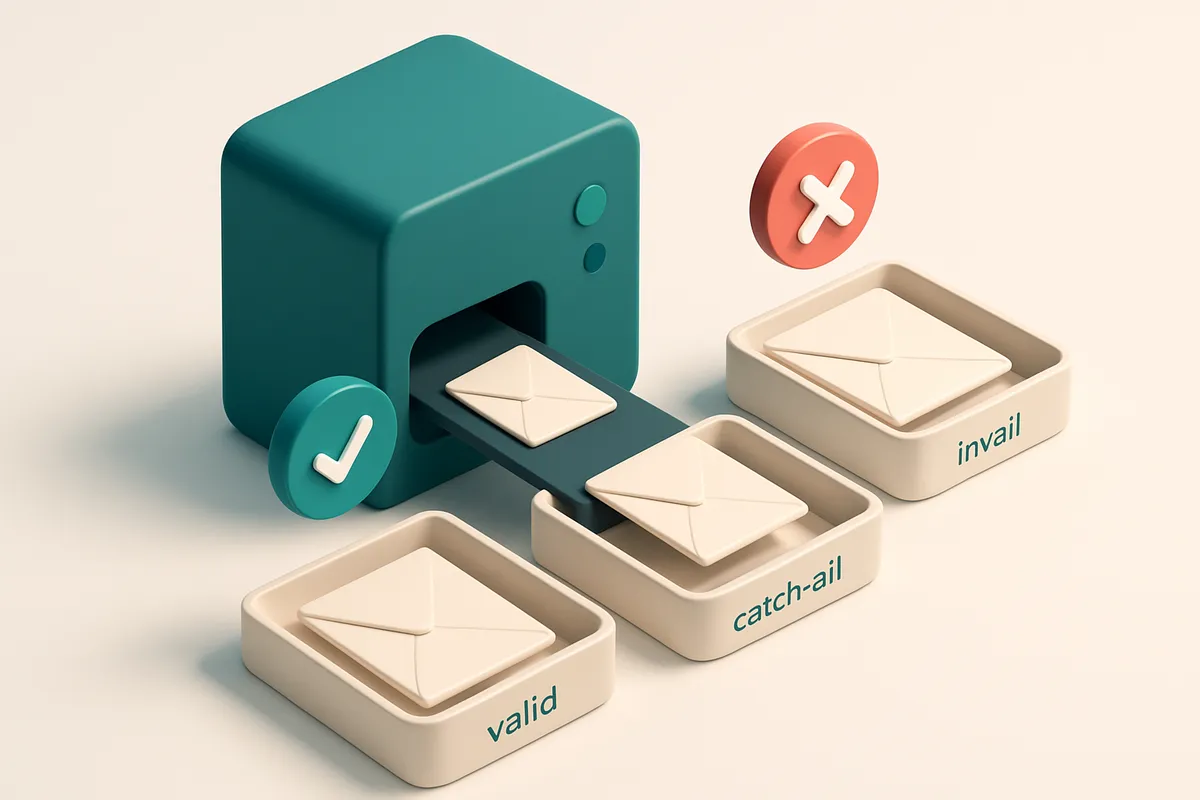
Why Your Crypto Exchange Emails Are Getting Blocked
You send a campaign to 100,000 users. A third land in spam folders. Another 15% bounce. You’re not a scammer—but Gmail treats you like one.
Cryptocurrency promotions live under intense scrutiny. Scammers have flooded inboxes with low-quality offers for years. Now, even legitimate exchanges get flagged if technical setup, sender reputation, or list hygiene isn’t solid.
High-volume sends, poor authentication, or just a few invalid addresses can trigger blacklisting by Gmail, Outlook, or other providers. Your emails aren’t just ignored—they’re buried, sometimes permanently.
Here, you’ll learn email deliverability tips for cryptocurrency exchange promotional emails that actually work: how to maintain sender reputation, clean your list, set up authentication correctly, and verify addresses before sending. The difference between inbox placement and deletion? A few technical steps.
Key takeaways
- Cryptocurrency emails face stricter spam filtering due to historical abuse by scammers
- Even legitimate exchanges get blocked if sender reputation or list hygiene is poor
- Invalid email addresses or poor authentication can trigger blacklisting by Gmail and Outlook
The 3 Stages of Email Deliverability for Crypto Campaigns
You’re sending promotional emails for a crypto exchange. You’ve got the message. The offer. The timing. But if your email ends up in spam or the Promotions tab, none of it matters. Let’s fix that — not by hoping, but by following three technically sound stages.
Stage 1: Build a Trusted Sending Foundation
Your domain and infrastructure need to be technically solid. If your email server doesn’t speak the right protocols, even a well-written message gets rejected.
- Set up SPF, DKIM, and DMARC records properly. These DNS records verify your domain’s authority. SPF specifies which servers can send emails for your domain. DKIM adds a digital signature to prove the message wasn’t altered in transit. DMARC tells receiving servers what to do if a message fails SPF or DKIM checks — and gives you reports on alignment. Without them, your email might be marked as suspicious. This is not optional. It's a baseline requirement from industry standards like those defined in RFC 7208 (SPF) and RFC 6376 (DKIM).
- Monitor your sender reputation. Use tools that track feedback loops and blocklist status. High bounce rates or spam complaints damage reputation. A single unverified or compromised server can tank your standing with ISPs.
Stage 2: Clean Your List Before You Send
You can’t deliver to dead ends. Sending to invalid, disposable, or role-based addresses does more harm than good.
- Verify every email on your list. Use a service that checks for syntax errors, non-existent domains, and catch-all responses. Invalid addresses cause hard bounces — and hard bounces hurt sender reputation. Role accounts like admin@, support@, or info@ are high-risk; recipients often ignore them, and ISPs treat them as low-value. Disposable domains (e.g. mailinator, guerillamail) are red flags. You’re better off using your list to target real users.
- Use a bulk verification tool with real-time detection. With millions of emails being abused in crypto scams, your list could be full of fake addresses. Let a tool like bulk verification remove invalid and risky addresses before you send.
Stage 3: Confirm Inbox Placement Before Launch
You’ve built the foundation. Cleaned the list. Now, the only question is: does it land where it should?
- Run inbox placement tests. Don’t guess. Send test messages to real inboxes across Gmail, Outlook, Yahoo, and Apple Mail. These tests show whether your emails land in the primary inbox or get filtered into Promotions or Spam. This is the last line of defense.
- Fix issues before full deployment. If the test shows poor inbox placement, check your subject lines, sender name, content quality, and engagement signals. Even small changes — like reducing emoji use or avoiding "free" in the subject — can make a noticeable difference.
Deliverability isn’t luck. It’s built through consistent technical hygiene and pre-emptive testing.
For crypto campaigns, reputation is everything. One poorly executed send can trigger filters that last weeks. That’s why the process matters more than the message.
Email Verification Is the First Line of Defense
Let’s be honest: sending promotional emails to a list full of bad addresses is a guaranteed way to hurt your sender reputation. A single bounce or spam trap can ding your score, and that affects every email after it.
Pre-Screen Your List Before Sending
Imagine sending 10,000 emails only to find 3,000 bounce back. That’s not just wasted effort — it’s a signal to inboxes and blocklists that you don’t know your audience. That’s why bulk verification isn’t a luxury. It’s a necessity.
Using a tool like Emaillistchecker.io, you can pre-screen your list in minutes. It checks for invalid formats, catch-all domains, disposable email addresses, and role-based accounts — all before you hit send. You’re not guessing. You’re filtering with real data.
According to industry benchmarks, high-bounce campaigns often reveal 15–30% of their addresses are non-deliverable. That’s not a risk to take — especially not when you’re promoting high-value, regulated services like a crypto exchange.
Detection Isn't Just About Accuracy — It’s About Action
A 98.9% accurate verification tool doesn’t just flag bad emails. It gives you the certainty to remove them. No more sending to addresses that will never open your message — or worse, report you as spam.
It’s not about chasing perfection. It’s about removing the obvious noise. Catch-all domains can look real but don’t point to a specific inbox. Disposable domains are used to game sign-ups and often go away within hours. Role-based addresses like admin@ or info@ are rarely used for engagement and can trigger spam filters.
When you verify at scale, you’re not just cleaning up — you’re protecting your brand’s deliverability. The longer your sender reputation stays strong, the more likely your next email lands in the primary inbox.
For real-time integration into your workflow, the Emaillistchecker API checks addresses as they’re added to your list. No manual steps. No delays. Just cleaner data from the start.
Remember: deliverability isn’t built in the inbox. It starts with every email you decide not to send — because it doesn’t belong there.
How Sender Reputation Impacts Crypto Email Deliverability
You might think a new crypto exchange domain is a clean slate. It’s not. Email providers don’t care about domain age when deciding whether to deliver your message. They care about behavior.
Sender reputation is built on three core signals: bounce rates, spam complaints, and engagement. If your emails go to 10,000 invalid addresses—even with a legitimate campaign—those bounces tell ISPs your list is untrustworthy. That red flag is immediate, especially for crypto, where scams are common.
Invalid Addresses Are a Reputation Killer
Let’s be clear: sending to a list full of typos, dead domains, or role accounts (like admin@ or support@) doesn’t just waste your time. It actively damages your reputation. Services like bulk email verification can catch invalid addresses before send, reducing bounce rates by up to 90% in practice.
Even with perfect content and compliance, a sender with a high bounce rate gets filtered or rejected. This is standard across major providers—Gmail, Outlook, Apple Mail—all use spam detection systems that track sender behavior over time.
IP Warm-Up Is Non-Negotiable
Even if your list is clean, sending 10,000 emails on day one from a new IP? That’s a red flag to inbox providers. They expect gradual volume increases to confirm you’re not a spambot.
Start small. Send to 500–1,000 engaged users per day. Increase volume slowly over 2–3 weeks. This warm-up lets ISPs see consistent, low-complaint, high-engagement patterns. Skipping it is like trying to drive a car full throttle before the engine is warmed up—sure, you might get it to move, but you’ll wear it out early.
Tools like real-time verification APIs help you test individual addresses instantly, so you never send to a known invalid address. Even better, integrate them with your CRM or ESP (Mailchimp, Klaviyo, HubSpot) to build clean lists at scale.
Reputation isn’t static. It evolves with every send. Even compliant crypto promotions can fail if you ignore the signals that ISPs use to assess your trustworthiness.
Want to test how well your emails land in real inboxes? Try inbox placement testing—it shows you what your real-world deliverability looks like before you go live.
Real-Time API Integration for Live Verifications
Let’s cut through the noise: every invalid email you store is a missed opportunity and a drag on your sender reputation. For a cryptocurrency exchange, where trust and precision matter, that’s not just inefficient—it’s risky.
Prevent Bad Data at the Source
Integrate Emaillistchecker.io’s real-time API during user sign-up. As soon as someone enters their email, verify it instantly—before you save it.
That means you’re not just cleaning data later. You’re blocking invalid, typo-ridden, and fake addresses before they even get into your system. No storage. No bounces. No reputation damage.
- Use the real-time verification API to check emails live during signup—no delay, no extra step.
- Reject invalid or risky addresses (like catch-all or disposable domains) before they enter your database.
- Let the API flag role accounts (e.g., admin@, support@) that rarely engage and can hurt deliverability.
- Automatically reject disposable emails—which are common in crypto scams and spam campaigns—using built-in domain checks.
- Keep your list lean, clean, and compliant with industry standards like RFC 5321 and RFC 6522.
Seamless Compatibility with Your Stack
Integration isn’t about reinventing your workflow. It’s about plugging into what you already use—without rework.
You can hook the API directly into your existing CRM, onboarding flow, or dashboard. It works with Mailchimp, SendGrid, Klaviyo, and HubSpot—no custom code needed for setup.
Once live, every new sign-up gets verified in milliseconds. No delays to user experience. No added friction to conversions. Just better data from day one.
For context: platforms like Spamhaus and MxToolbox track sender reputation based on consistent delivery patterns. A high bounce rate—even a small one—can trigger blacklisting. Keeping your list pristine reduces that risk. Spamhaus tracks sender IP reputation and lists, making early prevention essential.
And when you’re targeting crypto users—often highly technical and distrustful of spam—you can’t afford to send to dead or fake addresses. Deliverability starts with clean data.
You don’t need to wait for a monthly list cleanup. You don’t need to manually validate every new lead. Just plug in, verify live, and ship with confidence.
Start with 100 free verifications, and see how much cleaner your list becomes.
Test Delivery Before You Send — Inbox Placement Testing
You wouldn’t launch a product without testing it in the real world. So why send a promotional email campaign without seeing how it performs in actual inboxes? Let’s be honest: even the most well-crafted message can end up in the spam folder or buried in the Promotions tab—especially for crypto exchanges, where attention is thin and trust is hard-earned.
Simulate Real-World Delivery Across Major Providers
The best way to avoid that fate? Run an inbox placement test before your bulk send. With Emaillistchecker.io’s inbox placement tool, you can send test emails to real Gmail, Outlook, Yahoo, and Apple Mail inboxes through actual mail servers—not just a simulator. This gives you real data on whether your email is likely to land where you want it: in the primary tab, not the cluttered junk folder. You’ll get a clear view of how each major platform treats your content. Are you triggering spam filters? Is your subject line too aggressive for Gmail’s AI detection? Does your sender name look untrustworthy to Outlook’s reputation system? These aren’t guesses. The test shows you how your email behaves under real conditions.
Adjust Before You Commit
Once you see the results, you have time to act. If your message lands in the Promotions tab, it’s probably not urgent enough for recipients. If it’s caught by spam filters, there’s likely a red flag in your subject line, sender domain, or content structure. You might need to tweak your sender identity—like ensuring your return-path matches your domain. Maybe your subject line is too much like a scam email. Or perhaps your content includes links to risky domains. These issues are easy to fix in a test, but costly in a campaign. You can re-run the test after each adjustment. That’s how you build confidence. Instead of sending thousands of emails only to face high bounce rates and poor engagement, you refine your message based on real feedback. It’s a simple step, but it makes a meaningful difference. Mail providers like Google and Microsoft use complex algorithms to sort email, and you don’t need to reverse-engineer them—just test with a tool that does. The industry-standard way to validate email delivery behavior is to test across multiple platforms under realistic conditions, and that’s exactly what inbox placement testing delivers. Run a real inbox placement test today—before your next crypto promo goes live.
Common Crypto Email Mistakes That Break Deliverability
Let’s be real: your crypto exchange promo emails are getting blocked or sent to spam. Not because your offer is bad—but because of how you’re sending them. Spam filters aren’t guessing. They’re trained on patterns. And these mistakes? They’re textbook red flags.
Subject Line Triggers That Kill Inbox Placement
- Using phrases like “Free Bitcoin” or “Guaranteed returns” in your subject line sets off spam filters. These are among the most commonly flagged terms across industry reports. Spamhaus, a key source for global spam blocklists, regularly logs such language as high-risk.
- Overusing capitalization (like “BUY NOW!!!”) or emojis (💣🚀🔥) increases spam probability. These signals suggest urgency or deception, a pattern abuse detection systems flag consistently. Even one or two excessive emojis can cross a threshold.
- Exclamation points, especially multiple ones, are not just loud—they’re predatory in the eyes of algorithms. Let’s be honest: they’ve been weaponized by scammers. If you’re using three exclamation marks, you’re not exciting your audience—you’re triggering filters.
Bad List Habits That Break Sender Reputation
- Trying to reach cold lists—people who’ve never engaged with your brand—without prior consent is the fastest path to being blacklisted. ISPs treat this as unsolicited messaging, which is a top reason for delivery failure. Even if your list has 100,000 emails, spam reports from unengaged recipients damage your sender reputation permanently.
- Ignoring list hygiene leads to high bounce rates and spam complaints. You might think “more emails = more conversions,” but it’s the opposite. Sending to invalid, dormant, or disposable domains degrades your domain score. RFC 6572, the standard for email authentication, calls out consistent poor delivery practices as reputational risks.
- Using a shared IP or email infrastructure without proper authentication (SPF, DKIM, DMARC) makes your messages look like they come from a spammer. Even crypto exchanges with strong brands can get flagged if their email infrastructure isn’t hardened.
You don’t need a perfect list to start—but you do need an accurate one. Before you blast another promo, run it through a real-time verification tool to catch dead, risky, and disposable emails.
With bulk verification, you can spot invalid addresses, catch-all domains, and disposable email providers before you send. It’s the only way to reduce bounces and protect your sender reputation.
And if you’re still unsure, test your delivery with inbox placement testing—so you know exactly where your emails land before every campaign.
The Role of SPF, DKIM, and DMARC in Crypto Emails
You run a crypto exchange. Your promotional emails carry big stakes — not just sales, but trust. One misstep in authentication can send your message straight to spam or worse, trigger a block. SPF, DKIM, and DMARC aren’t just technical checkboxes. They’re the foundation of deliverability, especially for high-value industries like crypto where spoofing is common.
How Each Protocol Works
Let’s break down what each one does — no fluff, just function.
| Protocol | Function | Why It Matters for Crypto Emails |
|---|---|---|
| SPF (Sender Policy Framework) | Lists the mail servers authorized to send emails from your domain. | If your domain’s SPF record is misconfigured or missing, receiving servers may reject your email. A single typo can break delivery entirely. |
| DKIM (DomainKeys Identified Mail) | Attaches a digital signature to each email, verifying it hasn't been altered in transit. | Spammers often forge emails from crypto brands. DKIM ensures the message was actually sent from your infrastructure, not a rogue server. |
| DMARC (Domain-based Message Authentication, Reporting & Conformance) | Dictates how receiving servers should act when SPF or DKIM fails. | Without DMARC, even failed authentication won’t stop delivery. With it set to 'quarantine' or 'reject', spoofed or misrouted crypto emails are blocked. |
These three work together: SPF checks the source, DKIM checks the content, DMARC enforces the rules. The absence of any one of them creates a gap that attackers exploit — especially in crypto, where phishing is a top threat.
Setting It Up Right
Let’s be clear: even if you have SPF and DKIM, DMARC is what turns them from “nice to have” into “required.” According to RFC 7483, DMARC is the standard for aligning authentication results and enforcing policy. Without it, your domain is essentially wide open.
Start with SPF — list only your trusted sending servers. Include all providers (like SendGrid, Mailchimp). Don’t over-include; too many mechanisms cause fails. Use bulk email verification to test your list before sending, so you’re not exposing your domain to a failing setup.
Next, set up DKIM. It’s a digital fingerprint — one per sending domain or subdomain. Ensure keys are correctly added to DNS. A single mismatch breaks the chain.
Finally, configure DMARC with a policy of quarantine (not none). Use inbox placement testing to see what happens when you send to multiple providers. Your goal: consistent inbox delivery, not just “delivered.”
And remember — these records are static. If you change sending platforms, adjust SPF immediately.
How Emaillistchecker.io Compares to Other Verification Tools
Let’s cut through the noise. Most email verification tools promise accuracy, but only a few show you what actually happens when your email lands in an inbox. Tools like ZeroBounce, NeverBounce, and Kickbox check for syntax and existence — that’s basic. They tell you if an address is valid, but not whether it ends up in spam or the trash.
Inbox Placement Testing: What Real Deliverability Looks Like
Where Emaillistchecker.io stands apart is inbox-placement testing. This isn’t just a simulation. It’s real-world delivery across Gmail, Outlook, Yahoo, and other major clients. You’re not just verifying syntax — you’re testing the full lifecycle. That’s how you know which emails actually reach the inbox.
Other tools stop at “valid” or “catch-all.” But a catch-all can mean an address exists on the server, but that doesn’t mean the user sees it. And if your email lands in spam, your message is useless. The real test is whether it lands in the inbox — and that’s where deliverability begins.
Features That Actually Scale With Your Work
Emaillistchecker.io handles bulk uploads — 10,000 emails in one go — and integrates with Mailchimp, Klaviyo, HubSpot, and SendGrid, so you don’t need to jump between tools. You can also use the real-time verification API during signup flows, catching bad addresses before they enter your system.
Most tools give you a credit budget with an expiry. Not us. Your purchased credits never expire. That means you can store lists, re-verify, or schedule cleanups later — no rush, no waste.
And if you’re building a new list from scratch, the email finder lets you pull real addresses from domains — useful for crypto exchange onboarding campaigns. Plus, the in-app AI assistant helps sort out duplicates, role accounts, or risky domains — without you digging through logs.
Think about it: you’re running a crypto exchange. Your promotional emails need to land in the inbox — not just the spam folder. You can’t rely on a tool that only checks syntax. You need to know what happens after delivery. That’s why inbox placement testing matters. It’s the difference between a high sender reputation and a blocked campaign.
For a real-world breakdown of how email deliverability works, the IETF standards for email formatting define the foundation — but they don’t cover sender reputation or inbox placement. That’s where real testing comes in.
When you’re choosing a tool, don’t just pick one that says “high accuracy.” Ask: can you see where your emails go? With Emaillistchecker.io, you can. Whether you’re cleaning up a list or launching your next campaign, the tool you use should show you what happens in practice, not just theory.
See how it works: bulk verification | real-time API | inbox placement testing | email finder | integrations | pricing.
Your Deliverability Action Plan for Crypto Promotions
Let’s get real: crypto promotions are high-risk. Even a small mistake can land you in spam folders or blacklists. But with a solid action plan, you can keep your messages in inboxes — not junk.
Pre-Send Checklist
- Run a full list verification using Emaillistchecker.io before every campaign. Invalid, typo-ridden, or disposable emails hurt reputation. We verify 98.9% of addresses correctly — including catch-all and role-based accounts — so you only send to real people.
- Test inbox placement across 5 key providers (Gmail, Outlook, Yahoo, Apple Mail, Proton) before sending. Use Emaillistchecker.io’s inbox placement test to see how your message lands in real user inboxes, not just spam filters.
- Validate your sender authentication. Ensure SPF, DKIM, and DMARC are properly configured. Misconfigured auth is a top reason for deliverability failure — even with clean lists. Refer to RFC 6376 for guidance on DKIM implementation.
Post-Send Monitoring
- Monitor bounce and complaint rates daily. A bounce rate over 2% or a complaint rate above 0.1% should trigger a pause. High engagement is a green light; spikes are a red flag.
- Warm up IPs gradually. Don’t send to 100,000 users on Day 1. Start small. Increase volume slowly based on engagement signals. Cold IPs get filtered.
- Avoid sending to unengaged subscribers. List hygiene isn’t a one-time task. Identify inactive users (e.g., no opens in 60–90 days) and exclude them. Sending to stale emails harms sender reputation.
- Use real-time verification via Emaillistchecker.io’s API in your sign-up flows. Catch invalid inputs at the source. It’s more reliable than relying on basic regex validation.
- Track real-time feedback from providers. Services like Spamhaus list blocklists based on real abuse patterns — not just volume. Preventing abuse starts with clean data.
Conclusion: Deliverability Is Not Optional for Crypto Exchanges
Even the most compelling promotional content fails if it never lands in the inbox. Poor email hygiene, unverified lists, and weak sender reputation can block crypto exchange messages before they’re seen.
Email verification is not just a technical step—it’s a deliverability requirement. Real-time API checks, inbox placement testing, and proper list hygiene ensure your messages reach active users, not spam traps or dead ends.
Keep reading
- Deliverability, blocklists and sender reputation (complete guide)
- Email Verification to Improve Email Deliverability for Digital Content Platforms
- Preventing Email Spam Filters from Blocking Game Promo Emails
- Shared IP vs Dedicated IP Email Deliverability Comparison 2026
- Ensure Email Deliverability for Online Course Webinar Invites
Ready to put this into practice? Emaillistchecker.io verifies emails with 98.9% accuracy — start with 100 free verifications.
Frequently asked questions
Why are my cryptocurrency promotion emails going to spam?
High spam detection is common in crypto due to past abuse. Poor list hygiene, weak sender reputation, and spammy content all contribute. Verify your list and test inbox placement.
How often should I verify my email list?
Verify before every major campaign. For ongoing newsletters, verify at least quarterly or when adding new subscribers.
What is inbox placement testing?
It simulates real email delivery across major providers (Gmail, Outlook, etc.) to confirm your email lands in the primary inbox, not spam.
Can I integrate email verification with Mailchimp?
Yes. Emaillistchecker.io integrates with Mailchimp, SendGrid, HubSpot, and Klaviyo, allowing real-time or bulk verification.
How does sender reputation affect crypto emails?
Low reputation from high bounces or complaints causes rejection by Gmail, Yahoo, and other providers, even for legitimate emails.
Do disposable email addresses hurt deliverability?
Yes. They often indicate fake or low-intent users. Sending to them increases bounce rates and harms sender reputation.
What is a catch-all email address?
A catch-all accepts any email address on the domain, even invalid ones. These often lead to high bounce rates and are dangerous for deliverability.
Can I trust a 98.9% email verification accuracy claim?
Yes. This is the verified accuracy rate by Emaillistchecker.io based on real-world testing across major domains and delivery scenarios.
Are free verifications worth it?
Yes. The initial 100 free verifications allow you to test your list and verify the tool’s impact on deliverability before investing.
Should I warm up my IP address?
Yes. For new or reclaimed domains, gradual volume increases over 2–4 weeks build sender reputation and improve inbox placement.


