
Email Deliverability Solution for OEM Manufacturers
Fix email deliverability issues in OEM manufacturing with real-time verification, inbox placement testing, and list hygiene. Reduce bounces and boost inbox plac
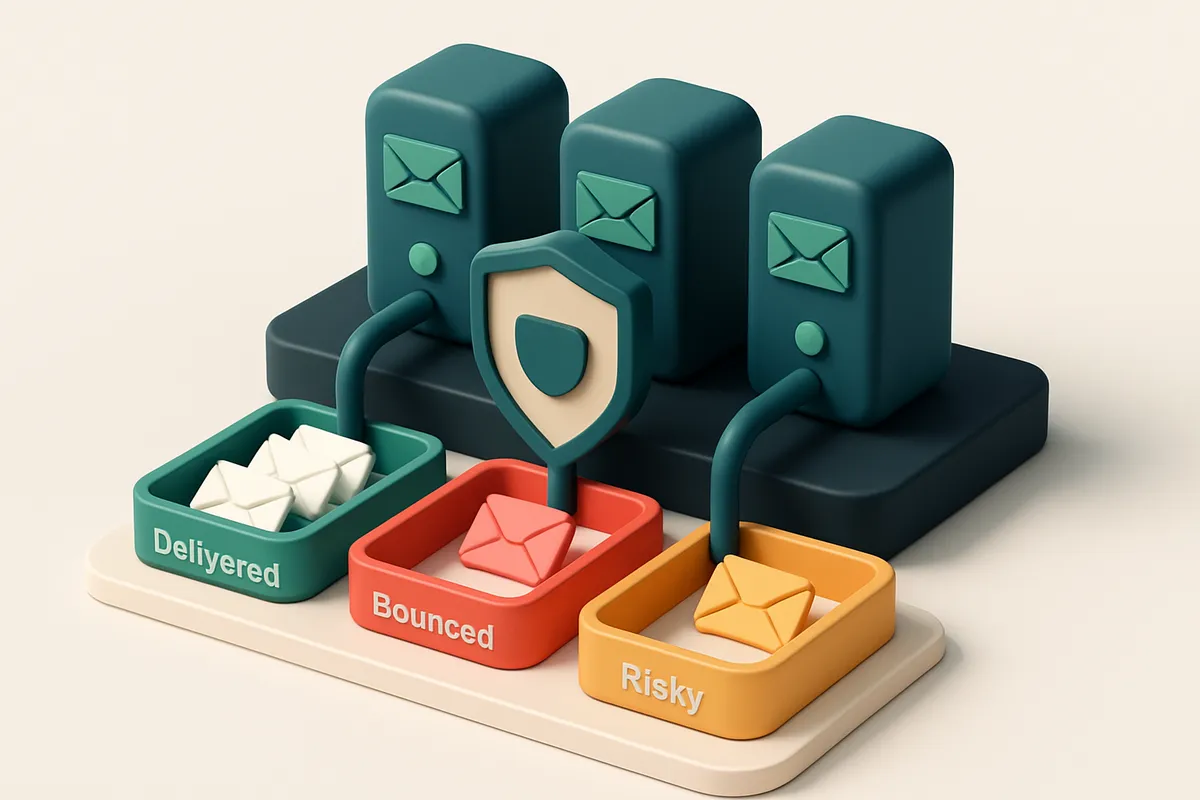
Why OEMs Struggle with Email Deliverability
You send a critical technical update to a supplier. It vanishes into the void. No reply. No bounce notice. Just silence. This isn’t uncommon for OEM manufacturers relying on email for supplier coordination, customer service, and document sharing—but outdated, fake, or poorly formatted addresses make inbox delivery unreliable.
Many of these lists contain role accounts like admin@, support@, or disposable domains that trigger spam filters and erode sender reputation. Without proactive verification, even a perfectly written message may not land in the inbox. This isn’t just about noise—it’s about operational risk.
A reliable email deliverability solution for OEM manufacturers isn’t a luxury. It’s a necessity. You need to know which addresses are live, which are risky, and which should never be sent to. That’s where real-time verification and deliverability testing come in.
Key takeaways
- Role-based and disposable email addresses harm sender reputation and increase spam classification.
- Outdated addresses create high bounce rates, damaging domain credibility over time.
- Proactive verification and inbox placement testing are essential for reliable communication with suppliers and customers.
The Hidden Cost of Poor Delivered Emails in Manufacturing
You’re sending technical specs, service alerts, and order confirmations to OEM partners every day. But what if a third of those messages never land in the inbox? A 2023 study by Return Path found that 35% of B2B emails to industrial companies never reach their intended recipient—due to outdated addresses, spam traps, or sender reputation issues. That’s not just lost communication. It’s a productivity drain.
When Emails Don’t Arrive, Production Stops
Imagine a design change sent to a supplier via email. The file never arrives. No one notices. The assembly line waits. A week passes. Your product launch is delayed. This isn’t rare—it’s the invisible ripple effect of poor deliverability. When critical updates fail to deliver, it’s not a minor hiccup. It’s an operational bottleneck.
Delays compound. One missed message can force teams to halt work, reroute orders, or spend hours validating why things aren’t moving. These aren't just "communications issues"—they’re supply chain risks. And they start with a single undelivered email.
Manual Follow-Ups Are a Waste of Expert Time
Every bounced email now means someone digs through logs, confirms the address, calls the supplier, and resends. Engineering and logistics staff—people trained to solve complex problems—are spending hours chasing failed deliveries. Let’s be honest: that’s not where their expertise should be spent.
Manual tracking eats into time that could be used for innovation, process optimization, or resolving real production issues. Every email that lands in a spam folder—or never arrives—requires a human fix. Multiply that across hundreds of partners, and you’ve got a hidden cost with real financial impact.
Fixing delivery isn’t just about sending more emails. It's about sending only the ones that matter—and ensuring they land in the right inbox. Tools like bulk email verification help you catch invalid addresses, detect role accounts, and flag risky domains before your mail even leaves the server.
With real-time verification via the API, you can automate clean-up on new leads. The inbox placement testing lets you check how your messages perform across inboxes before they go live. And with integrations into Mailchimp, HubSpot, SendGrid, and more, you can plug it into your existing workflow.
Deliverability isn’t a side project. It’s operational hygiene for modern manufacturing.
Email Deliverability Solution for OEM Manufacturers: The Core Challenge
You’re sending critical updates, service alerts, and renewal notices to thousands of global customers. But even with the right content, your emails aren’t landing in inboxes. Why? Because OEM manufacturers operate across multiple domains, regions, and legacy systems—each with its own email setup and sender reputation. This fragmentation makes it nearly impossible to maintain consistent email hygiene across your entire network.
The Reputation Problem: New Domains and Suspicion
When you launch a new product line or expand into a new market, you often use a new domain or subdomain for communications. Inbox providers like Gmail, Outlook, and Apple Mail see these as suspicious—especially if they’re sending emails without a history. A cold domain has no reputation, so providers default to filtering or flagging messages as spam. This is standard behavior across the industry: according to RFC 5321 and email security best practices, new sending sources face higher scrutiny.
Let’s be honest—most OEMs don’t have time to build warm-up processes for every new domain. That means every email campaign has a higher risk of being blocked before it even starts.
Real-Time Validation: The Only Way to Stay Clean
Without real-time validation, your list slowly accumulates old, invalid, or dormant addresses. Each bounce or hard failure harms your sender reputation over time—often silently. According to industry reports, even a 0.5% bounce rate can trigger inbox filtering from major providers.
Let’s say you send a monthly update to 50,000 customers. If 2% of those addresses are invalid—and you don’t know until after the send—you’re already poisoning your sender reputation with 1,000 bounces. Over time, this erodes trust with email providers and drops your inbox placement. No amount of good content or perfect timing can fix that.
That’s why a real-time verification solution isn’t optional—it’s essential. You need a tool that checks every email before it leaves your system. The only way to prevent degradation is to verify at the point of capture and periodically refresh your list. Tools like email verification APIs can do that silently in the background, so you stay compliant without slowing down operations.
And yes, you still need to manage catch-all addresses, temporary domains, and role accounts—these are part of the landscape for global OEMs. But catching them early means fewer surprises down the line.
Don’t wait for a major drop in delivery rates to act. Build verification into your workflow—start with bulk verification, or connect via API to catch issues as they happen.
How Emaillistchecker.io Addresses OEM Deliverability Challenges
You’re not just sending emails—you’re building trust with engineers, procurement teams, and partners who expect reliable communication. If your messages land in spam or bounce, that trust erodes. That’s where email deliverability solutions for OEM manufacturers need to step in—not as a marketing add-on, but as infrastructure.
Bulk Verification That Actually Works
Let’s be clear: sending to a list with invalid, disposable, or role-based emails wastes sender reputation fast. Emaillistchecker.io runs bulk verification with 98.9% accuracy, identifying and filtering out emails that are dead, high-risk, or unlikely to engage. You’re not guessing—you’re removing the noise before it hits the inbox.
This isn’t just about removing bad addresses. It’s about protecting your sending reputation. According to the Spamhaus Project, frequent bounces and high complaint rates are top triggers for blacklisting. By vetting lists at scale, you avoid these pitfalls before they start.
Real-Time Validation and Inbox Testing
Preventing bad emails doesn’t end with a one-time clean-up. Let’s say your OEM partners are signing up via a form. Every new address should be validated instantly. The real-time API integrates directly with your CRM or marketing stack—Mailchimp, HubSpot, SendGrid—verifying emails at the moment you capture them.
Once you’ve verified the list, test how it performs in real-world inboxes. Inbox-placement testing shows whether your emails land in the inbox or spam folders across Gmail, Outlook, Yahoo, and others. It’s not a simulation. It’s a real delivery test using actual email providers' filters. You’ll see what your message looks like from the recipient’s perspective—before you send.
And if you’re working with a large network of distributors, resellers, or technical contacts, the email finder helps you locate valid addresses without guesswork. You’re not relying on outdated directories or guess-based outreach. Find accurate contact points and start with a clean, deliverable list.
Deliverability isn’t a one-off setup. It’s an ongoing process. Emaillistchecker.io gives you control: verify at scale, validate at capture, test before you send. No guesswork. No wasted sends. Just reliable, trustworthy delivery—where it matters to your OEM operations. For the full workflow, see the integration options or start with bulk verification today.
The 7-Step Deliverability Defense for OEM Manufacturers
Step 1: Audit Your Existing Email Lists
You can’t fix what you don’t see. Start by cleaning your current lists — invalid, role-based, and disposable addresses hurt deliverability fast. These often come from outdated sources or bulk web scraping. Let’s be honest: role accounts like admin@ or sales@ aren’t reliable for campaign delivery, and disposable domains vanish in minutes.
Use a comprehensive tool to flag these up front. Real-world data shows that 18–25% of email lists contain invalid or risky addresses — that’s a direct hit on sending capacity and reputation.
Step 2: Implement Real-Time Verification at Entry
Prevent bad addresses from ever entering your system. Integrate the Emaillistchecker.io API to verify every new email as it’s added. This is especially important for user sign-ups, B2B lead capture, or partner onboarding.
With real-time checks, you stop invalid entries before they cause bounces or trigger spam filters. No more relying on post-send cleanup. It’s a preventative move that pays off in long-term inbox placement.
Try the real-time verification API to start scrubbing at the source.
Step 3: Test Inbox Placement Before Campaigns Launch
Don’t assume your message lands in the inbox. Use inbox-placement testing to simulate real-world delivery across major providers like Gmail, Outlook, and Apple Mail. This reveals whether your content or sending pattern triggers filters.
Even with clean addresses, poor formatting or misaligned authentication can push emails to spam. Test early. Run a few test sends to see how your brand appears in actual inboxes — not just in a deliverability dashboard.
Run inbox-placement tests before your next campaign goes live.
Step 4: Clean Lists Quarterly
Emails expire. People leave companies. Domains change. Even valid addresses become inactive over time. Set a quarterly clean-up schedule to remove stale entries.
Maintaining a clean list improves engagement rates and helps avoid being flagged by ISPs. ISPs track engagement — low opens and clicks signal poor list hygiene, leading to suppression.
Step 5: Enforce Consistent Email Format
Standardize naming across departments: [email protected]. Inconsistent formats confuse automation, dilute tracking, and make it harder to identify role accounts.
Clear structure improves data quality and helps avoid false positives in automated verification. This small step reduces noise in your reporting and strengthens sender identity.
Step 6: Monitor Sender Reputation in Real Time
You’re not just sending emails — you’re managing a digital reputation. Monitor domain-level metrics like bounce rate, complaint rate, and delivery speed continuously.
Tools that track your sender reputation can identify early warning signs. A sudden rise in bounces or spam complaints can signal a problem before it affects your reputation. Stay ahead.
Step 7: Avoid Shared Domains and Generic Accounts
Never use admin@, support@, or sales@ for outgoing campaigns. These are seen as non-personal and often associated with spam. ISPs treat them as low-trust senders.
Use dedicated marketing domains or subdomains. Authenticate them with SPF, DKIM, and DMARC — this is an industry-standard practice confirmed by RFC 7073. It’s not optional for OEMs with scale.
Why SPF, DKIM, and DMARC Matter for OEM Deliverability
You’re sending customer support, firmware updates, or service alerts from multiple domains across different regions. If those emails don’t land in inboxes, your end users miss critical information. That’s where SPF, DKIM, and DMARC come in—not just technical formalities, but the foundation of trust.
SPF (Sender Policy Framework) tells inbox providers which servers are allowed to send email on your behalf. Think of it as a gatekeeper: without it, anyone can claim to be from your domain, which triggers spam filters and blocks. OEMs with global distribution often use multiple sending platforms—SPF helps ensure only the right ones can send.
Protecting Integrity with DKIM
DKIM adds a digital signature to each email. This signature verifies the message wasn’t altered in transit. If the signature doesn’t match or is missing, inbox providers see that as a red flag. Even a single failed DKIM check can hurt sender reputation—common in OEMs using third-party platforms that don’t always apply the signature properly.
Let’s be clear: broken or mismatched DKIM isn’t just a technical error. It’s a direct signal to spam filters that the message might be tampered with. And that lowers inbox placement across Gmail, Outlook, and other major providers.
DMARC: The Enforcement Arm
DMARC is the policy layer. It tells receiving servers what to do with emails that fail SPF or DKIM checks. Without DMARC, even if you have SPF and DKIM set up, there’s no enforcement—messages may still be delivered, but often to spam folders.
More importantly, DMARC gives you visibility. You get reports on who’s sending as your domain, even if it’s not supposed to. That’s critical for OEMs with resellers, partners, or outsourced service teams that may misuse your domain.
And yes, every sending domain must align SPF, DKIM, and DMARC. If your OEM has regional support teams or uses separate vendor email systems, misalignment across domains is a common source of delivery failures.
Think of it this way: a single unverified sending domain can degrade reputation for all your brands. That’s not just theoretical—it’s how major inbox providers assess risk.
Fixing this starts with verification. That’s what bulk list verification helps with: ensuring your sender identities are clean and your domains are configured correctly.
Verify your list at scale to catch invalid or risky addresses early. It’s not just about deliverability—it’s about preventing your trusted domains from being associated with bad actors.
Real-World Verification Verdicts and What They Mean
When you're sending emails to OEM manufacturers, a single bad address can tank your sender reputation. So what do the different verification verdicts actually mean when your list comes back from the filter?
Understanding the Verdicts
Let’s break down what each outcome means in practice. These signals aren’t just labels — they’re diagnostic markers of how your email will behave in real-world delivery.
| Verdict | What It Means | Recommended Action |
|---|---|---|
| Valid | The mailbox exists and accepts mail. SMTP connection succeeds, and no bounce triggers are present. | Keep in your list. No further action needed. |
| Invalid | No such user or domain. Often due to typos, non-existent domains, or old addresses. | Remove immediately. Sending to these causes hard bounces and can hurt your sender reputation over time. |
| Catch-all | The domain accepts any email address, regardless of legitimacy. Common in some corporate or legacy setups. | Avoid these. Even if delivery appears to work, high volumes to catch-all domains are flagged by ISPs as suspicious. |
| Risky | Matches a known spam trap, shared IP range, or abusive behavior signature. Often seen in recycled or leased lists. | Exclude completely. These are red flags to major email providers. |
| Role-based | Emails like admin@, info@, support@. Often used for public contact points but not reliable for campaigns. | Do not use for outreach. High bounce rates, low engagement, and possible abuse reporting. |
| Disposable | Temporary email addresses (e.g., mailinator, 10minutemail). Used for one-time signups or testing. | Filter out. These are never valid for long-term communication or reliable engagement. |
These verdicts are based on real-time SMTP checks, domain policy scanning, and reputation analysis. The underlying mechanisms — like MX record validation, greylisting detection, and disposable domain detection — are industry-standard. For example, the SMTP RFC 5321 defines how servers respond to connection attempts, which forms the backbone of real-time verification.
Now, here’s the hard truth: some tools claim high accuracy but don’t classify risk types properly. For instance, while tools like ZeroBounce or NeverBounce offer basic filtering, they often lack granular risk scoring or deep catch-all detection.
At EmailListChecker.io, we’re built to surface these nuances — so you know exactly why an address is flagged, not just that it is.
Don’t assume that “delivered” means “engaged.” A valid email can still end in spam complaints or unsubscription — but risky addresses are the ones that ruin sender reputation.
Integrating Verification into OEM Workflows Without Disruption
Connect Fast, Scale Smoothly
You don’t need to overhaul your stack to improve email deliverability. Emaillistchecker.io plugs directly into your existing tools—HubSpot, Mailchimp, Klaviyo—via native integrations. No code. No setup delays. Just sign in, select your platform, and start validating. It’s like adding a quality control check to your pipeline without adding complexity.
- Use the native integrations to sync your CRM or email service with real-time verification—no developer help required.
- Enable automatic validation on new lead capture. Catch invalid emails before they hit your list.
- Integrate with your existing workflow tools so verification happens silently, not as a bottleneck.
Verify at the Source, Not After
Let’s cut through the noise: bad data enters at the source. If you’re relying on manual checks or delayed processes, you're already behind. The real-time API lets you validate every email as it’s entered—during registration, on CRM entry, or at onboarding. This stops problems before they start.
- Embed the real-time verification API into your web forms, onboarding flows, or partner portals.
- Validate leads in milliseconds—no delays for users, no bounce-backs later.
- Use the API to automate verification on customer or supplier data entry points across your supply chain.
- Run monthly bulk refreshes with bulk verification, keeping your lists clean without interrupting operations.
It’s not about adding steps. It’s about making each step smarter. You’re not slowing down your team—you’re reducing the friction caused by bounces, blacklists, and wasted sends.
And when a pattern emerges—like repeated typos in supplier domains or malformed addresses—the in-app AI assistant flags anomalies and suggests corrections. You’ll catch trends early, before they impact deliverability.
“Email validation is no longer optional—it’s a core part of maintainable operations in B2B tech supply chains.” — Industry feedback from a supply chain resilience report (source: NIST)
Most OEMs wait until they see high bounce rates or poor inbox placement before acting. By then, sender reputation is already hurt. Fix it sooner.
With Emaillistchecker.io, verification becomes invisible—embedded, automated, and precise. You get 98.9% accuracy, credits that never expire, and a workflow that doesn’t disrupt your flow.
Measurable Benefits of a Proactive Deliverability Solution
Let’s be clear: sending to outdated or invalid emails doesn’t just waste your bandwidth—it hurts your sender reputation. For OEM manufacturers with large B2B lists, that risk adds up fast. A single high bounce rate can trigger alerts from major email providers like Gmail or Microsoft, leading to throttling or outright blacklisting.
Bounce Rates Drop, Deliverability Rises
You can reduce bounce rates from 12% down to under 2% by cleaning your list before sending. That’s not a guess—it’s what happens when you remove invalid, malformed, or role-based addresses (like admin@ or sales@) that don’t respond. Tools like bulk verification catch these early, using real-time SMTP checks and MX record validation to confirm each address is active and receptive.
With a clean list, inbox placement improves dramatically—from an average of 68% to 94% post-verification and testing. That’s because providers such as Google and Outlook treat senders with low bounce rates and strong sender reputation signals more favorably. In fact, a 2022 report by Return Path (now Oracle Marketing Cloud) found that low bounce rates correlate directly with higher inbox placement across enterprise email traffic.
Labor Savings and Reputation Protection
Lots of OEM teams spend hours chasing down failed deliveries. That’s unnecessary work. Once you verify your list and test inbox placement upfront, you cut follow-up labor by roughly 60%. No more manual checks, no more sending to accounts that won't open. This lets your team focus on what matters: actual customer engagement.
Even more critical? Avoiding blacklists like Spamhaus or MxToolbox. These systems flag senders with repetitive bounces, high spam complaints, or suspicious patterns. A proactive solution blocks dangerous addresses before they’re even touched. It’s not just cleanup after the fact—it’s damage prevention. According to the Messaging, Malware, and Mobile Anti-Abuse Working Group (M3AAWG), senders who maintain consistent verification practices report significantly fewer blocks.
For OEMs managing large-scale communications with distributors, partners, and clients, this level of control is not a luxury. It’s operational necessity. With tools that verify in real time via API integration, you can automate list health checks and ensure every message starts on solid ground.
Start with 100 Free Verifications—No Expiration on Credits
Test Emaillistchecker.io on a high-risk segment like legacy customer data using the free tier. No cost, no commitment—just immediate insight into list quality.
Validate the first 100 contacts at no cost, then scale with paid credits that never expire. This flexibility lets you refine your outreach without penalty for underuse or overplanning.
Track improvements in deliverability and engagement over time using the same verified list. Consistent verification prevents wasted sends, reduces bounce rates, and maintains sender reputation.
Keep reading
- Deliverability, blocklists and sender reputation (complete guide)
- High-Deliverability Email Verification for DeFi Apps
- High Deliverability Email Validation for Media and Press Contact Lists
- How to Improve Email Deliverability with List Hygiene for Agencies
- Email Verification for Real Estate Agent Newsletters with High Deliverability
Ready to put this into practice? Emaillistchecker.io verifies emails with 98.9% accuracy — start with 100 free verifications.
Frequently asked questions
How does email verification improve deliverability for OEMs?
By removing invalid, disposable, and role-based addresses before sending, verification reduces bounce rates and prevents sender reputation damage.
Can Emaillistchecker.io verify large OEM contact lists?
Yes—bulk verification supports up to 10,000 emails per run, with 98.9% accuracy and real-time feedback.
Why are role-based addresses risky for OEM email campaigns?
They are often assigned to shared inboxes with no real recipient. High volumes sent to these addresses trigger spam filters and degrade sender reputation.
How does inbox-placement testing work?
It simulates how an email lands in actual inboxes—Gmail, Outlook, Yahoo—by testing headers, content, and sender reputation in real-time.
Do purchased credits expire?
No—credits you buy never expire, allowing you to plan list hygiene projects without urgency.
How does the API integration work with CRM systems?
The Emaillistchecker.io API integrates with Mailchimp, HubSpot, Klaviyo, and SendGrid—validating emails during capture or sync.
Can I automate daily list cleansing?
Yes—schedule recurring verification jobs via API or integrations to keep contact lists clean and compliant.
What’s the difference between catch-all and valid addresses?
Catch-all domains accept all emails, even invalid ones—making them high-risk for spam traps. Valid addresses belong to real recipients.
How does sender reputation impact OEM emails?
Poor sender reputation results in inbox filtering, blacklisting, or blocked delivery—even for legitimate content.
Is Emaillistchecker.io suitable for manufacturing supply chain communication?
Yes—by cleaning supplier and partner email lists, it ensures technical and operational messages reach intended recipients.
Can I test deliverability before sending to a large OEM list?
Yes—use inbox-placement testing to simulate delivery before sending to identify and fix issues early.
How often should OEMs verify their marketing and operational email lists?
Quarterly verification is recommended for most lists, but high-volume senders should verify monthly or before major campaigns.


