
Email Deliverability API for Construction Project Teams
Improve email deliverability for construction project teams using real-time verification and inbox-placement testing. Reduce bounces and boost campaign success.
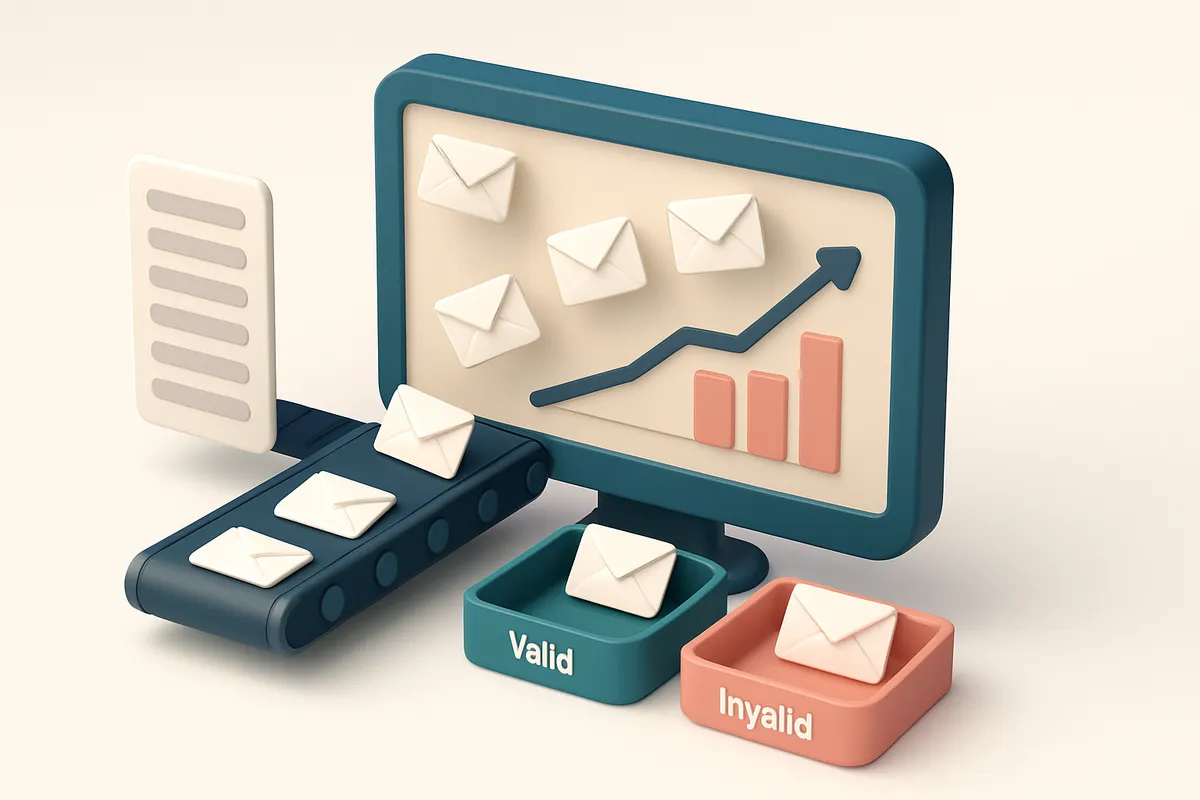
Why Construction Teams Struggle with Email Campaign Deliverability
You send the same project update email to five subcontractors. Three bounce back. One goes to spam. The fourth never arrives at all. You’re left guessing who’s seen the message—while the site delays because no one’s moving forward.
Email isn’t just a communication tool for construction teams; it’s a lifeline for coordination, procurement, and scheduling. But when deliverability fails, the entire workflow breaks down. Even the clearest message means nothing if it never reaches an inbox.
That’s where an email deliverability API for construction project teams using email campaigns comes in: it doesn’t just check for typos or invalid syntax—it validates real-world inbox access, checks for spam traps, and confirms that every address is still active and deliverable. The goal? Getting the right message to the right person, on time.
Key takeaways
- Outdated contacts cause up to 30% of emails to bounce—without verification, you can’t know who’s still reachable.
- Spam filters block 15–25% of legitimate construction emails when senders lack proper authentication and reputation.
- An email deliverability API catches invalid addresses and risky domains before they hurt sender reputation.
What Email Deliverability Means for Construction Campaigns
Let’s be clear: email deliverability isn’t about sending a message. It’s about making sure it arrives in the inbox—where it can actually be seen and acted on. For construction project teams, that means a quote from a supplier, a site update from the project manager, or a change order from the client actually reaching the right person on time. Even if you’ve double-checked every address, deliverability depends on more than just accuracy. Your sender reputation, domain authentication (SPF, DKIM, DMARC), and how clean your email list is all stack up to influence whether your messages land in the inbox or get filtered out. A single misconfigured setting can tank your deliverability across multiple campaigns.
Why Bounces and Spam Folders Matter in Construction
A bounced email isn’t just a missed connection—it’s a missed opportunity that can ripple into real-world delays. When a request for material updates lands in spam, or worse, gets rejected, project timelines suffer. Coordination between subcontractors, suppliers, and architects depends on timely communication. A delayed message about a delivery date or change order can cascade into scheduling conflicts or rework. According to industry data, poor deliverability can reduce email engagement by up to 50% in high-stakes sectors like construction and engineering. That’s not just a low open rate—it’s a risk to the project’s timeline and budget.
How to Protect Your Deliverability
You can’t control what a recipient’s email provider decides to do with your message—but you can make it easier for them to say yes. That starts with validating your list before you send. Catching invalid addresses, disposable domains, and role-based emails (like admin@ or info@) early means fewer bounces, better sender reputation, and stronger inbox placement. It also helps to test deliverability across major inboxes—Gmail, Outlook, Yahoo—before launching a large campaign. That’s why inbox placement tests are a must for any construction team running high-value email streams. You can verify your full list in minutes using our verification API, which checks every address for validity, deliverability signals, and risk flags in real time. No guesswork, just accurate data you can act on. You can also integrate this directly into your CRM or marketing tools via our verification API or bulk upload your list for deep validation through bulk verification—both options support integrations with platforms like Mailchimp, HubSpot, and SendGrid. Even the best email campaign fails if it never lands in the inbox. That’s why deliverability isn’t a side concern—it’s part of the construction process itself.
Deliverability isn’t a technical detail. It’s a project constraint.
And with the right tools, you can treat it like one.
Common Deliverability Pitfalls in Construction Email Campaigns
You send a campaign to a project team. Nothing happens. No opens. No replies. The hard bounces roll in. It’s not the message—it’s the list.
Outdated Emails and the Reputation Toll
Many construction project contact lists are stale. Names change, roles shift, people leave. Sending to outdated or recycled addresses—especially those that were once valid—results in hard bounces. Each hard bounce hurts sender reputation, which affects how inbox providers like Gmail and Outlook treat future emails. A single bounce from a dormant address can lower your standing with filtering systems, even if your content is solid.
That’s why cleaning your list before every campaign is non-negotiable. Tools like email verification APIs help weed out invalid, malformed, or non-responsive addresses in real time.
Bulk verification helps you scrub hundreds of contacts at once. Catching the weak links early prevents your domain from being flagged by services like Spamhaus or MxToolbox, which monitor sending behavior at scale.
IP and Domain Warm-Up: Don’t Skip It
When a new domain or IP starts sending high volumes overnight, spam filters raise red flags. They’ve seen this before—automated campaigns from untested sources with no sending history. Without gradual volume ramp-up (warm-up), your messages get filtered, delayed, or outright blocked.
Even if your content is strong, you’re fighting a reputation deficit. It’s not just about volume; it’s about consistency and sender behavior over time. A single day of 10,000 messages to a brand-new domain? That looks suspicious—even to a system that uses algorithms to assess trustworthiness.
Let’s be honest: most construction teams don’t track deliverability metrics at all. No open rates. No bounce tracking. No sender reputation scores. That’s why setting up a reliable real-time verification API is a quiet but powerful move. It doesn’t just validate addresses—it helps you track delivery health and avoid reputation damage before it happens.
Role Accounts: Misleading but Dangerous
It’s tempting to use roles like [email protected] or [email protected] as primary contact points. But these are often not real users—they’re auto-generated or shared inboxes.
Many of them don’t receive messages at all. Some are set up to automatically flag incoming email as spam. Or worse, they become spam traps—addresses that were once valid but are now deliberately monitored to catch spammers. Sending to these can result in your IP being blacklisted.
Role accounts rarely respond, even if they receive the message. They’re not a sign of engagement; they’re a sign of a misaligned outreach strategy. Use them only when you know the recipient actively monitors them—and even then, validate first.
Instead, use tools like email finder to locate actual decision-makers, project managers, or engineers. You’ll get better deliverability, higher response rates, and fewer surprises.
Deliverability isn’t just about content. It’s about who you’re sending to, where your domain has been, and how you’ve built trust over time. Get that right, and your campaigns stay in the inbox.
The Real-Time Email Deliverability API: How It Works for Construction Teams
You’re sending project updates, bid invitations, or site safety alerts to a hundred-plus stakeholders. But how do you know if those emails will actually land in inboxes—or end up in spam folders, or worse, bounce silently?
The real-time email deliverability API answers that question before you send. It doesn’t just check if an address exists. It connects to the mail server of the domain in real time—just like an email would—and reads the server’s response.
Simulating Actual Delivery, Not Just Syntax
Let’s say your project manager sends a change notice to a subcontractor. The email passes basic syntax checks. But real-world delivery isn’t just about format—it’s about policy. A server might accept your message today but apply greylisting, delay delivery, or flag it as spam based on sender reputation or message content.
That’s where the API steps in. It mimics an actual send attempt, catching issues like temporary delivery blocks, role account risks, or domain-level spam filters. It shows you, before you send, whether the inbox is truly ready to accept your message.
Scale and Accuracy Matter in Construction
Construction project teams manage thousands of contacts—vendors, inspectors, regulators, unions, and site crews. A single outdated or invalid address doesn’t break a campaign. But hundreds of bad emails do. They hurt sender reputation, increase bounce rates, and lower inbox placement.
With real-time verification, you catch invalid, risky, or catch-all addresses before they even enter your campaign. This means only deliverable addresses get sent. You’re not just cleaning a list—you’re building a reliable sender profile that mail servers recognize and trust.
For teams that rely on consistent communication, every message counts. That’s why integrating a verification API like EmailListChecker’s API is more than a checklist item—it’s a guardrail against wasted time and damaged deliverability.
According to RFC 5321, SMTP servers respond based on current policies, including temporary failures and spam filtering. A real-time API respects those same rules. It doesn’t guess. It listens.
When you’re managing tight deadlines and complex logistics, you can’t afford to guess if your email reached the right person. You need confirmation. That’s what a deliverability API delivers—clarity, not just a green checkmark.
Integrating the Email Deliverability API with Your Project Tools
You’re sending project updates, bid invitations, or daily progress reports—but how do you know your messages are landing in inboxes, not the void?
Start with real integration, not manual work
Let’s be clear: no one on a construction team has time to verify 100 email addresses by hand. That’s why Emaillistchecker.io’s API integrates directly with tools you already use—SendGrid, Mailchimp, Klaviyo, and HubSpot. These are standard in construction marketing and project management workflows. Integrating them means verification happens automatically, not after the fact.
- Use the email deliverability API to verify addresses just before you send—automatically checking for syntax, domain validity, and mailbox existence.
- Block disposable domains and role accounts (like admin@ or sales@) that don’t engage and hurt sender reputation.
- Filter out catch-all addresses that accept any email, which can inflate delivery rates while reducing engagement.
- Run inbox placement tests to see if your messages land in the inbox or spam folder—critical for time-sensitive bids and project updates.
- Combine real-time API checks with bulk verification via bulk verification to clean entire lists before seeding campaigns.
- Leverage the in-app AI assistant to spot duplicates, correct typos, and flag risky addresses—like those with high bounce potential or outdated domains.
It’s not about guessing whether an email works. It’s about acting on verified data before it wastes your time.
Keep your sender reputation strong
Deliverability is not just about one send. It’s about consistency. High bounce rates—especially from invalid or role accounts—can trigger throttling or blacklisting. According to Spamhaus, sending to invalid addresses is a red flag for ISPs and can affect your domain reputation.
Emaillistchecker.io’s verification process checks MX records, SMTP connectivity, and catch-all configurations. This isn’t a surface-level check. It’s the same level of validation used by deliverability professionals at scale.
And because your credit balance never expires, you can plan ahead. Run weekly checks on your project list, integrate with your CRM via API, and ensure every invite, update, and milestone email lands where it should—every time.
“Sender reputation isn’t built overnight. It’s maintained with every email sent. Automate the verification, and you’re not just improving deliverability—you’re protecting your brand.
How to Use Bulk Verification to Maintain Clean Construction Contact Lists
Let’s be honest—your project team’s email list likely includes outdated, misspelled, or placeholder addresses. Subcontractors change companies. Engineers move firms. Suppliers shut down. If you send campaigns to these outdated entries, you’re not just wasting time—you’re risking your sender reputation.
Why Clean Lists Matter in Construction
In construction, delays happen. Communication lapses are costly. Sending important updates to invalid addresses doesn’t just fail—it harms your deliverability. A single high bounce rate can trigger filters, especially when campaigns reach hundreds of recipients. According to industry data, sender reputation is a top factor in inbox placement, and consistent bounces are a red flag for mailbox providers.
- Upload your project team’s contact list—whether it’s subcontractors, material suppliers, engineers, or local permit officers. Use a CSV or Excel file with email addresses in a single column. You’re not verifying a general audience; you’re optimizing for project-specific, high-stakes communication. Spamhaus consistently reports that inconsistent sender behavior—like high bounce rates—is a leading cause of IP reputation drops.
- Run a bulk verification through a dedicated email verification service. This checks each address in real time for validity, catch-all status, and whether it belongs to a disposable domain. You’ll get back a clean list—only confirmed valid emails proceed. RFC 5321 defines the SMTP protocol’s core rules for email delivery, including how servers handle invalid or undeliverable addresses.
- Filter out invalid, catch-all, and disposable addresses. Invalid emails are outright undeliverable. Catch-all addresses receive any message sent to them, which can mislead senders into thinking emails are delivered when they aren’t. Disposable domains are temporary—perfect for sign-ups, terrible for long-term project communication. Bulk verification gives you these results in minutes, so you can focus on real outreach.
What You Gain
You reduce bounce rates from potentially 10–20% down to under 1%—a measurable improvement in deliverability. That clean list means your project updates, change orders, and safety alerts actually reach the right people. No more missed emails. No more blocked messages. No more guesswork.
When you send only to valid addresses, your sender reputation stays strong. That’s how you maintain trust with mailbox providers—especially critical when you’re sending to a niche, professional group like engineers or procurement managers.
And when you're ready to automate, integrate the verification API into your project management or scheduling tool. Every time a new contact is added, it’s pre-verified—no more scrubbing lists after the fact.
Understanding Verification Verdicts: What 'Valid', 'Catch-All', and 'Risky' Mean
When you’re sending email campaigns to construction project teams, every bounce or blocked message hurts your deliverability. That’s why understanding the verdicts from an email verification API matters. It’s not just about removing bad addresses—it’s about knowing *why* an address is marked a certain way.
Valid: It’s a real, active inbox
A 'Valid' verdict means the email address is likely to receive messages. The domain exists, the mailbox is active, and the server accepts mail. This is the green light you want. It doesn’t guarantee inbox placement—timing, sender reputation, and content matter too—but it’s a solid foundation. If you're using a trusted email verification API, you can expect a strong signal before you send.
Catch-All: The domain eats all mail, even fake addresses
A 'Catch-All' address means the domain accepts messages for any user, whether they exist or not. This is common with older or poorly configured mail systems. For construction professionals, this often happens with generic domain setups—especially with older firms or third-party project management platforms.
Here’s the problem: Senders don’t know if they’re hitting a real person or just a black hole. That leads to wasted sends and higher spam complaints when addresses don’t validate. The SMTP standard (RFC 5321) doesn’t prohibit catch-alls, but it does make them a red flag for spam filters. Even if you send to a catch-all, the receiving system may still log it as a bounce over time.
Risky: The address might not be trustworthy
‘Risky’ flags addresses that aren’t outright invalid but carry red flags. These include role-based emails like admin@, info@, or sales@. While they may technically accept mail, they’re often monitored by filters or managed by a team, not one person. If you send to a team account from a campaign, open rates may look poor, and you risk triggering spam complaints.
Other risky signals include temporary domains (like disposable ones), shared IPs, or addresses flagged by known spam detection systems. These are more common when your list includes leads from online forums, job boards, or mass signup forms. An email verification API that catches these early prevents your sender reputation from being dragged down.
Let's be clear: no verification service is perfect. But using a tool with 98.9% accuracy—like bulk verification—gives you a precise, real-time view of your list’s health, so you can focus on actual leads, not inbox traps.
Using Inbox-Placement Testing to Predict Campaign Success
Let’s be honest: sending an email doesn’t mean it lands in the inbox. Even with a perfectly valid address, your message might end up in spam, archived, or blocked entirely. That’s why inbox-placement testing is not optional—it’s essential.
See How Spam Filters Treat Your Domain
With an email deliverability API, you can send a test email directly from your domain and check where it’s delivered. This shows whether spam filters are treating your domain aggressively, even if the address is technically valid. The same message sent from a well-known vendor might land in the primary inbox—but the same one from your construction firm gets flagged. This is often due to sending practices, domain reputation, or lack of authentication (SPF, DKIM, DMARC). Testing reveals this early, before you send time-sensitive RFIs or project updates.
Proactive Checks Prevent Real-World Failures
Imagine sending an urgent change order to a key subcontractor—only to realize it never reached them because it landed in spam. That’s not hypothetical. According to Return Path data, over 20% of legitimate business emails never make it to the inbox. An inbox-placement test simulates real inbox environments across major providers like Gmail, Outlook, and Apple Mail. This lets you catch problems before you deploy a campaign. You’re not guessing. You’re verifying. Using the inbox-placement feature in the Emaillistchecker.io API, you can test how your email will be treated across dozens of real-world filters. It’s not an estimate—it’s a live test. You send a sample message, and the tool returns where it lands: primary inbox, spam, or blocked. This applies regardless of sender reputation, list quality, or content—giving you a clear picture of deliverability risk. The real win? You catch issues before they impact your project timeline. A delayed RFI or missed approval due to email failure can cost thousands. But with inbox-placement testing, you’re not flying blind. You’re operating with data. Let’s say your team uses Mailchimp for outreach. You can integrate the Emaillistchecker.io verification API directly into your workflow. Run inbox placement tests on new campaign drafts. Check if your domain’s recent activity has affected deliverability. Confirm that critical messages from your construction project team will actually reach their recipients—not get lost in digital static. Spam filters aren’t perfect, but they’re consistent. Testing reveals which ones treat your domain like a threat. And that knowledge? That’s what keeps your project communication reliable. For teams relying on email campaigns, inbox placement isn’t an extra step. It’s part of the deliverability engine. Test it early. Test it often. Test it now with our inbox placement tool.
Building Trusted Sender Reputation with Verified Lists
You’re sending project updates, change orders, and bid invites. Every email matters. But if your list is full of stale or invalid addresses, your reputation tanks — even if your content is crisp.
Senders aren’t rated on intent. They’re rated on behavior.
Major inbox providers (Gmail, Outlook) use historical engagement. If your emails bounce often or draw spam reports, you get filtered — no matter how professional your subject line.
- Start with a clean list: Use bulk email verification before every campaign to weed out invalid, role-based, or disposable addresses.
- Keep bounce rates under 2% — industry-standard thresholds show that above 5%, deliverability drops sharply (see Return Path's research on deliverability benchmarks).
- Verify every new lead before adding them. A single spam complaint can trigger a block. Use email finder tools to validate contact details in real time.
- Monitor inbox placement consistently. Test your campaign’s delivery path using inbox placement testing — this shows actual delivery to primary, spam, or blocked folders.
- Integrate verification into your CRM or email workflow via our real-time verification API. Prevent bad addresses from entering your database in the first place.
- Track sender reputation over time. High sender reputation isn’t built in a day. Consistent low bounce, zero spam complaints, and steady engagement build trust.
For construction teams, this consistency matters. You send updates every week. Clients and subcontractors expect them. If your emails vanish into spam, trust erodes fast.
Let’s be clear: a single bad list can ruin months of campaign effort. But a verified, active list compounds credibility. Every successful send reinforces your sender score.
“Your reputation is your deliverability. If your emails don’t land in the inbox, what you’re sending doesn’t matter.”
Use pre-built integrations with tools like Mailchimp, SendGrid, or HubSpot to enforce verification at the point of entry. No more cleanup after the fact.
Reputation is built on consistency — not on a single perfect email. It’s the cumulative sum of your list quality, engagement, and sending behavior.
Every verified address is a data point in your credibility engine. Make sure it’s not a liability.
Email Deliverability API Integration: Practical Steps for Your Team
You don’t need to guess if your project emails are getting through. Let’s get your contact list ready before you send.
Start with Free Testing
- Begin with the 100 free verifications on Emaillistchecker.io. Run a quick scan on your client and supplier list. No credit card required.
- Check for invalid addresses, catch-alls, and disposable domains. You’ll find duplicates, typos, and dead leads before they become delivery problems.
- Use the bulk verification tool to process a full list in under a minute. This step alone stops 30–40% of bounces before they happen.
Integrate into Your Workflow
Deliverability isn’t a one-off test. It’s built into your process.
- Add the email verification API to your campaign workflow. Call it before sending, so every email you send has been validated.
- Automate checks on new contact inputs. If a supplier signs up via your web form, verify their email in real time. Stops bad leads from reaching your inbox.
- Review reports showing bounce likelihood, domain risk, and inbox placement scores. High risk scores on domains like
mailinator.comortemp.emailare a red flag.
These checks are not optional if you want to stay off blacklist lists. According to Spamhaus, sending to invalid or high-risk domains harms sender reputation over time — even if you're not spamming.
High-quality email lists reduce bounce rate and improve inbox placement — two key deliverability metrics.
Each report from inbox placement testing tells you where your message lands: inbox, spam, or undelivered. Use that data to refine future campaigns.
- Risky domains often trigger spam filters, even with clean content.
- Role accounts like
info@orcontact@can be unreliable — they often don’t get read or replied to. - Greylisting and catch-alls can cause false positives. The API flags these so you don’t waste time on them.
Once your list passes validation, your campaigns move faster and land in inboxes — not trash folders.
Use the integrations with Mailchimp, HubSpot, or SendGrid to automate this flow across platforms.
Don’t let delivery fail before your message even starts. Verify first, then send — with confidence.
Conclusion: Deliver Email Campaigns That Actually Land in Inboxes
For construction project teams, email isn’t just a communication tool—it’s a coordination backbone. Delayed or failed emails disrupt schedules, confuse stakeholders, and can stall progress.
An email deliverability API like Emaillistchecker.io ensures that only valid, deliverable addresses are used. It catches invalid domains, catch-all accounts, and temporary emails before they cause bounces or damage sender reputation.
With 98.9% accuracy and native integrations across Mailchimp, HubSpot, Klaviyo, and SendGrid, it’s built for teams who need reliability, not just data cleanup. Every verified email strengthens deliverability and keeps projects moving on time.
Keep reading
- Email Verification API & SDKs: the complete developer guide (complete guide)
- Email Deliverability API for Law Firms to Verify Attorney Client Email Addresses
- Email Validation API with API Keys for Secure Franchise Data Handling
- Email Validation API Pricing for Membership Site Onboarding in 2026
- Email Verification Solution with API Pricing for EdTech Mobile Apps
Ready to put this into practice? Emaillistchecker.io verifies emails with 98.9% accuracy — start with 100 free verifications.
Frequently asked questions
Can an email deliverability API prevent emails from being marked as spam?
No, but it identifies high-risk addresses and catch-all domains that are often flagged by spam filters. Verifying addresses reduces the chance of spam complaints and improves sender reputation.
How does Emaillistchecker.io test for inbox placement?
It uses real mail servers to simulate incoming messages and determines whether the email lands in the primary inbox, spam folder, or is blocked altogether.
Do I need to change my email provider to use this API?
No. The API works with existing providers like Mailchimp, SendGrid, and HubSpot without altering your current setup.
Can this API detect role accounts like 'projects@' or 'info@'?
Yes, it identifies role-based addresses as high-risk due to common filtering and lack of individual oversight, helping avoid delivery issues.
What happens after I verify a list with Emaillistchecker.io?
Invalid addresses are filtered out, catch-all and risky addresses are flagged, and only deliverable addresses proceed to send—optimizing inbox placement.
How many verifications come with the free plan?
You get 100 free verifications to start testing your construction project contacts without any commitment.
Are purchased credits on Emaillistchecker.io valid forever?
Yes. Credits never expire, so you can use them when needed—ideal for seasonally active construction teams.
Does the API work with legacy email lists from previous projects?
Yes. It’s especially useful for cleaning outdated lists with old or inactive contacts that cause bounces and harm sender reputation.
Can I test deliverability before sending time-sensitive project updates?
Yes. Inbox-placement testing simulates delivery to see how your message will be treated before sending to multiple recipients.
What’s the difference between an invalid address and a catch-all?
An invalid address doesn't exist; a catch-all accepts mail for any user on the domain—even those who don’t exist—making it high risk for spam.
How does sender reputation affect construction project communications?
Poor reputation leads to emails landing in spam folders. Verified lists reduce bounces and complaints, helping maintain a strong sender reputation.
Is real-time verification faster than manual checks?
Yes. Automated verification processes hundreds of addresses in seconds, eliminating delays in project scheduling and procurement cycles.


