
Cold Email Deliverability Checker for Accounting Pros
Improve your cold email outreach with a deliverability checker built for accounting professionals. Verify emails, reduce bounces, and boost inbox placement.
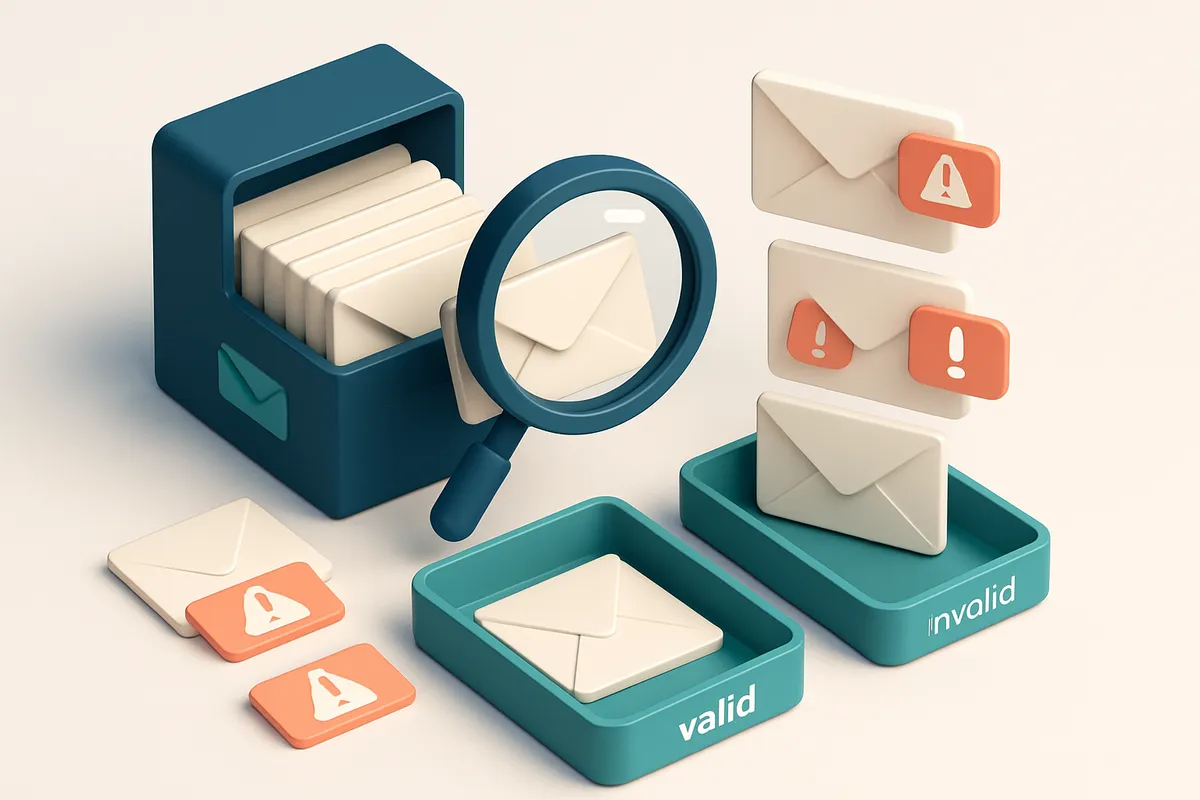
Why Cold Emails Fail for Accountants — And How to Fix It
You send a well-crafted cold email to a dozen potential clients. Two days later, you check your analytics. Nothing. No opens. No replies. Just a quiet inbox. You’re not alone. Even with perfect copy, your outreach is failing—not because of your message, but because the email list you’re using is full of dead ends.
Accountants rely on cold email to grow their client base. But a single bad address can harm your sender reputation. A 3% bounce rate isn't just a number—it’s a red flag to email providers. It signals you’re not managing your list, and they respond by blocking your messages before they even reach the inbox.
The fix isn’t more personalization or better subject lines. It’s not even better timing. It’s verifying your list before you send. A cold email deliverability checker for accounting professionals doesn’t just filter invalid addresses—it protects your sender reputation, improves inbox placement, and stops wasted effort before it starts.
Key takeaways
- Even a 3% bounce rate can trigger email deliverability blackouts.
- Deliverability is as much about list quality as it is about message content.
- A cold email deliverability checker filters invalid, risky, and disposable addresses before sending.
What Is a Cold Email Deliverability Checker?
You send a cold email. It doesn’t bounce. But does it actually land in the inbox — or end up in spam, or silently vanish? That’s where a cold email deliverability checker comes in. It doesn’t just confirm an address exists. It tests whether that email will reach a real person’s inbox, not just pass a basic syntax check. Let’s be clear — a valid email address isn’t enough. Many addresses look correct but won’t receive your message. A deliverability checker probes deeper. It checks if the domain has an active MX record (the server that handles incoming mail), if the domain is blacklisted, or if the address belongs to a role account like info@ or sales@ — which often don’t deliver reliably. It also identifies if a domain is catch-all (accepts all emails, even invalid ones), which can lead to wasted sends and damaged sender reputation.
How It Actually Works
Behind the scenes, a deliverability checker performs several real-time validations. It looks at DNS records (like SPF, DKIM, DMARC), checks for known spam traps, and examines historical sender behavior. Some tools simulate the entire SMTP handshake process — essentially pretending to send an email and seeing if the server accepts it. This mimics what happens in real-world email delivery. For accountants cold-calling new clients, this is a necessity. You’re not just reaching out — you’re trying to build trust, and every failed email is a missed opportunity. Sending to invalid or high-risk addresses damages your sender reputation. If you’re flagged as a spam sender, even legitimate emails can get blocked. That’s why tools like bulk verification are essential — they clean your list before you send.
Why This Matters for Accountants
A single spam trap can trigger a sender reputation penalty. That’s not just a bounce; it’s a long-term delivery risk. According to Spamhaus, even one spam trap hit can result in an IP being blocked by major email providers. For a small firm, that could mean weeks of lost outreach. Tools like inbox placement testing help you see how your actual message lands — not just whether the address exists. You’ll know if your subject line and content trigger filters, and if your message is likely to end up in the spam folder. In short, a cold email deliverability checker is more than a validity check. It’s a reputational safeguard. For accountants, where credibility is everything, knowing your message lands — and lands in the right place — is key.
The Hidden Risks of Sending to Unknown or Invalid Accounts
You might think your cold email campaign is going fine—until you start seeing bounces and low open rates. But the real problem isn’t always the message. It’s who you’re sending it to.
Role-Based and Invalid Addresses Damage Your Reputation
Using info@, sales@, or admin@ isn’t just a generic choice—it’s a technical red flag. These role-based addresses often point to catch-all mailboxes, which accept all incoming email but won’t deliver to specific users. When you send to one, the server logs a receipt, then silently discards it. That’s not a bounce—it’s a silent failure that still counts against your sender reputation.
And if you're sending to hundreds of such addresses, you're triggering server-level rejection patterns. Email providers see this behavior as spam-like. A single email sent to a blacklisted domain can linger in the system, contributing to a poor sender IP score over time. The longer your IP stays on a blocklist, the harder it is to clean up.
Basic Syntax Checks Won’t Catch Real-World Issues
Many tools only validate email format—does it have an @ and a domain? That’s the bare minimum. They miss what actually matters: whether the mailbox even exists, whether the server is currently accepting mail, or if the domain has been flagged for abuse.
Greylisting, for example, is a common anti-spam technique where servers temporarily reject a message on first delivery. If your sender doesn’t retry properly, or if you’re sending from a new IP, your message gets stuck. Similarly, some domains time out due to high load or strict filters. A syntax-only check won’t flag that.
Let’s be clear: you don’t want to rely on basic validation. You want to know in real time whether your email can actually reach someone’s inbox. That requires more than one check—it needs verification against live mail servers.
Even if your email passes syntax, it might still be blocked. The only way to know is by using a tool that checks deliverability in real-time, not just format. Emaillistchecker.io does this through a combination of SMTP-level checks, DNS validation, and inbox placement testing.
Bulk email list verification catches invalid, role-based, and blacklisted addresses before they hurt your sender reputation. The real-time API integrates directly into your workflow, checking every address on the fly. Both are designed for teams who need precision, not just a green light on syntax.
For accountants who send outreach to clients or prospects, sending to the wrong inbox isn’t just inefficient—it’s costly. Each failed email adds risk. A cold email deliverability checker isn’t a luxury. It’s a safeguard.
How Emaillistchecker.io Checks Deliverability in Real Time
Let’s cut through the noise. A cold email deliverability checker for accounting professionals isn’t just about spotting typos in an email address. It’s about knowing whether your message will land in the inbox—or get silently discarded.
The Real-World Test: Simulating Actual SMTP
Unlike basic syntax checks, Emaillistchecker.io runs a full SMTP handshake with the receiving mail server. We don’t guess. We connect.
- Initiate an SMTP connection to the recipient’s mail server, just like a real sender would.
- Run the full verification sequence: HELO, MAIL FROM, RCPT TO—exactly as a sending email service would.
- Analyze the server’s response in real time—accept, reject, delay, or flag.
- Return a verdict that mirrors what would happen in production: valid, invalid, catch-all, risky, or disposable.
That’s how we avoid false positives. A syntax-checker says “this looks OK.” Our test tells you whether the server will actually accept the message.
What the Verdicts Actually Mean
Each result isn’t just a label—it’s a signal. We don’t leave you guessing. Here’s what we flag, and why it matters:
- Catch-all addresses: The server accepts all incoming mail, even if no such user exists. These are high-risk; your message might reach someone, but it’s impossible to verify the intent. You could be wasting deliverability on fake accounts.
- Disposable domains: Email addresses from short-lived domains (like 10minutemail.com) are commonly used for spam signups. Sending to them harms sender reputation.
- Role accounts: Addresses like
sales@orinfo@are often monitored by filters and may not receive your message. Many inbox providers mark these as low-priority or auto-archive.
Knowing this helps you decide: Do you want to send to a role account that won’t read it? Or a disposable address that won’t be around tomorrow?
Our approach is transparent. No black boxes. The same protocol used by major email providers—RFC 5321—is how we verify. You’re not just checking syntax. You’re checking what actually happens when the email hits the server.
For accountants and financial advisors who must maintain high deliverability, this level of precision isn’t optional. It’s the difference between your outreach being seen—and getting lost.
Check your list in bulk to find exactly which addresses are risky, and which ones should be flagged before you send.
Deliverability isn’t about sending more. It’s about sending only to addresses that can and will receive you.
The 5 Verdicts You Get — And What They Mean for Your Outreach
When you’re sending cold emails to accounting pros, every bounce, spam flag, or blocked delivery hurts your sender reputation. That’s why understanding your email verification results isn’t optional—it’s a defense against wasted effort. Let’s break down what each verdict really means.
What Each Verdict Tells You
Every email address flagged during verification falls into one of five categories. These aren’t just labels—they’re signals about deliverability risk.
| Verdict | What It Means | What You Should Do | Why It Matters for Accounting Pros |
|---|---|---|---|
| Valid | The address exists and accepts mail. It’s an active inbox. | Send with confidence. These are your best prospects. | Accounting teams rely on real inboxes. Valid addresses mean you’re reaching decision-makers, not ghosts. |
| Invalid | The address doesn’t exist. Common with typos or outdated data. | Remove immediately. Sending to invalid addresses harms your sender reputation. | Even one invalid email in a list can trigger spam filters—especially if you're sending to multiple firms. |
| Catch-all | The domain accepts all emails, even nonexistent ones. Often a sign of low-quality data. | Send with caution. These often lead to high bounce rates or spam traps. | Accounting firms with catch-all emails may not be serious—or may be using generic domains. High risk of being flagged. |
| Risky | May bounce, be marked as spam, or belong to a generic role account (e.g., info@, admin@). | Avoid unless absolutely necessary. Best excluded from cold outreach. | Role accounts have low open rates and trigger spam filters. They also hurt your reputation if they bounce. |
| Disposable | Temporary email used to bypass registration. Common in bulk signups. | Exclude completely. These are high spam risk and zero conversion potential. | No real accountant uses a disposable email. These addresses signal fake or low-intent leads. |
These verdicts aren’t just labels—they’re part of the infrastructure of deliverability. According to RFC 5321, mail servers reject or delay messages based on address validity and domain policies. Ignoring these signals erodes sender trust.
Let’s be clear: You don’t need more emails. You need better ones. A list with a high invalid or catch-all rate will hurt your sender score. That’s why we built real-time verification with our API and bulk checks—to catch these issues before you hit send.
Bulk List Verification: Clean Your Prospect List in Minutes
Let’s face it: sending cold emails to outdated or invalid addresses hurts your sender reputation. You don't need a few bounced messages — you need confidence your list is clean. With EmailListChecker.io, a single upload cleans up to 10,000 addresses in minutes.
Run a Real-Time Bulk Check
- Upload your list. Drag and drop a CSV or Excel file with 1,000 to 10,000 email addresses. There’s no limit on how many you can check at once.
- Our system runs checks in parallel. Unlike slow batch processors, we validate each address simultaneously using live SMTP connections and DNS lookups, so there’s no waiting for queues.
- Get results in under 10 minutes. Most lists are processed and returned with validation status — valid, invalid, catch-all, or risky — within minutes, not hours.
You don’t need to wait. You don’t need to guess. You just upload and move on.
Export What Matters
Once verified, export only the clean addresses. The platform automatically filters out:
- Invalid domains or syntax errors.
- Disposable or temporary email accounts.
- Known catch-all addresses (which can trigger spam filters).
- Role-based addresses like
info@oradmin@— which often get ignored.
These aren’t just flags — they’re red signals. Using them hurts deliverability. You’ll see a measurable drop in bounce rates and spam complaints when you remove them.
Studies show that senders with high bounce rates (over 2%) are more likely to be flagged by inbox providers.
That’s why real-time validation matters. You’re not just cleaning data — you’re protecting your reputation with providers like Gmail, Outlook, and Yahoo.
For accounting professionals managing outreach at scale, this is non-negotiable. You can’t afford to hit spam filters or get blocked due to outdated contacts.
Check your list before you send. The system tells you exactly what’s safe to use and what needs to go.
Try bulk verification now — no credit card, no risk. You get 100 free checks to start, and your credits never expire.
Real-Time API Access for Automated Workflows
Let’s be honest: sending to invalid emails wastes time, hurts sender reputation, and kills deliverability. That’s why you need real-time verification baked into your workflow.
Verify Before the First Send
Integrate our API directly with your CRM, sales tool, or outreach platform. Every time a new contact enters your system — whether from a form, synced import, or manual entry — check their email address instantly.
No more waiting. No more manual checks. You can verify 10 addresses or 10,000 in the same pipeline, with results returned in under a second per address.
Seamless Integration Across Your Stack
Use the API during lead capture forms. Stop bad addresses before they ever hit your database. Sync with HubSpot, Mailchimp, Klaviyo, or SendGrid, and clean your list as it flows in — not after.
It’s not just about accuracy. It’s about consistency. You’re verifying every email, automatically, every time you add a contact.
When you integrate with tools like HubSpot or Mailchimp, you’re not just filtering out dead zones. You’re reducing your bounce rate — and that directly impacts your deliverability over time.
For accounting professionals, every email matters. A single bounced message can trigger spam filters, especially if volume is high. According to an DMARC report, consistent bounce rates above 0.5% start to raise red flags with inbox providers.
Our API is built for scale, precision, and speed. It checks SMTP, MX records, role accounts, disposable domains, and greylisting — all in real time.
See how it works in practice: Verify with our API. Start with 100 free checks, and keep going — credits never expire.
Don’t make your outreach suffer because of outdated or invalid data. Let the machine do the work before you ever hit send.
Inbox-Placement Testing: See If Your Message Reaches the Inbox
You can verify an email address all day, but that doesn’t mean your message will land in the inbox. That’s where inbox-placement testing comes in.
Test Your Email in Real Conditions
Let’s be clear: a valid email address doesn’t guarantee delivery. We send your message through real-world conditions—just like you would—to see whether it lands in the inbox, gets flagged as spam, or fails outright.
Our inbox-placement tool checks across Gmail, Outlook, Apple Mail, and other major providers. Each has its own filtering logic. What passes for one might get quarantined by another. That’s why seeing real results matters.
These tests simulate actual sending behavior. We use real headers, content, and sender reputation signals—without sending to real users—so you get trustworthy feedback.
Find Hidden Problems Before You Send
Some issues won’t show up in a basic address validation. For example, a domain might have strict DMARC policies, be on a blocklist, or use a catch-all setup that accepts all emails regardless of validity.
These configuration issues impact delivery—even if every address appears valid. Our inbox-placement test reveals them early. You’ll know if your message is hitting a filter, not a mailbox.
It’s a critical step for accounting professionals who need high inbox placement to build trust and drive responses. A single spam flag can tank engagement. A failed delivery might mean missing a key client outreach.
We don’t just test deliverability—we test it the way it happens. With real providers, real signals, and no guesswork.
For professionals with large outreach lists, this is how you reduce wasted sends and increase response rates. You’re not just checking if an email is real—you’re checking if it’s deliverable.
To get started, run a test with your list using our inbox-placement tool, or integrate it with your workflow via the real-time API. You’ll know what your sends will actually face—before you send them.
There’s no substitute for testing in real environments. And for accounting teams focused on precision, that’s not a luxury—it’s a necessity.
Integrations That Work Seamlessly with Your Accounting Stack
You don’t need to switch tools to keep your outreach clean. We connect directly with the platforms you already use.
Sync Verified Lists, Not Guesswork
- Connect Emaillistchecker.io to Mailchimp, HubSpot, Klaviyo, or SendGrid with a few clicks.
- Once synced, your verified email list stays up to date — no manual exports or imports.
- Every new contact added to your CRM or email service gets cross-checked in real time.
- Let’s be honest: sending to invalid addresses hurts reputation. We block them before they leave your queue.
Real-Time Checks, No Exceptions
- With real-time API verification enabled, every batch or campaign triggers a health check.
- Catch-all addresses, outdated domains, and disposable emails get flagged instantly.
- Only valid emails move forward — this means fewer bounces, better sender reputation, and higher inbox placement.
- According to industry benchmarks, a 70%+ inbox placement rate is achievable with clean lists — and consistent verification is a key step.
Deliverability isn’t luck. It’s built through consistent validation and clean data.
Start with a free 100-credit trial. You only pay for what you use, and credits never expire.
See how it works in practice:
- Connect your tools — set up in minutes.
- Verify your current list — no waiting, no fluff.
- Use the API to verify new leads live, as they come in.
- Test inbox placement with real-world delivery monitoring.
“Email delivery isn’t a technical one-off — it’s a daily hygiene task. Consistent validation keeps your deliverability in the green.”
For accounting teams that send regular newsletters, client updates, or outreach, a reliable check is not a luxury. It’s a requirement.
See how we stack up against common email validation tools: Spamhaus, MXToolbox, and other standard filters don’t catch all invalid addresses — especially those that appear valid on the surface.
Our 98.9% accuracy rate comes from deep checks across SMTP, MX, and domain health — not just syntax.
Why Accounting Pros Need a Deliverability-Focused Tool
You’re not just sending emails—you’re sending trust. For accountants, credibility is everything. A single bounce from an invalid address doesn’t just fail a message; it erodes confidence in your firm's precision. Let’s be clear: sending to a dead inbox suggests carelessness, and that’s the opposite of what clients expect from a trusted financial advisor.
Bounces Don’t Just Fail—They Hurt
High bounce rates are a red flag to email providers. If your sends consistently miss their mark, your sender reputation takes a hit. That reputation is what determines whether your messages land in the inbox or get quietly filtered into spam. It’s not just about one bad send—it’s about cumulative damage. A single list with 20% invalid addresses can signal poor list hygiene, and that can trigger automatic filters from major providers like Gmail or Outlook.
That’s why a tool that verifies email health before you send is essential. You’re not just cleaning noise; you’re protecting your long-term deliverability. With 98.9% accuracy, Emaillistchecker.io doesn’t just flag obvious issues—like malformed addresses—it identifies risky accounts, catch-alls, and disposable domains that many tools miss. That precision means fewer surprises, fewer blacklists, and more consistent inbox placement.
Let’s face it: accountants don’t get paid for deliverability. But they do get paid for results. And if your outreach never lands where it should, your message never gets seen. That’s why a deliverability-focused tool isn’t a luxury—it’s a necessity.
Tools like inbox placement testing give you real insight into how your messages perform in real inboxes, not just lab conditions. It’s the difference between guessing and knowing. The same goes for bulk verification—you can’t afford to guess when your client outreach or newsletter depends on real, valid contacts.
It’s not about sending more. It’s about sending smarter. And with tools that validate at scale and protect sender health—like the real-time verification API or bulk verification—you’re not just checking addresses. You’re preserving professionalism and ensuring every send counts.
Remember: a single bounce can hurt your reputation. A clean, verified list protects it. That’s the baseline for any responsible outreach.
Even if you don’t think you’re at risk, the truth is: you are. Every list decays. Every address changes. That’s why consistent verification—powered by proven tools—isn’t optional. It’s table stakes.
Start With 100 Free Verifications — No Strings Attached
Verify up to 100 emails at no cost. No credit card required. No trial limits. Just test our system with real data.
Your client list, prospect database, or outreach tool setup deserves clean data. Use these free verifications to audit, validate, or prepare your next campaign — whenever you're ready.
Credits never expire. You’ll have time to assess accuracy, compare results, and plan your next move without pressure.
Keep reading
- Email verification for cold outreach and B2B prospecting (complete guide)
- Email Verification for Media and Journalism Outreach with High Inbox Placement
- Best Practices for IP Warmup Strategy in Bulk Email Sending
- Cold Email Deliverability Tool for Attorneys
- Email Deliverability Optimization Tool for Cold Outreach Campaigns
Ready to put this into practice? Emaillistchecker.io verifies emails with 98.9% accuracy — start with 100 free verifications.
Frequently asked questions
Can a cold email deliverability checker reduce my bounce rate?
Yes. By filtering out invalid, disposable, and role-based addresses before sending, your bounce rate drops significantly — often by 80% or more.
How does Emaillistchecker.io check deliverability without sending an email?
It uses real-time SMTP probes and server-level checks to validate addresses without delivering content. It simulates a full send without the spam risk.
Do role accounts like info@ or sales@ hurt my deliverability?
Yes. Servers often reject messages sent to role accounts or route them to spam. These addresses are flagged as risky and should be avoided in cold outreach.
Can I integrate the deliverability checker with my CRM?
Yes. Emaillistchecker.io integrates with HubSpot, Mailchimp, Klaviyo, and SendGrid to automate verification during lead capture and campaign setup.
What’s the difference between an invalid and a risky email?
An invalid email doesn’t exist or has been deleted. A risky email may exist but has a high chance of bouncing, being flagged as spam, or being a role account.
How accurate is Emaillistchecker.io?
We achieve a 98.9% accuracy rate across bulk and real-time checks, based on real SMTP interactions and server feedback.
Does Emaillistchecker.io detect disposable email domains?
Yes. It identifies and flags disposable email domains, which are commonly used to bypass signups and pose spam risks.
Can I test if my email lands in the inbox before sending?
Yes. Our inbox-placement test simulates delivery across major email providers and shows whether your message ends up in the inbox, spam, or is blocked.
Is there a limit to how many emails I can verify at once?
No. You can verify as many as you need — from a single address to 10,000+ in a batch. Processing is fast and reliable.
Do I need technical skills to use this tool?
No. The interface is intuitive. Upload lists, run checks, and export results without needing to understand SMTP, MX records, or APIs.
How does inbox placement testing work?
We send a test message through real email infrastructure and track delivery outcomes across major providers like Gmail, Outlook, and Apple Mail.
What happens if I send to a domain with greylisting?
Our system detects greylisting delays and flags the address as potentially unreliable — allowing you to adjust timing or avoid sending.


